 rtcatc/packer-fuzzer
Packer Fuzzer is a fast and efficient scanner for security detection of websites constructed by javascript module bundler such as Webpack.


Any direct or indirect consequences and losses caused by the dissemination and use of the detection function provided by the Packer Fuzzer tool (hereinafter referred to as this tool) shall be the responsibility of the user. The Packer Fuzzer development team (hereinafter referred to as the team) No responsibility for this.
This tool will automatically generate a scan result report based on the user's detection results. The content of this report and other derivative content cannot represent the position and views of the team.
Please follow the relevant laws and regulations of the user and the country where the target system is located when using this tool. All unauthorized tests are not allowed. In the event of related illegal acts, we will reserve the right to pursue your legal responsibility, and fully cooperate with relevant agencies to initiate investigations.
With the popularity of web front-end packaging tools, have you encountered more and more websites represented by Webpack packager in daily penetration testing and security services? This type of packager will package the API and API parameters of the entire site together for centralized Web call, which is also convenient for us to quickly discover the functions and API lists of the website, but often the number of JS files generated by these packagers is unusually large and total The amount of JS code is extremely large (more than ten thousand lines), which brings great inconvenience to our manual testing, and the Packer Fuzzer software came into being.
This tool supports automatic fuzzy extraction of the API corresponding to the target site and the parameter content corresponding to the API, and supports the fuzzing and efficient fuzzing of seven vulnerabilities: unauthorized access, sensitive information leakage, CORS, SQL injection, unauthorized access, weak password, and arbitrary file upload Rapid detection. After the scan is over, this tool also supports automatic generation of scan reports. You can choose the HTML version that is easy to analyze and the more formal doc, pdf, txt versions.
And you don’t have to worry about language problems caused by internationalization. This tool comes with five major language packages (including report templates): Simplified Chinese, French, Spanish, English, and Japanese (sorted according to translation accuracy). NoProfessional team translation.
Note: Currently the first version of the tool only optimizes the rules of the Webpack packager, please look forward to other packager rules.
This tool is developed in Python3 language. Before running this tool, please make sure you have the Python3.X software and the pip3 software installed. If you have not installed the relevant environment, you can install it through the following instructions: https://www.runoob.com/python3/python3-install.html
MacOS users can use the following command to quickly install:
brew install python3 #will automatically install pip3
Ubuntu users can use the following command to quickly install:
sudo apt-get install -y python3 && sudo apt install -y python3-pip
CentOS users can use the following command to quickly install:
sudo yum -y install epel-release && sudo yum install python3 && yum install -y python3-setuptools && easy_install pip
This tool will run native NodeJS code through node_vm2, so we recommend that you install the NodeJS environment (other JS runtime environments are not recommended, which may cause parsing failure). If you have not installed the relevant environment, you can install it through the following instructions: [https://www.runoob.com/nodejs/nodejs-install-setup.html](https://www.runoob.com/nodejs/nodejs-install -setup.html)
MacOS users can use the following command to quickly install:
brew install node
Ubuntu users can use the following command to quickly install:
sudo apt-get install nodejs && sudo apt-get install npm
CentOS users can use the following command to quickly install:
sudo yum -y install nodejs
Use the following command to install the Python runtime library required by this tool with one click:
pip3 install -r requirements.txt
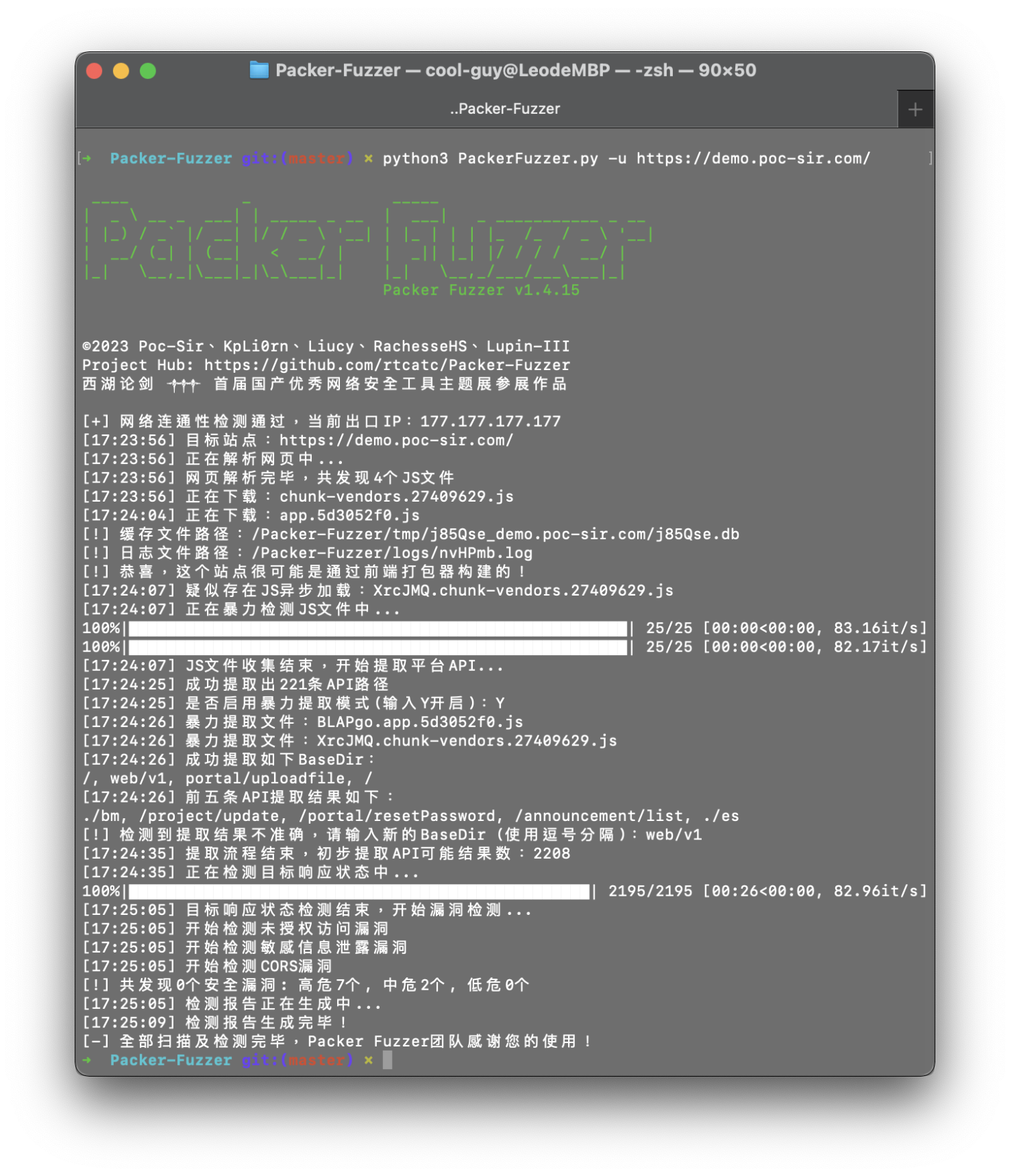
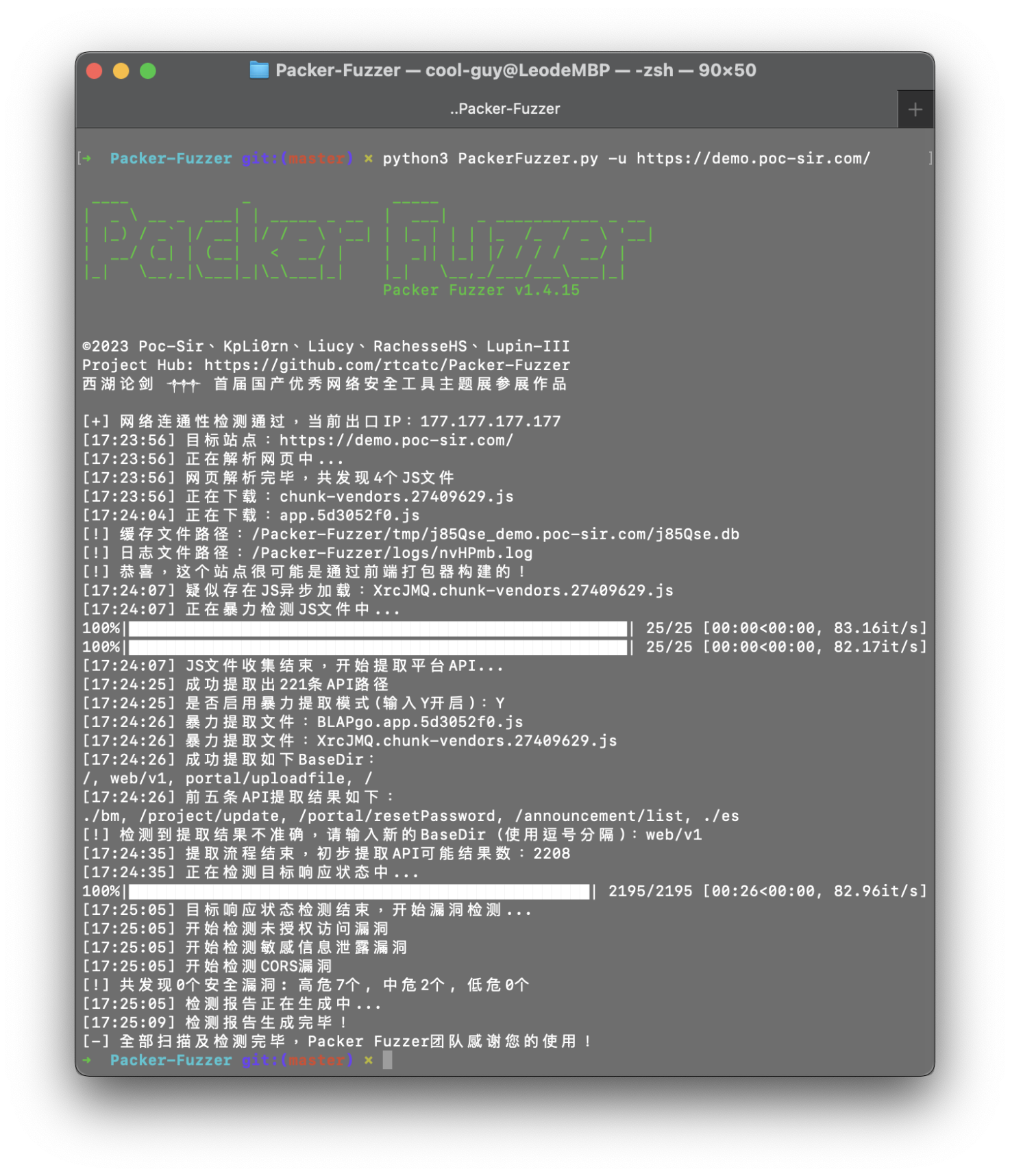
You can use the python3 PackerFuzzer.py [options] command to run this tool. The content of options is as follows:
--h (--help)
Help command, no additional parameters, view all the parameters supported by this tool and their corresponding introduction;
--u (--url)
The URL path of the website to be scanned is a required option, for example: -u https://demo.poc-sir.com;
--c (--cookie)
Additional cookies content, can be empty, if filled in, it will be passed globally, for example: -c "POC=666;SIR=233";
--d (--head)
Additional HTTP header content, which can be empty, if filled in, it will be passed in globally, the default is Cache-Control:no-cache, for example: -d "Token:3VHJ32HF0";
--l (--lang)
Language option, when it is empty, the system will automatically select the corresponding language option, if there is no corresponding language pack, it will automatically switch to the English interface. The available language packs are: Simplified Chinese (zh), French (fr), Spanish (es), English (en), Japanese (ja), for example: -l zh;
--t (--type)
It is divided into basic version and advanced version. When it is empty, the basic version is used by default. The advanced version will rescan all APIs and fuzzy extract the corresponding parameters of the API, and perform: SQL injection vulnerabilities, horizontal unauthorized vulnerabilities, weak password vulnerabilities, and arbitrary file upload vulnerabilities. You can use the adv option to enter the advanced version, for example: -t adv;
--p (--proxy)
Global proxy, can be empty, if you fill in, use proxy IP globally, for example: -p https://hack.cool:8080;
--j (--js)
Additional JS file, can be empty, when you think there are other JS files that need to be analyzed by this tool, you can use this option, for example: -j https://demo.poc-sir.com/js/index.js, https://demo.poc-sir.com/js/vue.js;
--b (--base)
