 ricardojoserf/covert-tube
Youtube as covert-channel - Control systems remotely and execute commands by uploading videos to Youtube

A program to control systems remotely by uploading videos to Youtube using Python to create the videos and the listener, emulating some malware I was reading about. It allows to create videos with frames formed of simple text, QR codes with cleartext or QR codes using AES encryption.
NOTE: This PoC has been added to the framework covert-control, which allows to do this also using Onedrive, Google Drive and Telegram.
If your target is a Windows system, you may prefer the C# version: SharpCovertTube (I have updated it more recently).
The videos can be created using generate_video.py: enter the commands and generate the video writing "exit". The video generated is called by default output.avi (can be updated in config.py):
python3 generate_video.py

python3 main.py
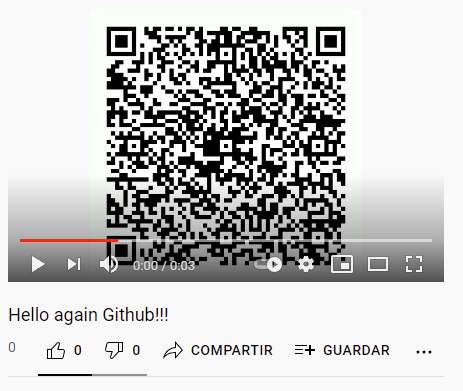
The listener will check the Youtube channel every 300 seconds by default (can be updated in config.py). First the video is uploaded:
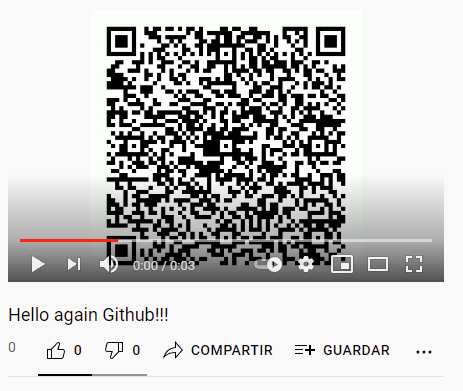
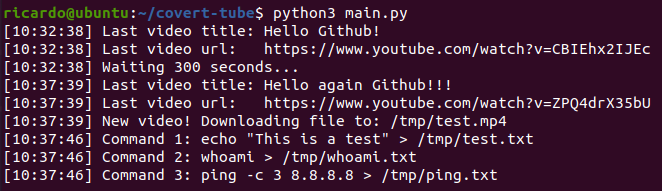
After finding there is a new video in the channel, it is downloaded and the commands are executed:
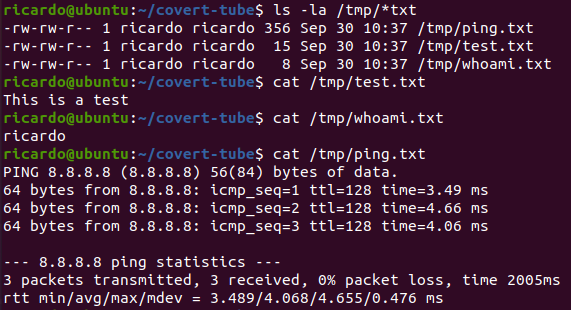
We can see the output from the commands:
Update the config.py file:
channel_id (Mandatory!!!): Get your Youtube channel ID from here.
api_key (Mandatory!!!): To get the API key create an application and generate the key from here.
image_type (Optional. Default: "qr_aes"): Different types of images for the video.
upload_seconds_delay (Optional. Default: 300): Seconds delay until checking if a new video has been uploaded.
debug (Optional. Default: True): Print messages or not.
aes_key (Optional. Default: "covert-tube_2021"): Key for AES encryption, used in the "qr_aes" option.
generated_video_path (Optional. Default: "output.avi"): Path of video generated with generate_video.py.
downloaded_video_path (Optional. Default: "/tmp/test.mp4"): Path where the new video will be downloaded.
temp_folder (Optional. Default: "/tmp/"): Path where images of every frame from the video are stored, with the format image_X*.png*.
For all the project:
sudo apt install libzbar0
pip3 install Pillow opencv-python youtube_dl pytesseract pyqrcode pypng pyzbar pycrypto
git clone https://github.com/ricardojoserf/covert-tube
pyinstaller --onefile main.py
cp dist/main covert-tube
rm -rf dist build
rm main.spec
Lately I have been reading about malware using Youtube for controlling their setting remotely. For example, Casbaneiro abuses YouTube to store its C&C server domains. Each video on the channels used by the threat actor contains a description and at the end of these there is a link to a bogus Facebook or Instagram url containing the C&C server domain (Welivesecurity blog). A second example is Numando, which abuses it by encrypting the data in the title of the Youtube videos (other Welivesecurity blog).
Knowing this I decided to create a PoC to test the control of remote systems uploading videos to Youtube but, instead of using the title or the description, using the content of the video. It allows to execute any command, but it could be used to change some settings remotely. So this is just a PoC, use it for educational purposes!






