


Table of contents
-
About the Project
-
Getting started
-
Usage
- Roadmap
-
Contributing
- Changelist
- License
- Contact
- Acknowledgments
- Legal disclaimer
About the Project
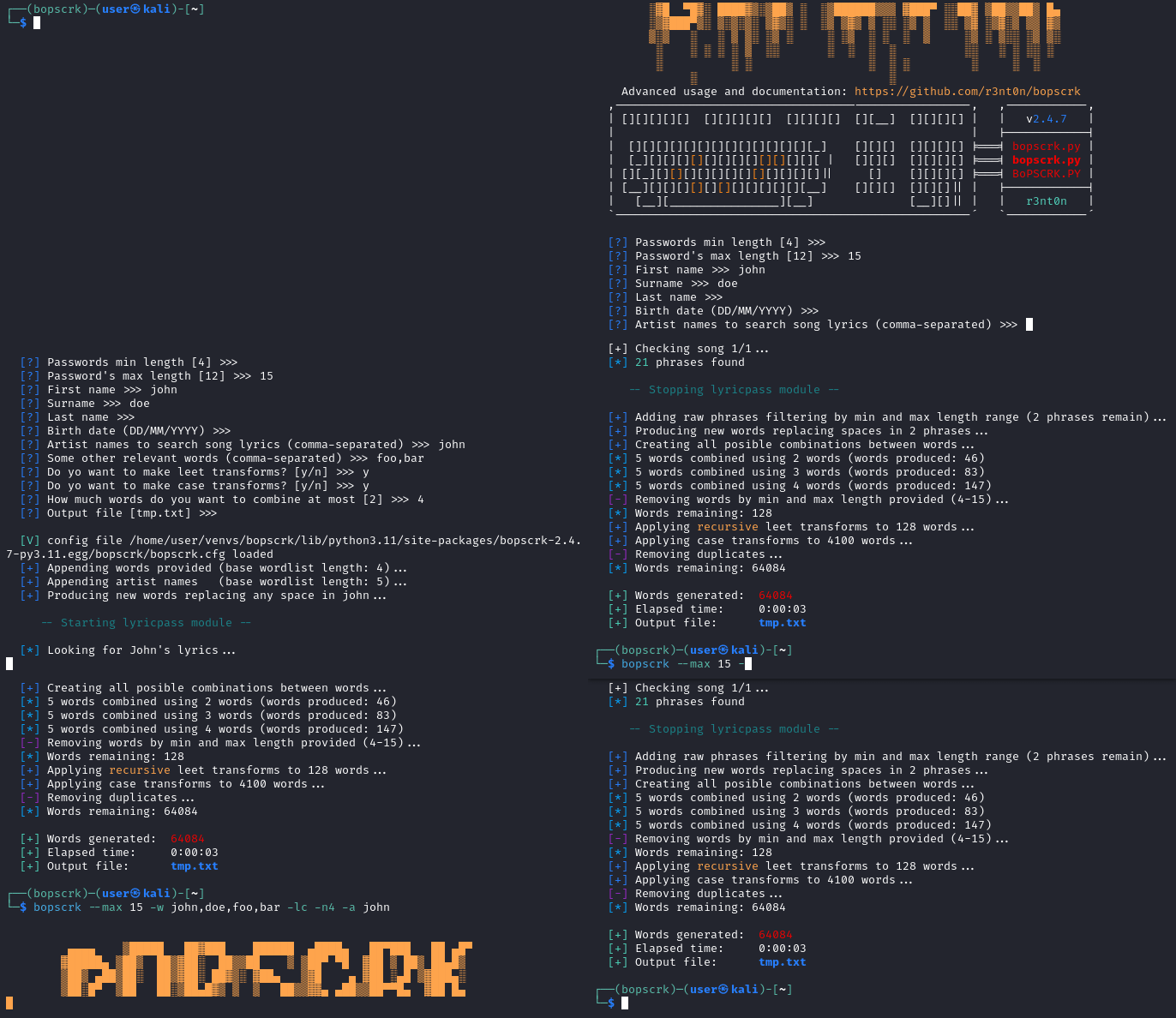
- Targeted-attack wordlist creator: introduce personal info related to target, combines every word and transforms results into possible passwords. The lyricpass module allows to search lyrics related to artists and include them to the wordlists.
- Customizable case and leet transforms: create custom charsets and transforms patterns trough a simple config file.
- Interactive mode and one-line command interface supported.
- Included in BlackArch Linux pentesting distribution and Rawsec's Cybersecurity Inventory since August 2019.
Built with
- Python 3 (secondary branch keeps Python 2.7 legacy support)
What's new
- 2.4.7 RELEASED (02/09/2024): Speed and performance dramatically increased. New extensive case transform mode allows to generate all possible case transforms.
(back to top)
Getting started
Installation
pip install bopscrk
Alternatively, if you want to clone the repo from Github instead of install it from Pypi:
git clone --recurse-submodules https://github.com/r3nt0n/bopscrk
cd bopscrk
pip install -r requirements.txt
Run interactive mode
bopscrk -i
(back to top)
Usage
  -h, --help         show this help message and exit
  -i, --interactive  interactive mode, the script will ask you about target
  -w                 words to combine comma-separated (non-interactive mode)
  --min              min length for the words to generate (default: 4)
  --max              max length for the words to generate (default: 32)
  -c, --case         enable case transformations
  -l, --leet         enable leet transformations
  -n                 max amount of words to combine each time (default: 2)
  -a , --artists     artists to search song lyrics (comma-separated)
  -o , --output      output file to save the wordlist (default: tmp.txt)
  -C , --config      specify config file to use (default: ./bopscrk.cfg)
  --version          print version and exit
For more information, please refer to the Advanced usage section.
(back to top)
How it works
- You have to provide some words which will act as a base.
- The lyricpass feature allow to introduce artists. The tool will download all his songs' lyrics and each line will be added as a new word. By default, artist names and a word formed by the initial of word on each phrase, will be added too.
- The tool will generate all possible combinations between them.
- To generate more combinations, it will add some common separators (e.g. "-", "_", "."), numbers and special chars frequently used in passwords.
- You can use leet and case transforms to increase your chances.
Tips
- Fields can be left empty.
- You can use accentuation in your words and special chars (if you use the non-interactive mode, escape special chars like
' and " with backslashes, e.g.: bopscrk -w John,O\'hara,Doe,foo,bar).
- In the others field you can write several words comma-separated. Example: 2C,Flipper.
- If you want to produce all possible leet transformations, enable the recursive_leet option in configuration file.
- If you want to produce all possible case transformations, enable the extensive_case option in configuration file.
- You can select which transforms to apply on lyrics phrases found through the cfg file.
- Using the non-interactive mode, you should provide years in the long and short way (1970,70) to get the same result than the interactive mode.
- You have to be careful with -n argument. If you set a big value, it could result in too huge wordlists. I recommend values between 2 and 5.
- To provide several artist names through command line you should provide it comma-separated. Example:
-a johndoe,johnsmith
- To provide artist names with spaces through command line you should provide it quotes-enclosed. Example:
-a "john doe,john smith"
(back to top)
Advanced usage
 r3nt0n/bopscrk