 pvharmo2/gha-lab-456dd8a245
Security-research lab reproducing CVE-2026-41414 (pull_request_target pwn in .github/workflows/pr.yml) — snapshot of skim-rs/skim @ ca986f4, not a fork.

Automated research artifact — not the upstream project.
This repository is a disposable lab built by an automated harness for a master's thesis at Université Laval on reproducing published GitHub Actions workflow vulnerabilities. It is a verbatim snapshot of
skim-rs/skimat commitca986f444c37d2c1dc15ce1fad2fe101776af8d9(2026-04-14), redistributed under that project's own licence, whose file is included unchanged in this snapshot.The upstream project is not involved, is never targeted, and the vulnerability studied here is already public. Every secret and variable in this repository is a randomly generated dummy value — no real credential is present. Action references and runner images are pinned to what they resolved to on 2026-04-14; see
pinning.mdin the harness output for every change made to the snapshot.Questions or objections: [email protected]




Life is short, skim!
We spend so much of our time navigating through files, lines, and commands. That's where Skim comes in! It's a powerful fuzzy finder designed to make your workflow faster and more efficient.

Skim provides a single executable called sk. Think of it as a smarter alternative to tools like
grep - once you try it, you'll wonder how you ever lived without it!
skim
The skim project contains several components:
sk executable - the core programsk inside Vim/Nvim. Check skim.vim for Vim support.| OS | Package Manager | Command |
|---|---|---|
| macOS | Homebrew | brew install sk |
| macOS | MacPorts | sudo port install skim |
| Alpine | apk | apk add skim |
| Arch | pacman | pacman -S skim |
| Fedora | COPR | see below |
| Gentoo | Portage | emerge --ask app-misc/skim |
| Guix | guix | guix install skim |
| Void | XBPS | xbps-install -S skim |

Up to date Fedora packages are provided via an unofficial community-maintained COPR repository.
sudo dnf copr enable sisyphus1813/skim
sudo dnf install skim
Any of the following applies:
# Always check the content of the script before running it !
$ curl --proto '=https' --tlsv1.2 -LsSf https://github.com/skim-rs/skim/releases/latest/download/skim-installer.sh | sh
cargo install skim$ git clone --depth 1 [email protected]:skim-rs/skim.git ~/.skim
$ cd ~/.skim
$ cargo build --release
$ # Add the resulting `target/release/sk` executable to your PATH
You will then have access to:
man --local-file <(sk --man)source <(sk --shell \<shell> \[--shell-bindings]), see below for detailsSkim can be used either as a general filter (similar to grep) or as an interactive
interface for running commands.
Via vim-plug (recommended):
Install skim, then :
Plug 'skim-rs/skim'
Here are some examples to get you started:
# directly invoke skim
sk

# Or pipe some input to it (press TAB key to select multiple items when -m is enabled)
vim $(find . -name "*.rs" | sk -m)
This last command lets you select files with the ".rs" extension and opens your selections in Vim - a great time-saver for developers!
skim can invoke other commands dynamically. Normally you would want to
integrate it with grep,
ack,
ag, or
rg for searching contents in a
project directory:
# works with grep
sk --ansi -i -c 'grep -rI --color=always --line-number {q} .'
# works with ack
sk --ansi -i -c 'ack --color {q}'
# works with ag
sk --ansi -i -c 'ag --color {q}'
# works with rg
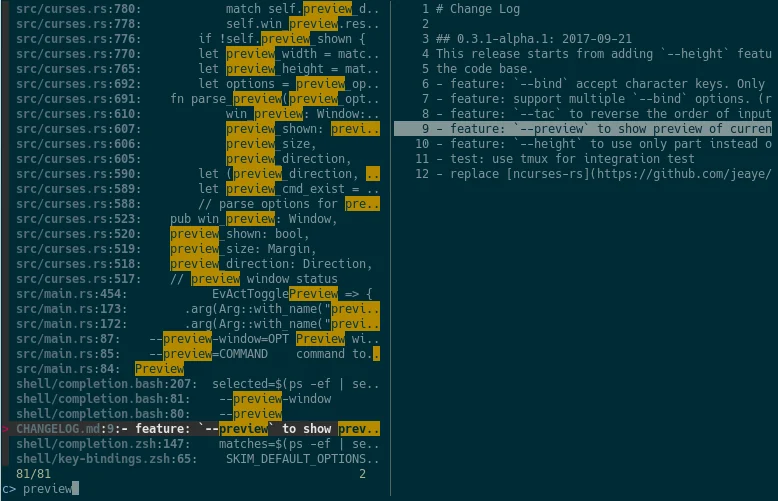
sk --ansi -i -c 'rg --color=always --line-number {q}'
