
Skip to content
KitploitKITPLOIT
ToolsExploitsBlog
Log in
Submit
ToolsExploitsBlog
Submit

Hacking, PenTest, and Cybersecurity Tools for Your Security Arsenal!

Kitploit is a directory of hacking, cybersecurity, and pentesting tools. Discover the latest project updates to find vulnerabilities, analyze systems, automate testing, and strengthen your security.

FeedsContactPrivacy© 2026 Kitploit

Tool Directory

Categories

View all categories
Loading categories
CVE-2021-21123-PoC-Google-Chrome — 🐱‍💻 👍 Google Chrome - File System Access API - vulnerabilities reported by Maciej Pulikowski | Total Bug Bounty Reward: $5.000 | CVE-2021-21123 and 5 more... | Kitploit
Tools/GitHubGitHub/puliczek/cve-2021-21123-poc-google-chrome
Phishing ToolsVulnerability AnalysisExploitationWeb Application ExploitationSocial EngineeringLearning & Education
GitHubpuliczek/cve-2021-21123-poc-google-chrome

CVE-2021-21123-PoC-Google-Chrome

Share

🐱‍💻 👍 Google Chrome - File System Access API - vulnerabilities reported by Maciej Pulikowski | Total Bug Bounty Reward: $5.000 | CVE-2021-21123 and 5 more...

View Repository
17524245 years agoReviewed by Kitploit

📝 Description

Google Chrome - File System Access API - vulnerabilities reported by Maciej Pulikowski

Total Bug Bounty Reward: $5.000

This is Proof of Concept for:

  • [Google Security_Severity] CVE
  • [HIGH] CVE-2021-21123
  • [MEDIUM] CVE-2021-21129
  • [MEDIUM] CVE-2021-21130
  • [MEDIUM] CVE-2021-21131
  • [MEDIUM] CVE-2021-21172
  • [LOW] CVE-2021-21141

The main security issue here is the operating system dialog "Save as" launched by Google Chrome, is showing to the user the wrong file extension of downloaded the file. It shows "Save as type: JPEG (.jpg)" but downloads virus.jpg.lnk that can download and run virus.exe by PowerShell.

So it is a kind of spoofing extension of downloaded a file.

The bugs works in Google Chrome 86 and 87 on Windows, Mac, and Linux. Of course, LNK works only on Windows, but we can change it to a different extension on Linux or Mac.

Google Blog posts:

  • https://chromereleases.googleblog.com/2021/01/stable-channel-update-for-desktop_19.html
  • https://chromereleases.googleblog.com/2021/03/stable-channel-update-for-desktop.html

Mentioned bugs are "Reported by Maciej Pulikowski"

📺 Youtube Proof of Concept

https://www.youtube.com/watch?v=l9swTtaRDNs
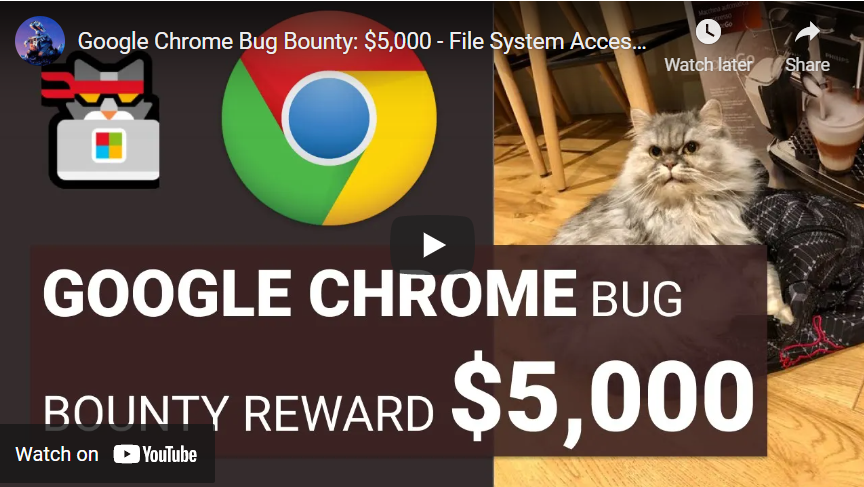
PoC Video

Thanks for the thumbs up 😀👍

👨‍💻 Code PoC

Requirements: Nothing, you just need to run an HTML file in an older version of Google Chrome 86 or 87. If you want to test it with a .lnk file, you have to create FUD "lnkextra.lnk" file, because it is not included.

  • example_showSaveFilePicker.html (The bugs works in Google Chrome 86 and 87. They are patched in 88+)

    CVE-2021-21123, CVE-2021-21129, CVE-2021-21130, CVE-2021-21131, CVE-2021-21141

    Playground of my examples for showSaveFilePicker():

    • Save LNK file and show save as type: JPEG Image (*.jpg)
    • A many of whitespace and fake extensions in the description
    • RTL in description
    • Super long description
    • Many spaces in the extension
    • RTL in extension
    • Extension ends with space
    • Extension ends with a period
    • Save LNK file in a different way
    • EXTRA - Because everything happens in JS we can check if the user's browser is vulnerable
  • example_getFileHandle.html (The bug works in Google Chrome 86, 87, and 88. It is patched in 89+)

    CVE-2021-21172 - getFileHandle() - Save .lnk file to selected folder

💻 Useful links

  • The File System Access API: simplifying access to local files
  • File System Access - Documentation
  • File System Access Web API - Chromium Security Model
  • Chromium Source code - default download method blocking .lnk file

🤝 Show your support

Give a ⭐️ if you liked the content

✔️ Disclaimer

This project can only be used for educational purposes. Using this software against target systems without prior permission is illegal, and any damages from misuse of this software will not be the responsibility of the author.


Download Tool

Most Popular

View all →

Discover the most used tools by our community.

  • 1

    OsintHunter

    letox4/osinthunter

    🎯 The ultimate OSINT toolkit: investigation graph, confidence scoring, alias families, map, timeline and reports. 49 modules, 400+ sites, no API keys required.

    960
  • 2

    ghostlock-app

    yukonga/ghostlock-app

    GhostLock One-Tap Execution App (CVE-2026-43499)

    554
  • 3

    redforge

    cybersecurity91/redforge

    Browser-side red team toolkit with 102 offline tools for recon, payload generation, credential attacks, crypto, encoding and engagement reporting.

    349
  • 4

    looking-glass

    anonghosty/looking-glass

    CSIRT platform that ingests Shadowserver reports into MongoDB and replays them as interactive maps, analysis, findings, advisories and executive dashboards.

    343
  • 5

    ARTEX

    baarai/artex

    LLM multi-agent autonomous penetration testing platform with planner/worker agents, asset and exploration graphs, MITM traffic recording, and vulnerability retesting.

    323
  • 6

    CyberStrikeAI

    ed1s0nz/cyberstrikeai

    The system of action for AI-native cybersecurity—where intent becomes governed execution, evidence becomes operational memory, and every operation improves the next.

    295

Explore all tools

Browse our collection of tools

View all tools →




