 ptresearch/inteltxe-poc
Intel Management Engine JTAG Proof of Concept
All information is provided for educational purposes only. Follow these instructions at your own risk. Neither the authors nor their employer are responsible for any direct or consequential damage or loss arising from any person or organization acting or failing to act on the basis of information contained in this page.
Introduction
Required Software
Generating the Payload
Generating the Unlock Token
Preparing the SPI Flash Image
Integrating Files Into the Firmware Image
Disabling OEM Signing
Building the Firmware Image
BringUP Main CPU
Writing the Image to SPI Flash
Preparing the USB Debug Cable
Patching OpenIPC Configuration Files
Decrypting OpenIPC Configuration Files
Adding LMT Core to the Configuration
Setting the IPC_PATH Environment Variable
Performing an Initial Check of JTAG Operability
Show CPU ME Thread
Halting Cores
ME Debugging: Quick Start
Reading Arbitrary Memory
Reading ROM
Why TXE?
Tested Platforms List
Authors
License
Vulnerability INTEL-SA-00086 allows to activate JTAG for Intel Management Engine core. We developed our [JTAG PoC][8] for the Gigabyte Brix GP-BPCE-3350C platform. Although we recommend that would-be researchers use the same platform, other manufacturers' platforms with the Intel Apollo Lake chipset should support the PoC as well (for TXE version 3.0.1.1107).
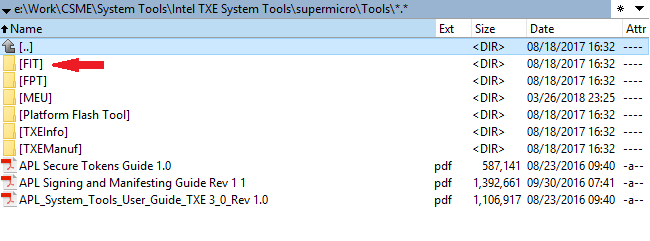
Vulnerability INTEL-SA-00086 involves a buffer overflow when handling a file stored on MFS (the [internal ME file system][6]). The full file path is /home/bup/ct. You will need to integrate it into the ME firmware by using Intel Flash Image Tool (FIT), one of the Intel System Tools provided by Intel to OEMs of hardware based on Intel PCH chipsets. Here is the structure of the root directory of the Intel System Tools package:
The Intel ME (TXE, SPS) System Tools utilities are not intended for end users—so you cannot find them on the official Intel website. However, some OEMs publish them as part of software updates together with device drivers. So, for integrating our PoC you need Intel TXE System Tools version 3.x, which can be found online.
You need to install Intel System Studio, a trial version of which can be downloaded from Intel site. In our experiments, we used Intel System Studio 2018.
The PoC targets Intel TXE firmware version 3.0.1.1107. The SPI Flash image for Gigabyte GB-BPCE-3350C version F5 contains the necessary firmware version.
All our scripts are written on Python. We recommend using Python 2.7 Also the scripts require pycrypto packet. To install pycrypto, run the following command:
pip install pycrypto
This utility is only necessary if you need to bring up CPU.
EFI Human Interface Infrastructure (HII) is a special mechanism for creating a user interface in the UEFI, as well as processing and managing user input. EFI HII identifies default values for all options, including the hidden ones. As soon as the option related to DCI is found, it can be activated for the default configuration, and DCI can be enabled by restoring the BIOS factory settings. For bringing up the main CPU you need AMI BIOS Configuration Program version 5.xx, which can be also found online.
Run the script me_exp_bxtp.py:
me_exp_bxtp.py -f <file_name>
The script generates the necessary data and exports it to the specified file (indicate either the full file path or, within the current directory, simply a name, ct.bin by default). This file will be used later by FIT.
Run the script me_utok_bxtp.py:
me_utok_bxtp.py -f <file_name>
The script generates the necessary data and exports it to the specified file (indicate either the full file path or, within the current directory, simply a name, utok.bin by default). This file will be used later by FIT.
Skip this step if you don't need to bring up the CPU.
To activate the DCI Enable option, run the AMIBCP utility and use it to open the SPI firmware image provided with your platform. For the Gigabyte Brix GP-BPCE-3350C, open the file downloaded from the Gigabyte link indicated above (path to image file in the archive: F5/image.bin).
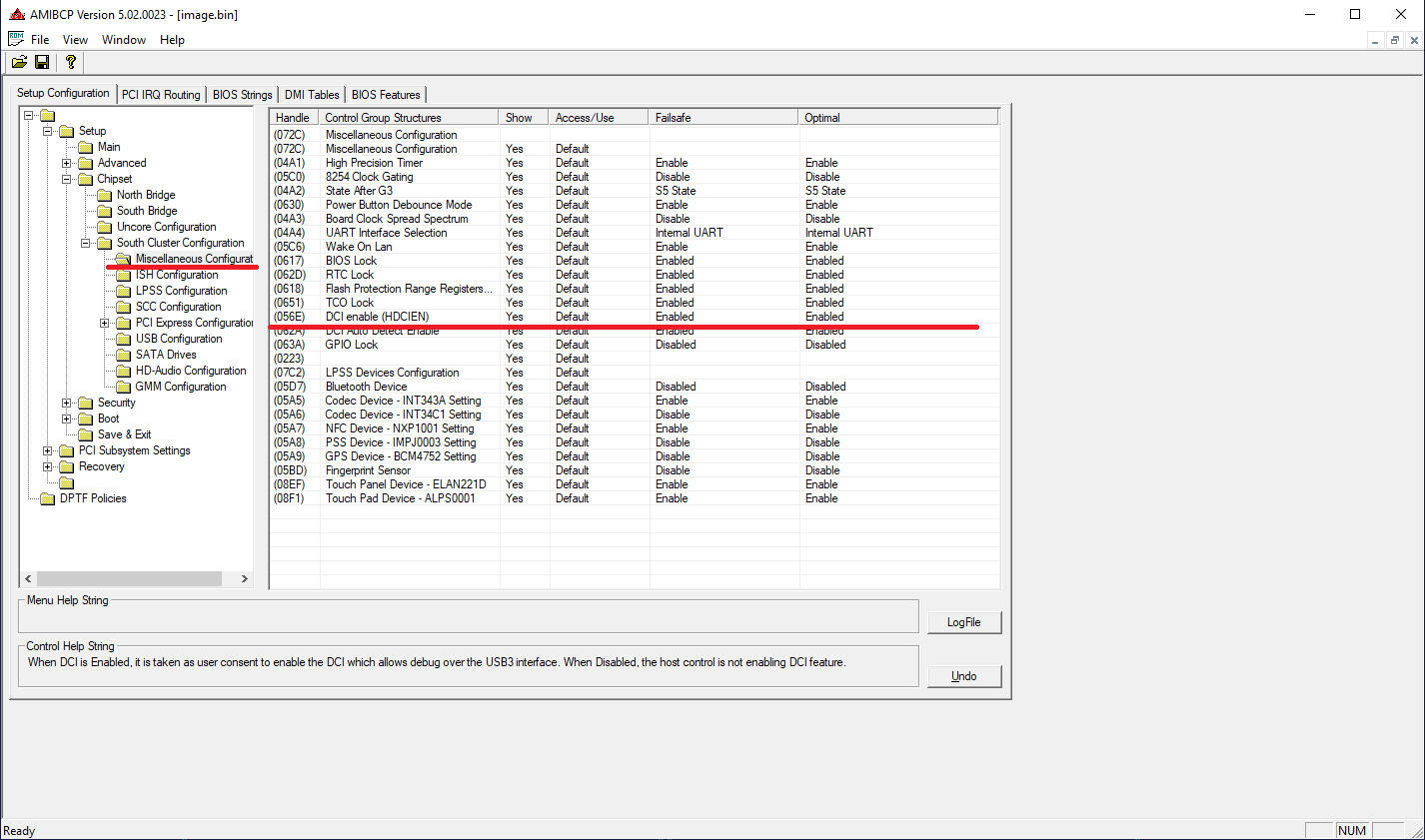
Now we need to enable the HDCIEN option in the Setup Configuration tab.
To integrate ct.bin and utok.bin files, run the FIT utility (fit.exe) and use it to open the SPI firmware image.
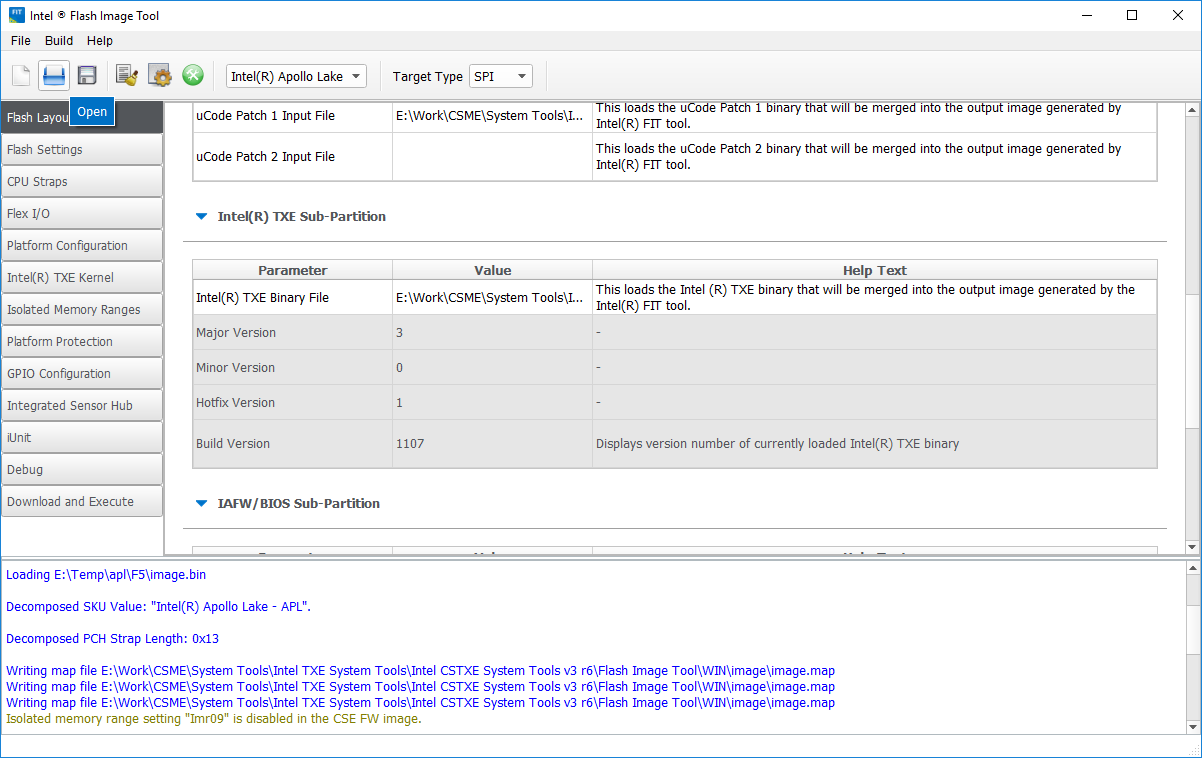
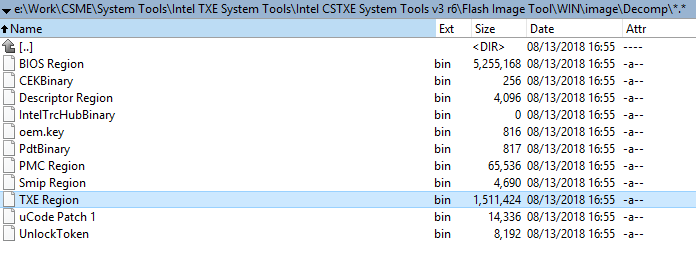
If you are using an other hardware platform and don't have access to TXE 3.0.1.1107, you can download an SPI Flash image for Gigabyte GB-BPCE-3350C version F5 and extract the TXE section through FIT. FIT extracts different sections of the overall SPI image (SPI descriptor, UEFI/BIOS firmware, Intel ME firmware, and Unlock Token) when the image is opened and saves them in the folder *"image_name"/Decomp *.
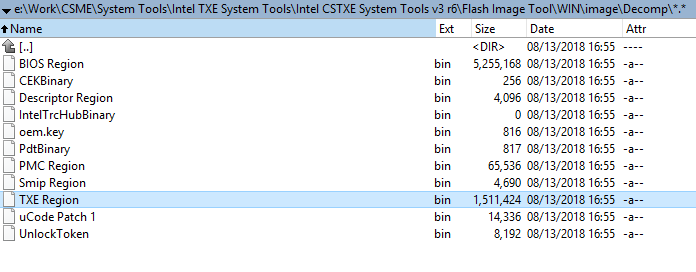
So you can find the file with necessary Intel TXE firmware at /Decomp/TXE Region.bin
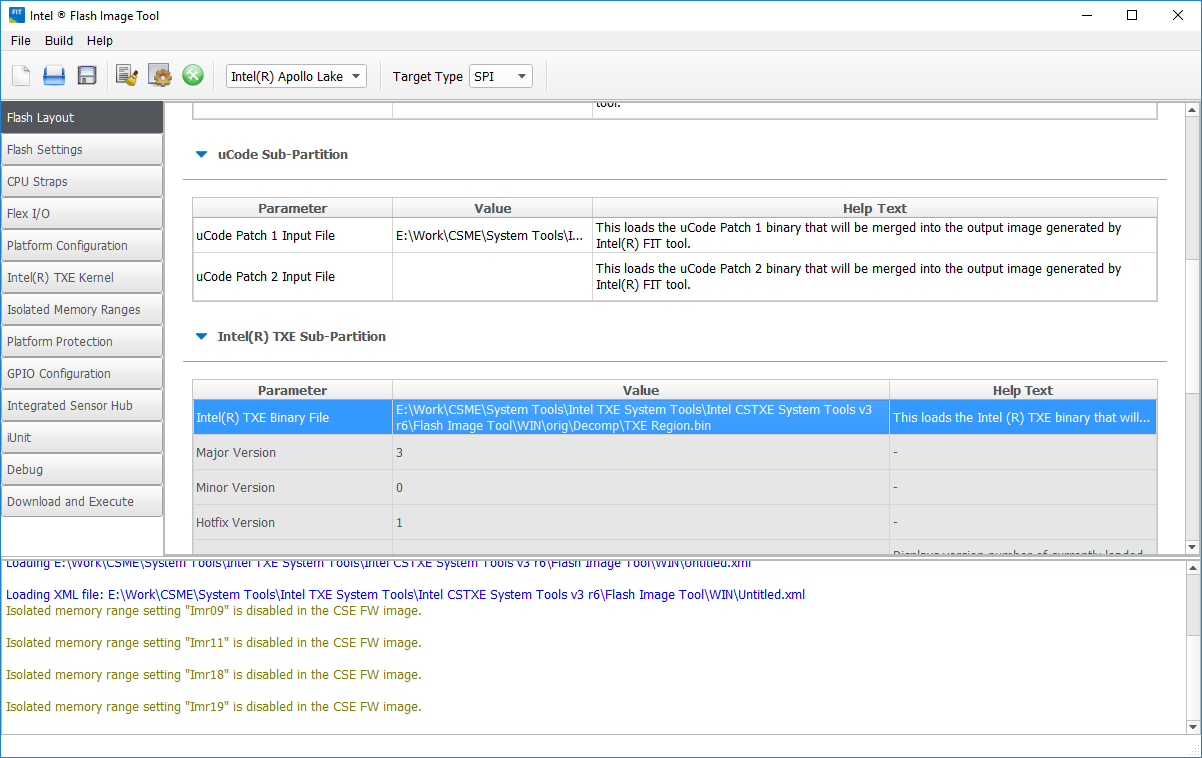
Then, in FIT, open the SPI image for your particular platform and replace the file containing the Intel TXE firmware with the version obtained from the GB Brix 3350c image ("Intel(R) TXE Binary File" on the Flash Layout tab):
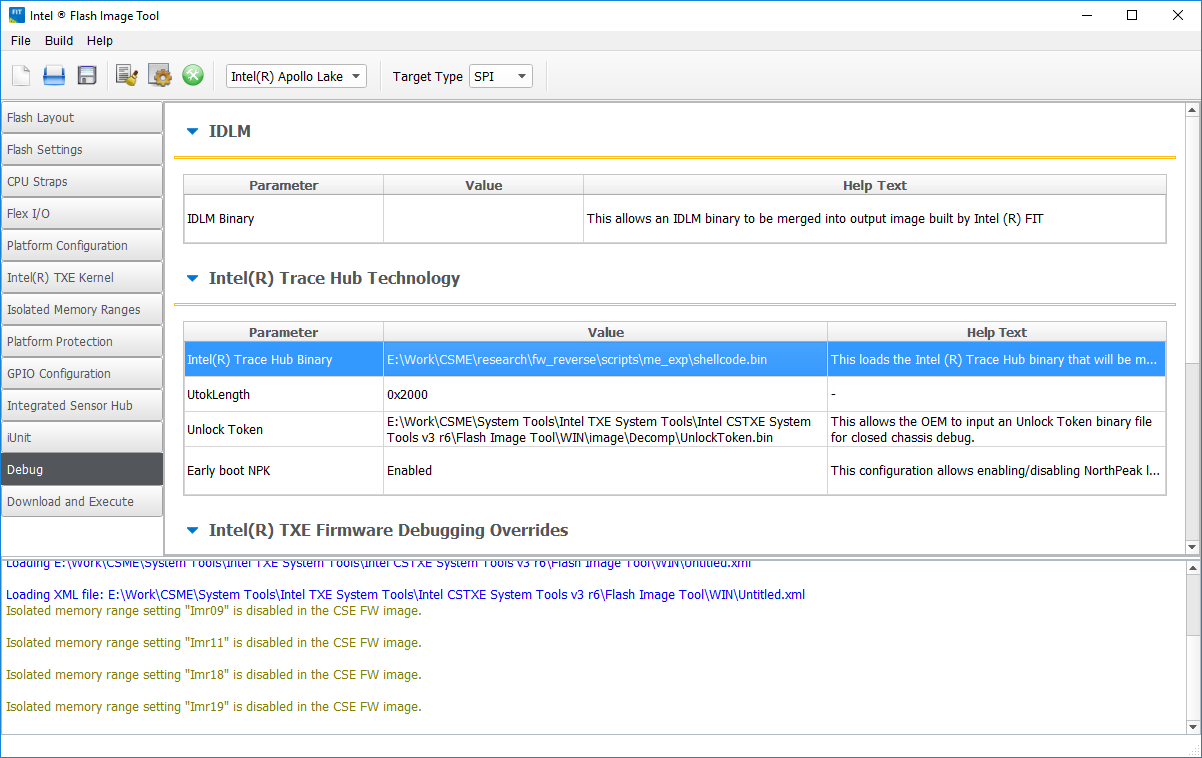
Now we need to indicate in FIT the files we generated for /home/bup/ct and Unlock Token. On the Debug tab in FIT, you can specify the Trace Hub Binary and Unlock Token to integrate into the firmware. These should be the files that we generated already.