
Skip to content
KitploitKITPLOIT
ToolsBlog
Log in
Submit
ToolsBlog
Submit

Hacking, PenTest, and Cybersecurity Tools for Your Security Arsenal!

Kitploit is a directory of hacking, cybersecurity, and pentesting tools. Discover the latest project updates to find vulnerabilities, analyze systems, automate testing, and strengthen your security.

FeedsContactPrivacy© 2026 Kitploit

Tool Directory

Categories

View all categories
Loading categories
ph0neutria — ph0neutria is a malware zoo builder that sources samples straight from the wild. Everything is stored in Viper for ease of access and manageability. | Kitploit
Tools/GitHubGitHub/phage-nz/ph0neutria
OSINT (Open Source Intelligence)Information GatheringMalware AnalysisThreat IntelligenceArchived
GitHubphage-nz/ph0neutria

ph0neutria

ph0neutria is a malware zoo builder that sources samples straight from the wild. Everything is stored in Viper for ease of access and manageability.

View Repository
30162456 years agoReviewed by Kitploit
Share

ph0neutria

ph0neutria malware crawler
v1.0.1
https://github.com/phage-nz/ph0neutria

Note: This project is not actively maintained.

About

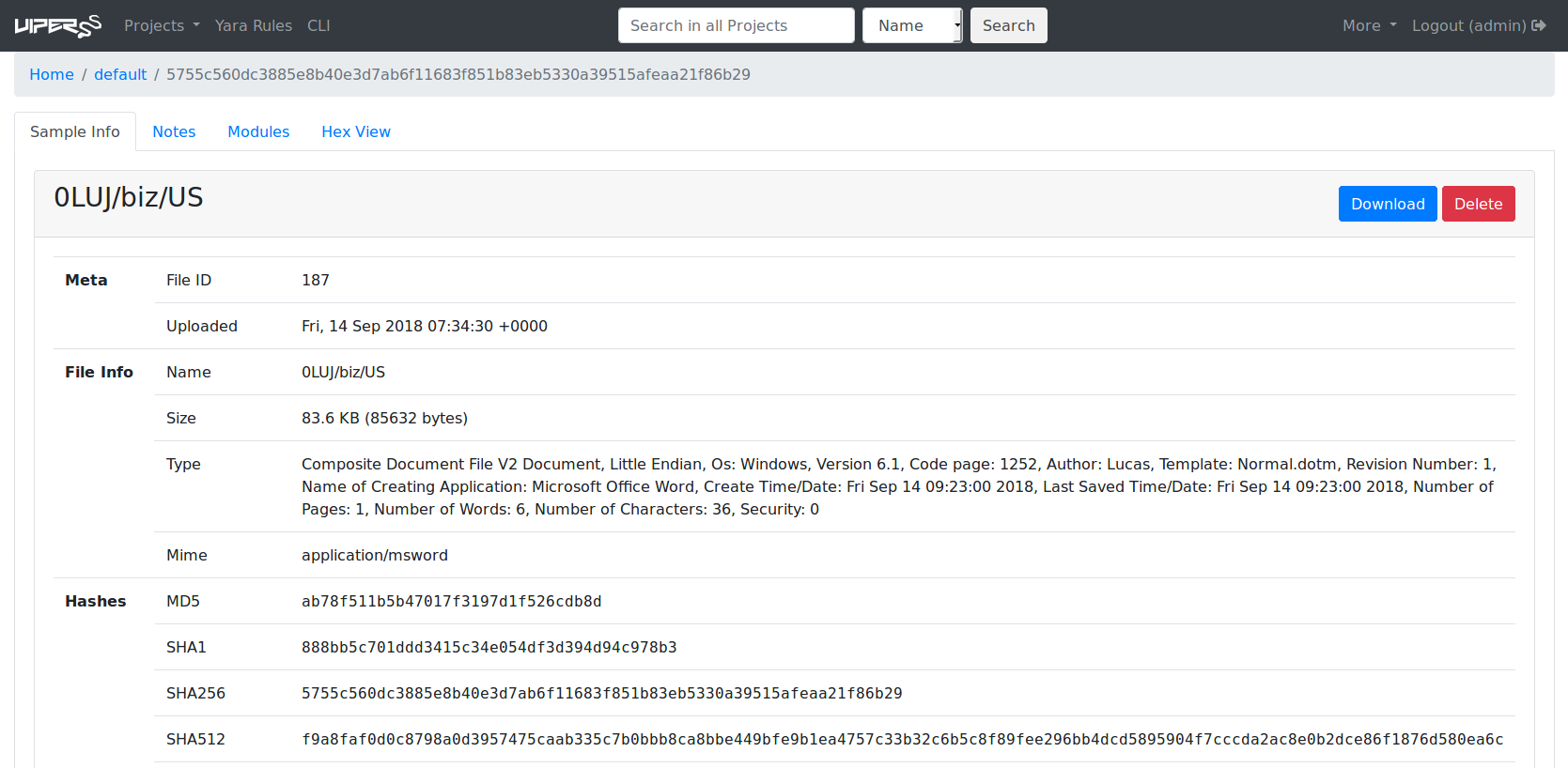
ph0neutria is a malware zoo builder that sources samples straight from the wild. Everything is stored in Viper for ease of access and manageability.

This project was inspired by Ragpicker (https://github.com/robbyFux/Ragpicker, formerly known as "Malware Crawler"). However, ph0neutria aims to:

  • Limit the scope of crawling to only frequently updated and reliable sources.
  • Maximise the effectiveness of individual indicators.
  • Offer a single, reliable and well organised storage mechanism.
  • Not do work that can instead be done by Viper.

What does the name mean? "Phoneutria nigriventer" is commonly known as the Brazillian Wandering Spider: https://en.wikipedia.org/wiki/Brazilian_wandering_spider

Sources

As of version 1.0.0 all sources are created as 'plugins', found in the plugin sub-directory of the core scripts folder. Default sources are:

  • 0xffff0800's Malware Library (credit: http://0day.coffee).
  • CleanMX (requires approved user-agent).
  • Cymon, which includes: Abuse.ch trackers, Bambenek C2 feed, Cyber Crime Tracker, Malc0de, URLVir and VX Vault.
  • Hybrid Analysis (requires vetted API key).
  • OTX.
  • Shodan, using the Malware Hunter search facility.
  • URLhaus.

Each plugin has parameters that must be completed prior to operation. You'll find these at the top of each plugin file.

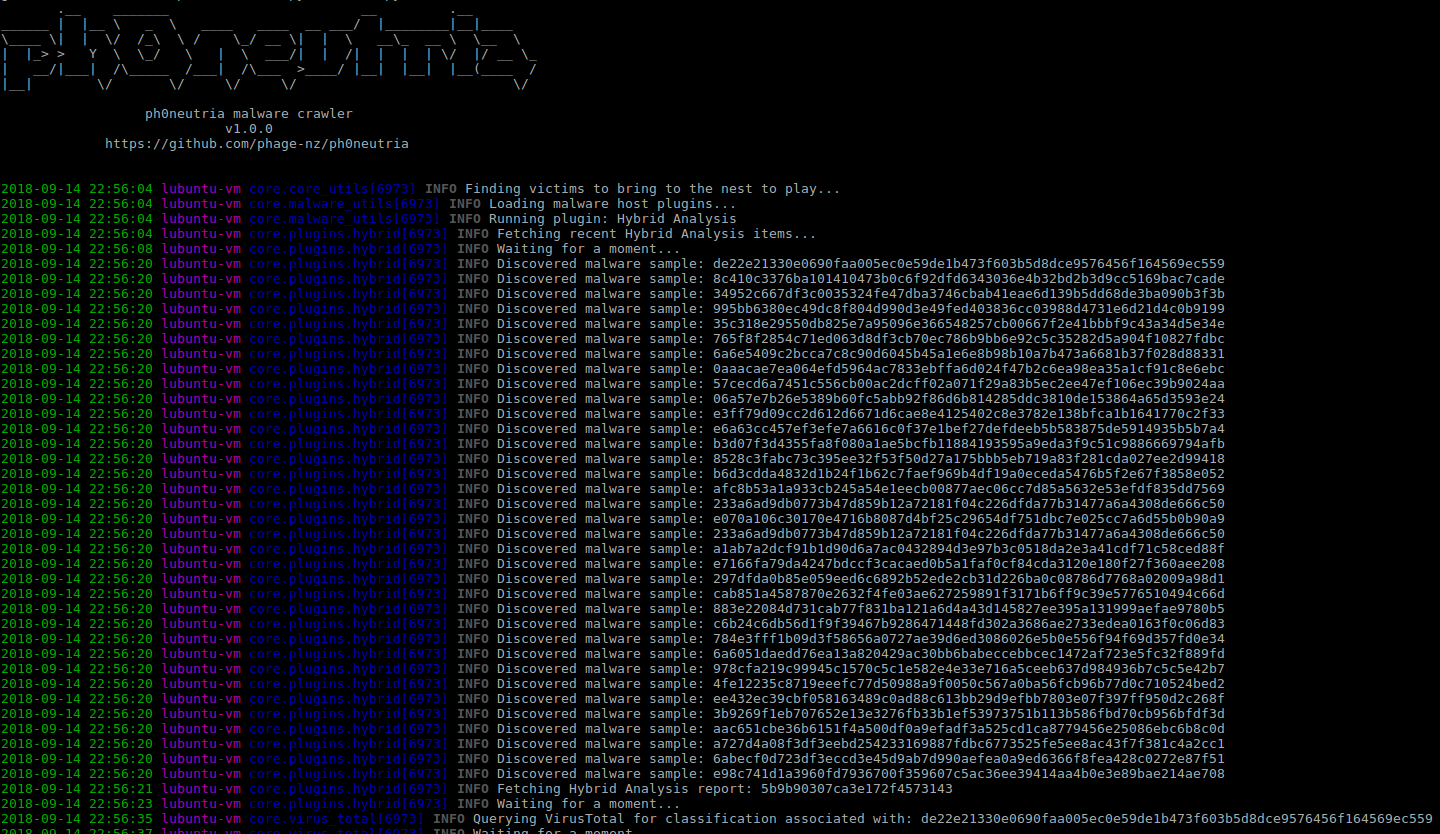
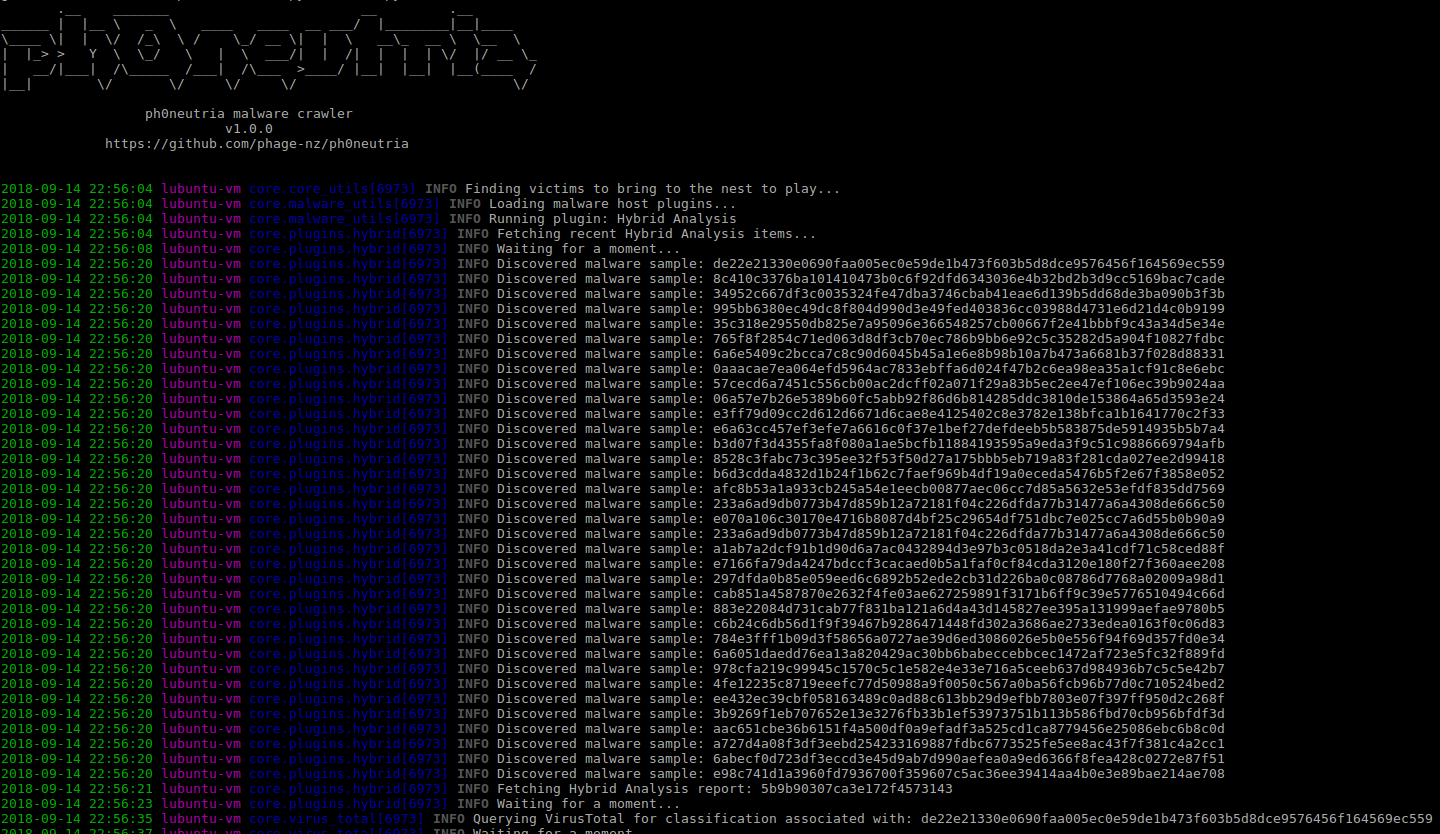
VirusTotal is a core component of ph0neutria that cannot be disabled. IP lists are fed into it to discover URL's that are known for the IP's. If you have a standard 5 request/minute API key then I'd encourage being conservative with what you feed it. You can do this by:
  • Reducing the number of Cymon feeds.
  • Reducing your OTX subscription count.
  • Setting the Hybrid Analysis SCORE_MIN parameter to 100.

Screenshots

CLI
CLI
CLI
Web
Web
Web

Version Notes

  • 0.6.0: Tor proxying requires pysocks (pip install pysocks) and at least version 2.10.0 of python requests for SOCKS proxy support.
  • 0.9.0: OSINT functionality pulled from Phage Malware Tracker (private project) - requires VirusTotal API key. More robust retrieval of wild files. Local URL and hash caching (reduces API load).
  • 0.9.1: Updated to use V3 Viper API. No longer compatiable with V2.
  • 1.0.0: Major update. Pull from Safari Guide malware pipeline. Plugin architecture. Python 3.0.
  • 1.0.1: Source update (added 0xffff0800's library). Samples can now be tagged with VirusTotal sourced classification.

Installation

The following script will install ph0neutria along with Viper and Tor:

wget https://raw.githubusercontent.com/phage-nz/ph0neutria/master/install.sh  
chmod +x install.sh  
sudo ./install.sh  

Simple as that!

Optional:

Configure additional ClamAV signatures:

cd /tmp  
git clone https://github.com/extremeshok/clamav-unofficial-sigs  
cd clamav-unofficial-sigs  
cp clamav-unofficial-sigs.sh /usr/local/bin  
chmod 755 /usr/local/bin/clamav-unofficial-sigs.sh  
mkdir /etc/clamav-unofficial-sigs  
cp config/* /etc/clamav-unofficial-sigs  
cd /etc/clamav-unofficial-sigs

Rename os..conf to os.conf, for example:

mv os.ubuntu.conf os.conf  

Modify configuration files:

  • master.conf: search for "Enabled Databases" and enable/disable desired sources.
  • user.conf: uncomment the required lines for sources you have enabled and complete them. user.conf overrides master.conf. You must uncomment user_configuration_complete="yes" once you've completed setup for the following commands to succeed.

For more configuration info see: https://github.com/extremeshok/clamav-unofficial-sigs

mkdir /var/log/clamav-unofficial-sigs  
clamav-unofficial-sigs.sh --install-cron  
clamav-unofficial-sigs.sh --install-logrotate  
clamav-unofficial-sigs.sh --install-man  
clamav-unofficial-sigs.sh  
cd /tmp/clamav-unofficial-sigs  
cp systemd/\* /etc/systemd  
cd ..  
rm -rf clamav-unofficial-sigs*  

It'll take a while to pull down the new signatures - during which time ClamAV may not be available.

Usage

Take precautions when piecing together your malware zoo:

  • Do not disable Tor unless replacing with an anonymous VPN.
  • Operate on an isolated network and on dedicated hardware.
  • Only execute samples in a suitable Sandbox (refer: https://github.com/phage-nz/malware-hunting/tree/master/sandbox).
  • Monitor for abuse of your API keys.

Ensure Tor is started:

service tor restart

Start the Viper API and web interface:

cd /opt/viper  
sudo -H -u spider python3 viper-web

Take note of the admin password that is created when Viper is started. Use this to log into http://<viper IP\>:<viper port>/admin (default: http://127.0.0.1:8080/admin) and retrieve the API token from the Tokens page.

The main Viper web interface will be available at http://<viper IP>:<viper port> (default: http://127.0.0.1:8080).

  • Complete the config file at: /opt/ph0neutria/core/config/settings.conf
  • Complete the parameters at the top of each plugin. If you wish to disable the plugin, set DISABLED = True: /opt/ph0neutria/core/plugins/*.py

Start ph0neutria:

cd /opt/ph0neutria  
sudo -H -u spider python3 run.py

You can press Ctrl+C at any time to kill the run. You are free to run it again as soon as you'd like - you can't end up with database duplicates.

To run this daily, create a script in /etc/cron.daily with the following:

#!/bin/bash  
cd /opt/ph0neutria && sudo -H -u spider python3 run.py*

Tags and Notes

Tags:
{1},{2},{3}

  • Date stamp.
  • Sample domain.
  • Host ASN.
  • Host country.

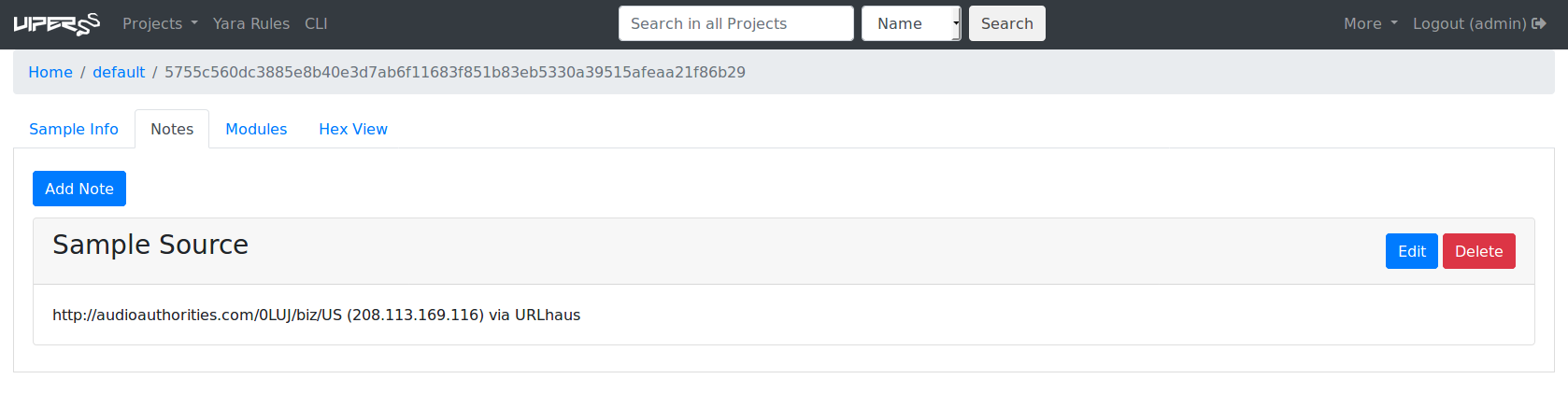
Notes:
{1)({2}) via {3}

  • Sample URL.
  • Host IP address.
  • URL source.

The original name of the file forms the identifying name within Viper.

References

  • http://docs.cymon.io/- Cymon API documentation.
  • https://www.hybrid-analysis.com/docs/api/v2 - Hybrid Analysis API documentation.
  • http://malshare.com/doc.php - MalShare API documentation.
  • https://otx.alienvault.com/api - AlienVault OTX API documentation.
  • https://urlhaus.abuse.ch/api/ - URLhaus API documentation.
  • https://developer.shodan.io/api - Shodan API documentation.
  • http://viper-framework.readthedocs.io/en/latest/usage/web.html - Viper API documentation.
  • https://developers.virustotal.com/v2.0/reference - VirusTotal API documentation.
Download Tool

Most Popular

View all →

Discover the most used tools by our community.

  • 1

    OsintHunter

    letox4/osinthunter

    🎯 The ultimate OSINT toolkit: investigation graph, confidence scoring, alias families, map, timeline and reports. 49 modules, 400+ sites, no API keys required.

    806
  • 2

    ghostlock-app

    yukonga/ghostlock-app

    GhostLock One-Tap Execution App (CVE-2026-43499)

    523
  • 3

    ARTEX

    baarai/artex

    LLM multi-agent autonomous penetration testing platform with planner/worker agents, asset and exploration graphs, MITM traffic recording, and vulnerability retesting.

    441
  • 4

    redforge

    cybersecurity91/redforge

    Browser-side red team toolkit with 102 offline tools for recon, payload generation, credential attacks, crypto, encoding and engagement reporting.

    346
  • 5

    looking-glass

    anonghosty/looking-glass

    CSIRT platform that ingests Shadowserver reports into MongoDB and replays them as interactive maps, analysis, findings, advisories and executive dashboards.

    270
  • 6

    CyberStrikeAI

    ed1s0nz/cyberstrikeai

    The system of action for AI-native cybersecurity—where intent becomes governed execution, evidence becomes operational memory, and every operation improves the next.

    264

Explore all tools

Browse our collection of tools

View all tools →