 owasp/securetea-project
The OWASP SecureTea Project provides a one-stop security solution for various devices (personal computers / servers / IoT devices)


 OWASP SECURETEA TOOL PROJECT
The OWASP SecureTea Project is an application designed to help Secure a person's laptop or computer / server with IoT (Internet Of Things) for notify users (via various communication mechanisms), whenever someone accesses their computer / server. This application uses the touchpad/mouse/wireless mouse to determine activity and is developed in Python and tested on various machines (Linux, Mac & Windows).
The purpose of this application is to warn the user (via various communication mechanisms) whenever their computer / server accessed. This small application was developed and tested in python in Linux machine, macOS & Windows.
It was written to be used by anyone who is interested in Security IoT (Internet of Things) and still needs further development.
To alert the user via variuos communication mechanism, whenever his/her laptop had been accessed by someone. And also it can be used to monitor your system.
sudo access on the terminal/consolesudo apt-get install python)Python and python-setuptools must be installed. (If not already installed: sudo apt-get install python python-setuptools)
Download/Clone repository from: https://github.com/OWASP/SecureTea-Project.git
git clone https://github.com/OWASP/SecureTea-Project.git
cd SecureTea-Project
python setup.py install
$ pip install -r requirements.txt
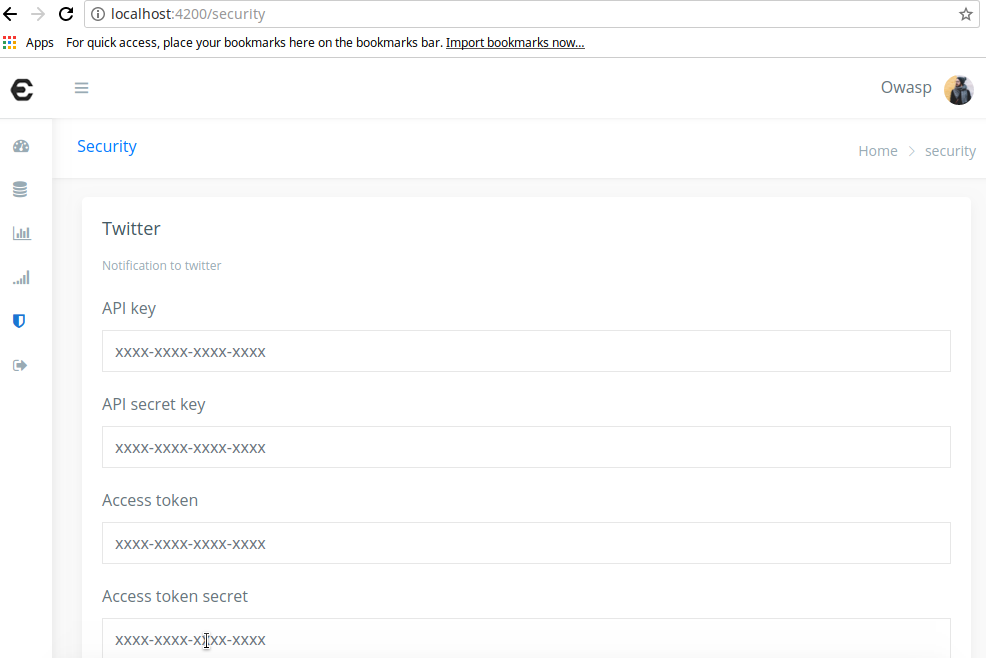
Copy/Paste API KEY and TOKEN from Twitter apps
"api_key": "XXXX",
"api_secret_key": "XXXX",
"access_token": "XXXX",
"access_token_secret": "XXXX",
"username": "XXXX"
Optionally in "securetea.conf" You can set "debug" : true to enable the console log (default: enabled), or set "debug" : false to disable logging to console.
Install Mouse / Wireless Mouse Touchpad if not functioning properly (Linux / macOS / Raspberry Pi machine).
Okay, Run program
sudo SecureTea.py
or more:
SecureTea.py -h
Notice a WELCOME_MSG Like this:
[Core] [ 2018-08-30 16:50 ] Info : Welcome to SecureTea..!! Initializing System
Laptop access by moving the mouse/touchpad to see the cumulative X and Y coordinates on the console. If you have a twitter app installed on your phone, you can get updates on the "message" from your twitter account.
Checks Alert message on the console and on twitter your inbox.
[Core] [ 2018-08-30 16:50 ] Warn : (3) : Someone has access your laptop when
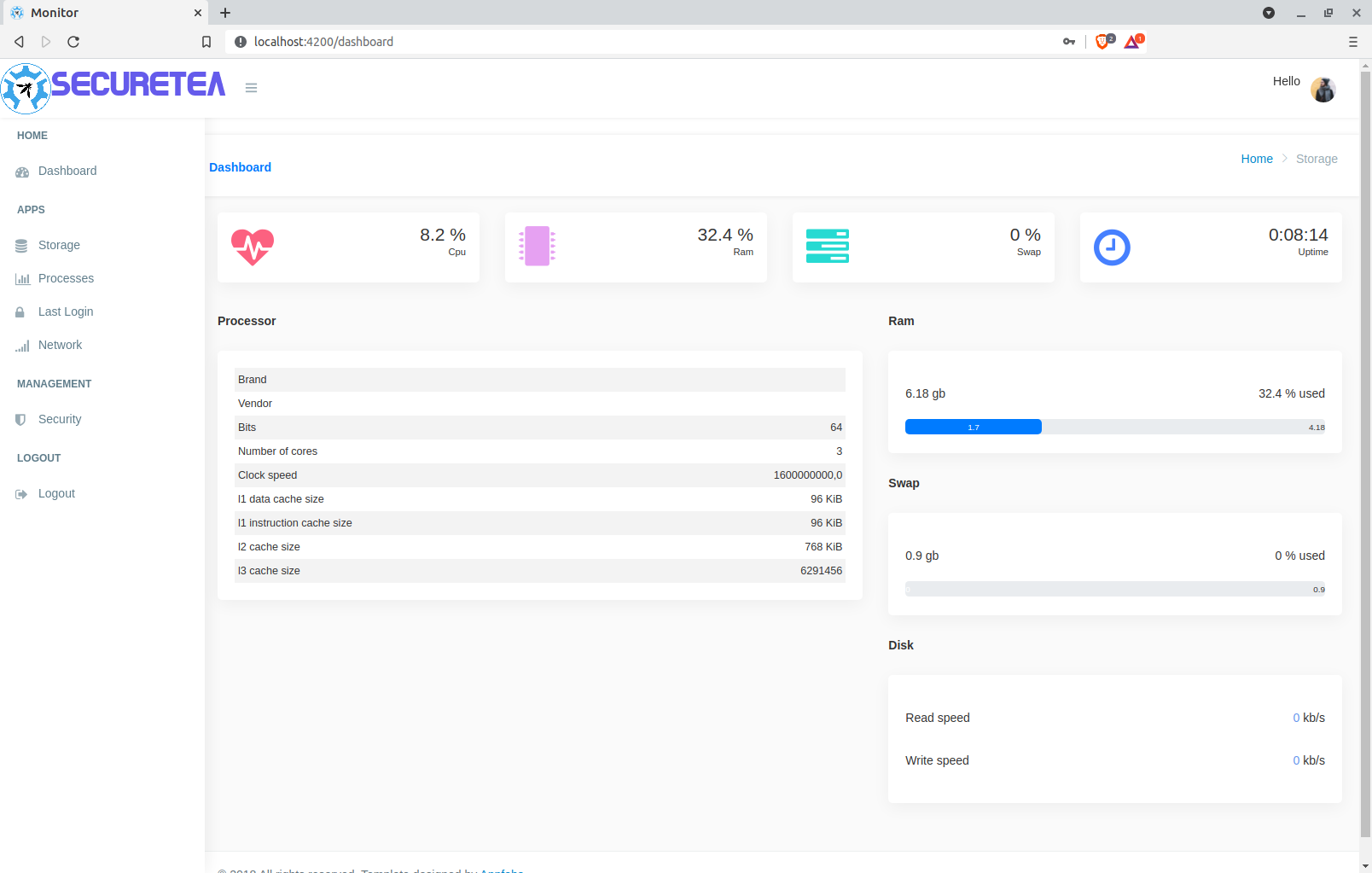
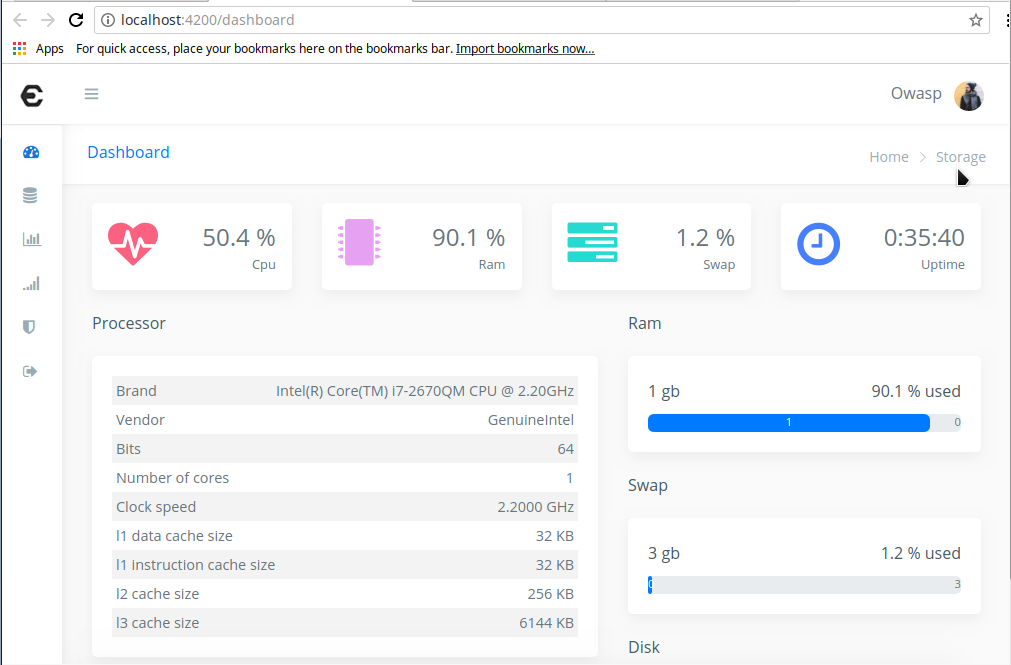
If you want to monitor your system from a webapp
cd gui
npm install
ng serve
sudo python monitor.py
http://localhost:4200
to view your project. END-POINT type
http://localhost:5000
and click SIGN IN.
[ ]
]
[ ]
]
xoxb- ]
]
SecureTea Tool Project Features :
| SecureTea Tool Features | Progress |
|---|---|
| Notify by Twitter | Yes |
| Securetea Dashboard | Yes |
| Notify by Telegram | Yes |
| Notify by Slack | Yes |
| Notify by SMS Alerts | Yes |
| Securetea firewall | Yes |