
 msnightmare/fastunlock
Proof-of-concept write-up for a Windows Narrator lockscreen bypass that achieves code execution as WsiAccount and defeats BitLocker with physical access.

FastUnlock : Windows Narrator LockScreen Bypass 0day Vulnerability

The vulnerability exist in the way how narrator handles UI in a locked account context, succesful exploitation results in bypassing bitlocker and executing code in the context of the lockscreen account "WsiAccount"
It took a total of 5 minutes from finding this to breaching a fully encrypted bitlocker machine with Windows 11 26H2 November Patch installed, an issue caused by total negligence from Microsoft's side... The vulnerability seems to be extremely consistent in every machine I tested it in, in other words, if you know how to control narrator in the background properly or just press the correct combination of buttons, you will get code execution in the target machine as well.
Obviously this needs physical access and at least one account in the machine to be linked to an online account, this breaks the guarantee that a properly secured bitlocker machine cannot be accessed even if the attacker has physical access so hold tight any windows machines until Microsoft patches this.
In the process of giving narrator a new look, Microsoft forgot to make sure that the new UI does not run in the case it was running in the context of a lockscreen user (interestingly it still has the old code that prevents it from spawning the window if it's running as SYSTEM)
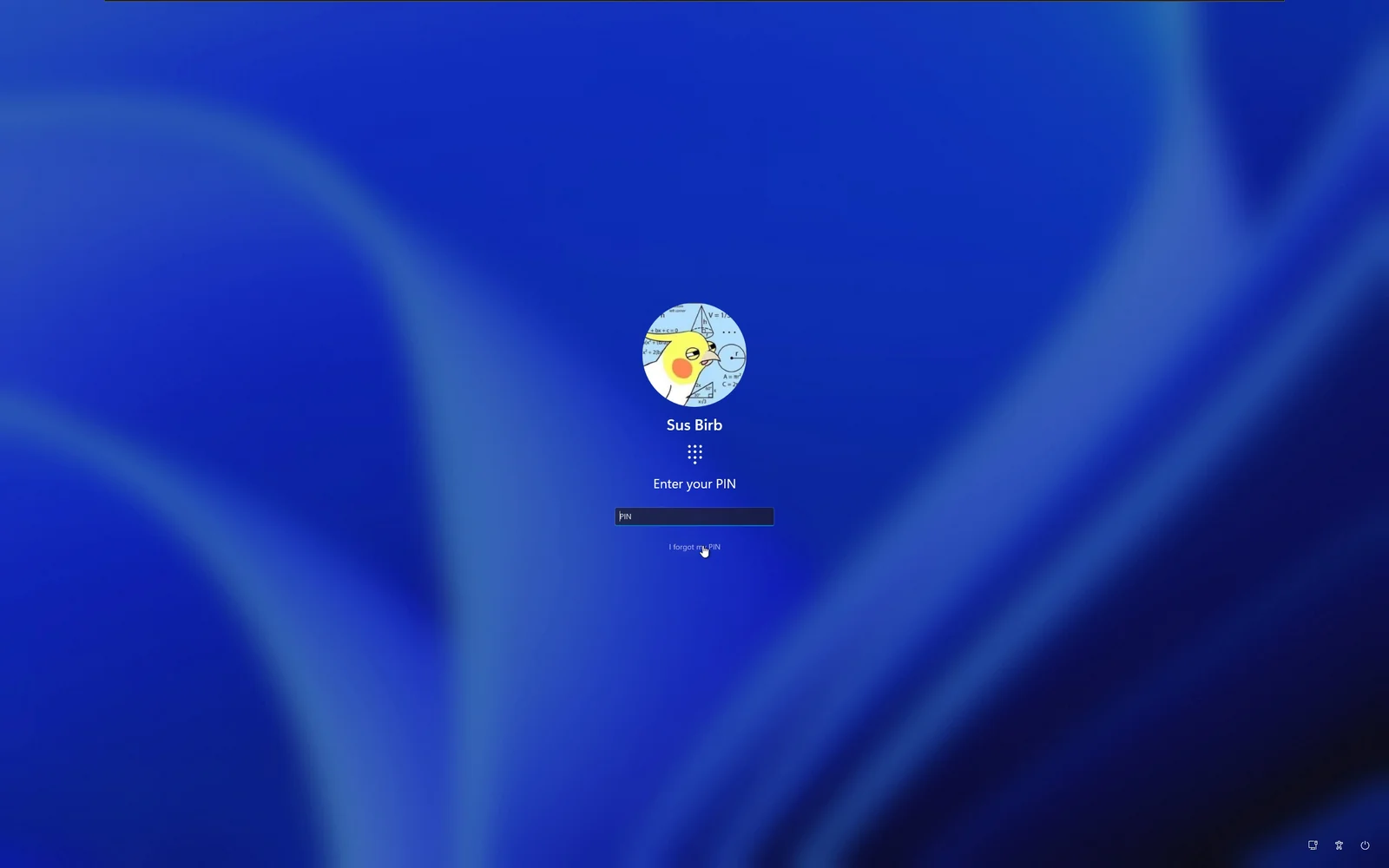
Unlike the previous lockscreen bypass bugs I found in the past (by example ZDI-21-1053), this one is extremely convenient to use, when you click "I forgot my PIN" (or password or whatever),
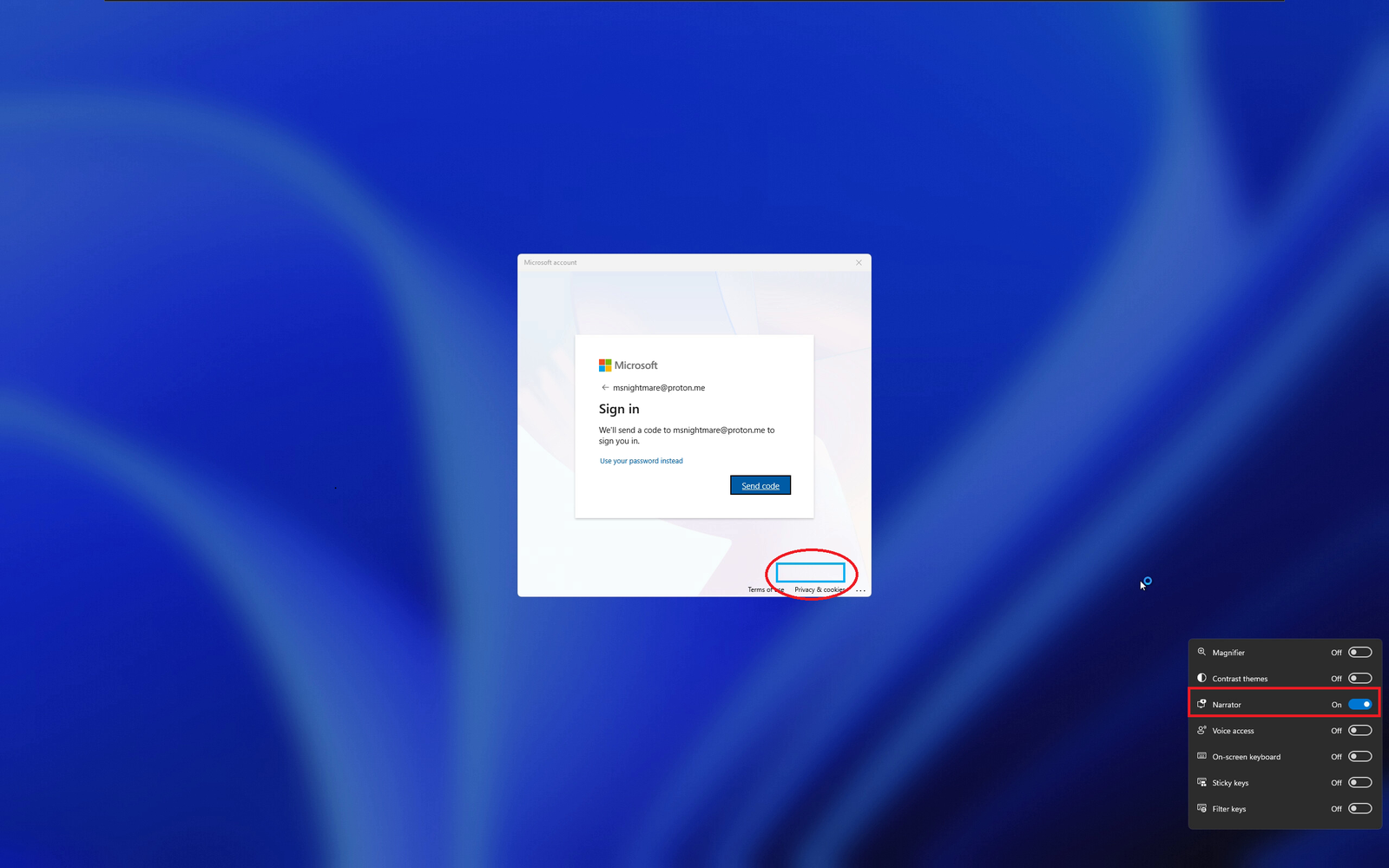
As soon as you the Microsoft account window prompts you for an action to reset the account, press Win+U and click on narrator,
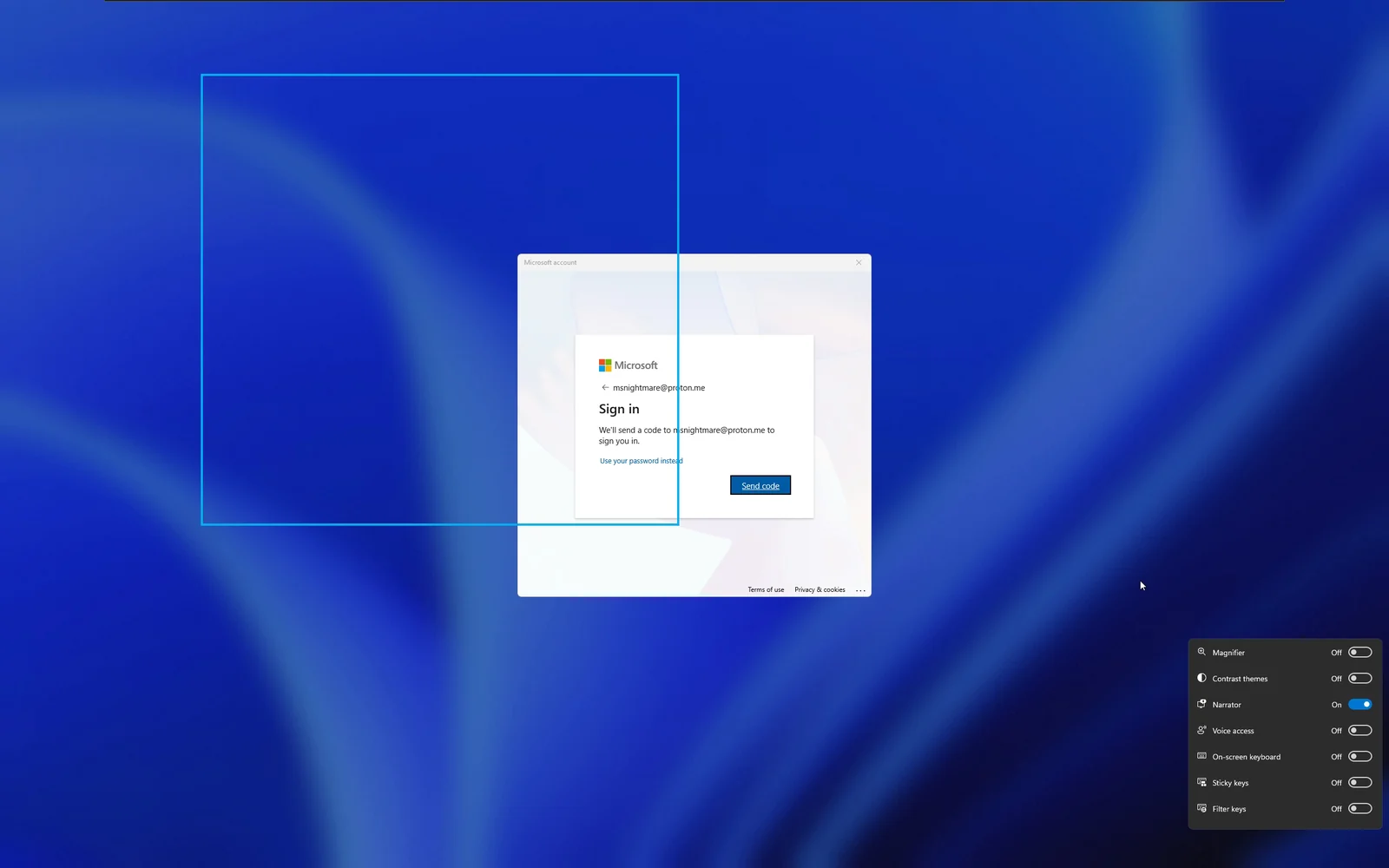
The second you enable narrator it will immediately focus on a background window owned by narrator, this exact window will be in the background but you would not be able to see it
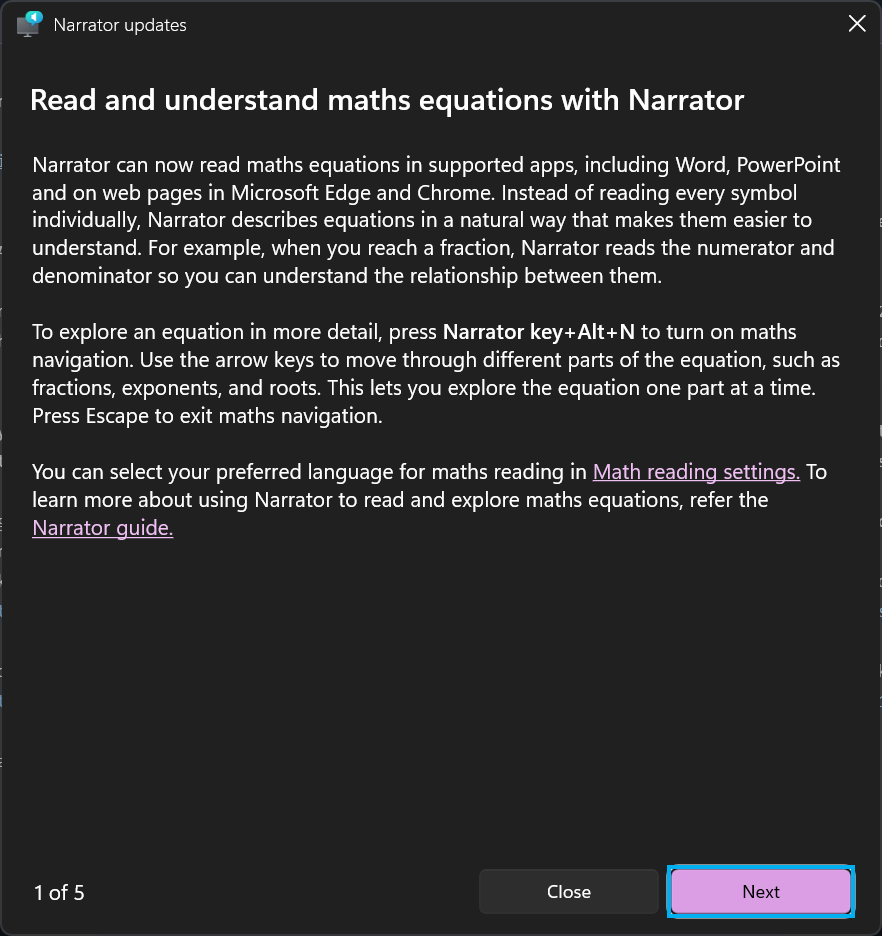
As you can see narrator is focused on the "Next" button, to navigate hold the caps key (Do not release) and use arrow keys to navigate, your next objective is obvious, click on the "Math reading settings", in order to click the actual link, you can press CAPS + Enter, this will take you to the next step, the settings window
From now, it's just up to you how you want to to execute code, having focus on settings window allows multiple ways to get code execution in the context of the "WsiAccount" user. For me I prefer navigating to "Bluetooth & Devices" then going for "AutoPlay" then "Removable Drive" and finally "Open folder to view files (File Explorer)"
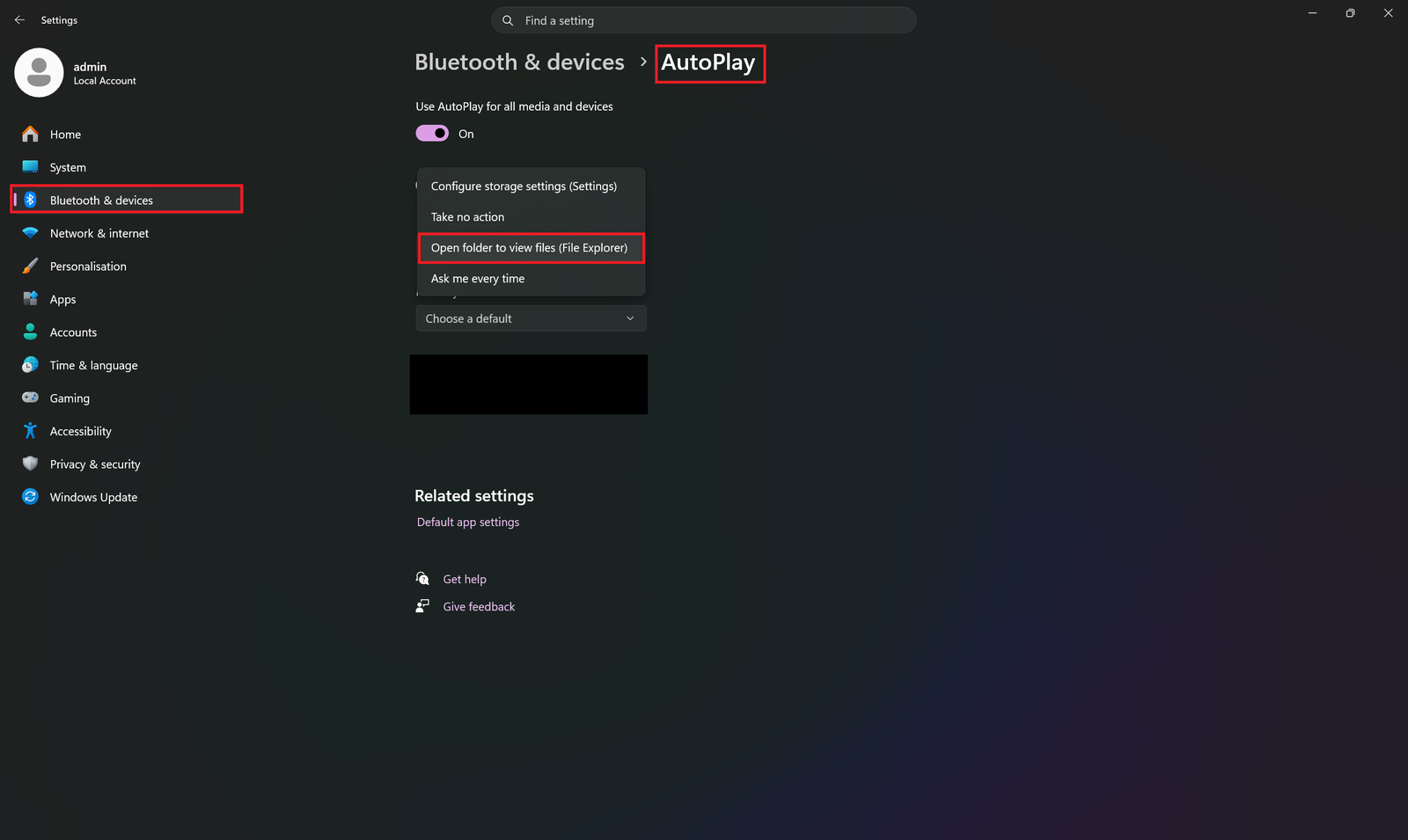
As respectively shown in the demo video,
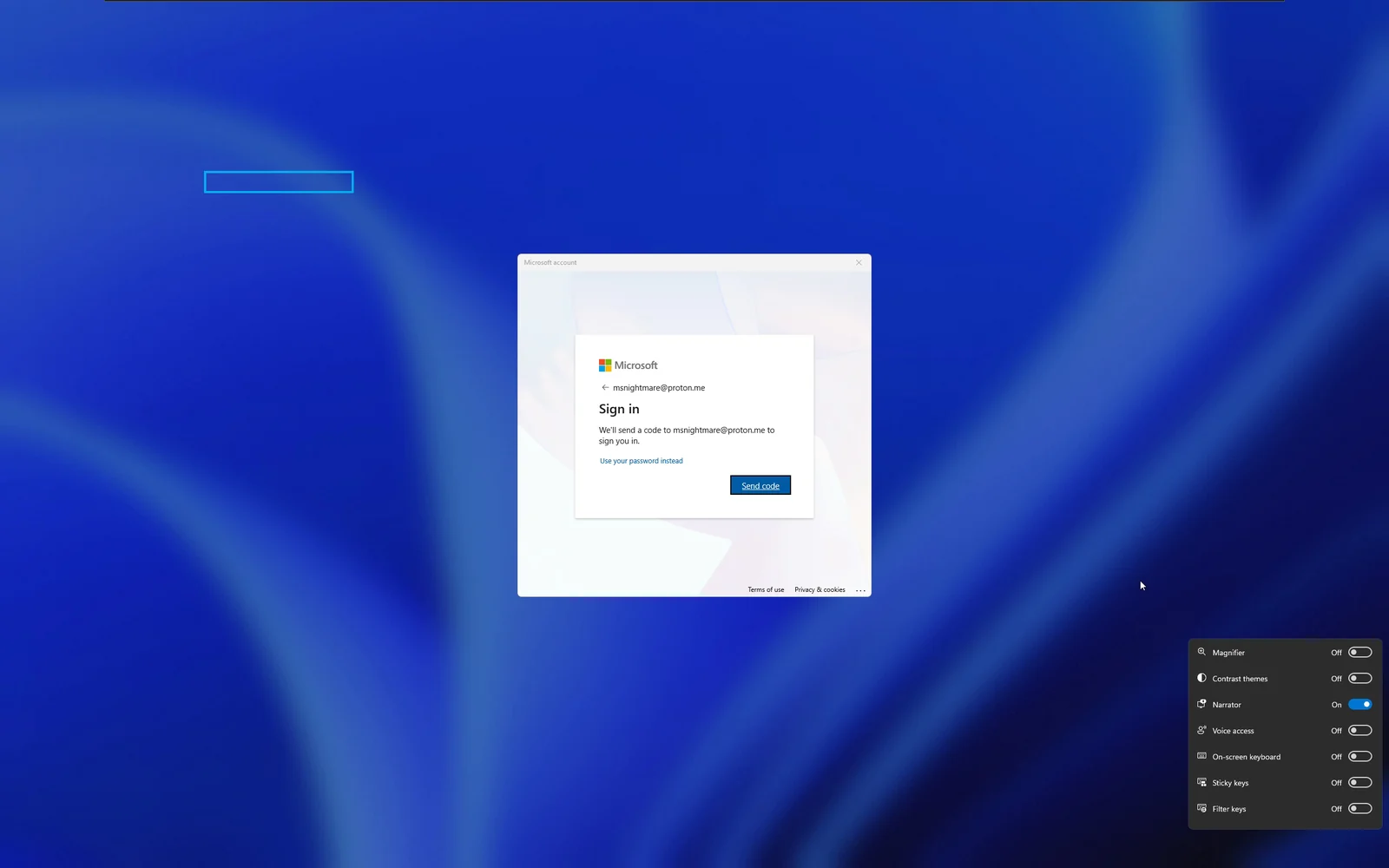
Now I didn't show the full code execution demo because I don't really have a USB stick but I already did this enough times to know what happens next, your next step is to plugin a USB stick, as soon as you do, narrator will focus on explorer showing your mounted storage content and you can just navigate with the same button combination (CAPS LOCK + Arrow keys/Enter/Space), if you do everything properly the binary in your USB stick will be executed in the context of "WsiAccount"
I have not checked other windows versions so I am not really sure if this might work on windows 10.






