
Skip to content
KitploitKITPLOIT
ToolsBlog
Submit
ToolsBlog
Submit

Hacking, PenTest, and Cybersecurity Tools for Your Security Arsenal!

Kitploit is a directory of hacking, cybersecurity, and pentesting tools. Discover the latest project updates to find vulnerabilities, analyze systems, automate testing, and strengthen your security.

··Feeds·Contact·Privacy·© 2026 Kitploit

Tool Directory

Categories

View all categories
Loading categories
WinFiHack — A windows Wifi Brute forcing utility which is an extremely old method but still works without the requirement of external dependencies. | Kitploit
Tools/GitHubGitHub/morpheuslord/winfihack
Wi-Fi AuditingPassword AttacksWireless Security
GitHubmorpheuslord/winfihack

WinFiHack

A windows Wifi Brute forcing utility which is an extremely old method but still works without the requirement of external dependencies.

View Repository
8017142 years agoReviewed by Kitploit

Most Popular

View all →

Discover the most used tools by our community.

Explore all tools

Browse our collection of tools

View all tools →
Share

WinFiHack

root@kitploit:~
__        ___       _____ _ _   _            _
\ \      / (_)_ __ |  ___(_) | | | __ _  ___| | __
 \ \ /\ / /| | '_ \| |_  | | |_| |/ _` |/ __| |/ /
  \ V  V / | | | | |  _| | |  _  | (_| | (__|   <
   \_/\_/  |_|_| |_|_|   |_|_| |_|\__,_|\___|_|\_\

WinFiHack is a recreational attempt by me to rewrite my previous project Brute-Hacking-Framework's main wifi hacking script that uses netsh and native Windows scripts to create a wifi bruteforcer. This is in no way a fast script nor a superior way of doing the same hack but it needs no external libraries and just Python and python scripts.

Installation

The packages are minimal or nearly none 😅. The package install command is:

root@kitploit:~
pip install rich pyfiglet

Thats it.

Features

So listing the features:

  • Overall Features:
    • We can use custom interfaces or non-default interfaces to run the attack.
    • Well-defined way of using netsh and listing and utilizing targets.
    • Upgradeability
  • Code-Wise Features:
    • Interactive menu-driven system with rich.
    • versatility in using interface, targets, and password files.

How it works

So this is how the bruteforcer works:

root@kitploit:~
sequenceDiagram
    participant User
    participant Tool
    participant Interface
    participant Network
    participant File
    participant Attack

    User->>Tool: Provide interface (default: Wi-Fi)
    Tool->>Interface: Disconnect all active network connections
    Interface->>Network: Search for all available networks
    User->>Tool: Set target network
    User->>Tool: Input password file (default: ./wordlist/default.txt)
    Note over Tool: Ready to run the attack
    Tool->>Attack: Begin password loop
    loop For each password
        Attack->>File: Generate and store custom XML
        Attack->>Network: Attempt connection
        Network->>Attack: Verify connection (1 packet ping to Google)
        alt Ping successful
            Attack->>User: Connection established (Success)
        else Ping failed
            Attack->>User: Output failed
        end
    end
  • Provide Interface:

    • The user is required to provide the network interface for the tool to use.
    • By default, the interface is set to Wi-Fi.
  • Search and Set Target:

    • The user must search for and select the target network.
    • During this process, the tool performs the following sub-steps:
      • Disconnects all active network connections for the selected interface.
      • Searches for all available networks within range.
  • Input Password File:

    • The user inputs the path to the password file.
    • The default path for the password file is ./wordlist/default.txt.
  • Run the Attack:

    • With the target set and the password file ready, the tool is now prepared to initiate the attack.
  • Attack Procedure:

    • The attack involves iterating through each password in the provided file.
    • For each password, the following steps are taken:
      • A custom XML configuration for the connection attempt is generated and stored.
      • The tool attempts to connect to the target network using the generated XML and the current password.
      • To verify the success of the connection attempt, the tool performs a "1 packet ping" to Google.
      • If the ping is unsuccessful, the connection attempt is considered failed, and the tool proceeds to the next password in the list.
      • This loop continues until a successful ping response is received, indicating a successful connection attempt.

How to run this

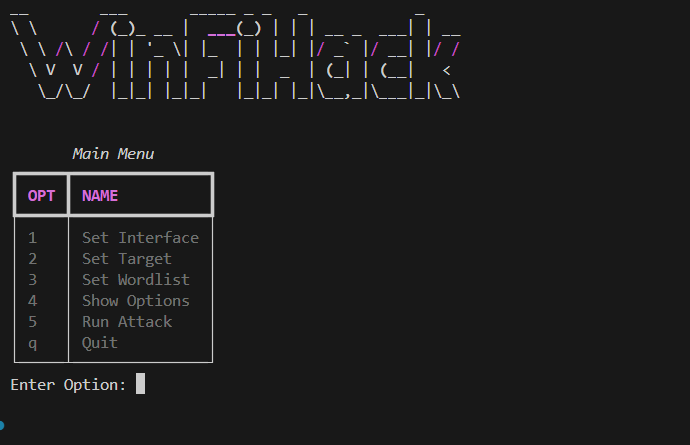
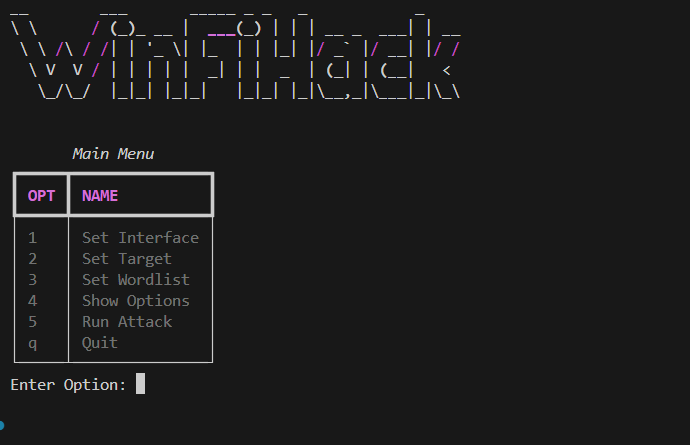
After installing all the packages just run python main.py rest is history 👍 make sure you run this on Windows cause this won't work on any other OS. The interface looks like this: image
Contributions

For contributions:

  • First Clone: First Clone the repo into your dev env and do the edits.
  • Comments: I would apprtiate if you could add comments explaining your POV and also explaining the upgrade.
  • Submit: Submit a PR for me to verify the changes and apprive it if necessary.
Download Tool