 mhaskar/exchangefinder
Find Microsoft Exchange instance for a given domain and identify the exact version


ExchangeFinder is a simple and open-source tool that tries to find Micrsoft Exchange instance for a given domain based on the top common DNS names for Microsoft Exchange.
ExchangeFinder can identify the exact version of Microsoft Exchange starting from Microsoft Exchange 4.0 to Microsoft Exchange Server 2019.
ExchangeFinder will first try to resolve any subdomain that is commonly used for Exchange server, then it will send a couple of HTTP requests to parse the content of the response sent by the server to identify if it's using Microsoft Exchange or not.
Currently, the tool has a signature of every version from Microsoft Exchange starting from Microsoft Exchange 4.0 to Microsoft Exchange Server 2019, and based on the build version sent by Exchange via the header X-OWA-Version we can identify the exact version.
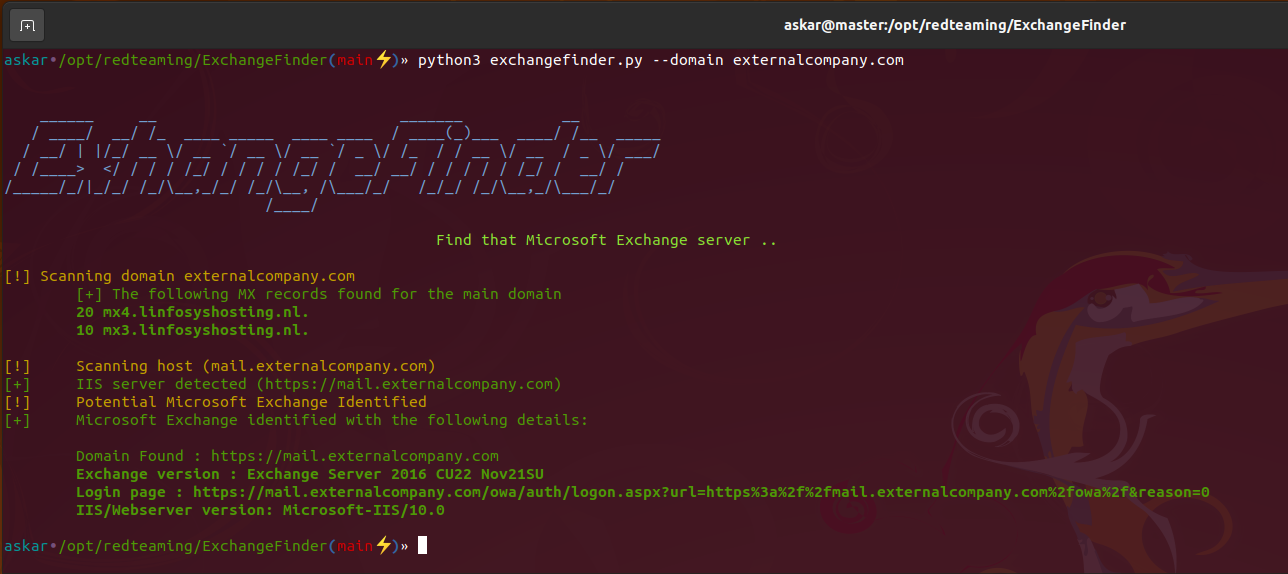
If the tool found a valid Microsoft Exchange instance, it will return the following results:
Clone the latest version of ExchangeFinder using the following command:
git clone https://github.com/mhaskar/ExchangeFinder
And then install all the requirements using the command poetry install.
┌──(kali㉿kali)-[~/Desktop/ExchangeFinder]
└─$ poetry install                                                                                                                   1 ⨯
Installing dependencies from lock file


Package operations: 15 installs, 0 updates, 0 removals

  • Installing pyparsing (3.0.9)
  • Installing attrs (22.1.0)
  • Installing certifi (2022.6.15)
  • Installing charset-normalizer (2.1.1)
  • Installing idna (3.3)
  • Installing more-itertools (8.14.0)
  • Installing packaging (21.3)
  • Installing pluggy (0.13.1)
  • Installing py (1.11.0)
  • Installing urllib3 (1.26.12)
  • Installing wcwidth (0.2.5)
  • Installing dnspython (2.2.1)
  • Installing pytest (5.4.3)
  • Installing requests (2.28.1)
  • Installing termcolor (1.1.0)

Installing the current project: ExchangeFinder (0.1.0)

┌──(kali㉿kali)-[~/Desktop/ExchangeFinder]
┌──(kali㉿kali)-[~/Desktop/ExchangeFinder]
└─$ python3 exchangefinder.py


    ______     __                           _______           __
   / ____/  __/ /_  ____ _____  ____ ____  / ____(_)___  ____/ /__  _____
  / __/ | |/_/ __ \/ __ `/ __ \/ __ `/ _ \/ /_  / / __ \/ __  / _ \/ ___/
 / /____>  </ / / / /_/ / / / / /_/ /  __/ __/ / / / / / /_/ /  __/ /
/_____/_/|_/_/ /_/\__,_/_/ /_/\__, /\___/_/   /_/_/ /_/\__,_/\___/_/
                             /____/

                                                Find that Microsoft Exchange server ..

[-] Please use --domain or --domains option

┌──(kali㉿kali)-[~/Desktop/ExchangeFinder]
└─$
You can use the option -h to show the help banner:
askar•/opt/redteaming/ExchangeFinder(main⚡)» python3 exchangefinder.py -h


    ______     __                           _______           __
   / ____/  __/ /_  ____ _____  ____ ____  / ____(_)___  ____/ /__  _____
  / __/ | |/_/ __ \/ __ `/ __ \/ __ `/ _ \/ /_  / / __ \/ __  / _ \/ ___/
 / /____>  </ / / / /_/ / / / / /_/ /  __/ __/ / / / / / /_/ /  __/ /
/_____/_/|_/_/ /_/\__,_/_/ /_/\__, /\___/_/   /_/_/ /_/\__,_/\___/_/
                             /____/

                                                Find that Microsoft Exchange server ..

usage: exchangefinder.py [-h] [--domain DOMAIN] [--domains DOMAINS] [--useragent USERAGENT] [--output OUTPUT] [--verbose]

DNSStager main parser

optional arguments:
  -h, --help            show this help message and exit
  --domain DOMAIN       The target domain you want to scan (example.com)
  --domains DOMAINS     Path to domains file you want to scan (domains.txt)
  --useragent USERAGENT
                        Useragent to use, the default is "Mozilla/5.0 (Windows NT 10.0; Win64; x64) AppleWebKit/537.36 (KHTML, like Gecko) Chrome/104.0.0.0 Safari/537.36."
  --output OUTPUT       Export results to given .csv file
  --verbose             Show detailed output
askar•/opt/redteaming/ExchangeFinder(main⚡)»
To scan single domain you can use the option --domain like the following:
askar•/opt/redteaming/ExchangeFinder(main⚡)» python3 exchangefinder.py --domain dummyexchangetarget.com


    ______     __                           _______           __
   / ____/  __/ /_  ____ _____  ____ ____  / ____(_)___  ____/ /__  _____
  / __/ | |/_/ __ \/ __ `/ __ \/ __ `/ _ \/ /_  / / __ \/ __  / _ \/ ___/
 / /____>  </ / / / /_/ / / / / /_/ /  __/ __/ / / / / / /_/ /  __/ /
/_____/_/|_/_/ /_/\__,_/_/ /_/\__, /\___/_/   /_/_/ /_/\__,_/\___/_/
                             /____/

                                                Find that Microsoft Exchange server ..

[!] Scanning domain dummyexchangetarget.com
	[+] The following MX records found for the main domain
	10 mx01.dummyexchangetarget.com.

[!] 	Scanning host (mail.dummyexchangetarget.com)
[+] 	IIS server detected (https://mail.dummyexchangetarget.com)
[!] 	Potential Microsoft Exchange Identified
[+] 	Microsoft Exchange identified with the following details:

	Domain Found : https://mail.dummyexchangetarget.com
	Exchange version : Exchange Server 2016 CU22 Nov21SU
	Login page : https://mail.dummyexchangetarget.com/owa/auth/logon.aspx?url=https%3a%2f%2fmail.dummyexchangetarget.com%2fowa%2f&reason=0
	IIS/Webserver version: Microsoft-IIS/10.0

[!] 	Scanning host (autodiscover.dummyexchangetarget.com)
[+] 	IIS server detected (https://autodiscover.dummyexchangetarget.com)
[!] 	Potential Microsoft Exchange Identified
[+] 	Microsoft Exchange identified with the following details:

	Domain Found : https://autodiscover.dummyexchangetarget.com
	Exchange version : Exchange Server 2016 CU22 Nov21SU
	Login page : https://autodiscover.dummyexchangetarget.com/owa/auth/logon.aspx?url=https%3a%2f%2fautodiscover.dummyexchangetarget.com%2fowa%2f&reason=0
	IIS/Webserver version: Microsoft-IIS/10.0

askar•/opt/redteaming/ExchangeFinder(main⚡)»
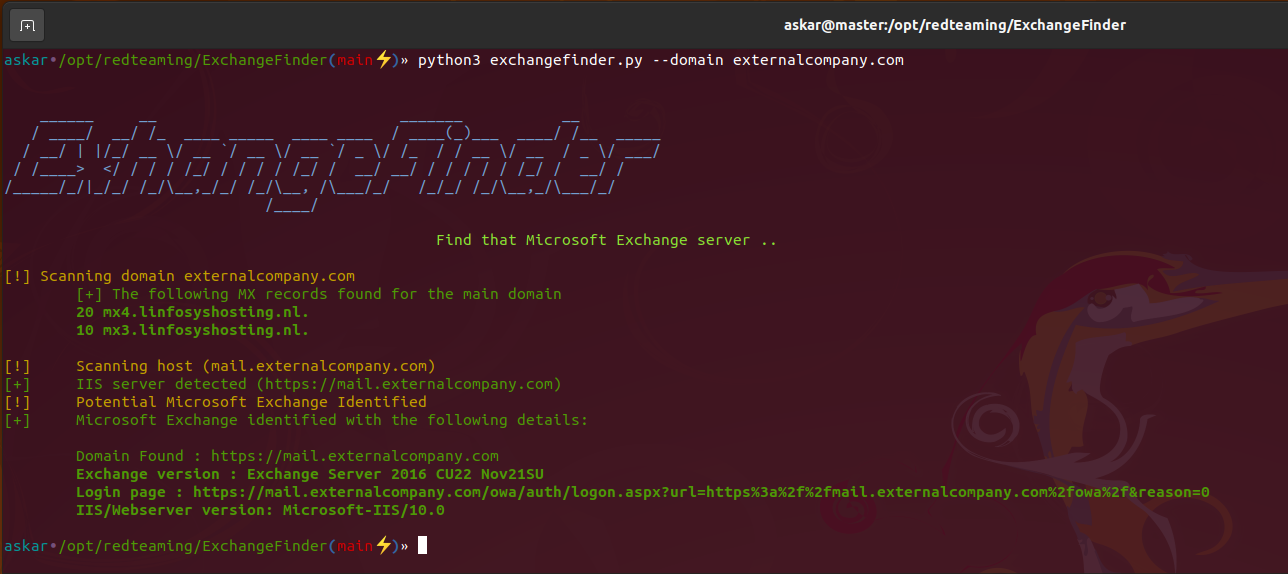
To scan multiple domains (targets) you can use the option --domains and choose a file like the following:
askar•/opt/redteaming/ExchangeFinder(main⚡)» python3 exchangefinder.py --domains domains.txt






