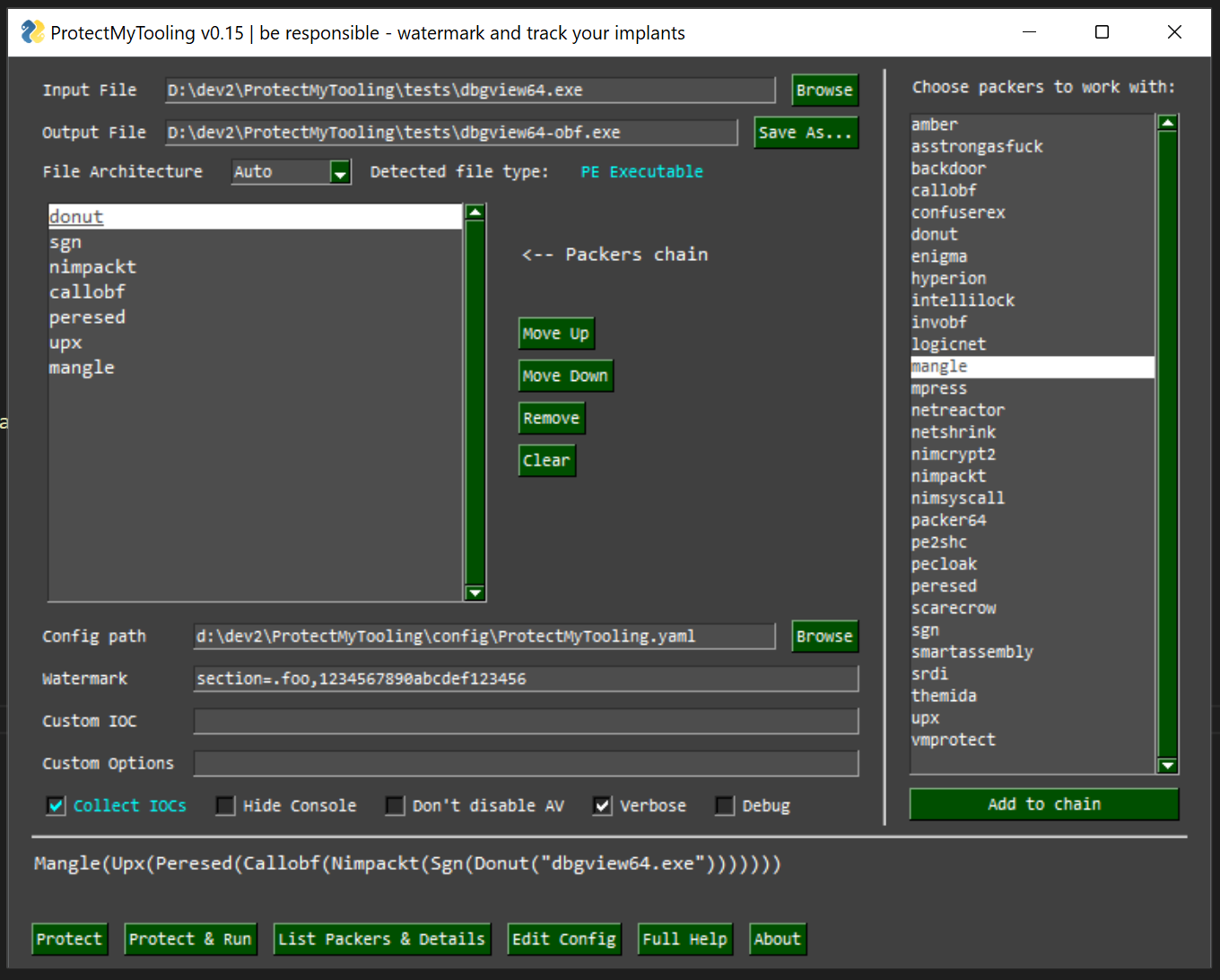

Multi-Packer wrapper letting us daisy-chain various packers, obfuscators and other Red Team oriented weaponry. Featured with artifacts watermarking, IOCs collection & PE Backdooring. You feed it with your implant, it does a lot of sneaky things and spits out obfuscated executable.
Rationale behind releasing this software was outlined in an acompanying blog post:
Script that wraps around multitude of packers, protectors, obfuscators, shellcode loaders, encoders, generators to produce complex protected Red Team implants. Your perfect companion in Malware Development CI/CD pipeline, helping watermark your artifacts, collect IOCs, backdoor and more.
ProtectMyToolingGUI.py
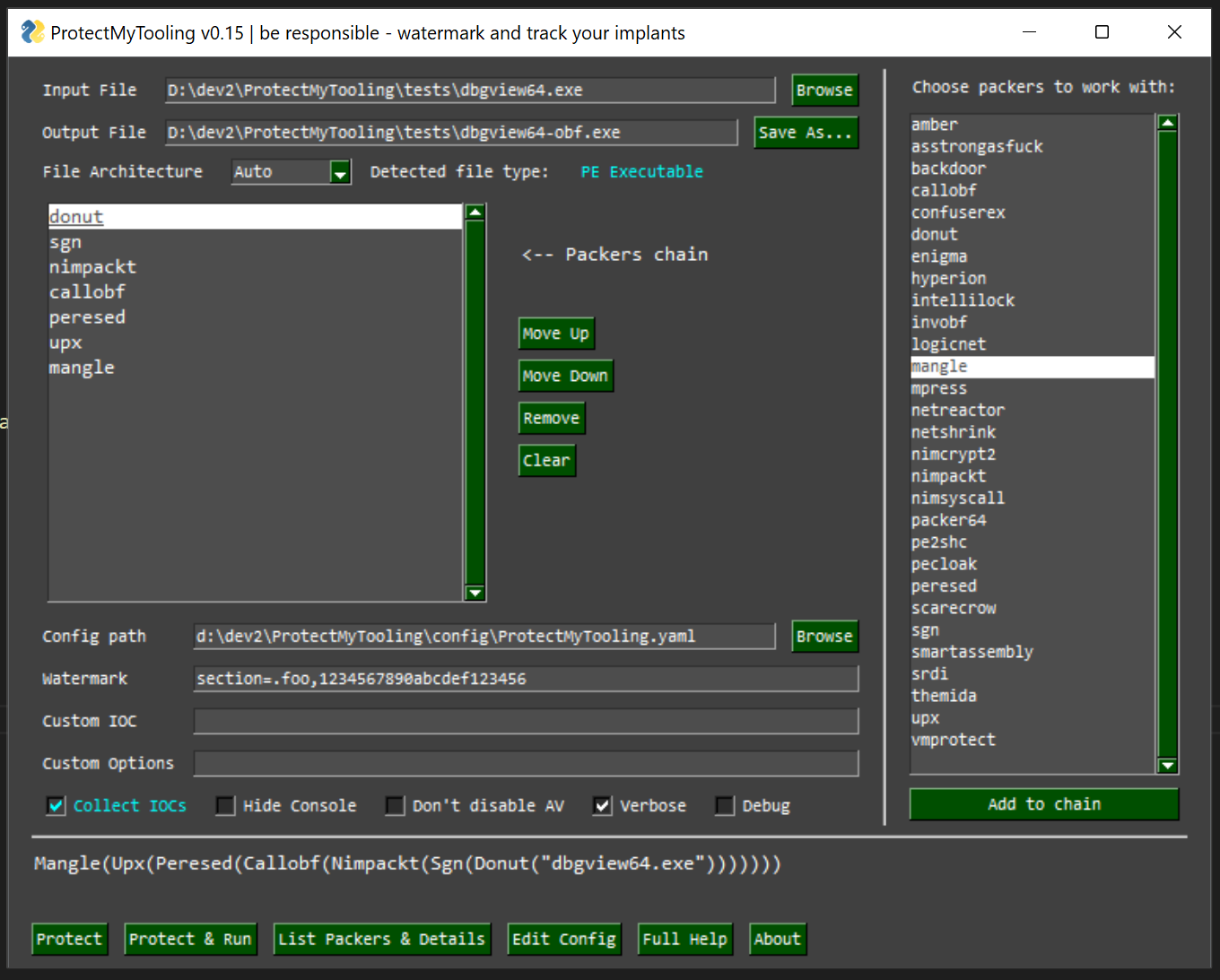
With ProtectMyTooling you can quickly obfuscate your binaries without having to worry about clicking through all the Dialogs, interfaces, menus, creating projects to obfuscate a single binary, clicking through all the options available and wasting time about all that nonsense. It takes you straight to the point - to obfuscate your tool.
Aim is to offer the most convenient interface possible and allow to leverage a daisy-chain of multiple packers combined on a single binary.
That's right - we can launch ProtectMyTooling with several packers at once:
C:\> py ProtectMyTooling.py hyperion,upx mimikatz.exe mimikatz-obf.exe
The above example will firstly pass mimikatz.exe to the Hyperion for obfuscation, and then the result will be provided to UPX for compression. Resulting with UPX(Hyperion(file))
callobf,hyperion,upx will produce artifact UPX(Hyperion(CallObf(file)))protected-upload and protected-execute-assembly commandsThis tool was designed to work on Windows, as most packers natively target that platform.
Some features may work however on Linux just fine, nonetheless that support is not fully tested, please report bugs and issues.
contrib directory to exclusions. That directory contains obfuscators, protectors which will get flagged by AV and removed.PS C:\> git clone --recurse https://github.com/Binary-Offensive/ProtectMyTooling
Windows
PS C:\ProtectMyTooling> .\install.ps1
Linux
bash# ./install.sh
For ScareCrow packer to run on Windows 10, there needs to be WSL installed and bash.exe available (in %PATH%).
Then, in WSL one needs to have golang installed in version at least 1.16:
cmd> bash
bash$ sudo apt update ; sudo apt upgrade -y ; sudo apt install golang=2:1.18~3 -y
To plug-in supported obfuscators, change default options or point ProtectMyTooling to your obfuscator executable path, you will need to adjust config\ProtectMyTooling.yaml configuration file.
There is also config\sample-full-config.yaml file containing all the available options for all the supported packers, serving as reference point.
Before ProtectMyTooling's first use, it is essential to adjust program's YAML configuration file ProtectMyTooling.yaml.
The order of parameters processal is following:
There, supported packer paths and options shall be set to enable.
Usage is very simple, all it takes is to pass the name of obfuscator to choose, input and output file paths:
C:\> py ProtectMyTooling.py confuserex Rubeus.exe Rubeus-obf.exe

    ::::::::::.:::::::..      ...  :::::::::::.,::::::  .,-::::::::::::::::
     `;;;```.;;;;;;``;;;;  .;;;;;;;;;;;;;;;\''';;;;\'\''',;;;'````;;;;;;;;\'\'''
      `]]nnn]]' [[[,/[[[' ,[[     \[[,  [[     [[cccc [[[           [[
       $$$""    $$$$$$c   $$$,     $$$  $$     $$"""" $$$           $$
       888o     888b "88bo"888,_ _,88P  88,    888oo,_`88bo,__,o,   88,
    .  YMMMb :.-:.MM   ::-. "YMMMMMP"   MMM    """"YUMMM"YUMMMMMP"  MMM
    ;;,.    ;;;';;.   ;;;;'
    [[[[, ,[[[[, '[[,[[['
    $$$$$$$$"$$$   c$$"
    888 Y88" 888o,8P"`
    ::::::::::::mM...        ...     :::    :::::.    :::. .,-:::::/
    ;;;;;;;;\'''.;;;;;;;.  .;;;;;;;.  ;;;    ;;`;;;;,  `;;,;;-'````'
         [[   ,[[     \[[,[[     \[[,[[[    [[[ [[[[[. '[[[[   [[[[[[/
         $$   $$$,     $$$$$,     $$$$$'    $$$ $$$ "Y$c$"$$c.    "$$
         88,  "888,_ _,88"888,_ _,88o88oo,._888 888    Y88`Y8bo,,,o88o
         MMM    "YMMMMMP"  "YMMMMMP"""""YUMMMMM MMM     YM  `'YMUP"YMM

    Red Team implants protection swiss knife.

    Multi-Packer wrapping around multitude of packers, protectors, shellcode loaders, encoders.
    Mariusz Banach / mgeeky '20-'22, <[email protected]>
    v0.16

[.] Processing x86 file: "\Rubeus.exe"
[.] Generating output of ConfuserEx(<file>)...

[+] SUCCEEDED. Original file size: 417280 bytes, new file size ConfuserEx(<file>): 756224, ratio: 181.23%
One can also obfuscate the file and immediately attempt to launch it (also with supplied optional parameters) to ensure it runs fine with options -r --cmdline CMDLINE:
C:\> py ProtectMyTooling.py confuserex Rubeus.exe Rubeus-obf.exe -r --cmdline "hash /password:foobar"

    [...]

[.] Processing x86 file: "\Rubeus.exe"
[.] Generating output of ConfuserEx(<file>)...

[+] SUCCEEDED. Original file size: 417280 bytes, new file size ConfuserEx(<file>): 758272, ratio: 181.72%


Running application to test it...

   ______        _
  (_____ \      | |
   _____) )_   _| |__  _____ _   _  ___
  |  __  /| | | |  _ \| ___ | | | |/___)
  | |  \ \| |_| | |_) ) ____| |_| |___ |
  |_|   |_|____/|____/|_____)____/(___/

  v2.0.0


[*] Action: Calculate Password Hash(es)

[*] Input password             : foobar
[*]       rc4_hmac             : BAAC3929FABC9E6DCD32421BA94A84D4

[!] /user:X and /domain:Y need to be supplied to calculate AES and DES hash types!
Below use case takes beacon.exe on input and feeds it consecutively into CallObf -> UPX -> Hyperion packers.
Then it will inject specified fooobar watermark to the final generated output artifact's DOS Stub as well as modify that artifact's checksum with value 0xAABBCCDD.
Finally, ProtectMyTooling will capture all IOCs (md5, sha1, sha256, imphash, and other metadata) and save them in auxiliary CSV file. That file can be used for IOC matching as engagement unfolds.
PS> py .\ProtectMyTooling.py callobf,upx,hyperion beacon.exe beacon-obf.exe -i -I operation_chimera -w dos-stub=fooobar -w checksum=0xaabbccdd

    [...]

[.] Processing x64 file: "beacon.exe"
[>] Generating output of CallObf(<file>)...

