 kamal-marouane/cve-2022-21907
Vulnerability in HTTP Protocol Stack Enabling Remote Code Execution and Potential System Crash.

Vulnerability in HTTP Protocol Stack Enabling Remote Code Execution and Potential System Crash.
CVE-2022-21907 is a vulnerability in the HTTP Protocol Stack (http.sys) of Windows 10 that could be exploited by an attacker by sending a specially crafted packet to a targeted server utilizing the HTTP Protocol Stack to process packets. This can lead to a denial of service (DDoS) attack, where the server becomes unresponsive or crashes.
The exploitation of this flaw could be used to disrupt services and take a Windows 10 version 2004 machine offline without the need for authentication or user interaction.
First of all, you must have some free space in your hard disk in order to test this vulnerability (you can adjust memory allocation and also disk allocation after the installation of the VMs).
To begin testing this vulnerability, install Vagrant and VirtualBox using these links:
Verify that the VBoxManage command is functional by entering it in CMD or PowerShell. If you receive an error such as:
"The term 'VBoxManage' is not recognized as the name of a cmdlet..."
Then ensure the VirtualBox path (e.g., C:\Program Files\Oracle\VirtualBox) is added to the System Environment Variables. Next, run the following command:
VBoxManage natnetwork add --netname MyCustomisedNet --network "192.168.100.0/24" --enable --dhcp on
Clone the following repository to obtain the necessary Vagrant files:
git clone https://github.com/kamal-marouane/CVE-2022-21907.git
After Cloning the repo, enter to the Victim Machine directory on your machine by executing the following commands:
cd CVE-2022-21907/Victim Machine
In this folder you can find the Vagranfile, all you have to do is to execute :
vagrant up

And wait for the box to be downloaded and added. It takes a lot of time seeing that its size is around 5 GB (the above image is only representative).
After the installation ends, you can go to your VirtualBox and then see that MyWindowsVul was added and running.
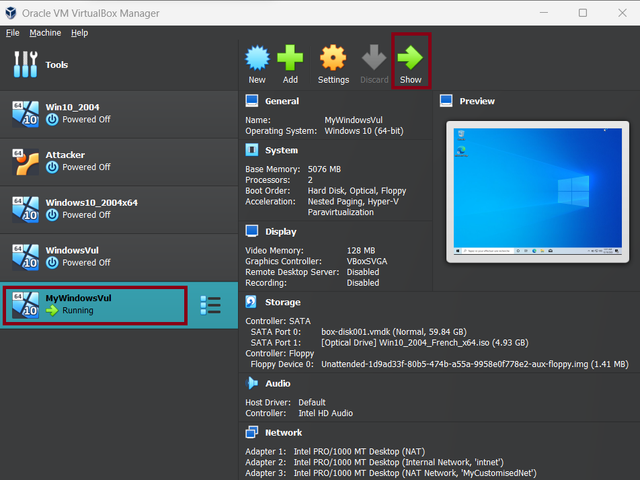
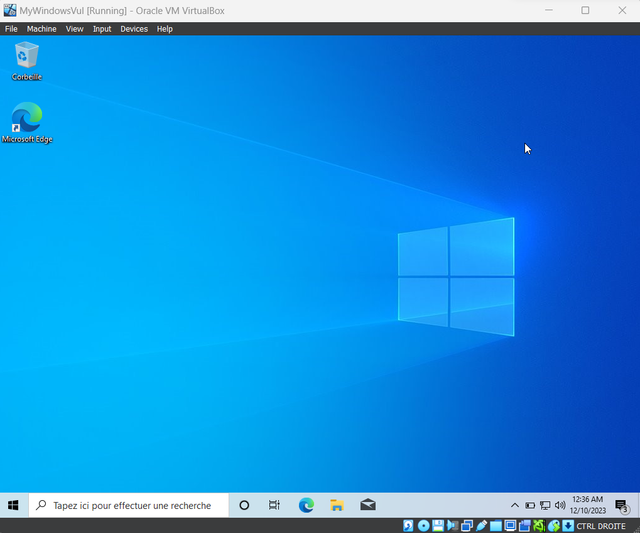
Click on Show and you can see that your Victim Machine is Running
Now let's configure the attacker machine, you have now to access to the Attacker Machine :
cd ../Victim Machine
In this folder you can find the Vagranfile, all you have to do is to go back to your machinea and execute :
vagrant up
Wait for the box to be downloaded and added and then the machine will run, Click on Show then you will see the Attacker machine running.
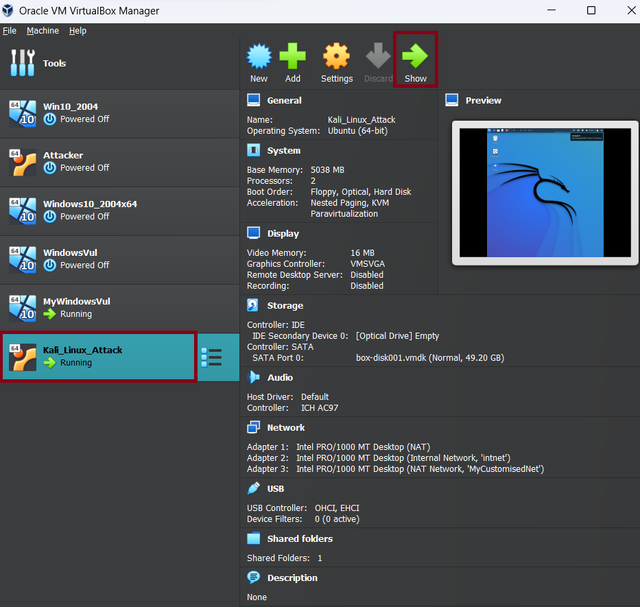
Now the Machines are configured and ready to be used! These are the username and password to access the Attacker Machine :
username : attacker
password : att
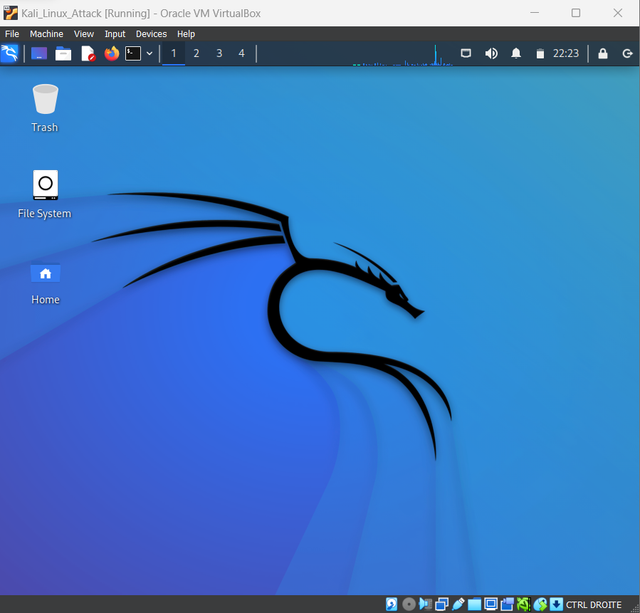
To exploit the Vulnerability, please follow carefully the following steps:
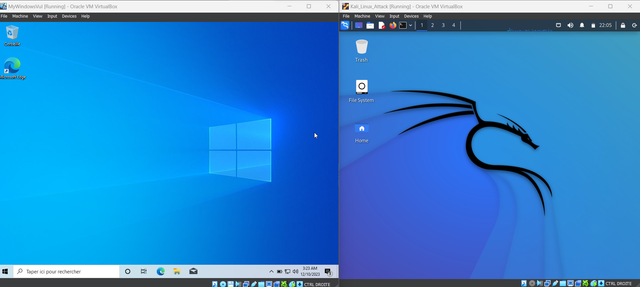
1 - open the running VMs :
2 - In the Victim Machine, open cmd and type ipconfig to find the IPv4 address set earlier. :
ipconfig
Then you will be able to observe the IPv4 address that was established using the VBoxManage command as mentioned above.
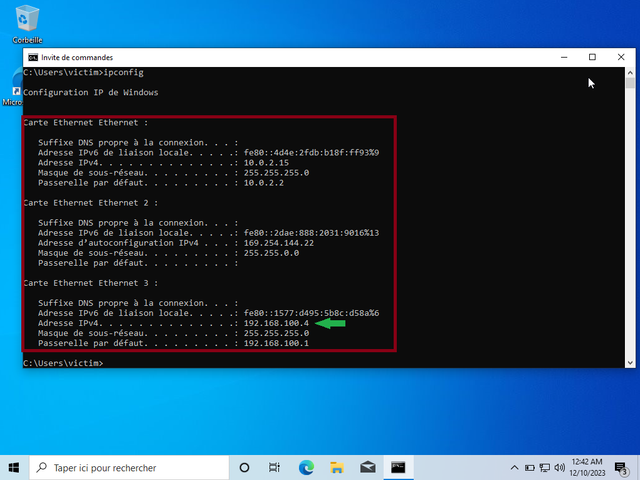
Save the IPv4 Address you got for later use.
Attention!! : The IP address on your virtual machine may differ from the one I have. Ensure that you use the IP address obtained after executing the ipconfig command (Note that the default GateAway must be 192.168.100.1 which we have already created using VBoxManage command, so your IP address in the Victim Machine should be in this form : 192.168.100.X).
3 - On the Kali Linux machine, navigate to the exploit directory and run the exploit script :
cd CVE-2022-21907-Exploit
4 - Execute the python script in the Attacker Machine to crash the Victim Machine :
python3 CVE-2022-21907-exploit.py -i VICTIM_MACHINE_IP
Here you have to replace VICTIM_MACHINE_IP by the address obtained in the Victim Machine.
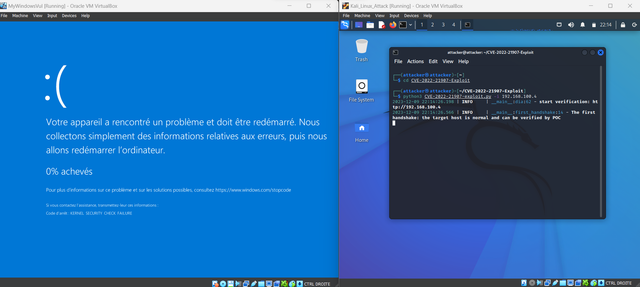
5 - Congrtatulations!!! The Victim Machine is CRASHED :/
After Following all the steps mentioned in the Exploit section, the Victim Machine will be crashed.