 jitpass/jit
Find the plaintext secrets on your Mac and move them behind Touch ID, injected just in time without breaking the tools that read them. Free and local-first.


You have API keys and tokens in plaintext on your Mac.
Use JitPass to protect them.




Download for Mac ·
brew install jitpass/tap/jitpass ·
Docs ·
jitpass.com
Free for personal and internal company use · Source-available · No account · No telemetry · Nothing leaves your Mac · Secure Enclave ready · Every change can be undone

What's the number on your Mac? The scan only reads, and changes nothing until you say so.
Get started
The problem ·
Three steps ·
Install ·
The menu bar
Protect
Findings and decoys ·
Your tools keep working ·
Undo anything
Approve
Two Touch ID moments ·
Grants ·
The audit
AI agents
Built for AI agents ·
AI jobs ·
A grant or an AI job?
More
How it compares ·
How it works ·
What it does not do ·
Docs
API keys in .env, cloud credentials in ~/.aws/credentials, tokens in
.npmrc, exports in ~/.zshrc, your shell history, the MCP configs your
agents read. Nothing has to be hacked for them to leak. A compromised npm
package, a trojanized IDE extension or a prompt-injected agent runs as you, so
it can simply open the file.
JitPass moves each secret into a local vault that opens with Touch ID, and leaves a decoy where the plaintext was.


1. FindSetup scans your Mac and changes nothing. It recognises 100+ token formats (OpenAI, Anthropic, AWS, GitHub, Stripe and more), plus private keys and database URLs. |

2. ProtectOne click moves each secret into the vault and leaves a decoy in its place. Every file is backed up first, and your tools keep working. |

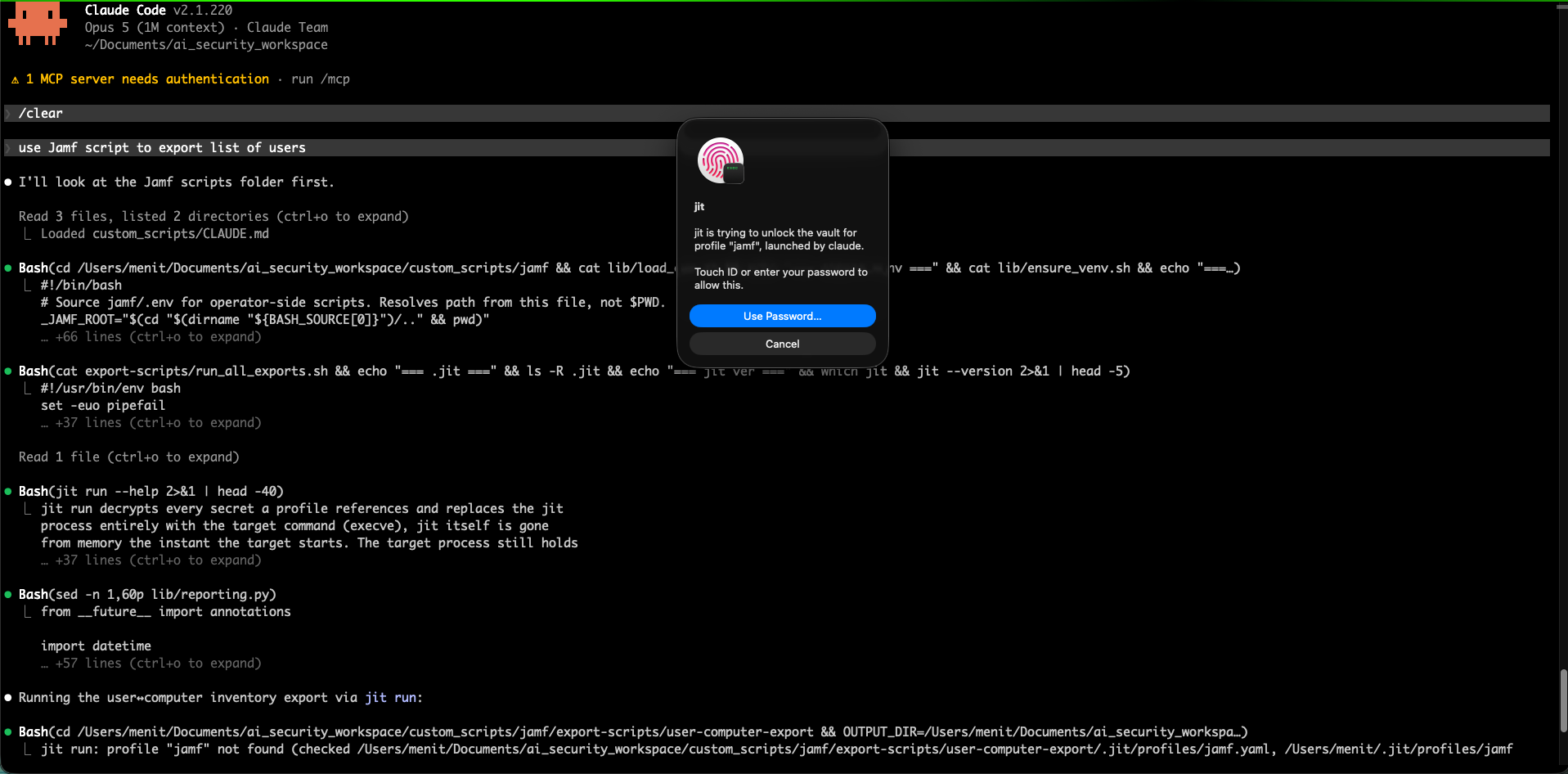
3. ApproveWhen a program reaches for a real key, JitPass names it and what launched it in the Touch ID dialog. Touch to allow, or cancel. |
No terminal needed: open JitPass and setup walks you through steps 1 and 2.
jit scan                 # read-only: every exposed secret, file and line
jit migrate --dry-run    # preview the whole fix plan
jit migrate              # apply it: shows the plan, asks [y/N], one Touch ID
jit audit                # afterwards: every request, and what you answered
jit scan with no path sweeps your home folder; point it somewhere to go
faster (jit scan ~/.aws). Everything the app does is one of these commands.
Download for Mac ·
brew install jitpass/tap/jitpass
Free · No account · Every change can be undone
