 jaydendancer12/ai-code-review
AI-powered CLI tool that reviews code for security vulnerabilities, bugs, and anti-patterns using LLMs. Supports local and cloud providers, git diffs, and CI/CD integration.

AI-powered code review in your terminal.
One command. Instant feedback. Catches security vulnerabilities, bugs, and bad patterns before they hit production.


Install · Quick Start · Usage · Providers · Contributing
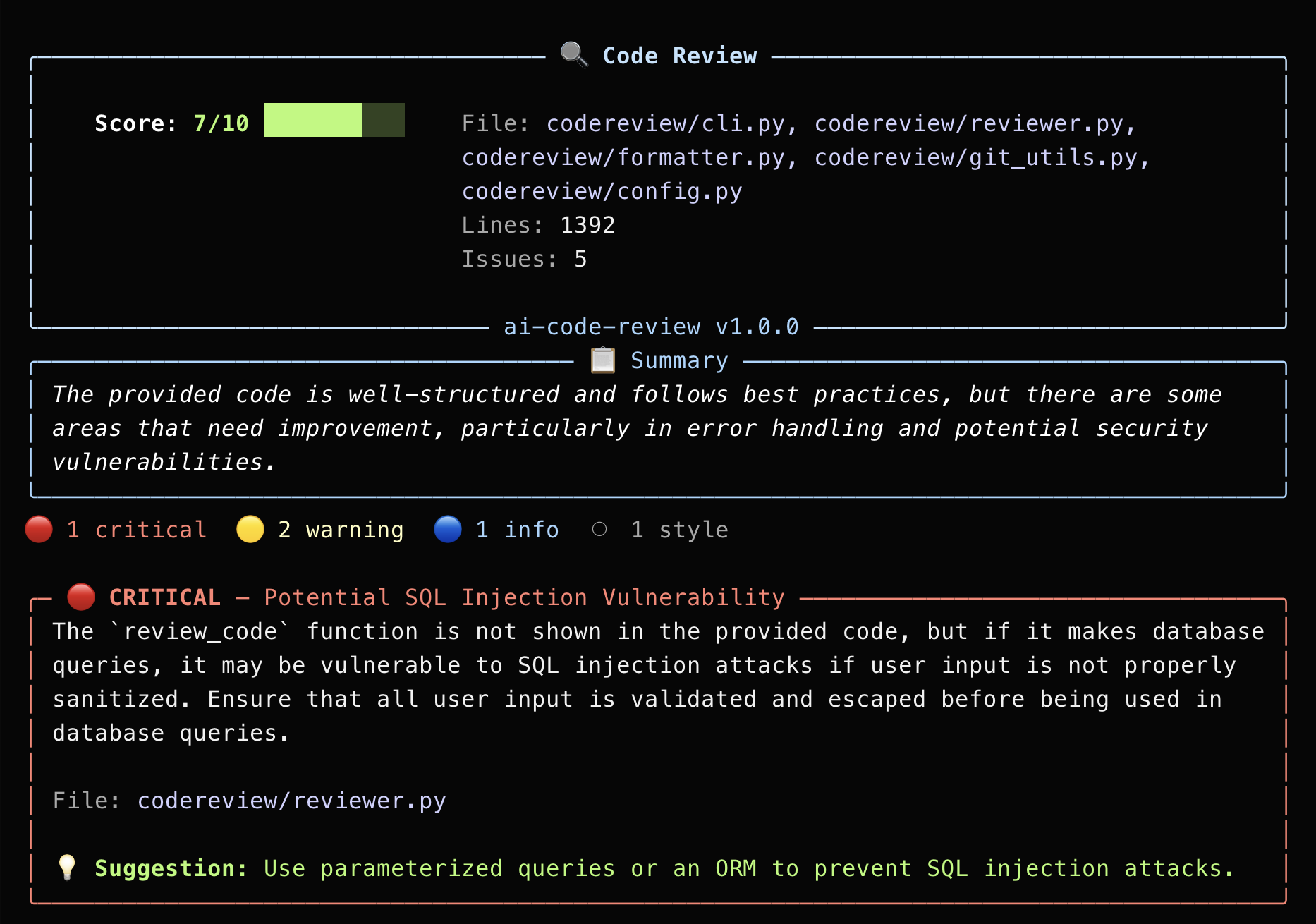
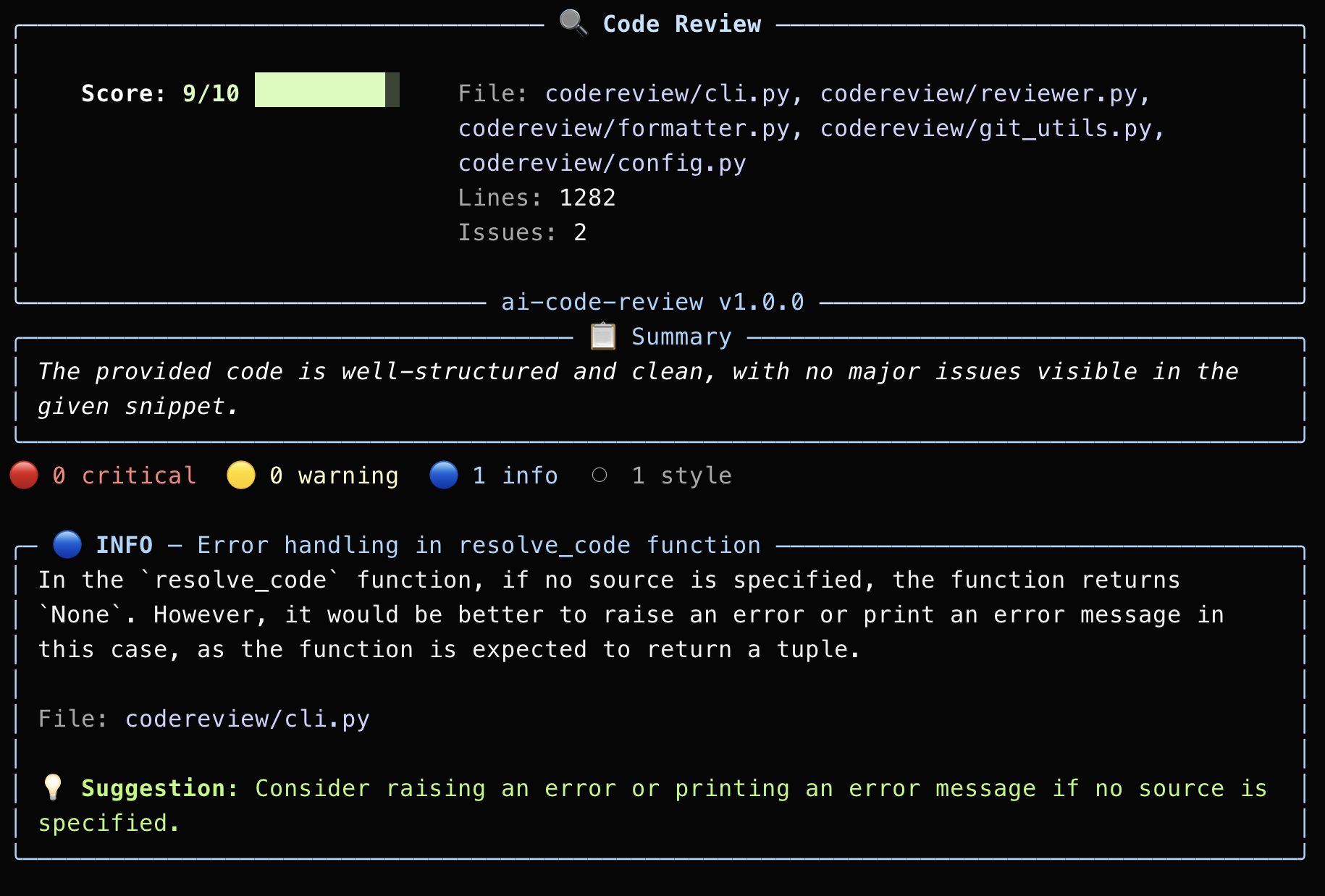
codereview sends your code to an LLM and returns a structured, color-coded review directly in your terminal — with severity ratings, line references, and concrete fix suggestions.
No browser. No PR required. No waiting for teammates. Just:
codereview app.py
| Severity | What it finds | Example |
|---|---|---|
| 🔴 Critical | Security vulnerabilities, data loss, crashes | SQL injection, eval() on user input, hardcoded secrets |
| 🟡 Warning | Bugs, missing error handling, race conditions | Division by zero, unhandled exceptions, resource leaks |
| 🔵 Info | Performance improvements, better patterns | Unnecessary allocations, missing caching, N+1 queries |
| ⚪ Style | Naming, formatting, documentation | Missing docstrings, inconsistent naming, dead code |
git clone https://github.com/jaydendancer12/ai-code-review.git
cd ai-code-review
./install.sh
Or manually:
git clone https://github.com/jaydendancer12/ai-code-review.git
cd ai-code-review
pip install -e .
All dependencies (rich, requests) install automatically. Nothing else to configure.
codereview needs an LLM to analyze your code. The fastest free option is Groq — no credit card, no trial, just free.
export GROQ_API_KEY="gsk_your_key_here"
To make it permanent (so you don't have to set it every terminal session):
# For zsh (default on Mac)
echo 'export GROQ_API_KEY="gsk_your_key_here"' >> ~/.zshrc
source ~/.zshrc

# For bash (default on Linux)
echo 'export GROQ_API_KEY="gsk_your_key_here"' >> ~/.bashrc
source ~/.bashrc
codereview --init groq
codereview yourfile.py
That's it. You're running AI code reviews.
First time running? Just type codereview with no arguments and it will walk you through the entire setup.
codereview app.py
codereview src/auth.py src/db.py src/api.py
git add .
codereview --staged
codereview --last 3
codereview --diff origin/main
cat suspicious_code.py | codereview --stdin
codereview app.py --model gpt-4
codereview app.py --provider ollama
codereview --setup
codereview works with any OpenAI-compatible API. Pick what works for you:
export GROQ_API_KEY="gsk_your_key_here"
codereview --init groq
# 1. Install Ollama
# Mac: Download from https://ollama.com
# Linux: curl -fsSL https://ollama.com/install.sh | sh

# 2. Pull a model
ollama pull llama3

# 3. Start the server
ollama serve

# 4. Initialize (no API key needed)
codereview --init ollama
export OPENAI_API_KEY="sk-..."
codereview --init openai
export ANTHROPIC_API_KEY="sk-ant-..."
codereview --init anthropic
Config is stored at ~/.codereview/config.json:
{
  "provider": "groq",
  "model": "llama-3.3-70b-versatile",
  "base_url": "https://api.groq.com/openai/v1",
  "max_tokens": 2048,
  "temperature": 0.2
}
API keys are never stored in the config file. They are read from environment variables only.
export CODEREVIEW_API_KEY="any-key"     # Universal override
export CODEREVIEW_MODEL="gpt-4"         # Override model
codereview app.py --model gpt-4 --provider openai
Your Code  -->  codereview CLI  -->  LLM API  -->  Structured Terminal Output
(file/diff)     (prompt builder)    (any provider)  (color-coded findings)
$ codereview api/auth.py

Score: 3/10

🔴 CRITICAL — Hardcoded JWT secret
   Secret key is hardcoded on line 12.
   Suggestion: Use environment variable: os.environ["JWT_SECRET"]

🔴 CRITICAL — No password hashing
   Passwords stored in plaintext on line 34.
   Suggestion: Use bcrypt: bcrypt.hashpw(password, bcrypt.gensalt())
