Skip to content
KitploitKITPLOIT
ToolsExploitsBlog
Log in
Submit
ToolsExploitsBlog
Submit

Hacking, PenTest, and Cybersecurity Tools for Your Security Arsenal!

Kitploit is a directory of hacking, cybersecurity, and pentesting tools. Discover the latest project updates to find vulnerabilities, analyze systems, automate testing, and strengthen your security.

FeedsContactPrivacy© 2026 Kitploit

Tool Directory

Categories

View all categories
Loading categories
ReconAIzer — A Burp Suite extension to add OpenAI (GPT) on Burp and help you with your Bug Bounty recon to discover endpoints, params, URLs, subdomains and more! | Kitploit
Tools/GitHubGitHub/hisxo/reconaizer
ReconnaissanceInformation GatheringWeb SecurityAI Security
GitHubhisxo/reconaizer

ReconAIzer

A Burp Suite extension to add OpenAI (GPT) on Burp and help you with your Bug Bounty recon to discover endpoints, params, URLs, subdomains and more!

View Repository
907116933 years agoReviewed by Kitploit
Share

image

ReconAIzer

ReconAIzer is a powerful Jython extension for Burp Suite that leverages OpenAI to help bug bounty hunters optimize their recon process. This extension automates various tasks, making it easier and faster for security researchers to identify and exploit vulnerabilities.

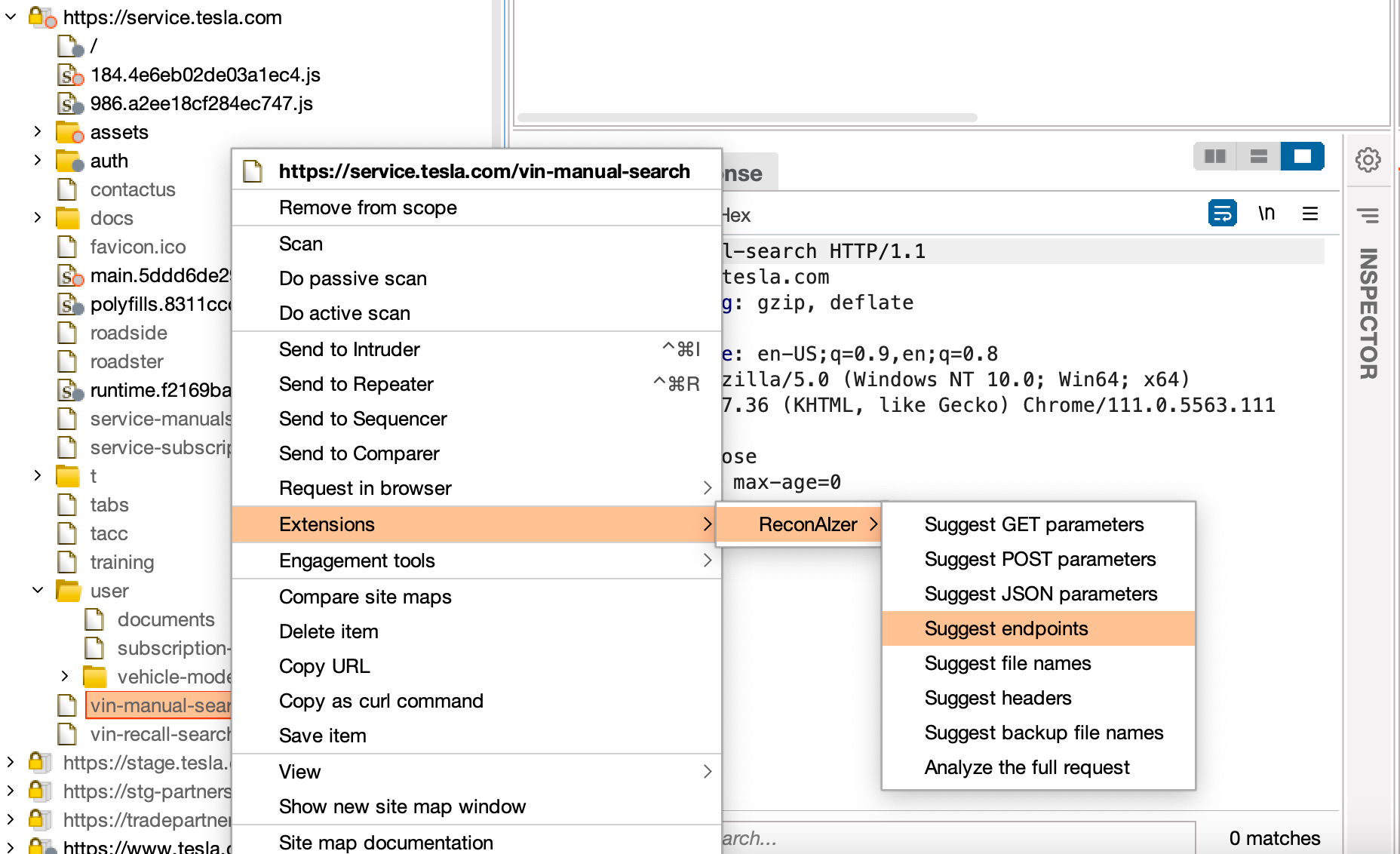
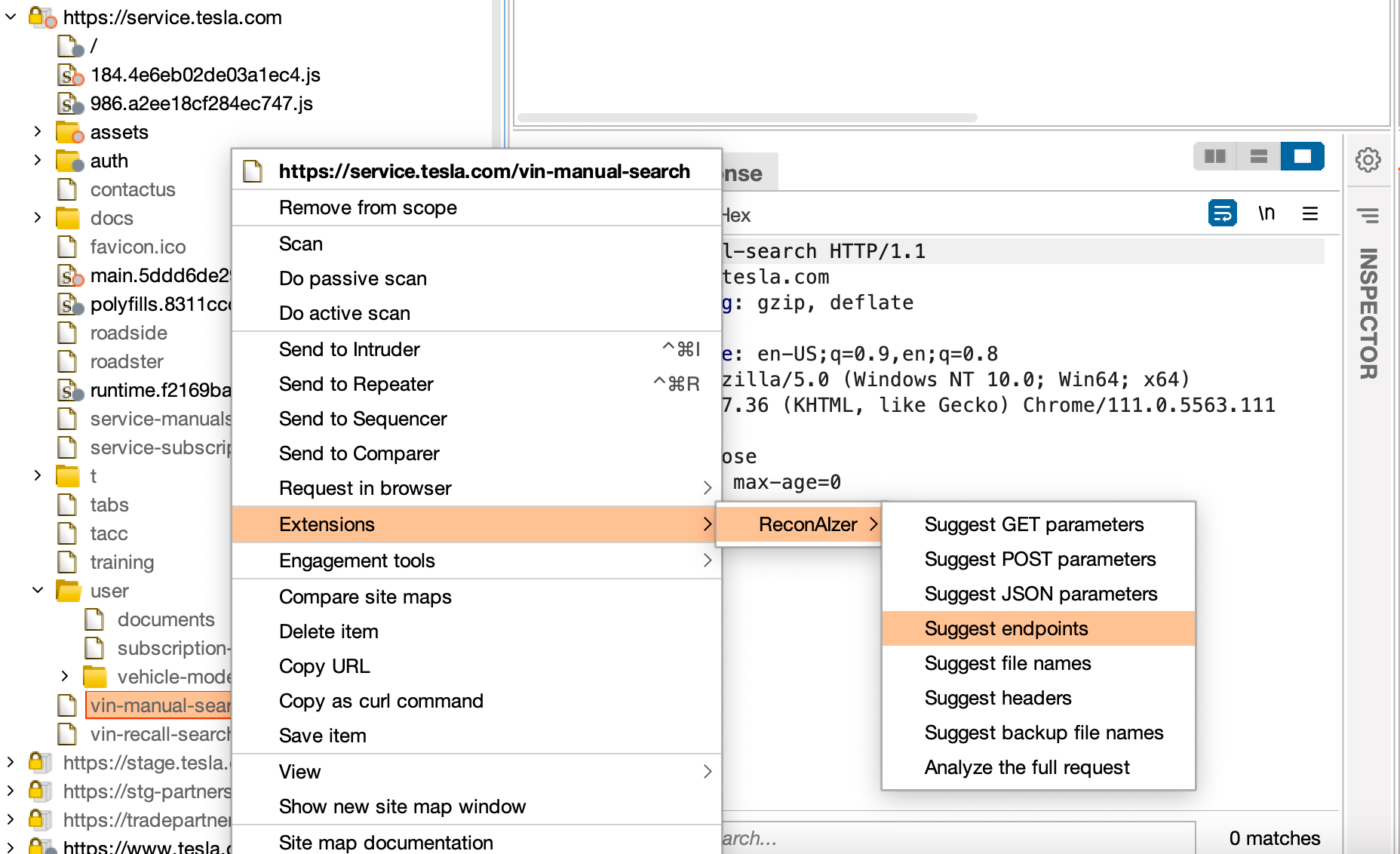
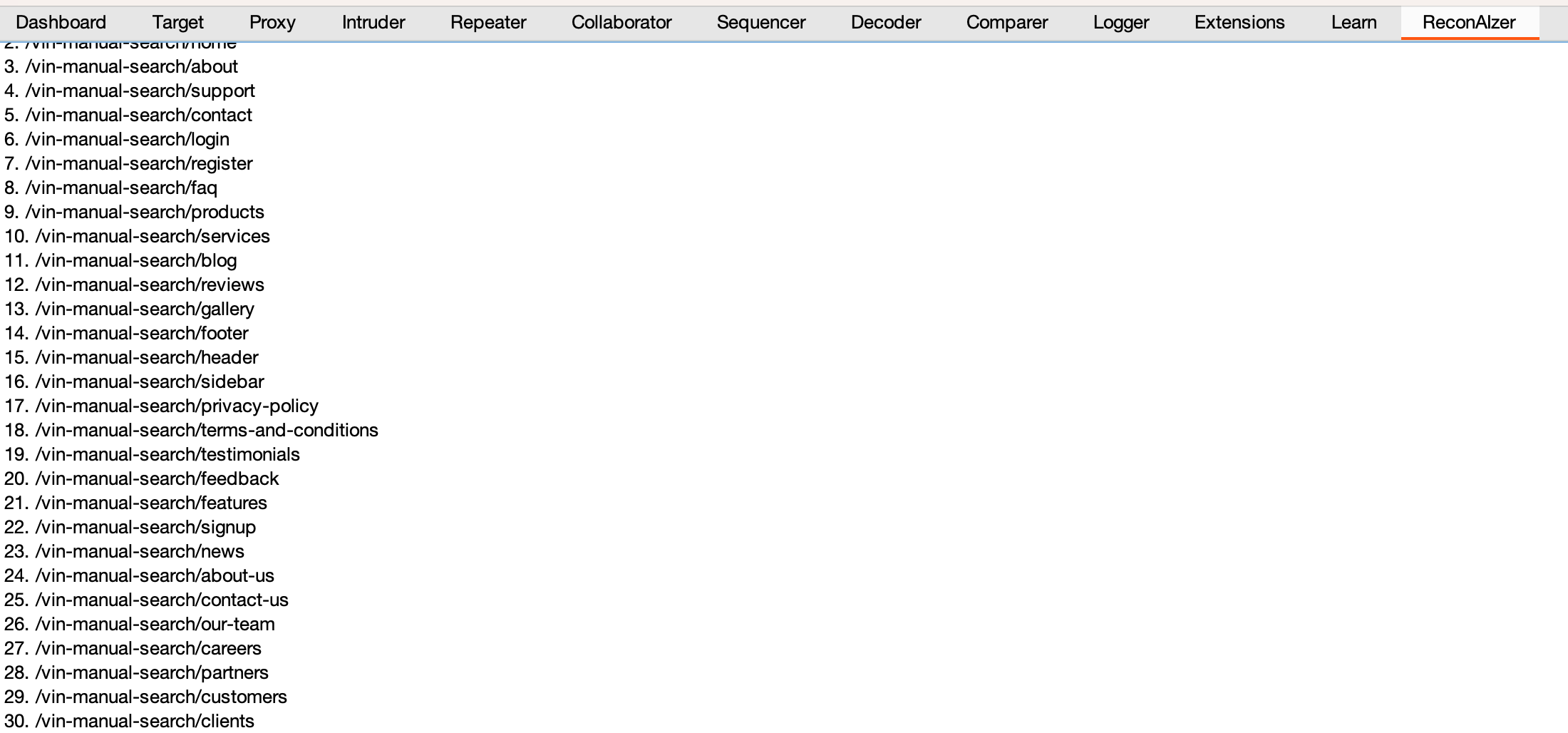
Once installed, ReconAIzer add a contextual menu and a dedicated tab to see the results:
image

Prerequisites

  • Burp Suite
  • Jython Standalone Jar

Installation

Follow these steps to install the ReconAIzer extension on Burp Suite:

Step 1: Download Jython

  1. Download the latest Jython Standalone Jar from the official website: https://www.jython.org/download
  2. Save the Jython Standalone Jar file in a convenient location on your computer.

Step 2: Configure Jython in Burp Suite

  1. Open Burp Suite.
  2. Go to the "Extensions" tab.
  3. Click on the "Extensions settings" sub-tab.
  4. Under "Python Environment," click on the "Select file..." button next to "Location of the Jython standalone JAR file."
  5. Browse to the location where you saved the Jython Standalone Jar file in Step 1 and select it.
  6. Wait for the "Python Environment" status to change to "Jython (version x.x.x) successfully loaded," where x.x.x represents the Jython version.

Step 3: Download and Install ReconAIzer

  1. Download the latest release of ReconAIzer
  2. Open Burp Suite
  3. Go back to the "Extensions" tab in Burp Suite.
  4. Click the "Add" button.
  5. In the "Add extension" dialog, select "Python" as the "Extension type."
  6. Click on the "Select file..." button next to "Extension file" and browse to the location where you saved the ReconAIzer.py file in Step 3.1. Select the file and click "Open."
  7. Make sure the "Load" checkbox is selected and click the "Next" button.
  8. Wait for the extension to be loaded. You should see a message in the "Output" section stating that the ReconAIzer extension has been successfully loaded.

Congratulations! You have successfully installed the ReconAIzer extension in Burp Suite. You can now start using it to enhance your bug bounty hunting experience.

Once it's done, you must configure your OpenAI API key on the "Config" tab under "ReconAIzer" tab.

  • Your OpenAI API key can be found here: https://platform.openai.com/account/api-keys.

Feel free to suggest prompts improvements or anything you would like to see on ReconAIzer!

Happy bug hunting!
image

Download Tool

Most Popular

View all →

Discover the most used tools by our community.

  • 1

    OsintHunter

    letox4/osinthunter

    🎯 The ultimate OSINT toolkit: investigation graph, confidence scoring, alias families, map, timeline and reports. 49 modules, 400+ sites, no API keys required.

    786
  • 2

    ghostlock-app

    yukonga/ghostlock-app

    GhostLock One-Tap Execution App (CVE-2026-43499)

    506
  • 3

    ARTEX

    baarai/artex

    LLM multi-agent autonomous penetration testing platform with planner/worker agents, asset and exploration graphs, MITM traffic recording, and vulnerability retesting.

    429
  • 4

    redforge

    cybersecurity91/redforge

    Browser-side red team toolkit with 102 offline tools for recon, payload generation, credential attacks, crypto, encoding and engagement reporting.

    345
  • 5

    CyberStrikeAI

    ed1s0nz/cyberstrikeai

    The system of action for AI-native cybersecurity—where intent becomes governed execution, evidence becomes operational memory, and every operation improves the next.

    262
  • 6

    looking-glass

    anonghosty/looking-glass

    CSIRT platform that ingests Shadowserver reports into MongoDB and replays them as interactive maps, analysis, findings, advisories and executive dashboards.

    256

Explore all tools

Browse our collection of tools

View all tools →