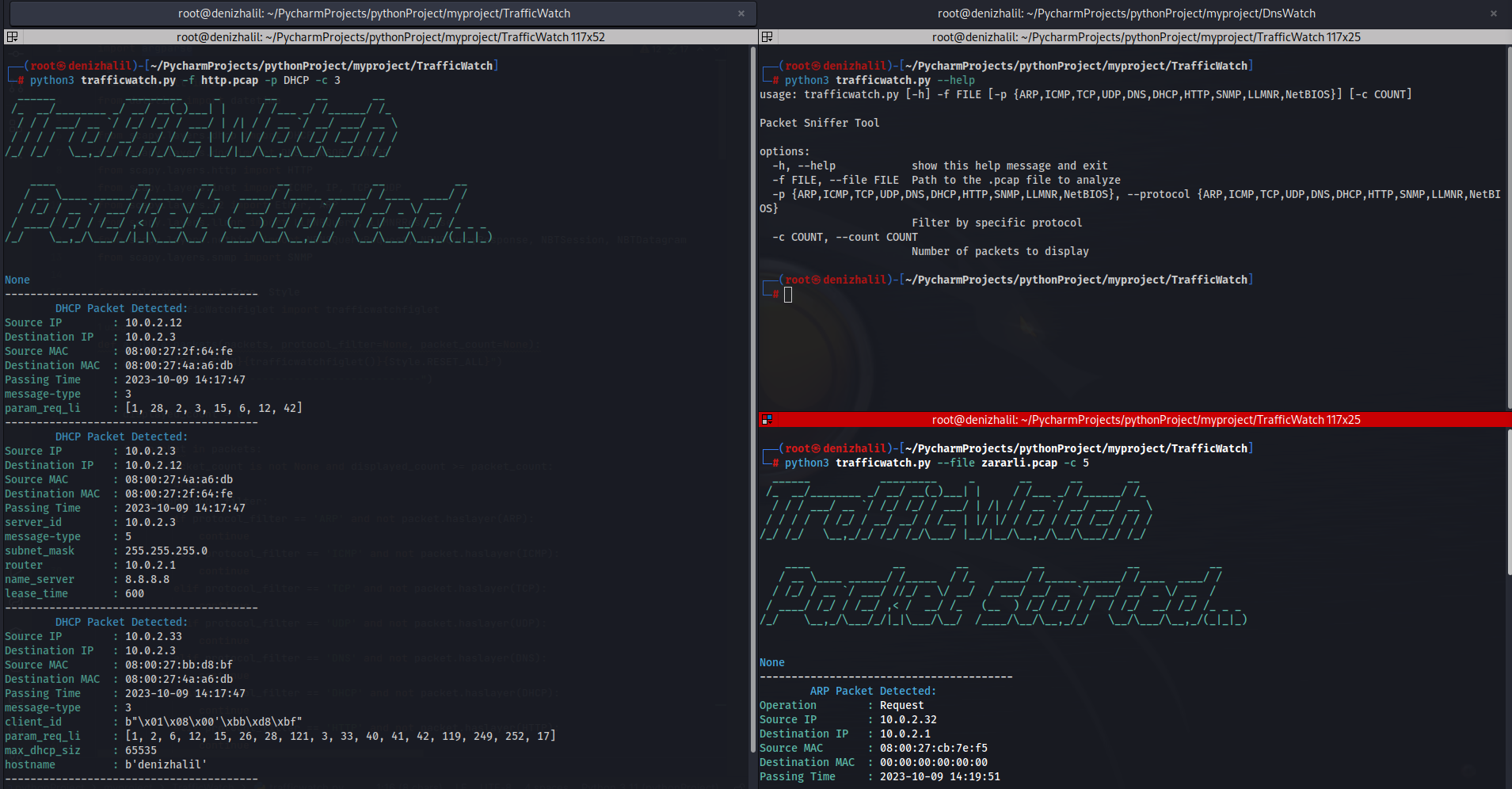
 halildeniz/trafficwatch
PCAP-based packet sniffer and analyzer supporting ARP, ICMP, TCP, UDP, DNS, DHCP, HTTP, SNMP, LLMNR, and NetBIOS protocol inspection with filtering and summary statistics.

TrafficWatch, a packet sniffer tool, allows you to monitor and analyze network traffic from PCAP files. It provides insights into various network protocols and can help with network troubleshooting, security analysis, and more.

Clone the repository:
git clone https://github.com/HalilDeniz/TrafficWatch.git
Navigate to the project directory:
cd TrafficWatch
Install the required dependencies:
pip install -r requirements.txt
Setup TrafficWatch:
$ python3 setup.py install
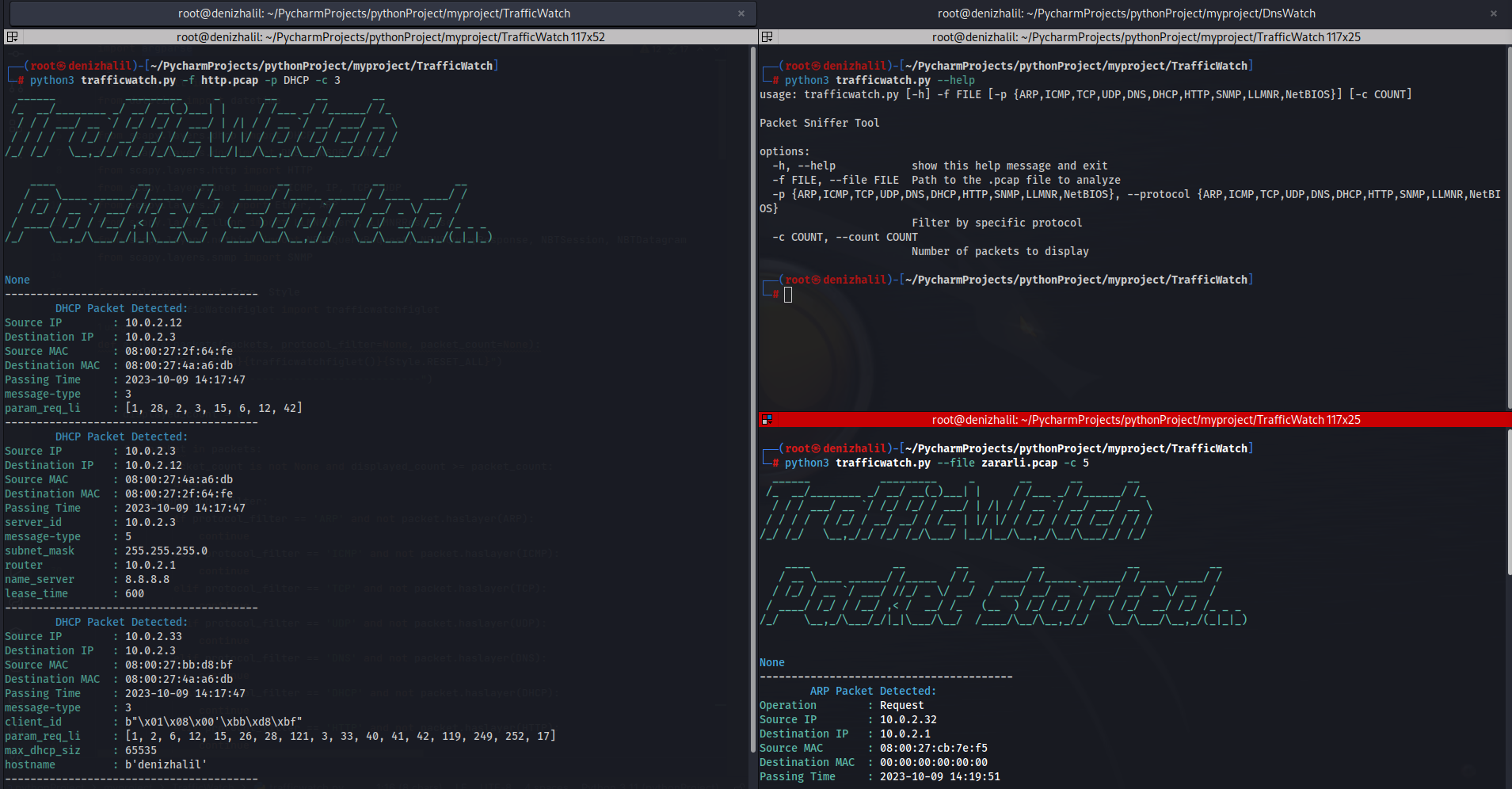
python3 trafficwatch.py --help
usage: trafficwatch.py [-h] -f FILE [-p {ARP,ICMP,TCP,UDP,DNS,DHCP,HTTP,SNMP,LLMNR,NetBIOS}] [-c COUNT] [-w WRITE]

Packet Sniffer Tool

options:
-h, --help            show this help message and exit
-f FILE, --file FILE  Path to the .pcap file to analyze
-p {ARP,ICMP,TCP,UDP,DNS,DHCP,HTTP,SNMP,LLMNR,NetBIOS}, --protocol {ARP,ICMP,TCP,UDP,DNS,DHCP,HTTP,SNMP,LLMNR,NetBIOS}
                     Filter by specific protocol
-c COUNT, --count COUNT
                     Number of packets to display
-w WRITE, --write WRITE
                     Path to the .pcap file to write
To analyze packets from a PCAP file, use the following command:
python trafficwatch.py -f path/to/your.pcap
To specify a protocol filter (e.g., HTTP) and limit the number of displayed packets (e.g., 10), use:
python trafficwatch.py -f path/to/your.pcap -p HTTP -c 10
-f or --file: Path to the PCAP file for analysis.-p or --protocol: Filter packets by protocol (ARP, ICMP, TCP, UDP, DNS, DHCP, HTTP, SNMP, LLMNR, NetBIOS).-c or --count: Limit the number of displayed packets.-w or --write: Path to the .pcap file to write.Contributions are welcome! If you want to contribute to TrafficWatch, please follow our contribution guidelines.
If you have any questions, comments, or suggestions about Dosinator, please feel free to contact me:
This project is licensed under the MIT License.
Thank you for considering supporting me! Your support enables me to dedicate more time and effort to creating useful tools like DNSWatch and developing new projects. By contributing, you're not only helping me improve existing tools but also inspiring new ideas and innovations. Your support plays a vital role in the growth of this project and future endeavors. Together, let's continue building and learning. Thank you!"


