
decomp.wtf fork: Windows PE matching, MinGW/clang-cl toolchains, and an optional REA MCP bridge
Point an AI agent at something you own and take it apart. decomp.anything is a matching-decompilation and reverse-engineering workbench for games, Windows and Linux programs, apps, web pages, firmware and plain files. Agents write C or C++ against the real binary, the original compiler builds it, and the result is checked byte for byte — or, when there is no original build to match, the same project opens the binary with REA and agents analyze its functions instead.
Install · How matching works · Inspect anything · Public decomps · Agents · Decompile together · Built on

-15140f?style=flat-square)


decomp.anything is an independent fork of decomp.wtf by Sam Wolfs. The upstream project is discontinued, but its code is MIT licensed, so this fork continues it and extends it. This repository is the active continuation.
Where decomp.wtf focused on matching retro games, decomp.anything extends the same engine to arbitrary software: Windows and Linux binaries can be matched byte for byte, and anything else opens as an REA project — the same project dashboard, agents and notes, with its procedures as work items. There is no separate REA mode to learn.
What stays from decomp.wtf:
What this fork adds:
inspect_binary can ask REA for pseudocode, signatures and callers; REA itself can be installed
from Compilers & tools.decomp connect.Matching is still the byte-exact path. Every binary opens as a normal project: matchable targets get the compile-and- compare loop, and everything else gets REA work items, the same agents, the same dashboard and findings instead.
| Goal | What decomp.anything gives you |
|---|---|
| Decompile a game | Drop in a ROM, disc image or program file. Agents claim functions, write C or C++, and the original compiler proves each match byte for byte. |
| Match a PC program | Import a Windows .exe/.dll or a Linux ELF program or .so, write C or C++, and compare the compiler's bytes with the original's. |
| Continue a public decomp | Fork one of the community projects the app knows about and let agents carry on in the project's real source tree. |
| Inspect anything else | Drop it like a game. If this app can't split or match it, REA opens it in a normal project: its procedures become work items, agents read them in parallel, and their findings land on the same dashboard. Add tasks for areas with no procedure of their own. |
| Look inside an archive | Drop a ZIP, TAR or similar archive. Every regular file is a work item; Contents previews it, and a binary or nested archive can open as a linked child project. |
| Work together | Host a room, invite people, and share matches, names, structs and notes without sharing the original file. |
| Use your own agent | Claude Code, Codex, Antigravity CLI, opencode, an OpenAI-compatible endpoint, or any MCP client. |
Everything runs on your computer. No account, no telemetry, nothing uploaded.
decomp.anything runs on Linux x86-64 and, through WSL 2, on Windows. macOS isn't supported. It needs Python 3.12 or newer and uv. Node.js is needed for npm-based agents and for REA; Java 21 or newer is needed for Ghidra.
From this repository:
git clone https://github.com/giveen/decomp.anything.git
cd decomp.anything
uv sync
uv run decomp
That starts the app and opens it in your browser. Projects live in ~/Decomp by default; set DECOMP_HOME to put
them elsewhere.
Desktop install from the checkout. The repository's own installers install this checkout, not the upstream release:
bash install/install.sh
On Windows, in PowerShell:
powershell -ExecutionPolicy Bypass -File install\install.ps1
The Windows installer turns on WSL 2 if needed, creates the decomp-wtf distribution, installs this checkout inside
it, and adds a decomp command plus app-menu and desktop shortcuts. Checkout installs record this repository as their
update source, so updates follow decomp.anything rather than upstream.
From GitHub, without a website:
curl -fsSL https://raw.githubusercontent.com/giveen/decomp.anything/main/install/install.sh | bash
On Windows, in PowerShell:
irm https://raw.githubusercontent.com/giveen/decomp.anything/main/install/install.ps1 | iex
Those follow main by default. Add DECOMP_SOURCE or DECOMP_BRANCH to install a branch, or run the checkout
installer to install a local tree.
Open Compilers & tools to install what a target needs. The period compilers are pinned and checksum-verified; proprietary ones (IDO, CodeWarrior) are only installed after you accept their license. REA and Ghidra are optional.
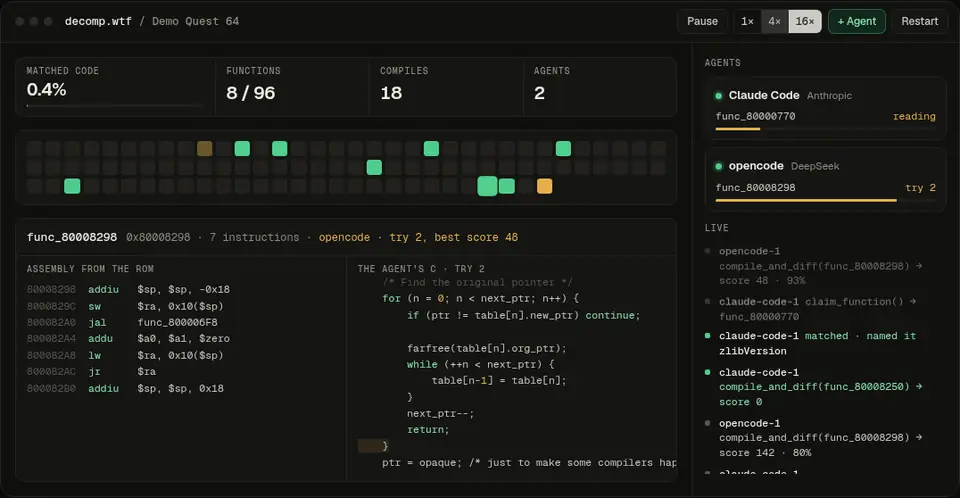
[!TIP] No ROM at hand? The app ships with Demo Quest 64, a real N64 ROM built from public-domain code and zlib. Open it from the home screen and watch an agent go.
Already using Claude Code, Codex, Antigravity CLI or opencode? Give it decomp.anything's tools once:
decomp connect
Then ask in your own terminal:
decompile my game at ~/roms/game.z64

