
Skip to content
KitploitKITPLOIT
ToolsExploitsBlog
Log in
Submit
ToolsExploitsBlog
Submit

Hacking, PenTest, and Cybersecurity Tools for Your Security Arsenal!

Kitploit is a directory of hacking, cybersecurity, and pentesting tools. Discover the latest project updates to find vulnerabilities, analyze systems, automate testing, and strengthen your security.

FeedsContactPrivacy© 2026 Kitploit

Tool Directory

Categories

View all categories
Loading categories
netgraph — A cross platform http sniffer with a web UI | Kitploit

Tools/GitHubGitHub/ga0/netgraph
Packet Sniffing & AnalysisNetwork ForensicsInformation GatheringWeb SecurityUtilities & Frameworks
GitHubga0/netgraph

netgraph

A cross platform http sniffer with a web UI

View Repository
95692273 years agoReviewed by Kitploit
Share

Go Report Card codecov GitHub license

Netgraph

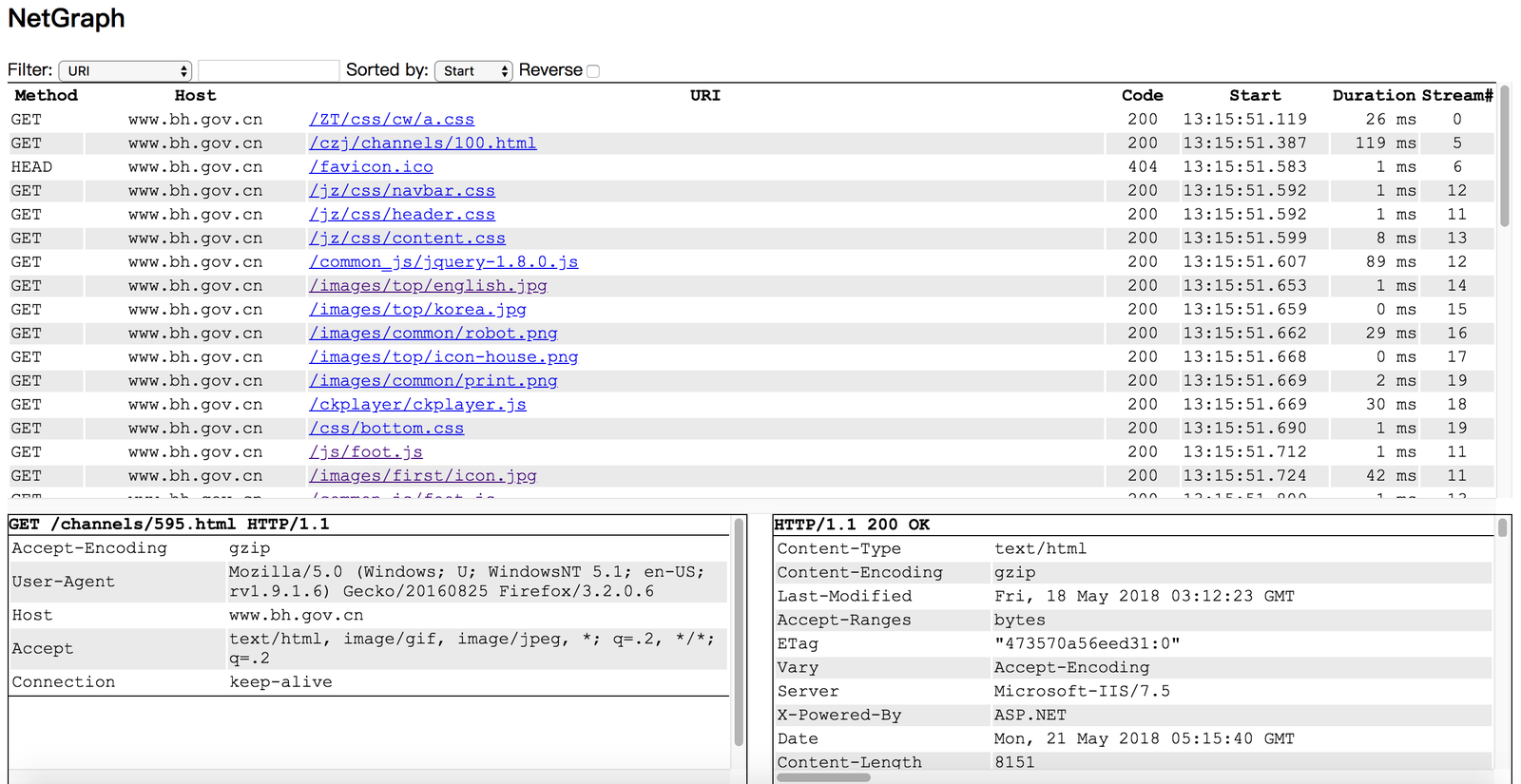
Netgraph is a packet sniffer tool that captures all HTTP requests/responses, and display them in web page.
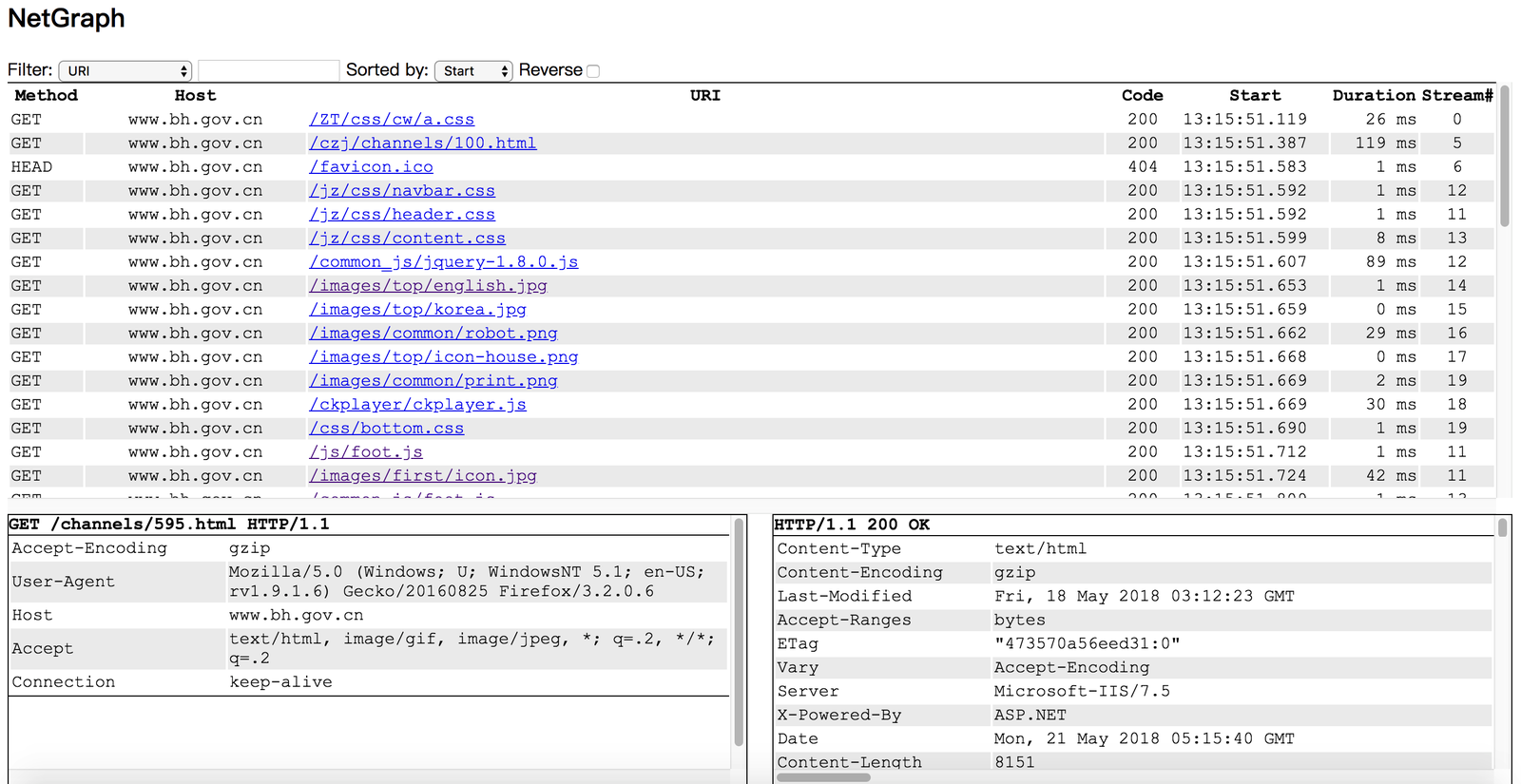
Screenshot

You can run Netgraph in your linux server without desktop environment installed, and monitor http requests/responses in your laptop's browser.

Compile, Install, Run

  1. go get github.com/ga0/netgraph
  2. run $GOPATH/bin/netgraph -i INTERFACE -p PORT
  3. open the netgraph web page in your browser (for example: http://localhost:9000, 9000 is the PORT set in step 2)

  Windows user need to install winpcap library first.

Options

  -bpf string
        Set berkeley packet filter (default "tcp port 80")
  -i string
        Listen on interface, auto select one if no interface is provided
  -input-pcap string
        Open a pcap file
  -o string
        Write HTTP requests/responses to file, set value "stdout" to print to console
  -output-pcap string
        Write captured packet to a pcap file
  -output-request-only
	      Write only HTTP request to file, drop response. Only used when option "-o" is present. (default true)
  -p int
        Web server port. If the port is set to '0', the server will not run.  (default 9000)
  -s	Save HTTP event in server
  -v	Show verbose message (default true)

Example: print captured requests to stdout:

  $ ./netgraph -i en0 -o=stdout
  2018/07/26 10:33:24 open live on device "en0", bpf "tcp port 80"
  [2018-07-26 10:33:34.873] #0 Request 192.168.1.50:60448->93.184.216.34:80
  GET / HTTP/1.1
  Host: www.example.com
  Connection: keep-alive
  Pragma: no-cache
  Cache-Control: no-cache
  Upgrade-Insecure-Requests: 1
  User-Agent: Mozilla/5.0 (Macintosh; Intel Mac OS X 10_13_6) AppleWebKit/537.36 (KHTML, like Gecko) Chrome/67.0.3396.99 Safari/537.36
  Accept: text/html,application/xhtml+xml,application/xml;q=0.9,image/webp,image/apng,*/*;q=0.8
  Accept-Encoding: gzip, deflate
  Accept-Language: zh-CN,zh;q=0.9,en;q=0.8,zh-TW;q=0.7

  content(0)


License

MIT

Download Tool

Most Popular

View all →

Discover the most used tools by our community.

  • 1

    OsintHunter

    letox4/osinthunter

    🎯 The ultimate OSINT toolkit: investigation graph, confidence scoring, alias families, map, timeline and reports. 49 modules, 400+ sites, no API keys required.

    732
  • 2

    ghostlock-app

    yukonga/ghostlock-app

    GhostLock One-Tap Execution App (CVE-2026-43499)

    506
  • 3

    ARTEX

    baarai/artex

    LLM multi-agent autonomous penetration testing platform with planner/worker agents, asset and exploration graphs, MITM traffic recording, and vulnerability retesting.

    405
  • 4

    redforge

    cybersecurity91/redforge

    Browser-side red team toolkit with 102 offline tools for recon, payload generation, credential attacks, crypto, encoding and engagement reporting.

    342
  • 5

    CyberStrikeAI

    ed1s0nz/cyberstrikeai

    The system of action for AI-native cybersecurity—where intent becomes governed execution, evidence becomes operational memory, and every operation improves the next.

    261
  • 6

    antifox

    antifox-ai/antifox

    AI multi-agent autonomous penetration testing platform that runs recon, attack-surface discovery, exploitation validation and evidence-backed report delivery.

    259

Explore all tools

Browse our collection of tools

View all tools →




