 fin3ss3g0d/evilgophish
evilginx3 + gophish


Combination of evilginx3 and GoPhish.
This is the public, free version of the repository, IT IS NOT THE LATEST VERSION. I am purposefully keeping this public version of the repository behind my version for people that sponsor me via GitHub Sponsors. This means this version may be lacking bug fixes or features and there should be no expectations for bug fixes, adding features, or support here. Become a sponsor to gain access to the latest version.
Before I begin, I would like to say that I am in no way bashing Kuba Gretzky and his work. I thank him personally for releasing evilginx3 to the public. In fact, without his work this work would not exist. I must also thank Jordan Wright for developing/maintaining the incredible GoPhish toolkit. Kuba's Gophish fork was also used as inspiration for some parts of this project after creating his own integration.
You should have a fundamental understanding of how to use GoPhish and evilginx3.
I shall not be responsible or liable for any misuse or illegitimate use of this software. This software is only to be used in authorized penetration testing or red team engagements where the operator(s) has(ve) been given explicit written permission to carry out social engineering.
As a penetration tester or red teamer, you may have heard of evilginx3 as a proxy man-in-the-middle framework capable of bypassing two-factor/multi-factor authentication. This is enticing to us to say the least, but when trying to use it for social engineering engagements, there are some pain points.
Lack of tracking - evilginx3 does not provide unique tracking statistics per victim (e.g. opened email, clicked link, etc.), this is problematic for clients who want/need/pay for these statistics when signing up for a social engineering engagement.
Not a full social engineering toolkit - evilginx3 only provides proxy man-in-the-middle capabilities, it does not provide all of the functionality required for a social engineering campaign via email/SMS. For example, it does not send emails to targets or provide this functionality.
No GUI - do we really need to explain this one further? We all love our GUIs and the visual representation of data for a social engineering campaign is invaluable. Operators can really get a thorough understanding as to the success of their social engineering campaigns by being able to view a visual representation of the data.
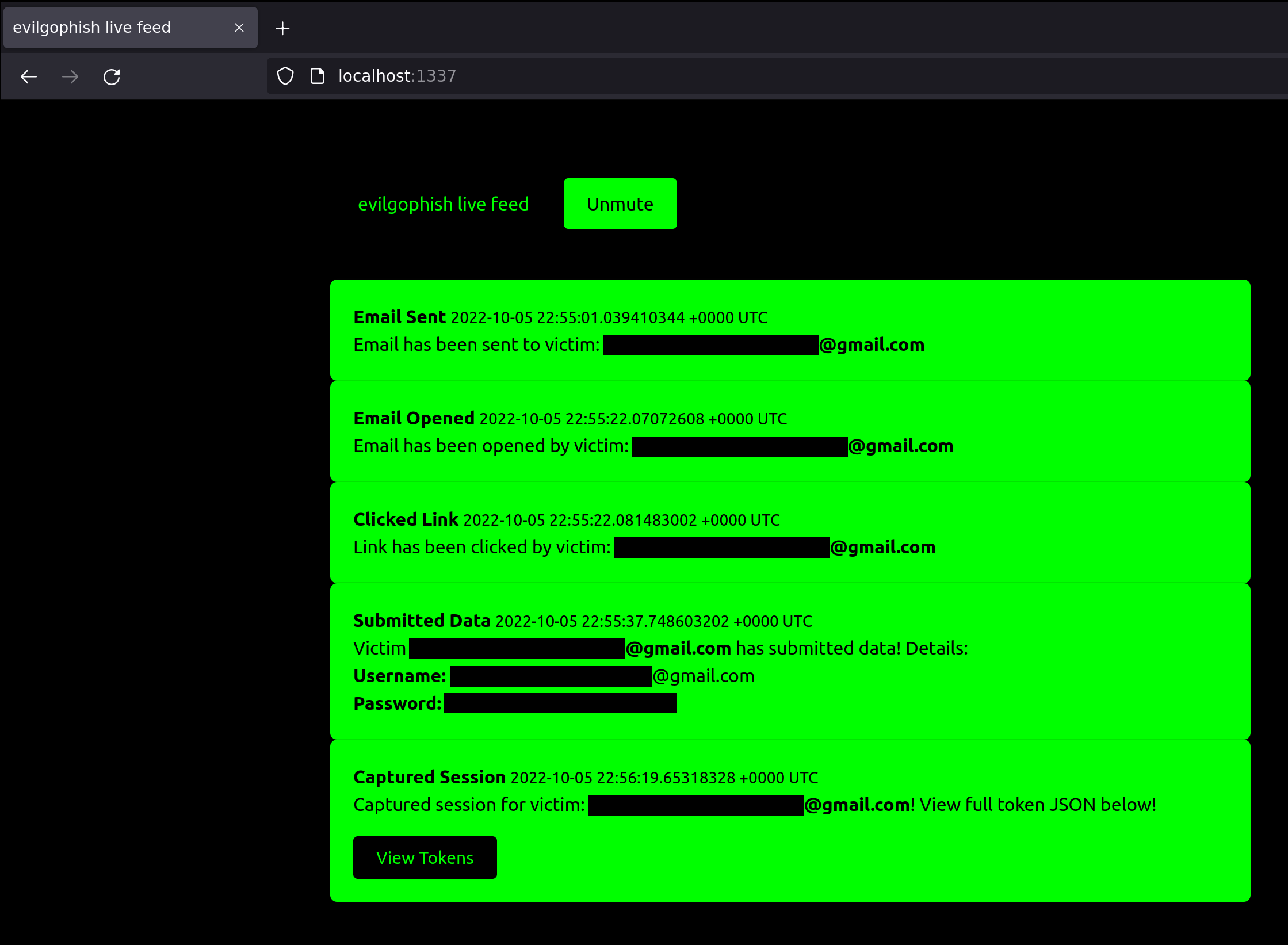
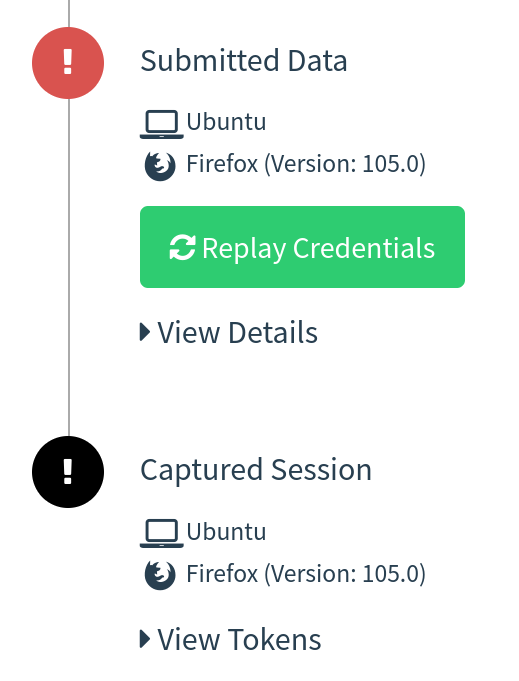
In this setup, GoPhish is used to send emails and provide a dashboard for evilginx3 campaign statistics, but it is not used for any landing pages. Your phishing links sent from GoPhish will point to an evilginx3 lure path and evilginx3 will be used for landing pages. This provides the ability to still bypass 2FA/MFA with evilginx3, without losing those precious stats. Realtime campaign event notifications have been provided with a local websocket/http server I have developed and full usable JSON strings containing tokens/cookies from evilginx3 are displayed directly in the GoPhish GUI (and feed):
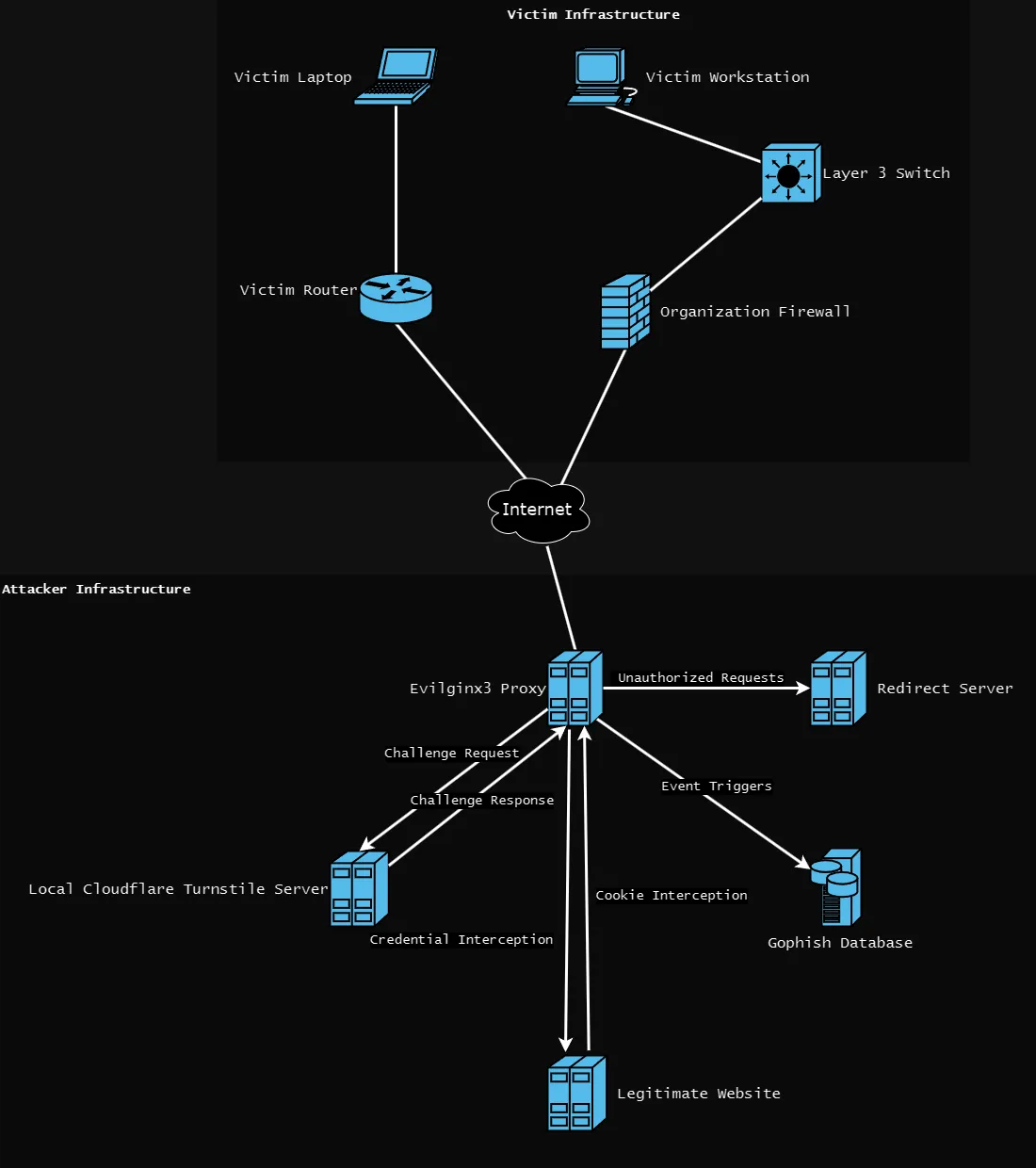
evilginx3 will listen on an externally accessible address on port 443 (or whatever port you choose in evilginx3 configuration)GoPhish will listen locally on port 8080 and 3333 (phishing server on port 8080 is not used)Cloudflare Turnstile server will listen locally on port 80setup.sh has been provided to automate the needed configurations for you. Once this script is run and you've fed it the right values, you should be ready to get started. Below is the setup help:
Usage:
./setup <root domain> <subdomain(s)> <root domain bool> <feed bool> <rid replacement>
 - root domain                     - the root domain to be used for the campaign
 - subdomains                      - a space separated list of evilginx3 subdomains, can be one if only one
 - root domain bool                - true or false to proxy root domain to evilginx3
 - feed bool                       - true or false if you plan to use the live feed
 - rid replacement                 - replace the gophish default "rid" in phishing URLs with this value
Example:
  ./setup.sh example.com "accounts myaccount" false true user_id
Cloudflare Turnstile integration has superseded redirect rules and an IP blacklist with Apache2. The Apache2 approach relied on a predefined list of redirect rules and an IP blacklist. We may miss certain user agents, hosts, or IP addresses that end up detecting our infrastructure. This is usually done through bots and automated software that scans phishing infrastructure. Cloudflare Turnstile technology is one of the best defenses against bots at the time of writing and verifying an actual user is accessing your site.
Turnstile tab in the dashboardevilginx3/templates/forbidden.html & evilginx3/templates/turnstile.html files with your own changesevilginx3, include the public/private keys with the turnstile flag separated by a :. For example:./evilginx3 -feed -g ../gophish/gophish.db -turnstile <PUBLIC_KEY>:<PRIVATE_KEY>
Blog post here.
