Skip to content
KitploitKITPLOIT
ToolsExploitsBlog
Log in
Submit
ToolsExploitsBlog
Submit

Hacking, PenTest, and Cybersecurity Tools for Your Security Arsenal!

Kitploit is a directory of hacking, cybersecurity, and pentesting tools. Discover the latest project updates to find vulnerabilities, analyze systems, automate testing, and strengthen your security.

FeedsContactPrivacy© 2026 Kitploit

Tool Directory

Categories

View all categories
Loading categories
PoC-ubuntutouch-pin-privesc — CVE-2022-40297 - Proof of Concept: Privilege escalation in Ubuntu Touch 16.04 - by PIN Bruteforce | Kitploit
Tools/GitHubGitHub/filipkarc/poc-ubuntutouch-pin-privesc
Android SecurityPrivilege EscalationPassword AttacksVulnerability AnalysisExploitationPenetration TestingMobile SecurityRed Teaming
Share
GitHub
filipkarc/poc-ubuntutouch-pin-privesc

PoC-ubuntutouch-pin-privesc

CVE-2022-40297 - Proof of Concept: Privilege escalation in Ubuntu Touch 16.04 - by PIN Bruteforce


View RepositoryWebsite
54314 years agoNot yet reviewed

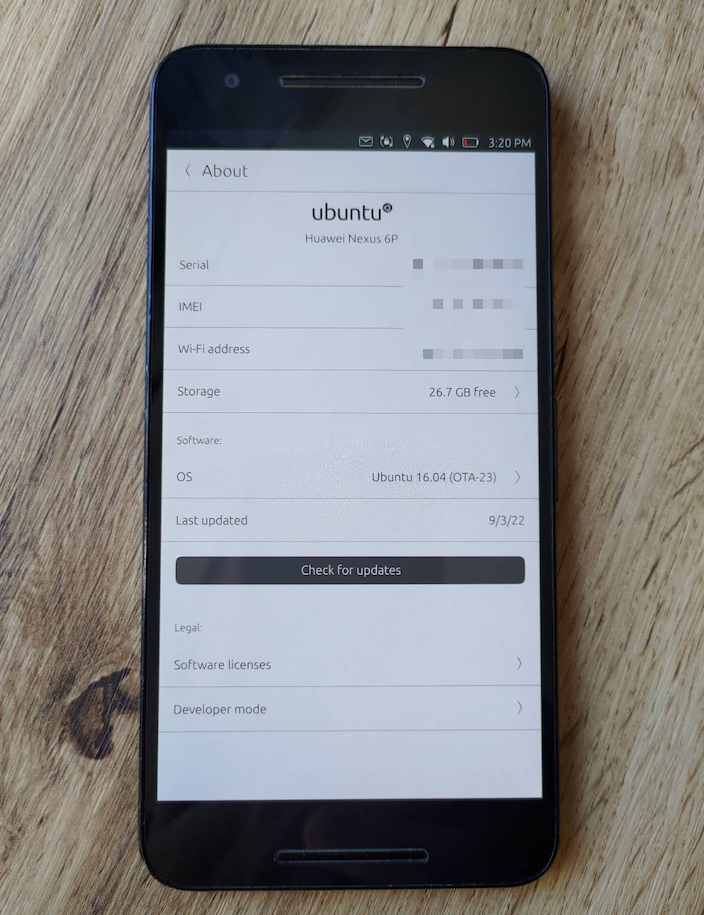
screen

[UPDATE 09.09.2022] I got new CVE for this vulnerability: CVE-2022-40297.

Proof of Concept: Privilege escalation in Ubuntu Touch 16.04 - by Passcode Bruteforce

Ubuntu Touch allows you to "protect" devices with a 4-digit passcode. Such a code was set in a demonstration device. The problem is that the same 4-digit passcode then becomes a password that we can use with the sudo command and gain root privileges.

This means that a malicious application can do us double harm:

  1. Easily escalate privileges and take control of the device.
  2. It can pass the screen unlock passcode to a third party.

How does my Proof of Concept work?

  1. We run poc.py as a regular user.
  2. App is doing bruteforce attack on password. No rate limit in system!
  3. Passcode to unlock the screen = password for sudo su to obtain root.
  4. After 1-2 minutes we have passcode on the screen, which we also save to the file /root/passcode as evidence of system compromise.

Follow me

Follow me on Twitter @FilipKarc and on LinkedIn: LinkedIn.
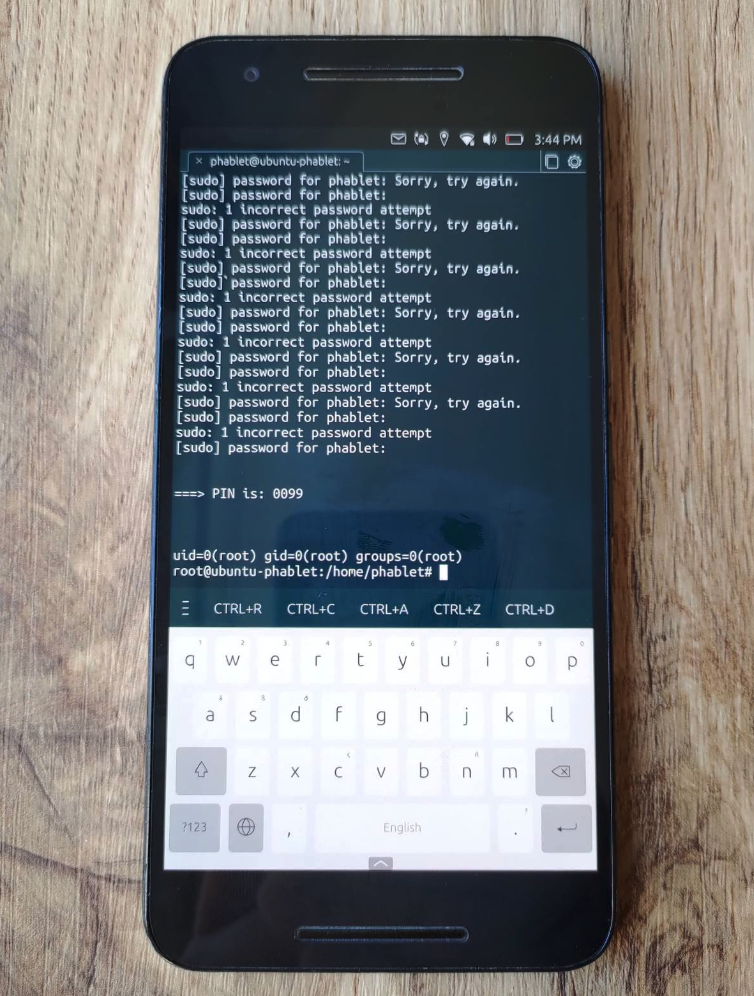
screen

screen

Download Tool

Most Popular

View all →

Discover the most used tools by our community.

  • 1

    OsintHunter

    letox4/osinthunter

    🎯 The ultimate OSINT toolkit: investigation graph, confidence scoring, alias families, map, timeline and reports. 49 modules, 400+ sites, no API keys required.

    891
  • 2

    ghostlock-app

    yukonga/ghostlock-app

    GhostLock One-Tap Execution App (CVE-2026-43499)

    547
  • 3

    ARTEX

    baarai/artex

    LLM multi-agent autonomous penetration testing platform with planner/worker agents, asset and exploration graphs, MITM traffic recording, and vulnerability retesting.

    369
  • 4

    redforge

    cybersecurity91/redforge

    Browser-side red team toolkit with 102 offline tools for recon, payload generation, credential attacks, crypto, encoding and engagement reporting.

    366
  • 5

    looking-glass

    anonghosty/looking-glass

    CSIRT platform that ingests Shadowserver reports into MongoDB and replays them as interactive maps, analysis, findings, advisories and executive dashboards.

    309
  • 6

    CyberStrikeAI

    ed1s0nz/cyberstrikeai

    The system of action for AI-native cybersecurity—where intent becomes governed execution, evidence becomes operational memory, and every operation improves the next.

    282

Explore all tools

Browse our collection of tools

View all tools →