Imaginary C2 is a python tool which aims to help in the behavioral (network) analysis of malware. Imaginary C2 hosts a HTTP server which captures HTTP requests towards selectively chosen domains/IPs. Additionally, the tool aims to make it easy to replay captured Command-and-Control responses/served payloads.
author: Felix Weyne (website) (Twitter)
Imaginary C2 is a python tool which aims to help in the behavioral (network) analysis of malware.
Imaginary C2 hosts a HTTP server which captures HTTP requests towards selectively chosen domains/IPs. Additionally, the tool aims to make it easy to replay captured Command-and-Control responses/served payloads.
By using this tool, an analyst can feed the malware consistent network responses (e.g. C&C instructions for the malware to execute). Additionally, the analyst can capture and inspect HTTP requests towards a domain/IP which is off-line at the time of the analysis.
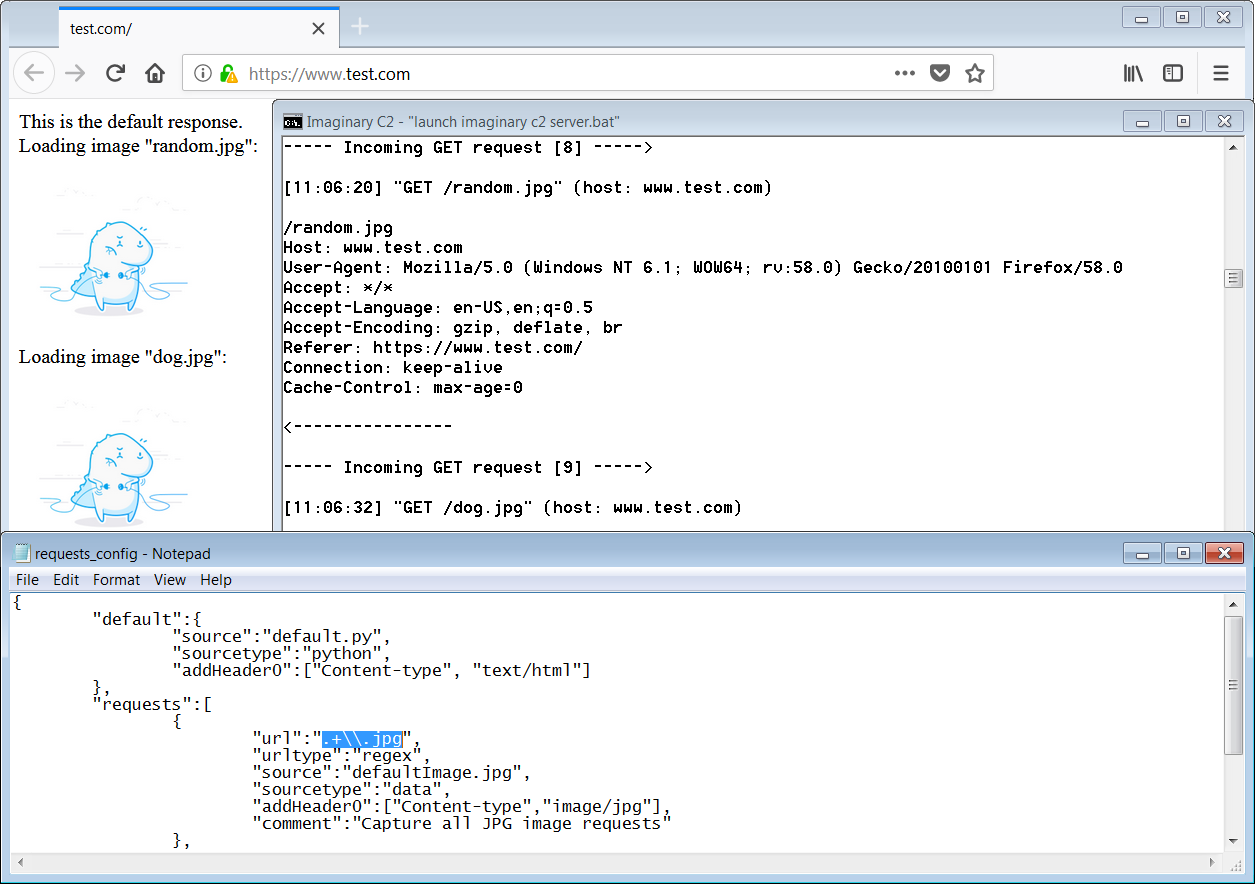
Imaginary C2 provides two scripts to convert packet captures (PCAPs) or Fiddler Session Archives into request definitions which can be parsed by imaginary C2. Via these scripts the user can extract HTTP request URLs and domains, as well as HTTP responses. This way, one can quickly replay HTTP responses for a given HTTP request.
requirements: Imaginary C2 requires Python 2.7 and Windows.
modules: Currently, Imaginary C2 contains three modules and two configuration files:
| Filename | Function |
|---|---|
| 1. imaginary_c2.py | Hosts python's simple HTTP server. Main module. |
| 2. redirect_to_imaginary_c2.py | Alters Windows' host file and Windows' (IP) Routing Table. |
| 3. unpack_fiddler_archive.py & unpack_pcap.py | Extracts HTTP responses from packet captures. Adds corresponding HTTP request domains and URLs to the configuration files. |
| 4. redirect_config.txt | Contains domains and IPs which needs to be redirected to localhost (to the python HTTP server). |
| 5. requests_config.txt | Contains URL path definitions with the corresponding data sources. |
request definitions: Each (HTTP) request defined in the request configuration consists of two parameters:
Parameter 1: HTTP request URL path (a.k.a. urlType)
| Value | Meaning |
|---|---|
| fixed | Define the URL path as a literal string |
| regex | Define a regex pattern to be matched on the URL path |
Parameter 2: HTTP response source (a.k.a. sourceType)
| Value | Meaning |
|---|---|
| data | Imaginary C2 will respond with the contents of a file on disk |
| python | Imaginary C2 will run a python script. The output of the python script defines the HTTP response. |
Imaginary C2 can be used to simulate the hosting of TrickBot components and configuration files. Additionally, it can also be used to simulate TrickBot's web injection servers.
Upon execution, the TrickBot downloader connects to a set of hardcoded IPs to fetch a few configuration files. One of these configuration files contains the locations (IP addresses) of the TrickBot plugin servers. The Trickbot downloader downloads the plugins (modules) from these servers and decrypts them. The decrypted modules are then injected into a svchost.exe instance.

One of TrickBot's plugins is called injectdll, a plugin which is responsible for TrickBot's webinjects. The injectdll plugin regularly fetches an updated set of webinject configurations. For each targeted (banking) website in the configuration, the address of a webfake server is defined. When a victim browses to a (banking) website which is targeted by TrickBot, his browser secretly gets redirected to the webfake server. The webfake server hosts a replica of the targeted website. This replica website usually is used in a social-engineering attack to defraud the victim.
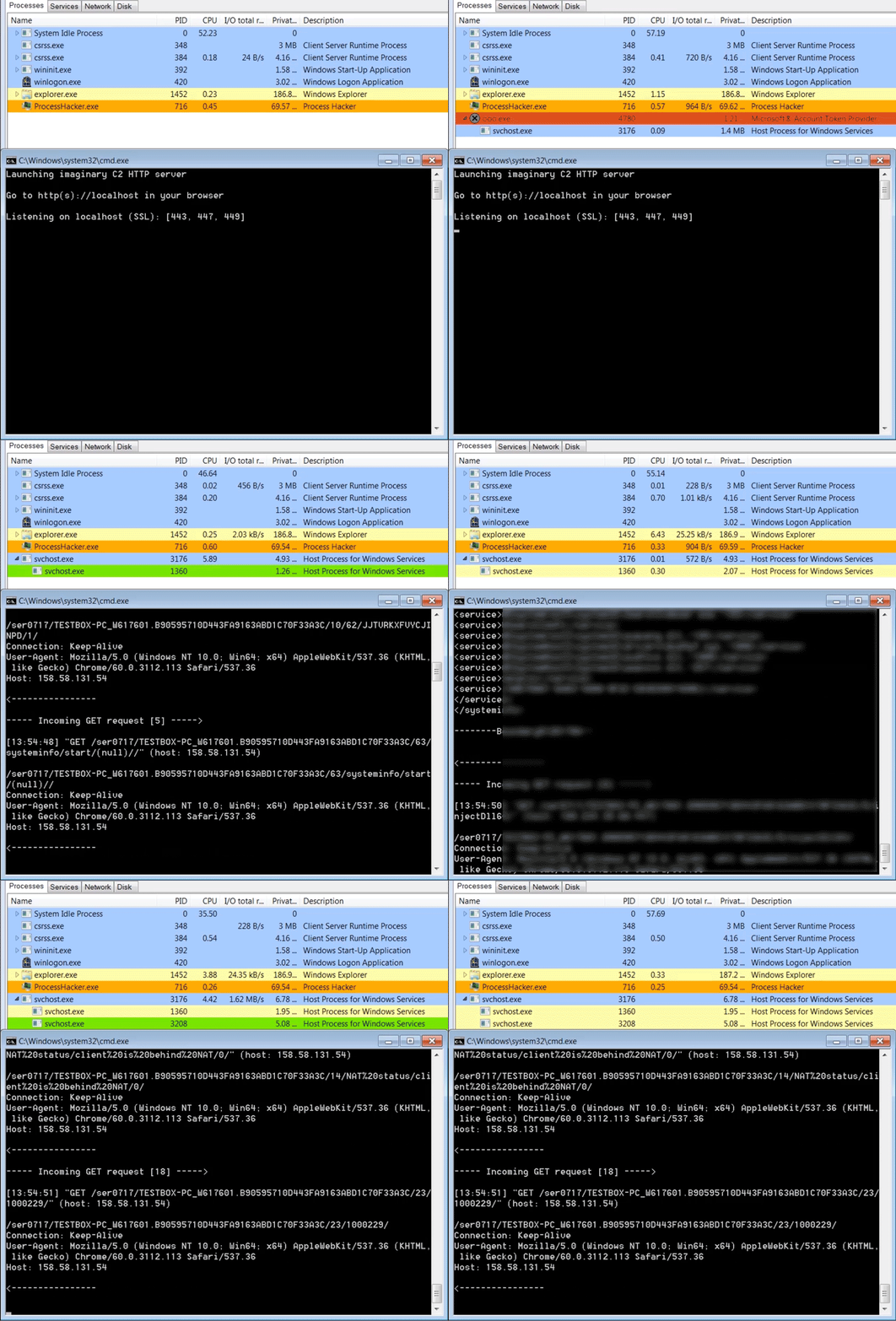
The below video shows the TrickBot downloader running inside svchost.exe and connecting to imaginary C2 to download two modules. Each downloaded module gets injected into a newly spawned svchost.exe instance. The webinject module tries to steal the browser's saved passwords and exfiltrates the stolen passwords to the TrickBot server. Upon visiting a targeted banking website, TrickBot redirects the browser to the webfake server. In the demo, the webfake server hosts the message: "Default imaginary C2 server response" (full video).