 faisal-p27/wareed-dns-c2
DNS-only command-and-control framework with Windows agent, payload generation, remote shell execution, shellcode injection, and SOCKS5 proxy support for covert operations.


WAREED is a Command and Control (C2) that utilizes the DNS protocol for secure communications between the server and the target. Designed to minimize communication and limit data exchange, it is intended to be a first-stage C2 to persist in machines that don't have access to the internet via HTTP/HTTPS, but where DNS is allowed.
developed by : @Fsalabduljabbar
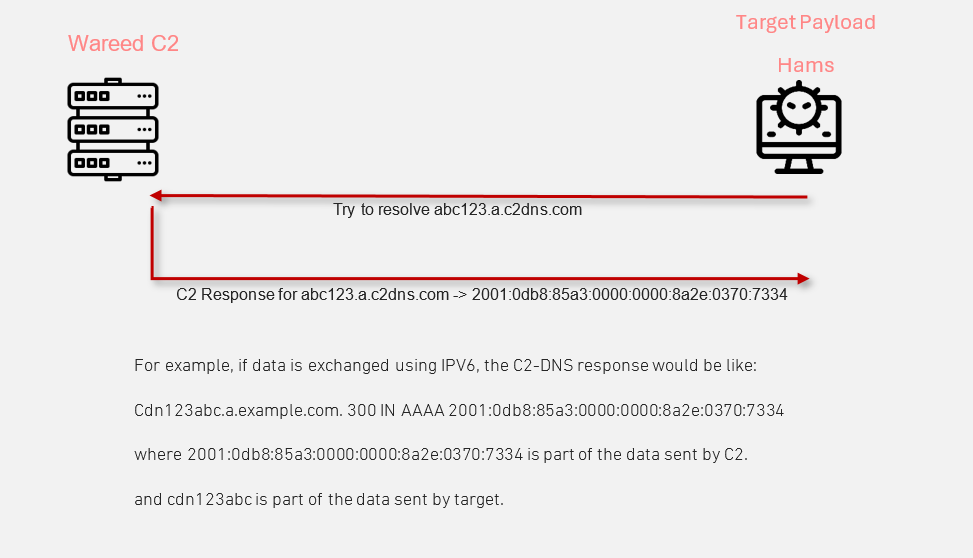
While many Command and Control (C2) frameworks support DNS as a transport protocol, they are predominantly designed for HTTP/HTTPS. Transitioning these frameworks to DNS often results in slower, less stable operations. Facing numerous challenges with these frameworks' instability for DNS transactions, I was compelled to create a solution tailored specifically to DNS. The outcome is Wareed—a DNS-only C2 framework. This specialized focus results in a more stable and efficient operation, making Wareed faster and more reliable compared to traditional C2 frameworks that are not primarily designed for DNS. This makes Wareed an ideal choice for environments where DNS traffic is allowed but HTTP/HTTPS is restricted.
It has been developed using three programming languages:
Names explanation:
Hams (همس) means "whisper" in Arabic
Wareed (وريد) means "vein" in Arabic
Ather (أثر) means "trace" in Arabic
Step 1: Clone the Wareed repository:
git clone https://github.com/Faisal-P27/WAREED-DNS-C2.git
Step 2: Run the setup script:
cd WAREED-DNS-C2
chmod +x Run.sh
sudo ./Run.sh setup
If the compilation process completes successfully, two executable files will be generated in the same directory:
also it will checks the compilation status of the Agent. If successful, it confirms that the Agent is ready to be deployed and operational, which is critical for the functionality of the Wareed C2.
{
    "magic_value": "cdn",
    "domains": ["2.example.net"],
    "listener_port": "111",
    "sleep": 5,
    "jitter": 50,
    "lookup_delay": 5,
    "default_dns_server": "1.1.1.1"
}
magic_value: lenath must equal to 3.
DNS Setup: To operate Wareed, it is essential to possess a valid domain name. After acquiring a domain, two DNS records need to be configured to point towards the Redirector:

Redirector Setup:
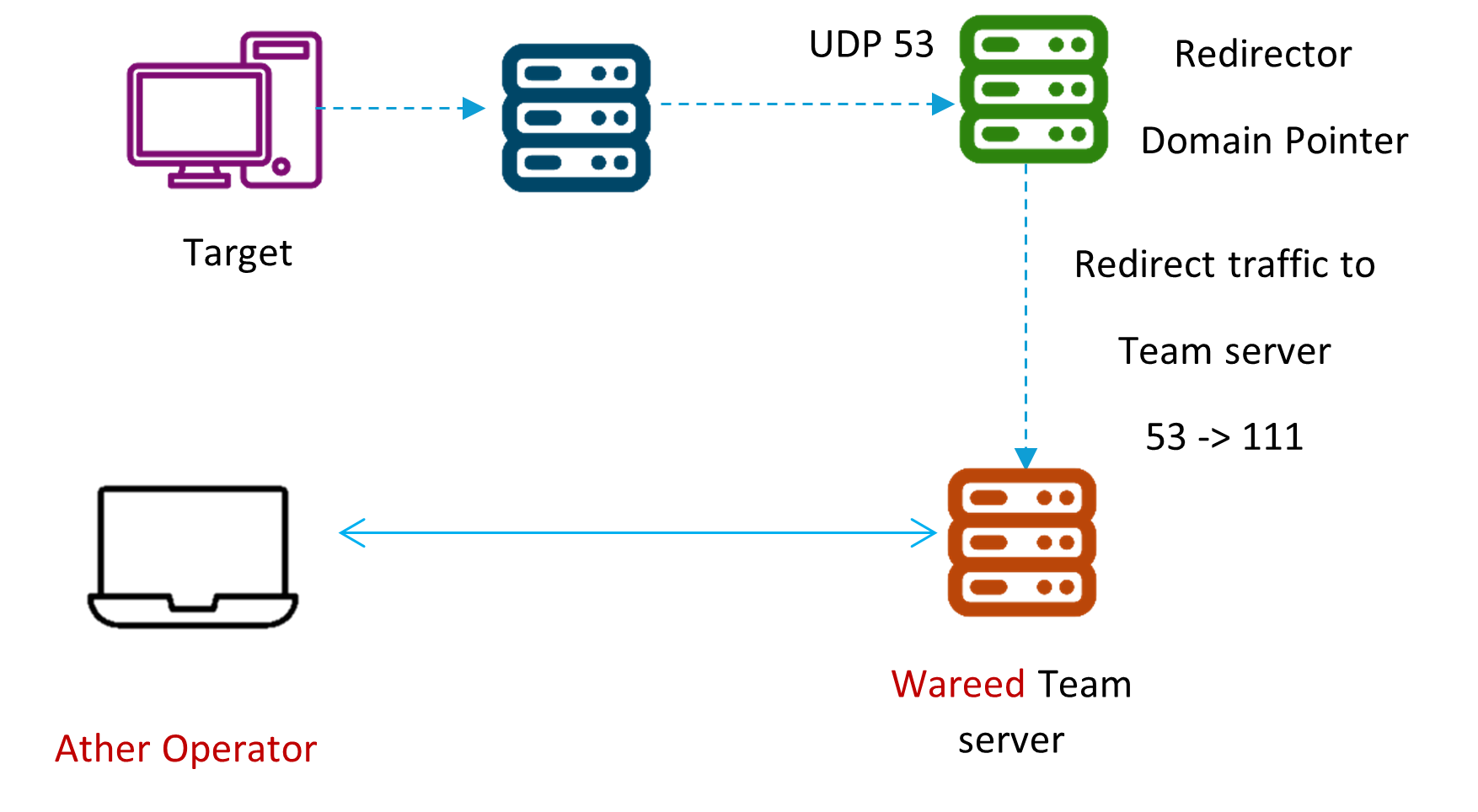
redirector will handle incoming DNS traffic on port 53 and redirect it to the team server. To achieve this, execute the following iptables commands on the redirector machine (R1):
iptables -I INPUT -p udp -m udp --dport 53 -j ACCEPT
This command configures the firewall to accept incoming UDP packets on port 53, which is the standard port for DNS requests.
iptables -t nat -A PREROUTING -p udp --dport 53 -j DNAT --to-destination [TeamServer IP]:[teamserver listener port]
Replace [TeamServer IP] with the actual IP address of your team server and [teamserver listener port] with the port number on which your team server is listening. This command directs all traffic arriving on port 53 to the specified IP address and port of the team server.
To start the Wareed team server for the first time, you need to specify the configuration file along with the client password and the port on which the client will listen. Use the following command to run the Wareed team server:
sudo ./WareedServer [Client Password] [Client Port Listener] [Path to configuration file]
To launch the Ather GUI client, simply
./Ather
Upon running the command, a new window with a login page will appear.
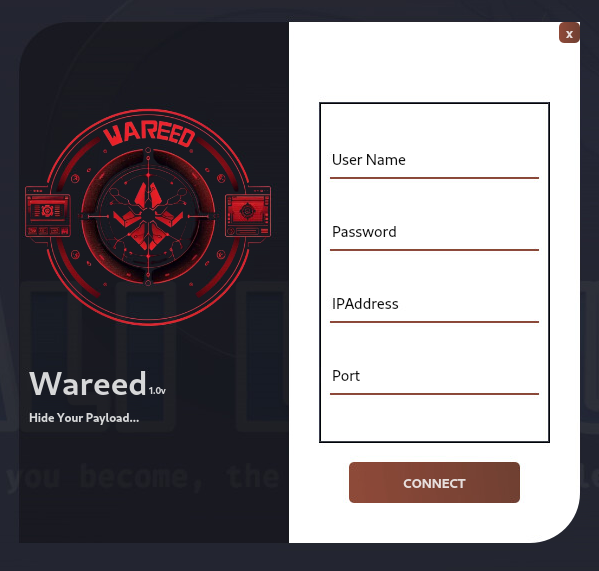
Login Details: In the login page that appears:
Wareed main window:
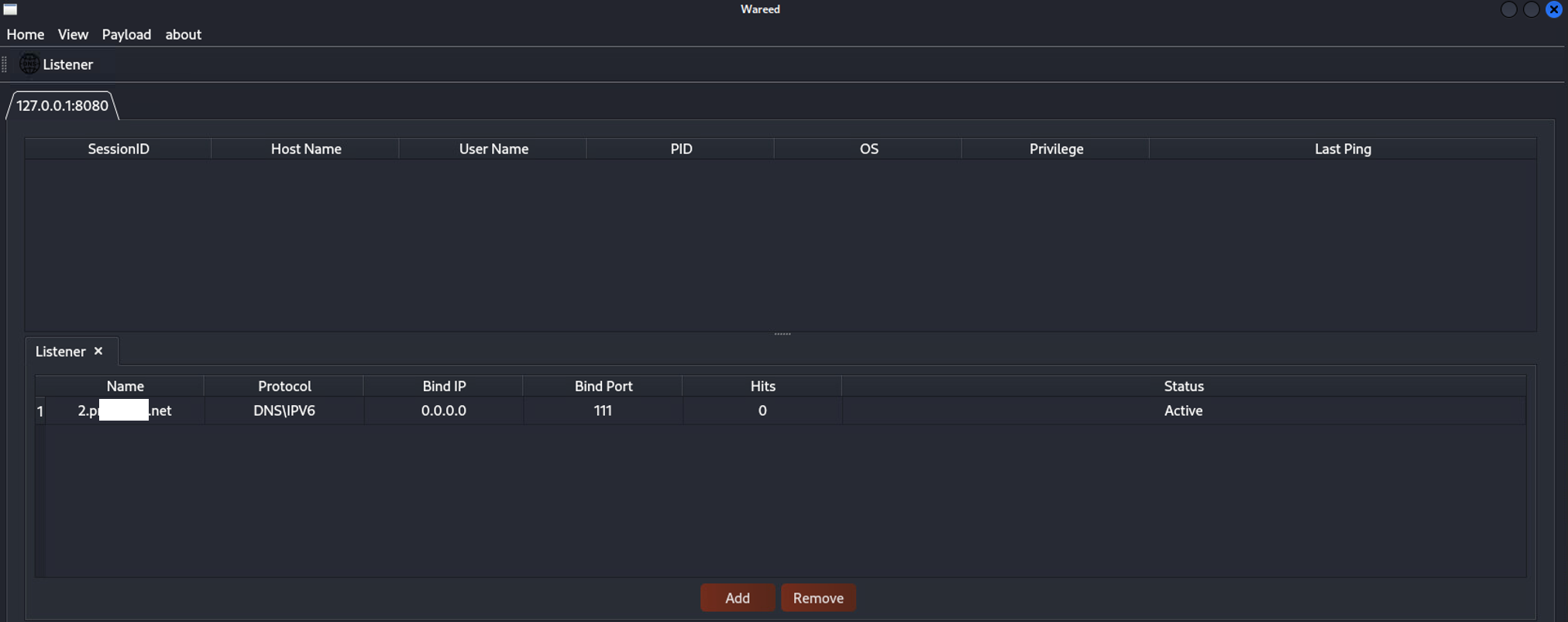
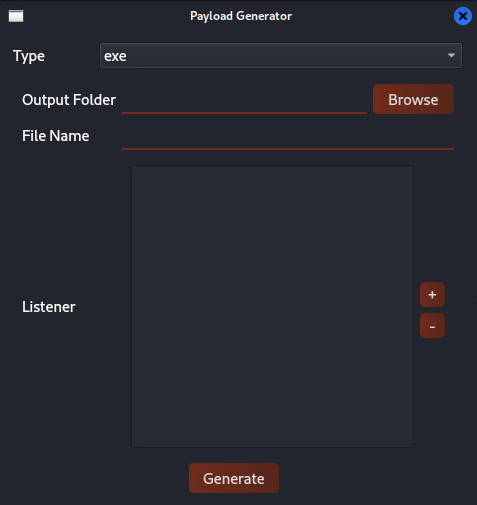
To generate a new payload with the Ather GUI Client, follow these steps:
Navigate to Payload Generation:
Payload > Generate > Windows. Selecting this option will open a new window tailored for payload generation.