
Skip to content
KitploitKITPLOIT
ToolsBlog
Submit
ToolsBlog
Submit

Hacking, PenTest, and Cybersecurity Tools for Your Security Arsenal!

Kitploit is a directory of hacking, cybersecurity, and pentesting tools. Discover the latest project updates to find vulnerabilities, analyze systems, automate testing, and strengthen your security.

··Feeds·Contact·Privacy·© 2026 Kitploit

Tool Directory

Categories

View all categories
Loading categories
opensnitch — Interactive GNU/Linux application firewall that filters outbound connections, blocks ads and malware domains, manages system firewall rules via GUI, and supports centralized multi-node administration. | Kitploit
Tools/GitHubGitHub/evilsocket/opensnitch
Defensive ToolsNetwork SecurityIntrusion DetectionDNS Analysis
GitHubevilsocket/opensnitch

opensnitch

Interactive GNU/Linux application firewall that filters outbound connections, blocks ads and malware domains, manages system firewall rules via GUI, and supports centralized multi-node administration.

View Repository
14.0k65324 days agoReviewed by Kitploit

Most Popular

View all →

Discover the most used tools by our community.

Explore all tools

Browse our collection of tools

View all tools →
Share

Join the project community on our server!


opensnitch

Release Software License Go Report Card Packaging status

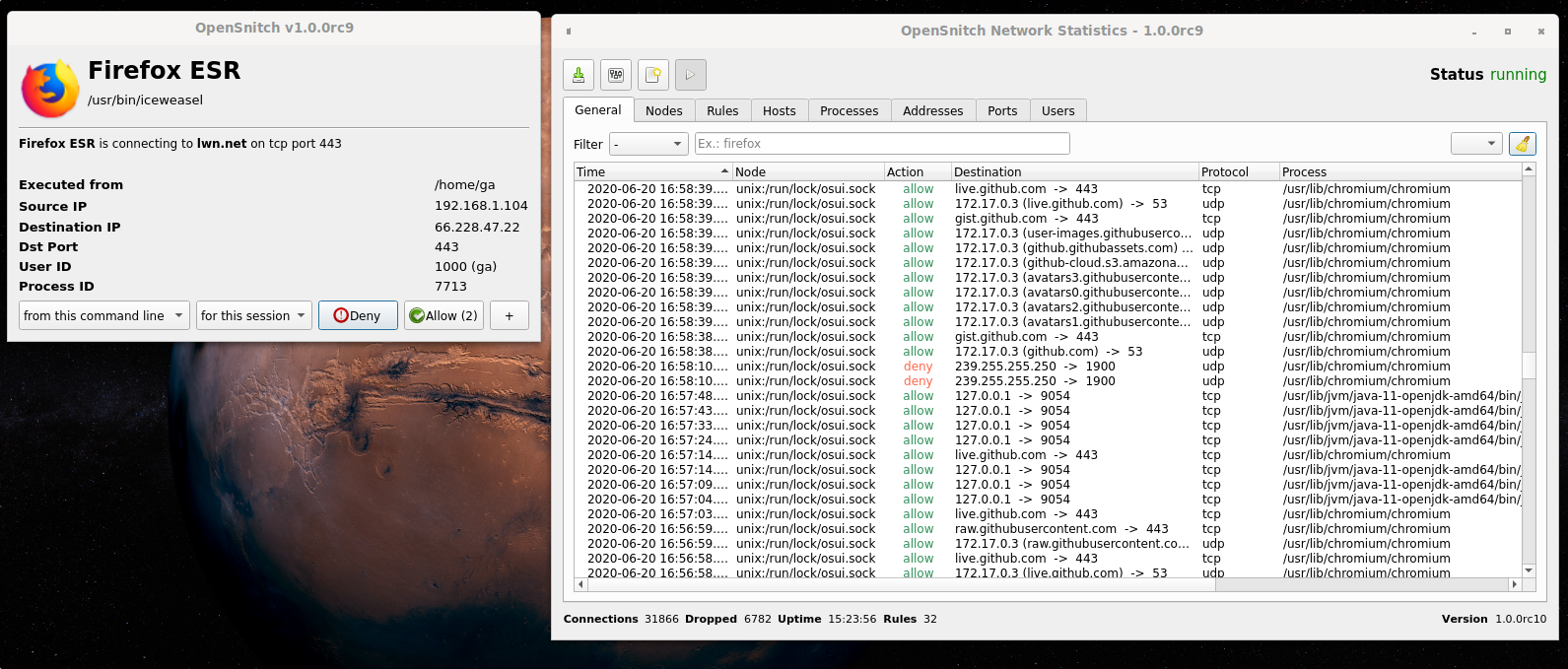
OpenSnitch is a GNU/Linux application firewall.

•• Key Features • Download • Installation • Usage examples • In the press ••
OpenSnitch

Key features

  • Interactive outbound connections filtering.
  • Block ads, trackers or malware domains system wide.
  • Ability to configure system firewall from the GUI (nftables).
    • Configure input policy, allow inbound services, etc.
  • Manage multiple nodes from a centralized GUI.
  • SIEM integration

Download

Download deb/rpm packages for your system from https://github.com/evilsocket/opensnitch/releases

Installation

deb

$ sudo apt install ./opensnitch*.deb ./python3-opensnitch-ui*.deb

rpm

$ sudo dnf install opensnitch*.rpm

Then run: $ opensnitch-ui or launch the GUI from the Applications menu.

Please, refer to the documentation for detailed information.

OpenSnitch in action

Examples of OpenSnitch intercepting unexpected connections:

https://github.com/evilsocket/opensnitch/discussions/categories/show-and-tell

Have you seen a connection you didn't expect? submit it!

In the press

  • 2017 PenTest Magazine
  • 11/2019 It's Foss
  • 03/2020 Linux Format #232
  • 08/2020 Linux Magazine Polska #194
  • 08/2021 Linux Format #280
  • 02/2022 Linux User
  • 06/2022 Linux Magazine #259

Donations

If you find OpenSnitch useful and want to donate to the dedicated developers, you can do it from the Sponsor this project section on the right side of this repository.

You can see here who are the current maintainers of OpenSnitch: https://github.com/evilsocket/opensnitch/commits/master
Contributors

See the list

Translating

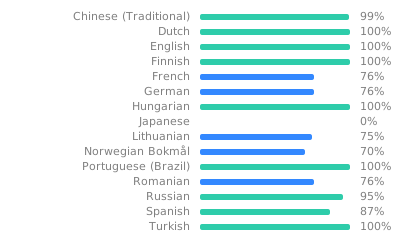
Translation status
Download Tool
