 crisprss/cve-2026-88235
One of the most powerful primitives for Windows default configuration LPE

TrustFall is a high-severity vulnerability we found in Windows TrustedInstaller.exe, tracked by Microsoft as CVE-2026-88235. With it, any local user can tamper with the file system and the registry as SYSTEM and achieve local privilege escalation.
h4urek from Fudan Univeristy(@h4urek)
crispr from Fudan Univeristy(@crispr)
Windows updates, optional components, language packs, and driver rollbacks are handled by CBS (Component-Based Servicing), hosted by TrustedInstaller.exe (the Windows Modules Installer) and executed by TiWorker.exe in the LocalSystem context. Because servicing must replace files under System32, WinSxS, and HKLM, the worker holds SeBackup/SeRestore and can write through ACLs by design.
To support offline image servicing, CBS exposes part of this capability through the Component Based Servicing Session COM object, which implements interfaces such as ICbsSession7/8/9/10. Launching and accessing these interfaces does not require administrator rights; Interactive Users can do it. They let a caller create and manage a CBS session, enumerate packages and capabilities, and request servicing operations.
The CBS Session COM class has Server Type LocalServer32 and is hosted by TrustedInstaller.exe. Its access control grants INTERACTIVE Execute and ExecuteLocal, and its launch permission grants INTERACTIVE ActivateLocal. As a result, any logged-in user can activate and access this COM class, and the object runs inside the LocalSystem TrustedInstaller service.
The class implements ICbsSession, ICbsSession7/8/9/10, and other interfaces. CreateExternalTransformerExecutor on ICbsSession10 is the entry point discussed here. By design it should only serve trusted servicing components: DISM, Windows Update, deployment tools. But those tools and ordinary users reach the same COM class, and the class does not distinguish callers.
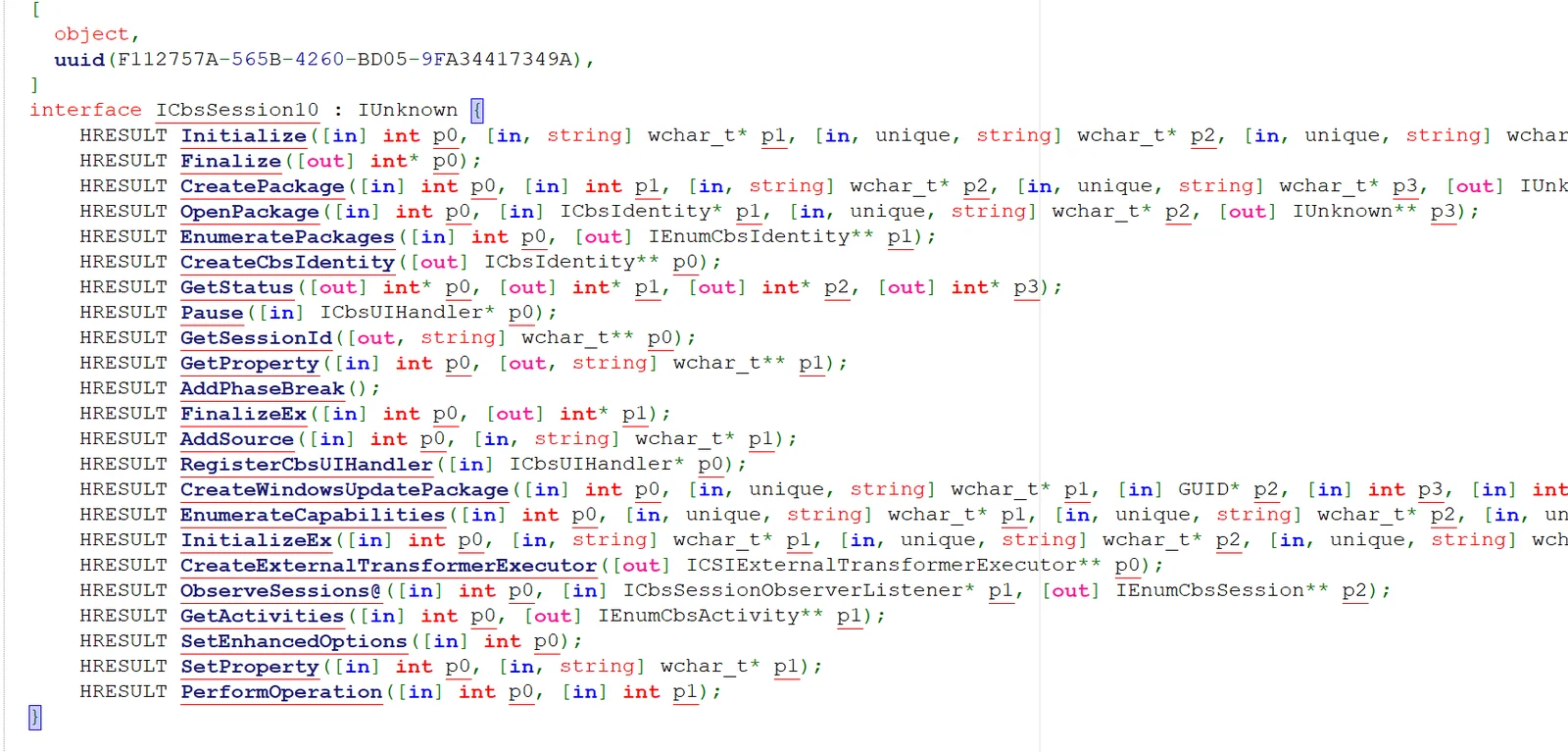
The client first obtains the ICbsSession10 COM object and calls Initialize to initialize the session. It then calls CreateExternalTransformerExecutor to create an executor and launch TiWorker.exe.
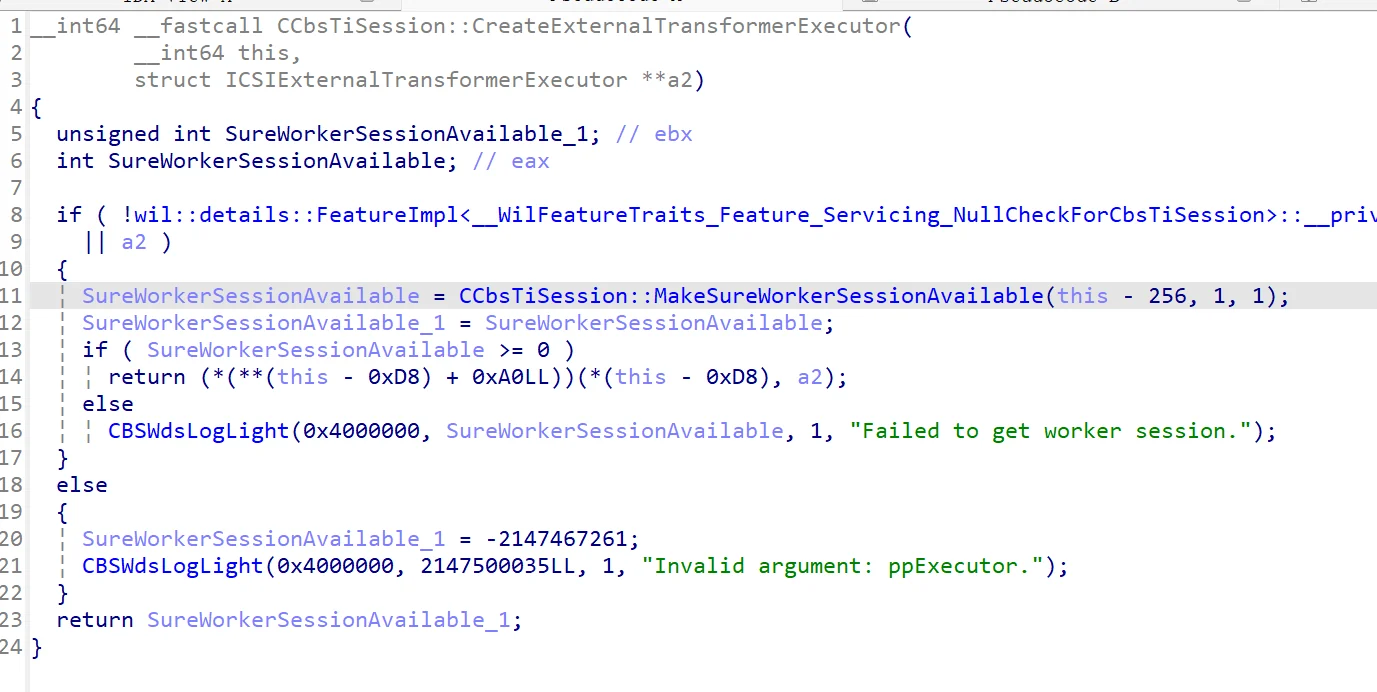
The executor is implemented by wcp.dll. wcp is the internal execution layer of the servicing stack: it maintains servicing state, parses transformer manifests, resolves a manifest into a concrete transformer, and executes the corresponding operation. It reads the caller-supplied manifest and uses it to select a transformer and build the change queue. ICSIExternalTransformerExecutor exposes four methods:
Initialize: sets up the execution environment, including the reference image, rollback hive, and offline store;Install: parses the manifest and queues the transform for installation;Uninstall: queues the transform for removal;Commit: executes the queue to completion.
Initialize takes all of its inputs from the caller:
flags carries mode bits that select the install direction and whether to load a rollback hive;referenceVersion is the "before" version used for comparison with the manifest version; an older value lets the update check pass;referenceImage points to the "before" component database; wcp only requires a loadable hive and does not validate its contents;fileStorage is the root of the offline store, entirely caller-specified;registryStorage is optional.Inside the executor, Initialize sets up the working context. It validates the target system, stores flags and referenceVersion, and, when the rollback bit is set, loads the Rollback hive from fileStorage through AutoHive::LoadFromWin32PathForOfflineHive. When referenceImage is provided, it appends System32\config\COMPONENTS, loads that hive through AutoHive::Load, and binds it as the reference component database. It then creates a pseudo Windows directory tree and an offline store under fileStorage, or opens an existing store depending on flags, and moves the executor to the Initialized phase.
What it does not do is inspect the content of those hives or the identity of the caller. The reference image and file storage only need to contain loadable registry hives; whether they are genuine COMPONENTS or rollback databases is never checked, and nothing confirms that the caller is authorized to service the image. The "offline environment" is entirely caller-supplied.
Install(manifestPath, transformId) parses the caller-supplied XML and records the transform for execution. The manifest structure is simple:
assemblyIdentity: basic package identity; only format validity matters;Transforms Id: matches the transformId passed to Install;SettingsVersion: the version used by servicing logic, which determines install versus rollback;TransformInvoke Plugin: selects the transformer, here CopyData;Param: operation parameters, including SourcePath, DestinationPath, and DestinationName.For example, the manifest below asks the executor to copy hack.dll into System32 under the name phoneinfo.dll:
<assembly xmlns="urn:schemas-microsoft-com:asm.v3" manifestVersion="1.0" isolated="false">
  <assemblyIdentity name="poc" version="1.0.0.0"
                    processorArchitecture="amd64"
                    publicKeyToken="31bf3856ad364e35" language="neutral"/>
  <Transforms Id="poc" SettingsVersion="3294967366">
    <TransformInvoke Plugin="CopyData">
      <Param Name="PathType" Value="File"/>
      <Param Name="SourcePath" Value="C:\Users\lowpriv\hack.dll"/>
      <Param Name="DestinationPath" Value="C:\Windows\System32"/>
      <Param Name="DestinationName" Value="phoneinfo.dll"/>
    </TransformInvoke>
  </Transforms>
</assembly>
The parsing has no signature check, no source check, and no directory restriction; the plugin name, source path, destination path, and destination name are all caller-controlled.
Install only records the manifest; the actual work happens when the client calls Commit. At that point the executor takes the pending transform, decides which direction it should run, and dispatches it to the plugin named in the manifest.
The direction check compares the manifest's SettingsVersion with the current servicing version of the system. A higher manifest version means the transform runs forward and reaches the plugin's install path; an equal version means the transform is skipped because the component is already in the correct state; a lower version means the transform runs in reverse and reaches the rollback path. Setting SettingsVersion higher than the current version therefore forces the transform onto the forward path.






