 bitsadmin/nopowershell
PowerShell rebuilt in C# for Red Teaming purposes

NoPowerShell is a tool implemented in C# which supports executing PowerShell-like commands while remaining invisible to any PowerShell logging mechanisms. This .NET Framework 2 compatible binary can be loaded in Cobalt Strike to execute commands in-memory. No System.Management.Automation.dll is used; only native .NET libraries. An alternative usecase for NoPowerShell is to launch it as a DLL via rundll32.exe in a restricted environment: rundll32 NoPowerShell.dll,main.
This project makes it easy for everyone to extend its functionality using only a few lines of C# code. For more info, see CONTRIBUTING.md.
Latest binaries available from the Releases page. The MASTER branch is not updated very regularly; the latest code and cmdlets are available in the DEV branch. To kickstart your NoPowerShell skills, make sure to also check out the cmdlet Cheatsheet.
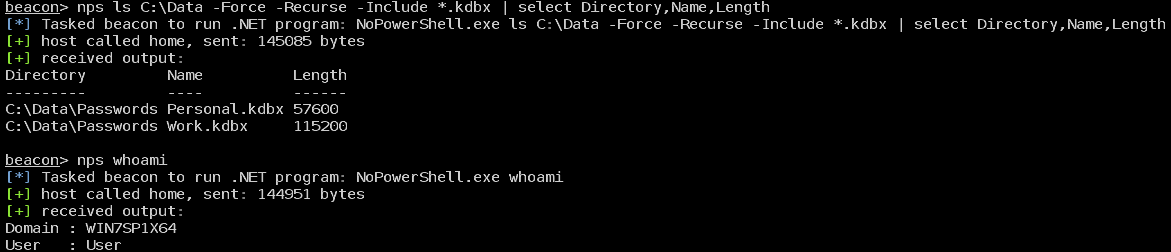
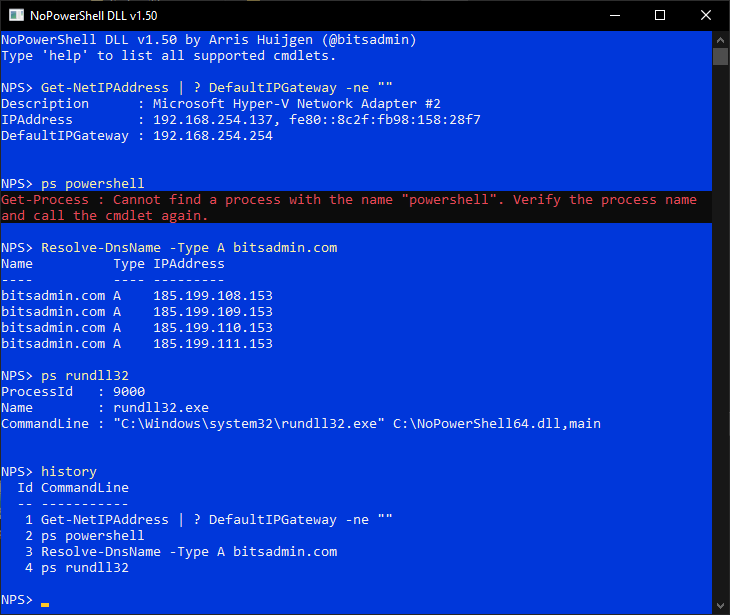
NoPowerShell is developed to be used with the execute-assembly command of Cobalt Strike or in a restricted environment using rundll32.exe.
Reasons to use NoPowerShell:
ping instead of Test-NetConnection)powerpick or powershell cmdlets are not available, they are available in nps (e.g. cmdlets from the ActiveDirectory module)See CHEATSHEET.md.
Use Cobalt Strike's execute-assembly command to launch the NoPowerShell.exe. For example execute-assembly /path/to/NoPowerShell.exe Get-Command.
Optionally NoPowerShell.cna can be used to add the nps alias to Cobalt Strike.
bofnet_initbofnet_load /path/to/NoPowerShell.dllbofnet_execute NoPowerShell.Program Get-CommandThis fork allows running regular .NET executables
bofnet_initbofnet_load /path/to/NoPowerShell.exebofnet_executeassembly NoPowerShell Get-CommandNoPowerShell.dll file (drag using right click -> Create shortcuts here)rundll32 and appending ,mainrundll32 C:\Path\to\NoPowerShell.dll,mainWhen using NoPowerShell from cmd.exe or PowerShell, you need to escape the pipe character (|) with respectively a caret (^) or a backtick (`), e.g.:
ls ^| select Namels `| select Name[System.Security.Principal.WindowsIdentity]::GetCurrent().Name| Cmdlet | Description |
|---|---|
| Invoke-Command | Using PSRemoting execute a command on a remote machine (which in that case will of course be logged) |
| * | More *-Item* commands |
| Search-ADAccount | |
| Get-ADPrincipalGroupMembership | |
| Get-ADOrganizationalUnits | |
| * | More commands from the ActiveDirectory PowerShell module |
| * | Sysinternals utilities like pipelist and sdelete |
Authors of additional NoPowerShell cmdlets are added to the table below. Moreover, the table lists commands that are requested by the community to add. Together we can develop a powerful NoPowerShell toolkit!
| Cmdlet | Contributed by | GitHub | Description | |
|---|---|---|---|---|
| Cmdlet | Module | Notes |
|---|---|---|
| Get-ADUser | ActiveDirectory | |
| Get-ADObject | ActiveDirectory | |
| Get-ADReplicationSubnet | ActiveDirectory | |
| Get-ADGroup | ActiveDirectory | |
| Get-ADGroupMember | ActiveDirectory | |
| Get-ADComputer | ActiveDirectory | |
| Get-ADDomainController | ActiveDirectory | |
| Get-ADTrust | ActiveDirectory | |
| Copy-Acl | Additional | |
| Get-RemoteSmbShare | Additional | |
| Resolve-AdiDnsName | Additional | |
| Get-Whoami | Additional | |
| Get-WinStation | Additional | |
| Compress-Archive | Archive | Requires .NET 4.5+ |
| Expand-Archive | Archive | Requires .NET 4.5+ |
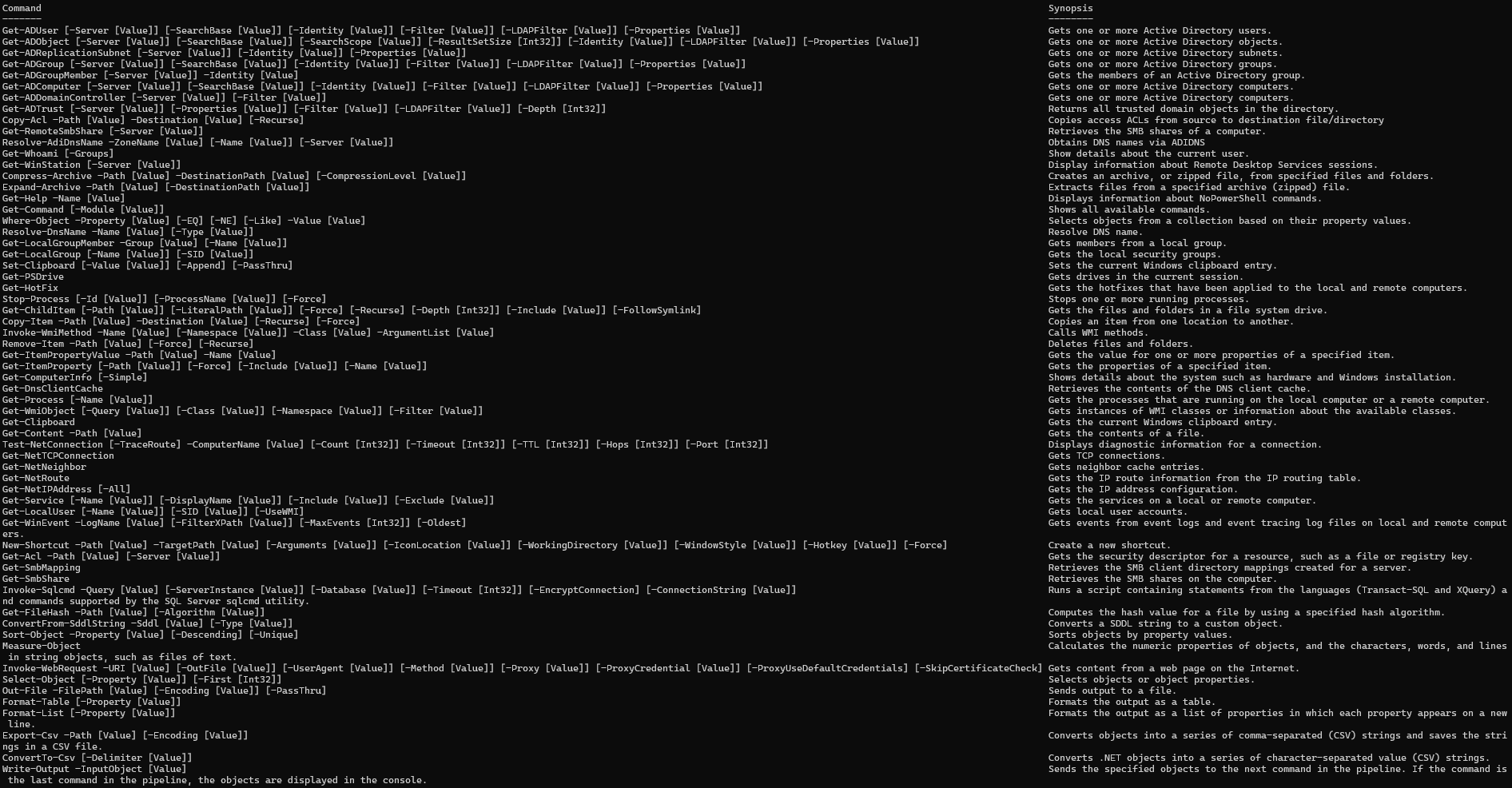
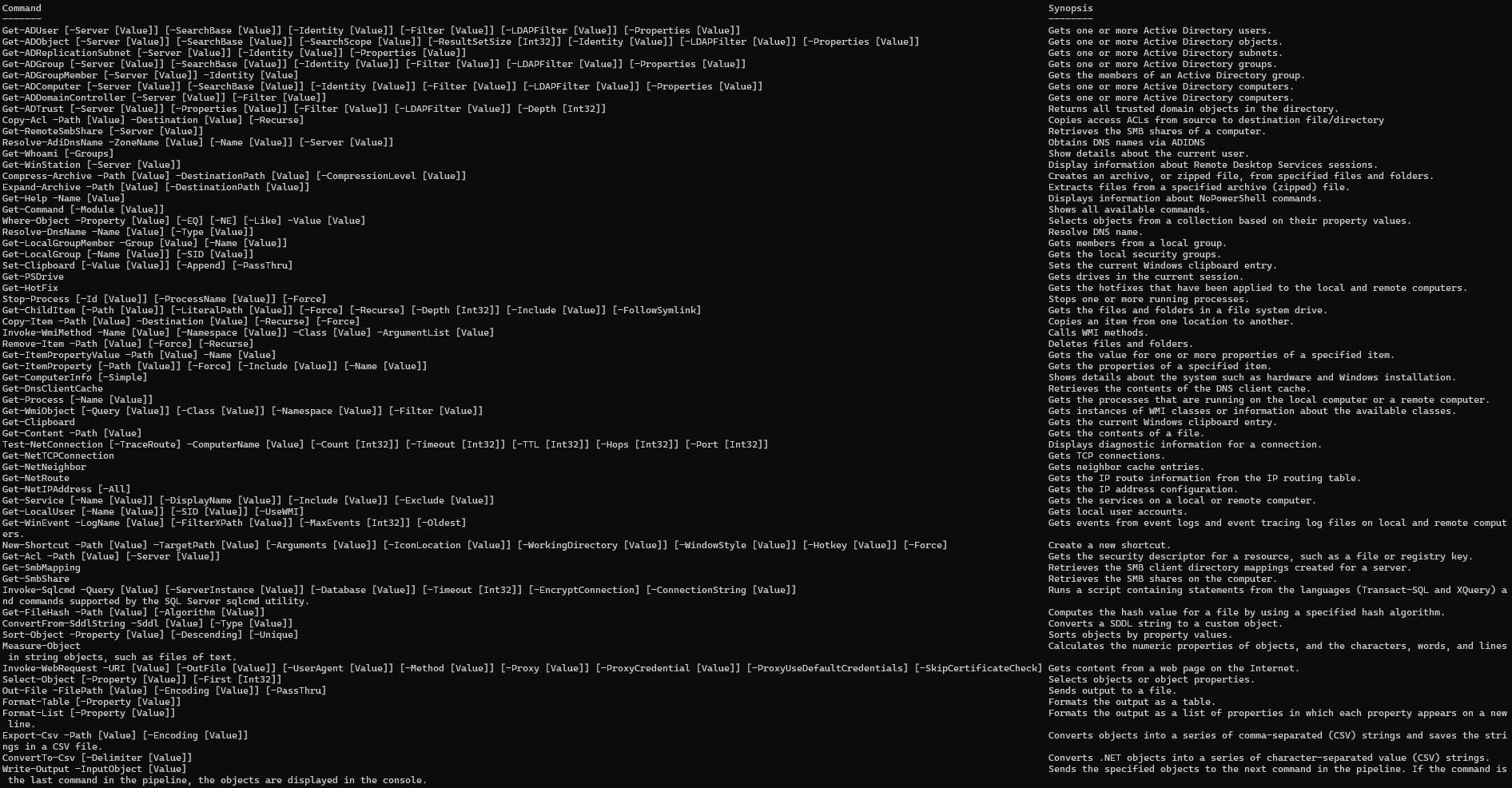
| Get-Help | Core | |
| Get-Command | Core | |
| Where-Object | Core | |
| Resolve-DnsName | DnsClient | |
| Get-LocalGroupMember | LocalAccounts | |
| Get-LocalGroup | LocalAccounts | |
| Set-Clipboard | Management | |
| Get-PSDrive | Management | |
| Get-HotFix | Management | |
| Stop-Process | Management | |
| Get-ChildItem | Management | |
| Copy-Item | Management | |
| Invoke-WmiMethod | Management | |
| Remove-Item | Management | |
| Get-ItemPropertyValue | Management | |
| Get-ItemProperty | Management | |
| Get-ComputerInfo | Management | |
| Get-DnsClientCache | Management | |
| Get-Process | Management | |
| Get-WmiObject | Management | |
| Get-Clipboard | Management | |
| Get-Content | Management | |
| Test-NetConnection | NetTCPIP | |
| Get-NetTCPConnection | NetTCPIP | |
| Get-NetNeighbor | NetTCPIP | No support for IPv6 yet |
| Get-NetRoute | NetTCPIP | |
| Get-NetIPAddress | NetTCPIP | |
| Get-Service | NoPowerShell.Commands | |
| Get-LocalUser | NoPowerShell.Commands | |
| Get-WinEvent | NoPowerShell.Commands | |
| New-Shortcut | NoPowerShell.Commands | |
| Get-Acl | Security | |
| Get-SmbMapping | SmbShare | |
| Get-SmbShare | SmbShare | |
| Invoke-Sqlcmd | SQLPS | |
| Get-FileHash | Utility | |
| ConvertFrom-SddlString | Utility | |
| Sort-Object | Utility | |
| Measure-Object | Utility | |
| Invoke-WebRequest | Utility | |
| Select-Object | Utility | |
| Out-File | Utility | |
| Format-Table | Utility | |
| Format-List | Utility | |
| Export-Csv | Utility | |
| ConvertTo-Csv | Utility | |
| Write-Output | Utility |
Also make sure to check out the Cheatsheet for examples on how to use these cmdlets.
Various NoPowerShell cmdlets and NoPowerShell DLL include code created by other developers.
| Who | Website | Notes |
