 benny-e/guardd
ML-Based behavioral endpoint detection system for Linux machines


Behavioral anomaly detection for Linux, powered by eBPF and machine learning.


Guardd learns how a Linux host normally behaves and flags activity that differs from that baseline. Kernel sensors collect process executions and outbound TCP connection attempts; an Isolation Forest scores the resulting one-minute activity windows. Alerts include the score, behavioral context, and explanations to help you investigate.
A background daemon handles collection, training, and detection. The desktop GUI and terminal interface let you inspect alerts and resource usage while the daemon continues running.
Status: experimental and under active development. Detection quality depends on the workload, baseline, and sensitivity settings.
Installation · Usage · Configuration · How it works · Updating · Troubleshooting
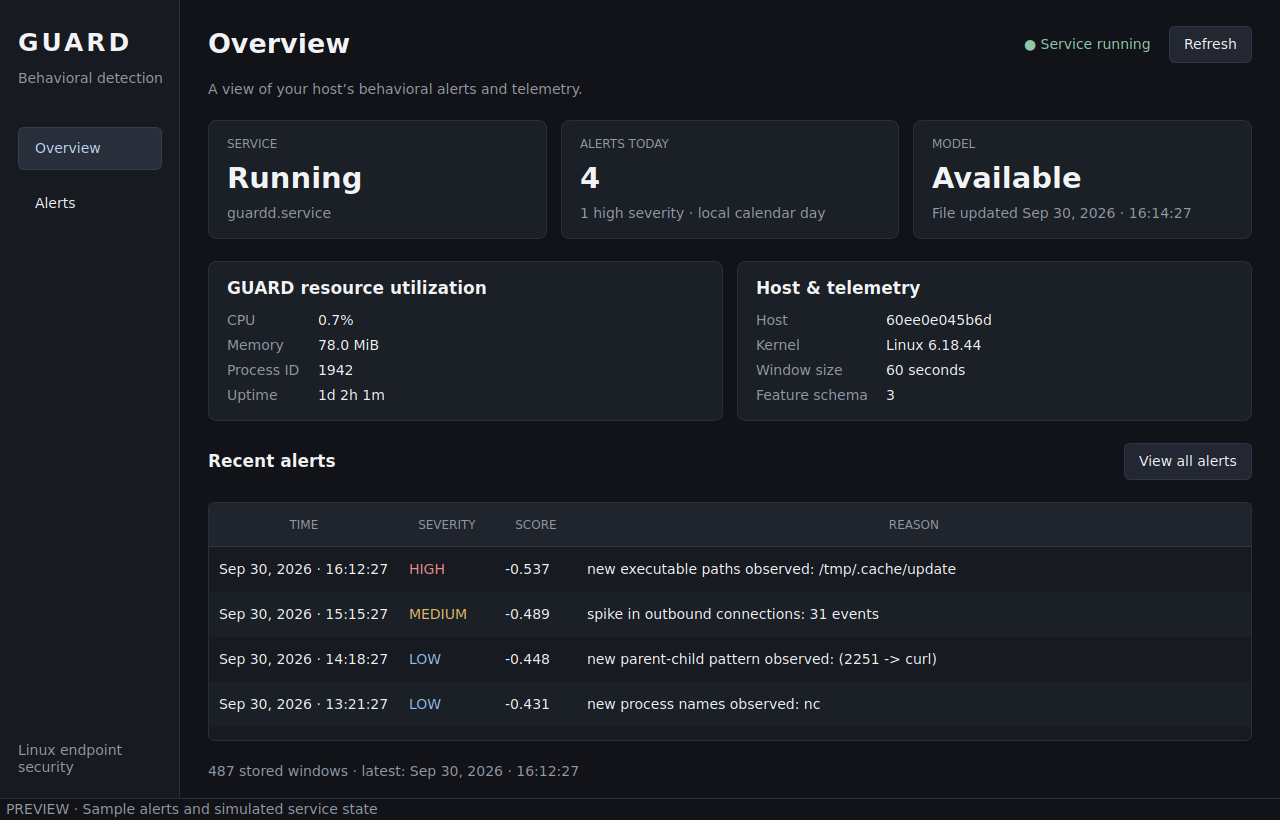
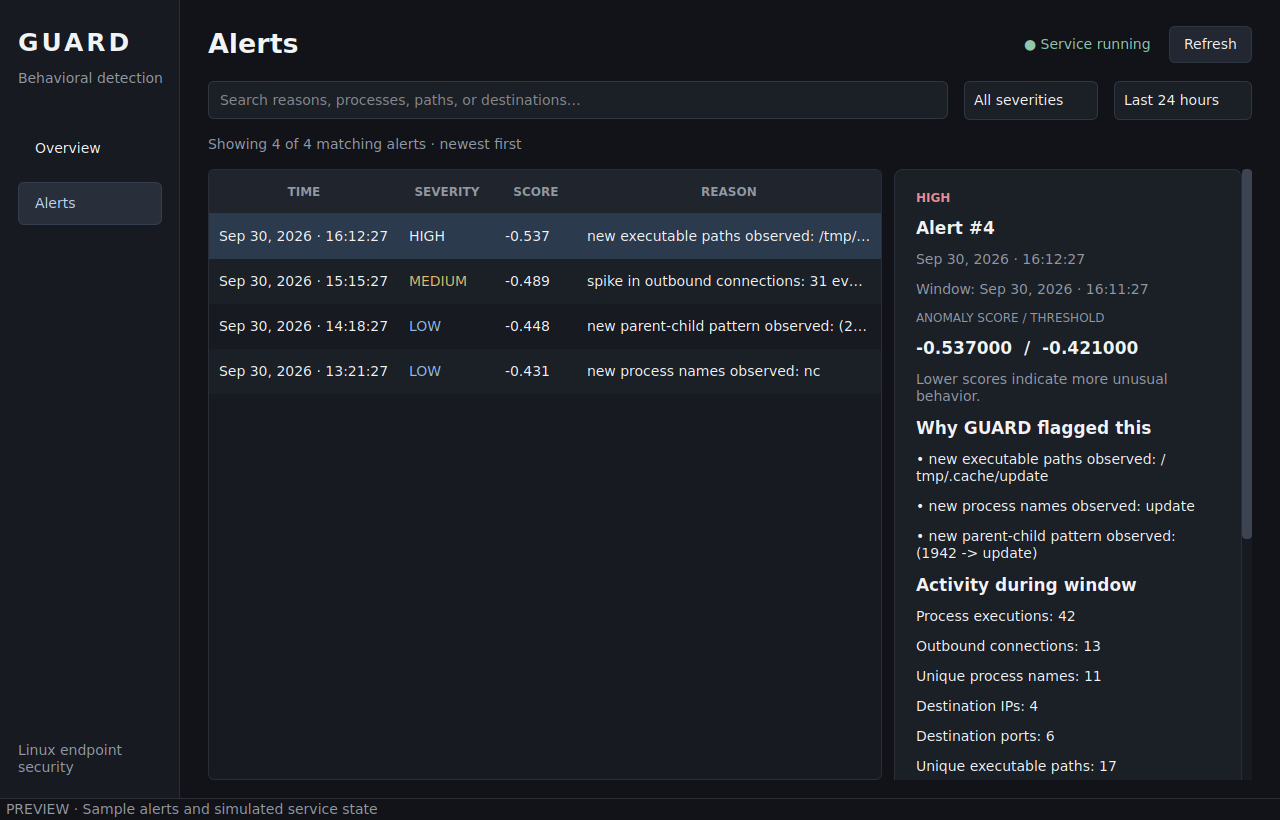
The desktop screenshots use sample alerts and a simulated service state.
The supplied installer uses apt-get and systemd. Ubuntu 24.04 LTS is a practical
starting point; Debian systems need equivalent packages. Other distributions
require manual dependency installation.
python3. Ubuntu 22.04's default Python
3.10 does not meet the package requirement./sys/kernel/btf/vmlinux, and the required
process and socket tracepoints.bpftool for generating kernel headers and BPF skeletons.On Ubuntu, install Git and the kernel tools before running the installer:
sudo apt-get update
sudo apt-get install -y git linux-tools-common "linux-tools-$(uname -r)"
python3 --version
bpftool version
test -r /sys/kernel/btf/vmlinux && echo "Kernel BTF available"
The kernel-tools package must match your running kernel. On Debian, bpftool is
available as a separate package. The installer supplies the other build and
Python dependencies, but does not explicitly install bpftool.
git clone https://github.com/benny-e/guardd.git
cd guardd
sudo bash install.sh --gui
For a headless installation, run sudo bash install.sh instead.
The installer copies the application to /opt/guardd, creates its virtual
environment, builds the eBPF collector, installs /usr/local/bin/guardd, and
enables guardd.service at boot. It does not start the service. With --gui,
it also installs Qt runtime dependencies, the desktop launcher, and the icon.
Before the first start, open the installed configuration:
sudoedit /opt/guardd/config.toml
Set its [paths] section to absolute paths:
[paths]
sensor_path = "/opt/guardd/ebpf/guardd"
db_path = "/opt/guardd/data/features.db"
model_path = "/opt/guardd/data/model.bundle"
The repository config uses relative paths. Those work from the service's
/opt/guardd working directory, but a desktop launcher can start elsewhere.
Absolute paths let the daemon, GUI, and CLI use the same data.
Review the training settings in Configuration, then start:
sudo systemctl start guardd.service
systemctl status guardd.service
sudo journalctl -u guardd.service -f
The first run collects data before a model is available. An active service can still be in this collection phase; check its logs for training and detection.
Open Guardd from your application menu, or run:
guardd gui
Run the GUI as your regular desktop user. It reads the existing database and refreshes every five seconds. Closing it leaves the daemon running.
| Page | What you can do |
|---|---|
| Overview | Check the service, alerts today, model-file availability, CPU/memory usage, PID, uptime, host/kernel details, 60-second window size, and recent telemetry. Select a recent alert to inspect it. |
| Alerts | Search process names, paths, destinations, and reasons; filter by severity and the last 24 hours, 7 days, 30 days, or all time; select an alert to view its score, threshold, explanations, activity, and context. |
Use Refresh for an immediate update. Times use your local timezone, and Overview's daily totals cover the local calendar day independently of filters.
To choose a different database or increase the displayed alert limit:
guardd gui --db-path /opt/guardd/data/features.db --model-path /opt/guardd/data/model.bundle --limit 500
The GUI is a read-only viewer: collection, training, and service control happen through the daemon and CLI. Model availability means a file exists, not that its contents are valid or that detection has started. The GUI does not load pickled models. Resource metrics cover the entire systemd service, including the sensor; 100% CPU represents one logical core. The first CPU reading needs two samples.
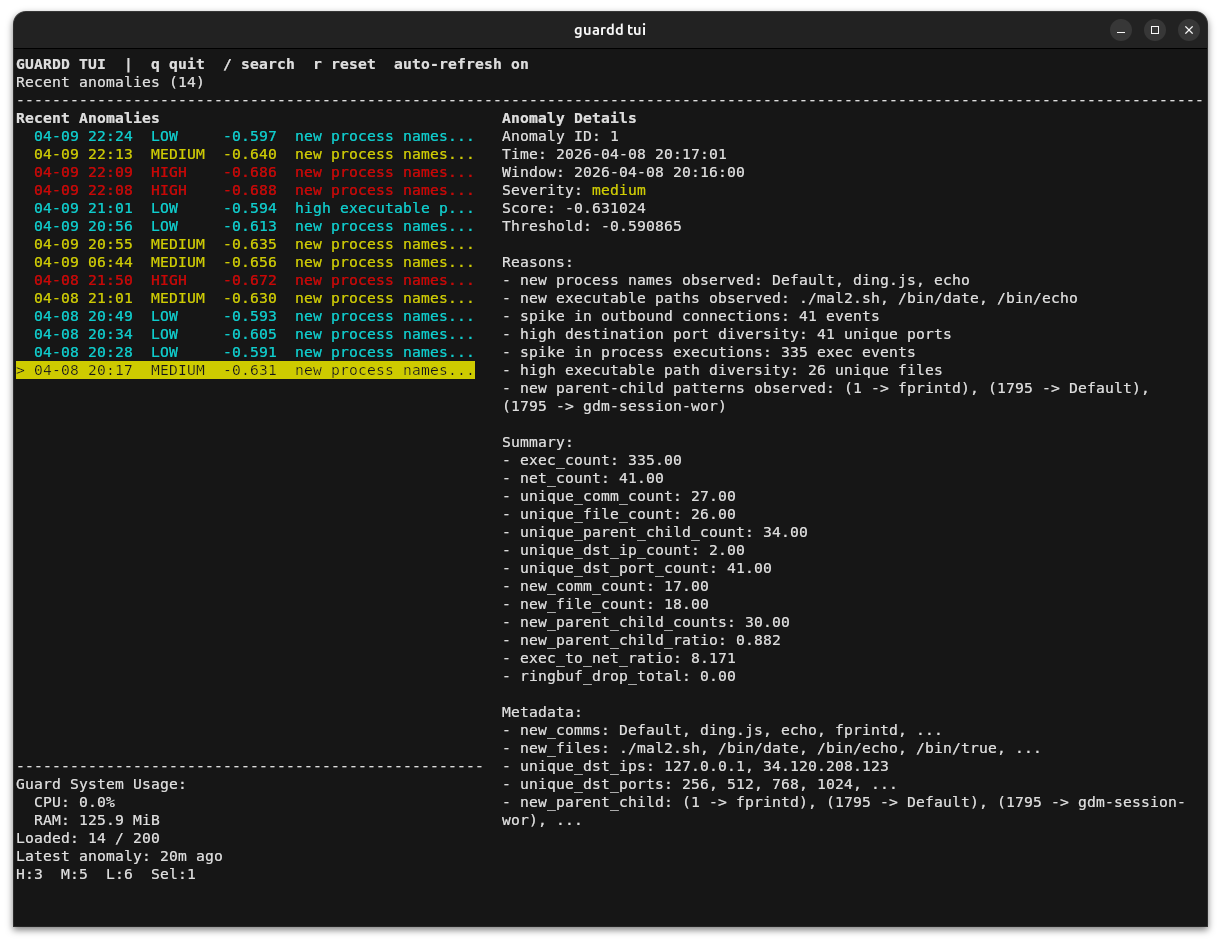
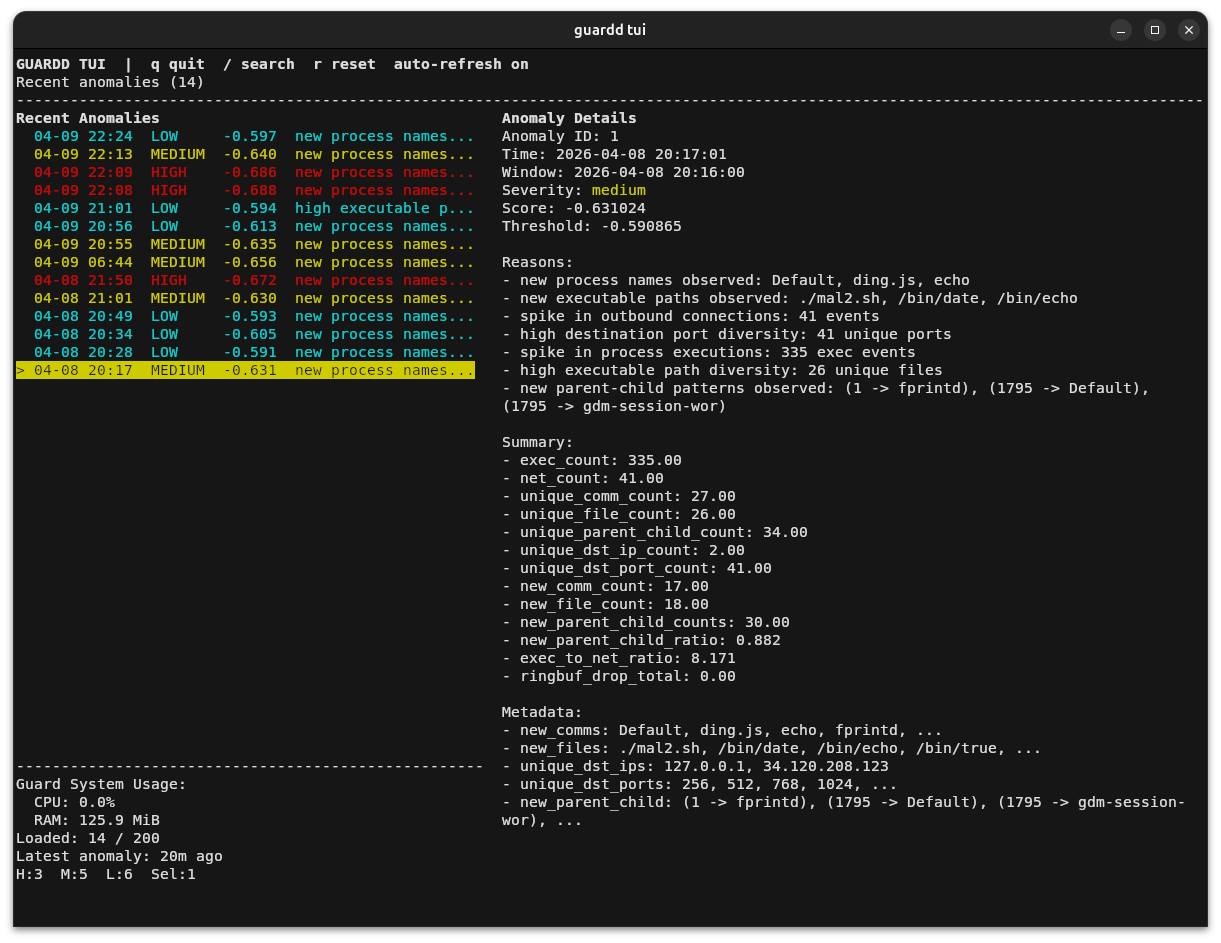
sudo guardd tui
The TUI refreshes every two seconds and shows alert details and daemon stats.
Unlike the GUI, it initializes storage through a writable database connection;
the standard root-owned installation can require sudo.
| Key | Action |
|---|---|
↑ / k, ↓ / j | Select an alert. |
/ | Search; press Enter to apply or Esc to cancel. |
r | Clear the search and return to the first alert. |
q / Esc | Quit. |
sudo systemctl stop guardd.service
sudo systemctl start guardd.service
sudo systemctl restart guardd.service
systemctl status guardd.service
sudo journalctl -u guardd.service -n 100 --no-pager
sudo journalctl -u guardd.service -f
