
🐸 Identify anything. pyWhat easily lets you identify emails, IP addresses, and more. Feed it a .pcap file or some text and it'll tell you what it is! 🧙♀️

➡️ Discord ⬅️
The easiest way to identify anything
pip3 install pywhat && pywhat --help




What is this?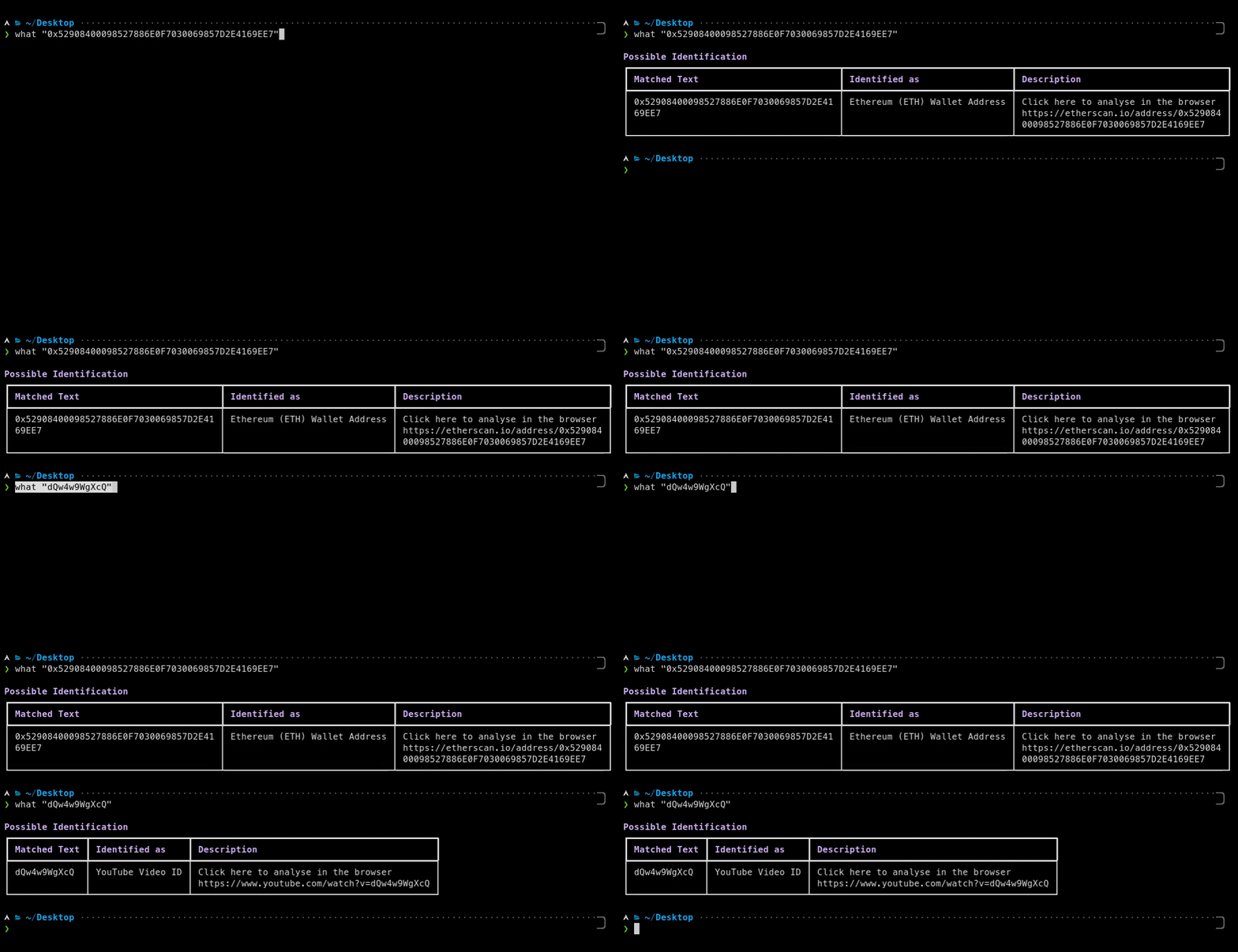
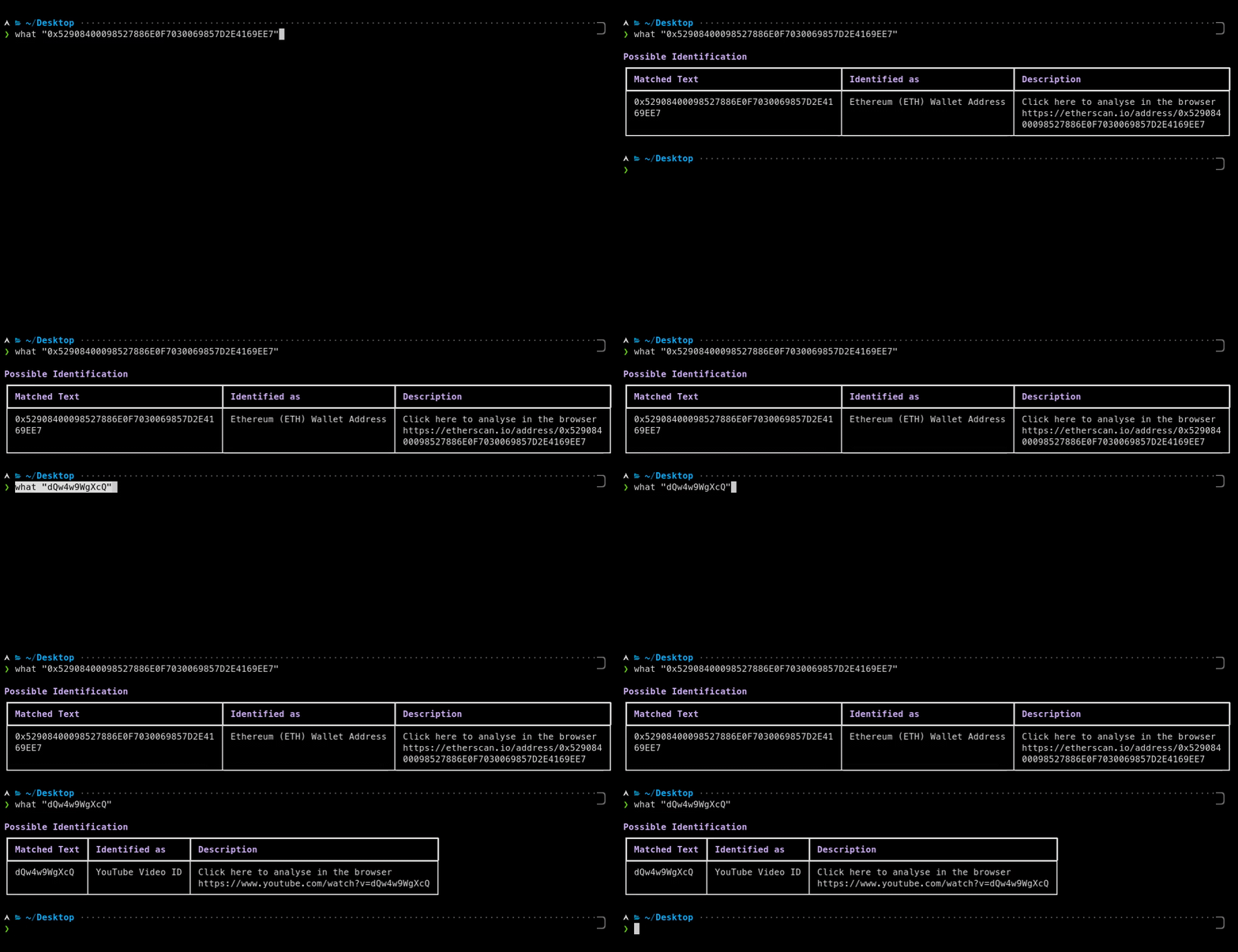
Imagine this: You come across some mysterious text 🧙♂️ 0x52908400098527886E0F7030069857D2E4169EE7 or dQw4w9WgXcQ and you wonder what it is. What do you do?
Well, with what all you have to do is ask what "0x52908400098527886E0F7030069857D2E4169EE7" and what will tell you!
what's job is to identify what something is. Whether it be a file or text! Or even the hex of a file! What about text within files? We have that too! what is recursive, it will identify everything in text and more!
$ pip3 install pywhat
or
# installs optional dependencies that may improve the speed
$ pip3 install pywhat[optimize]
$ brew install pywhat
Or for our MacPorts fans:
$ sudo port install pywhat
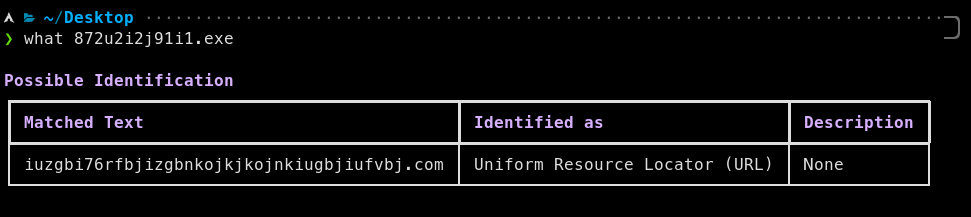
You come across a new piece of malware called WantToCry. You think back to Wannacry and remember it was stopped because a researcher found a kill-switch in the code.
When a domain, hardcoded into Wannacry, was registered the virus would stop.
You use What to identify all the domains in the malware, and use a domain registrar API to register all the domains.
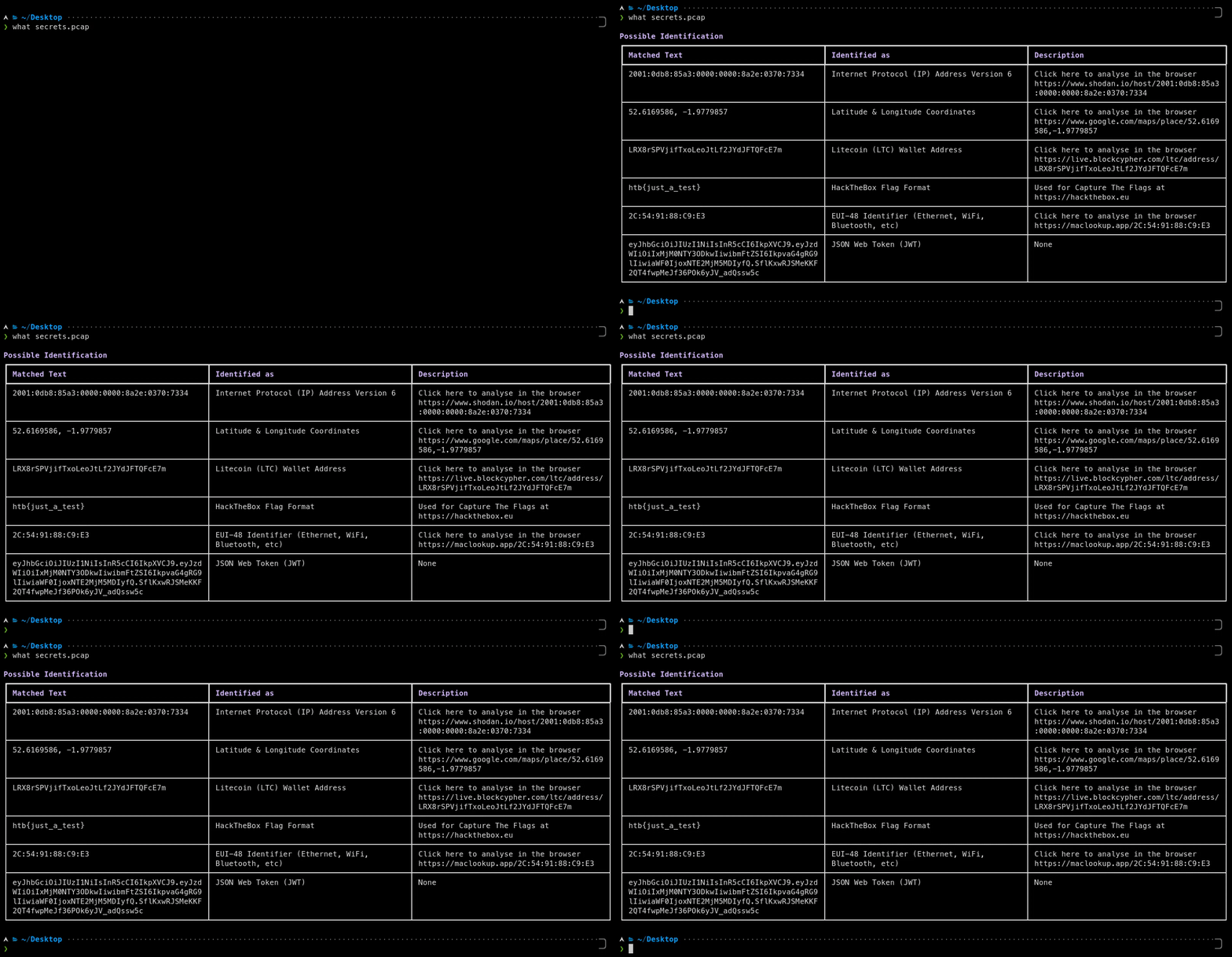
Say you have a .pcap file from a network attack. What can identify this and quickly find you:
With what, you can identify the important things in the pcap in seconds, not minutes.
You can use PyWhat to scan for things that'll make you money via bug bounties like:
Run PyWhat with:
pywhat --include "Bug Bounty" TEXT
To do this.
Here are some examples 👇
# Download all repositories
GHUSER=CHANGEME; curl "https://api.github.com/users/$GHUSER/repos?per_page=1000" | grep -o 'git@[^"]*' | xargs -L1 git clone

# Will print when it finds things.
# Loops over all files in current directory.
find . -type f -execdir pywhat --include 'Bug Bounty' {} \;
# Recursively download all web pages of a site
wget -r -np -k https://skerritt.blog

# Will print when it finds things.
# Loops over all files in current directory.
find . -type f -execdir pywhat --include 'Bug Bounty' {} \;
PS: We support more filters than just bug bounties! Run pywhat --tags
Anytime you have a file and you want to find structured data in it that's useful, What is for you.
Or if you come across some piece of text and you don't know what it is, What will tell you.
File Opening You can pass in a file path by what 'this/is/a/file/path'. What is smart enough to figure out it's a file!
What about a whole directory? What can handle that too! It will recursively search for files and output everything you need!
Multiple inputs You can pass several files, directories or texts at once, like what file1 file2 this/is/a/directory 'some text' or find . -name '*.log' -exec what {} +. What shows the file of every match, the matches in text are under text, and --json returns everything in one JSON object.
Unicode Files and text piped into What can be UTF-8, or UTF-16 or UTF-32 with a byte order mark, like the "Unicode" text files that Windows saves. What also searches the UTF-16 strings in binary files (like strings -el), which is how Windows programs store most of their text. Characters that your terminal cannot show are printed as escape sequences such as \u20bf instead of crashing.
Sometimes, you only care about seeing things which are related to AWS. Or bug bounties, or cryptocurrencies!
You can filter output by using what --rarity 0.2:0.8 --include Identifiers,URL https://skerritt.blog. Use what --help to get more information.
By default, what only shows matches with a rarity of 0.1 or more, as matches with a lower rarity are often false positives. For example, a YouTube video ID on its own, like dQw4w9WgXcQ, could be any 11 random characters, so what dQw4w9WgXcQ finds nothing, but what --rarity 0: dQw4w9WgXcQ shows it. YouTube links, like https://youtu.be/dQw4w9WgXcQ or youtube.com/watch?v=dQw4w9WgXcQ&t=42s, are shown by default.
To see all filters, run pywhat --tags! You can also combine them, for example to see all cryptocurrency wallets minus Ripple you can do:
pywhat --include "Cryptocurrency Wallet" --exclude "Ripple Wallet" 1KFHE7w8BhaENAswwryaoccDb6qcT6DbYY
The names of the regexes work like tags, and many regexes have shorter alternative names too, such as BTC Wallet for Bitcoin (₿) Wallet Address or ARN for Amazon Resource Name (ARN). To only see Bitcoin and Ethereum wallets:
pywhat --include "BTC Wallet,ETH Wallet" TEXT
Run pywhat --names to see the name of every regex with its alternative names.
Sorting You can sort the output by using what -k rarity --reverse TEXT. Use what --help to get more information.
Top matches Found too much? what --top 10 TEXT only shows the 10 most likely matches, most likely first, and what --top 5% TEXT the most likely 5% of them. For a directory or several inputs, these are the most likely matches of all of them. The most likely matches have the highest rarity, but fragments of a longer word or match, which boundaryless mode finds, are less likely: what --top 1 0x52908400098527886E0F7030069857D2E4169EE7 shows the Ethereum address, not the card and social security numbers in it. what -k likely TEXT shows all matches in this order. In the API, pywhat.ranking.top_matches(identified, 10) keeps the 10 most likely matches of what Identifier.identify() returns, and the "Fragment" key of a match says whether it is a fragment.
Exporting You can export to json using what --json and results can be sent directly to a file using what --json > file.json. The JSON is printed on one line, so it can be piped to other programs too, like what --json TEXT | jq.

