SkyLift V0.4
Will be posted June 15
- python3
- click
- easier to use CLI parser workflow
- fix timestamp
SkyLift V0.3
SkyLift is a low-cost geolocation spoofing device. It currently uses the ESP8266 to broadcast WiFi Beacon Frames to exploit a longstanding (2008) vulnerability in WiFi geolocation services.
This 3rd prototype version of SkyLift was further developed during a web residency with Akademie Schloss Solitude & ZKM. Read an interview about the project. Or build your own with the instructions below for less than $5.
Updates
- May 13, 2017: Added new scan from John Kiriakou's (CIA whistleblower) talk at Gruener Salon in Berlin
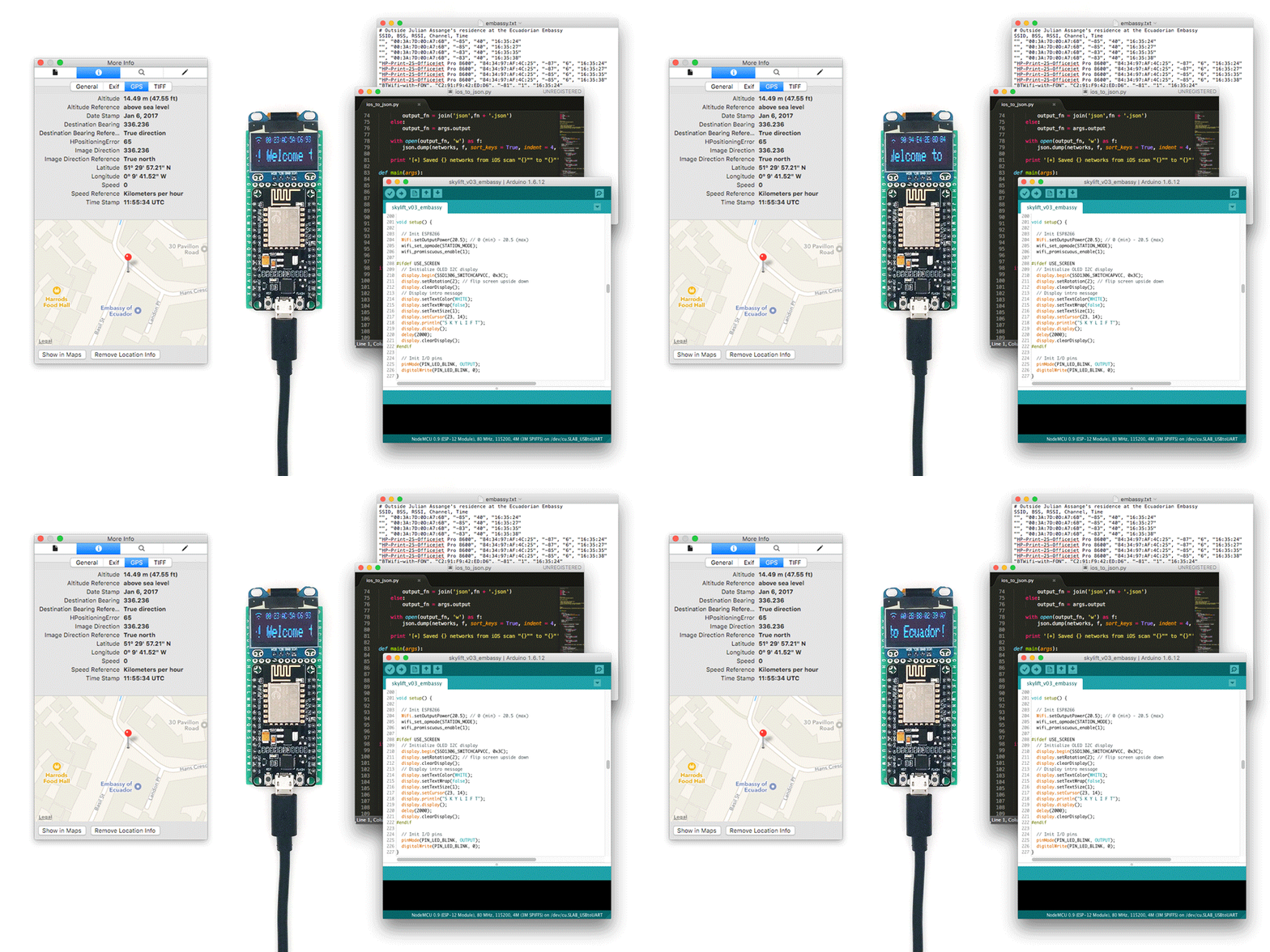
SkyLift was originally developed in collaboration with Surya Mattu for !Mediengruppe Bitnik's Assange room Welcome to Ecuador!" show at Zoo Galerie in Nantes in 2016. Development for this updated version, V0.3, began in November 2016 and was finally released in May 2017 with support from a web residency at Schloss Solitude. This version makes several improvements over the initial system (SkyLift V0.1), including:
- reduced build cost from $50 to about $5
- reduced setup time for core technology from several hours to about 15 minutes
- improved user operation (simply provide USB power)
- improved performance by channel hopping
- improved packet structure (added timestamp interval byte)
- added hidden (null) SSID option "\x00"
- added utility scripts for creating custom locations
- isolated technology to a single device
- added optional OLED for display
For information on the original SkyLift (V0.1), see https://ahprojects.com/notebook/2016/skylift-geolocation/
SkyLift is open source project maintained by Adam Harvey that investigates security vulnerabilities and creative opportunities in consumer-facing smartphone geolocation services.
If you're interested in obtaining a completed and ready-to-use device add yourself to my mailing list at https://undisclosed.cc/.
Quick Start
- Purchase an ESP8266 NodeMCU 12 or 12E | eBay (cheaper) or Amazon.com (quicker)
git clone https://github.com/adamhrv/skylift/- From "
arduino/skylift_v03_embassy" upload the sketch "skylift_v03_embassy.ino"
- Ensure your smartphone's WiFi geolocation service is enbaled
- Position ESP8266 within 1 - 2m of phone (within 0.25 - 0.5m in congested WiFi area)
- Full setup and troubleshooting below
Setup
What you'll need:
With OLED display (optional):
Both the OLED display and ESP8266 NodeMCU can be purchased for about half-price on ebay if you're willing to wait 1-2 weeks for delivery. ESP8266 can be as low as $3.
Test Scripts
Test WiFi
- Make sure you're using a recent version of Arduino (1.6.12 was used for build)
- Make sure you have the ESP8266 boards installed. In Preferences > Additional Boards add "http://arduino.esp8266.com/stable/package_esp8266com_index.json"
- From Tools > Board: select "NodeMCU 0.9 (ESP12 Module)" or the 12E
- Test with the
Arduino/test_single_beacon_frame sketch
- Check your WiFi networks. The name Network1 should be be visible on channel 1.
Test OLED Screen
- wire OLED to ESP8266 on backside of PCB
- remove black plastic on headers for lower profile
- Connect ESP8266 pin D2 -> OLED pin SDA
- Connect ESP8266 pin D3 -> OLED pin SCL
- Connect PWR (3.3V)
- Connect GND
- Upload the sketch
Arduino/test_oled_screen
- The text "Scrolling Text Demo 123 456" should appear scrolling across the screen
Ecuadorian Embassy
Test SkyLift with Ecuadorian Embassy Location
- Upload the
Arduino/skylift_v03_embassy sketch
- Make sure you've enabled WiFi location services on your phone
- Make sure you have an active data connection (Cellular or WiFi. Your IP address does not matter)
- Open your preferred mapping application (or any app that uses your location)
- If it doesn't work, there are several reaons why. Most likely there are too many nearby routers interfering with the confidence score returned by the WiFi geolocation API.
- If there are multiple networks at -60 to -40dB it's unlikely that SkyLift will return a new geolocation
Tips for improving performance:
- Reduce number of nearby WiFi signals to less 5 networks @ less than -80dB
- Should still work with 10+ networks if their signal strength is less than -80dB
- Monitor nearby networks using the NetSpot (free trial version) and move away from existing WiFi routers if possible
- Move away from windows where space-based GPS signal is stronger
- Ensure phone is close to ESP8266 (ideally 0.1 - 1m away in busy WiFi zones, 1-2m away in medium-density WiFi zones, up to 10m away in low-density WiFi zones) and far away from nearby routers.
- For distances beyond 10m you can cut the PCB trace antenna and solder a SMA connector to add a +7dB antenna or WiFi amplifier or, more simply, add multiple SkyLift devices to act as repeaters
- Metal roofs and structure will attenuate nearby WiFi signals
- Sheetrock, wood, and concrete are permeable to WiFi and will not noticeably attenuate signal
- People, comprising about 65% water, are natural WiFi absorbers (2.4GHz is the resonant frequency of water) and will function to dampen nearby WiFi signals in crowded environments, resulting in better performance for geolocation spoofing in crowded areas
- Recommended locations for optimal performance are bunkers and bars or other areas where GPS, cellular and WiFi signals are reduced. But feel free to experiment anywhere.
- The best results so far have been achieved in the basement at La Gaîté Lyrique, at concerts, and in a controlled (of course) testing environment.
- Note: SkyLift is not a guaranteed solution. If there are too many competing WiFi signals nearby the location service API will return a low confidence score and fallback to cellular triangulation or space-based GPS.
If you're in a indoor location with no other WiFi routers and SkyLift does not work, please file an issue report and include as many details as you can:
 awesome-pentest-gadgets/skylift
