 abraxas/cve-2026-19089-woocommerce-tyche
Research repository for CVE-2026-19089, a remote command execution vulnerability in WooCommerce Product Input Fields by Tyche Softwares. Contains draft research script and notes for authorized lab testing.


Product Input Fields for WooCommerce < 2.0.2 - unauthenticated arbitrary file upload
The Tyche Softwares Product Input Fields for WooCommerce plugin does not validate uploaded file types when the field's accepted-types setting is left empty (its own documentation advertises that as "accept all files"). An unauthenticated guest can attach an arbitrary file on add-to-cart, complete checkout, and retrieve the object under the plugin upload directory. On hosts that execute that tree as PHP, the same path is remote code execution.
| CVE | CVE-2026-19089 |
| CWE | CWE-434: Unrestricted Upload of File with Dangerous Type |
| CVSS 3.1 | 9.8 Critical (AV:N/AC:L/PR:N/UI:N/S:U/C:H/I:H/A:H) |
| Vendor | Tyche Softwares |
| Product | Product Input Fields for WooCommerce (product-input-fields-for-woocommerce) |
| Affected | 2.0.0 through 2.0.1 (plugin before 2.0.2) |
| Patched | 2.0.2 |
| Related | CVE-2024-13359 (limited AFU through 1.12.0) |
| CNA | WPScan |
This repository holds an Abraxas Labs proof-of-concept for authorized testing only - vendor disclosure, lab reproduction, or a host you have written permission to assess.
I ran the client against a local WooCommerce shop with Product Input Fields 2.0.1, guest checkout plus Cash on Delivery, and a global File field whose accepted types were blank. The script stages the upload and checkout; it does not ship a webshell.
A File-type product input field is bound to the storefront add-to-cart form as alg_wc_pif_global_* / alg_wc_pif_local_*. When accepted file types are empty, the plugin stores whatever the guest posted. After a successful order the file is persisted under wp-content/uploads/product_input_fields/, typically named {item_id}_{original_filename}.
Sites are exposed when all of these are true:
Under those conditions the impact is arbitrary file write as the web user. If the upload directory is executable, that is site takeover.
The client stays on the storefront. It does not include a PHP webshell or a reverse shell.
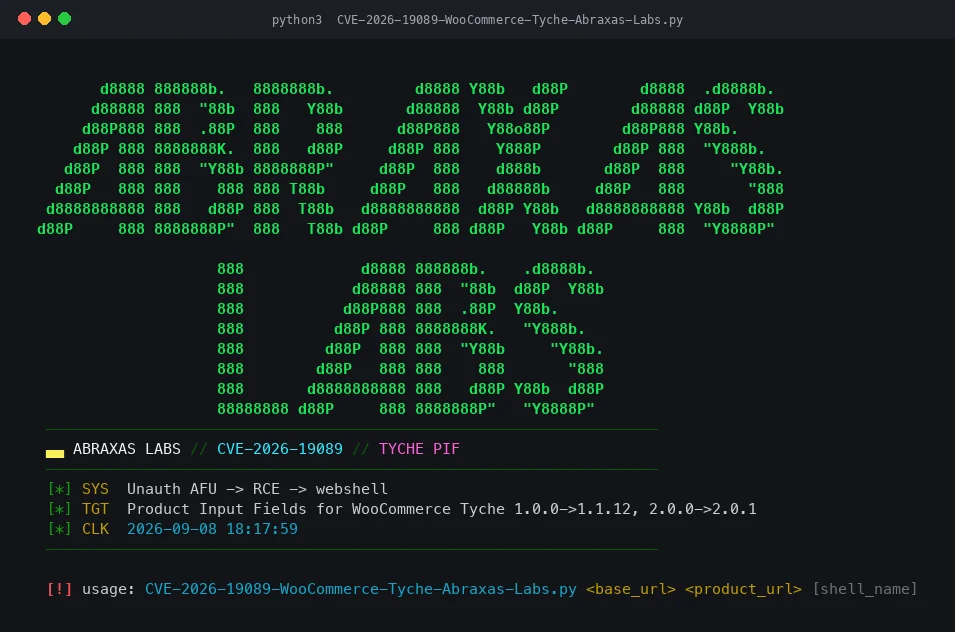
GET the product URL, collect PIF file field names and the add-to-cart product id.POST add-to-cart with a benign PNG marker (image/png) under the PIF field name. Default filename is pifx.php so a lab can see whether the plugin allowed a dangerous extension. The marker is not executable PHP./?wc-ajax=checkout with Cash on Delivery.redirect if present, then sweep wp-content/uploads/product_input_fields/{1..499}_{name} and POST x looking for the SHELL_OK witness. [ LIVE ] prints only when that witness comes back.CVE-2026-19089-WooCommerce-Tyche-Abraxas-Labs.py is a small Python 3 client: color figlet banner, then the four steps above. It talks only to the URLs you pass on the command line.
requestsOn macOS with Homebrew Python (PEP 668), use a venv rather than a system pip install:
python3 -m venv .venv
.venv/bin/pip install requests
CVE-2026-19089-WooCommerce-Tyche-Abraxas-Labs.py <base_url> <product_url> [shell_name]
.venv/bin/python3 CVE-2026-19089-WooCommerce-Tyche-Abraxas-Labs.py \
  https://shop.example \
  https://shop.example/product/demo/
A third argument sets the uploaded filename; the default is pifx.php.
With fewer than two arguments the script prints the banner and usage, then exits 1. That is a safe way to confirm the client starts.
WooCommerce with guest checkout and a usable gateway (the client sends payment_method=cod), Product Input Fields before 2.0.2, and a published product whose File field accepts any type. Against 2.0.2+ or a field with a tight allow-list, the object should not land as a .php upload.
Do not point this at any host you do not own or do not have written authorization to test.
wp-content/uploads/product_input_fields/ (and woocommerce_uploads/alg_uploads/product_input_fields/ on some layouts), remove unexpected objects, and rotate secrets for wp-admin.Research and educational use only. Do not run, deploy, or use this material against any host unless you have explicit written permission from both the party hosting this repository and the owner of the target systems.
Abraxas Labs · abraxaslabs.tech · github.com/abraxas · @abraxas_null
