
 416rehman/deepzero
Find zero-days while you sleep. DeepZero is an automated vulnerability research framework that parses, decompiles, and analyzes thousands of Windows kernel drivers for exploitable IOCTLs natively using AI agents.


Automated vulnerability research pipeline engine
Define pipelines in YAML, process samples in parallel, and resume interrupted runs.




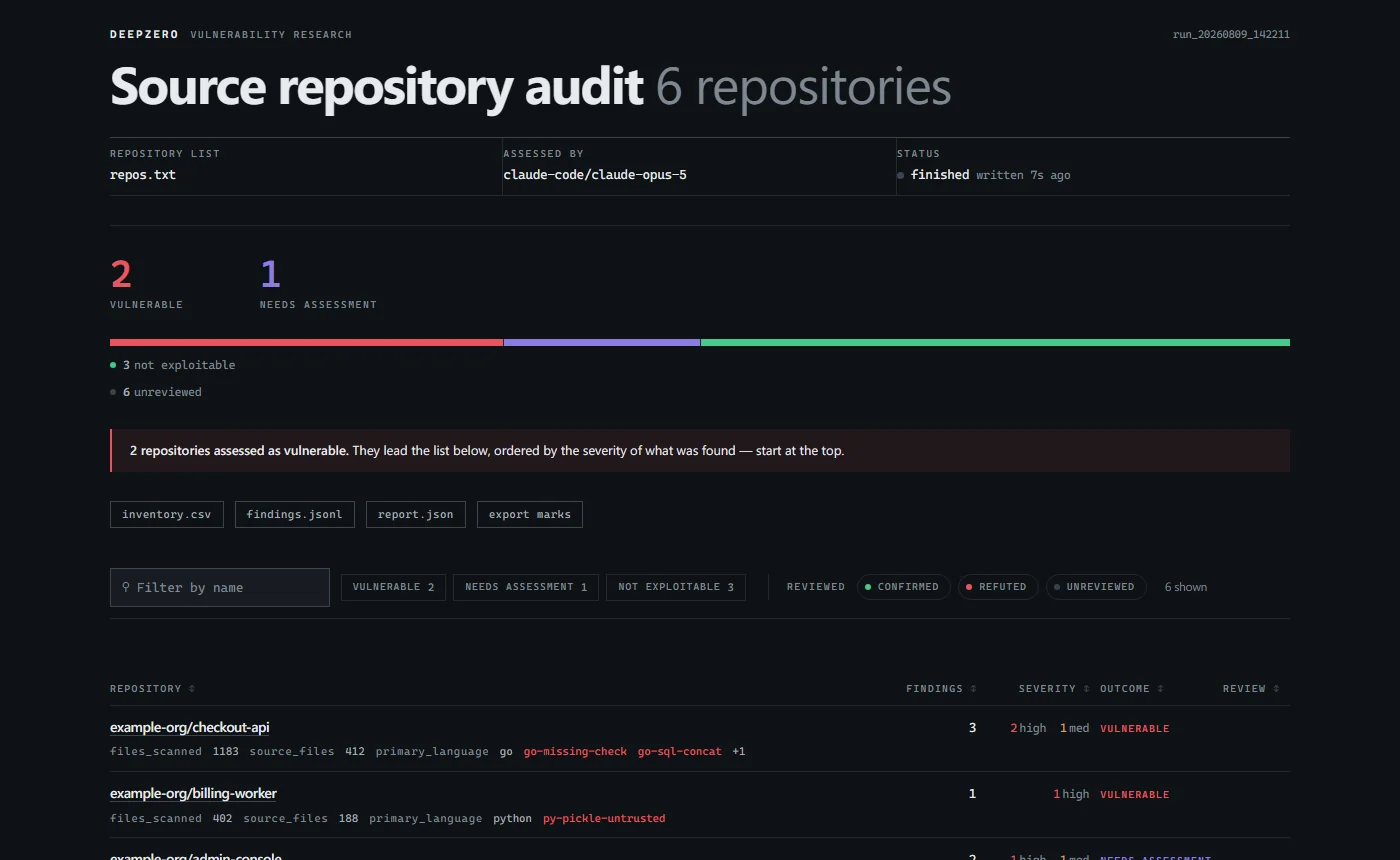 |
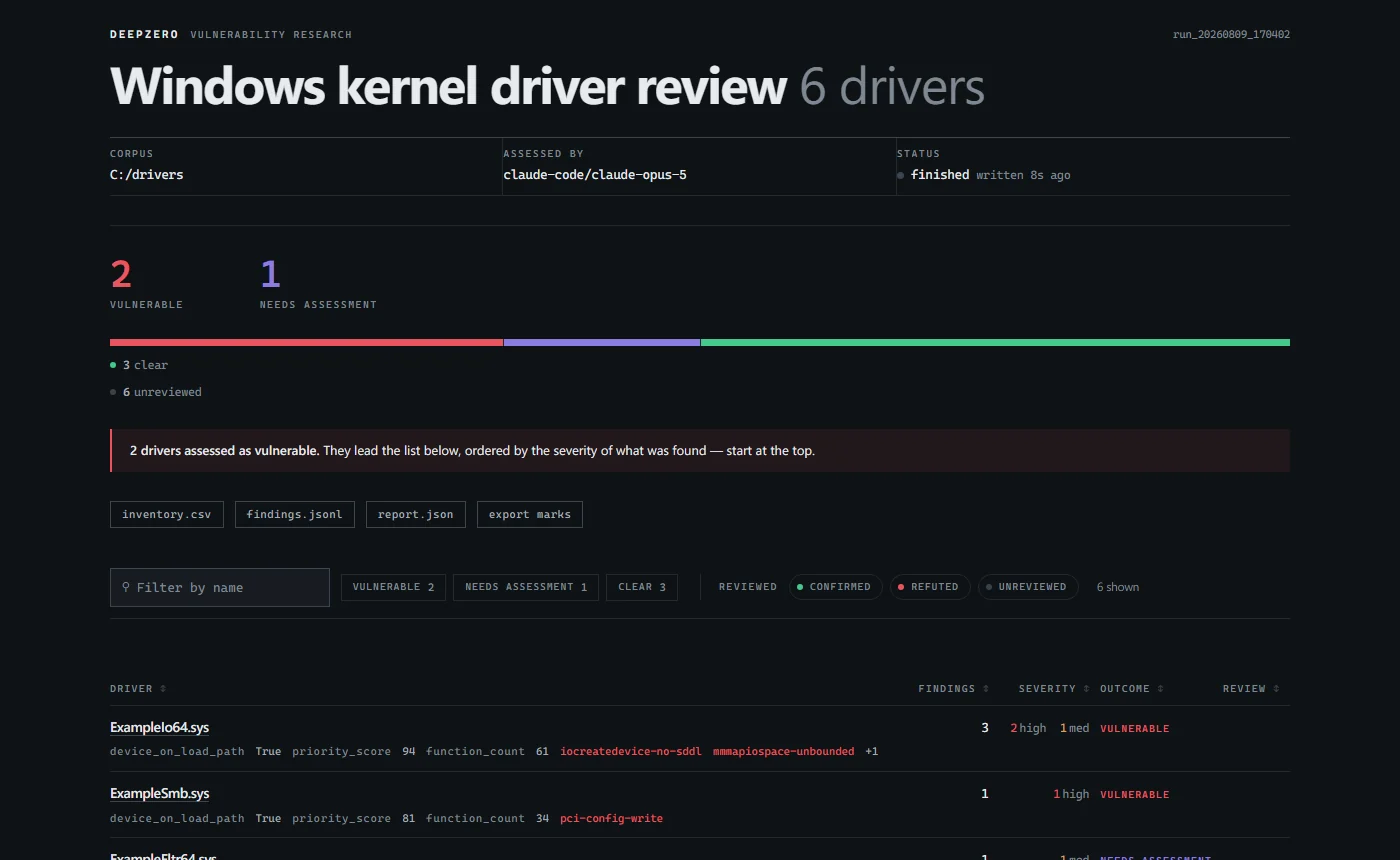 |
deepzero report.Architecture, pipeline configuration, CLI reference, and custom processors.
Requires Python 3.11+. The demo uses included text files and needs no API keys or external tools.
git clone https://github.com/416rehman/DeepZero.git
cd DeepZero
python -m pip install -e .
deepzero run pipelines/demo/samples -p pipelines/demo/pipeline.yaml
deepzero report -p pipelines/demo/pipeline.yaml --open
These commands work in PowerShell and POSIX shells. For an isolated installation, create and activate a Python virtual environment before installing.
The demo keeps one text file, filters out the smaller one, and generates a report. Repeat the deepzero run command to resume from saved state. See the demo walkthrough for expected results and configuration options.
The two security pipelines need your own target corpus and additional tools. Continue from the cloned repository after the demo; these integrations are optional.
Install Optional Integrations
python -m pip install -e ".[full]"
The full extra includes PE parsing, API-backed LLMs, and the experimental API server. The engine alone needs only python -m pip install -e ..
Run the commands below from the cloned repository. Both security pipelines need Semgrep on PATH (python -m pip install semgrep) and an LLM backend. The source audit also needs Git. The driver pipeline needs Ghidra, its supported JDK, and GHIDRA_INSTALL_DIR pointing to your installation. Install these tools in the environment where DeepZero runs; if using WSL, use its Linux environment consistently.
Configure Environment
cp .env.example .env
In PowerShell, use Copy-Item .env.example .env. Set your own Ghidra path in .env for driver analysis.
Both security pipelines default to claude-code, which uses your Claude Code CLI's default model. Install that CLI and sign in with your own account first. To use an API-backed model instead, set its API key and DEEPZERO_MODEL in .env, or pass -m, for example -m openai/gpt-4o.
Run a Pipeline
# kernel drivers on disk
deepzero run ./drivers -p pipelines/loldrivers/pipeline.yaml --preflight

# or source code, from a manifest of repositories or a directory of checkouts
deepzero run repos.txt -p pipelines/source_audit/pipeline.yaml --preflight
Replace ./drivers with your driver corpus, or create repos.txt with one repository URL per line for source audits. These are example inputs; neither is included in the repository.
Check tool and pipeline prerequisites before starting: deepzero validate pipelines/loldrivers/pipeline.yaml (or pipelines/source_audit/pipeline.yaml).
--preflight checks the LLM backend before processing starts.
Read the Results
deepzero report -p loldrivers --open
Reports can be built during or after a run. deepzero runs lists runs under work/, or another directory passed with --work-dir. With no arguments, deepzero report uses the only run under work/ or prompts you to choose if several exist. Use --work-dir to select a run in scripts.
For the security pipelines, follow the full setup guide and pipeline prerequisites. Optional integrations require their own dependencies and configuration.
Report bugs or suggest changes in the issue tracker.
src/deepzero/
├── cli.py               # click command group (run, report, runs, status, validate, ...)
├── api/                 # REST API (starlette)
├── engine/              # orchestration, state persistence, pipeline execution
└── stages/              # built-in processors (map, reduce, ingest)

processors/              # external processors (shipped as examples)
├── ghidra_decompile/    # ghidra headless decompiler (MapProcessor)
├── git_ingest/          # git repository discovery and cloning (IngestProcessor)
├── loldrivers_filter/   # loldrivers.io hash exclusion filter (MapProcessor)
├── pe_ingest/           # PE header parser and driver metadata extractor (IngestProcessor)
└── semgrep_scanner/     # semgrep batch scanner (BulkMapProcessor)

pipelines/
├── demo/                # local first run with harmless text files; no API keys
│   ├── pipeline.yaml
│   └── samples/
├── loldrivers/          # BYOVD kernel driver vulnerability research pipeline
│   ├── pipeline.yaml
│   ├── assessment.j2    # LLM prompt template
│   └── rules/           # semgrep rules
└── source_audit/        # source code audit over git repositories
    ├── pipeline.yaml
    ├── assessment.j2    # LLM prompt template
    └── rules/           # 136 semgrep rules across eight languages






