 0xdea/rhabdomancer
Vulnerability research assistant that locates calls to potentially insecure API functions in a binary file.









"The road to exploitable bugs is paved with unexploitable bugs."
-- Mark Dowd
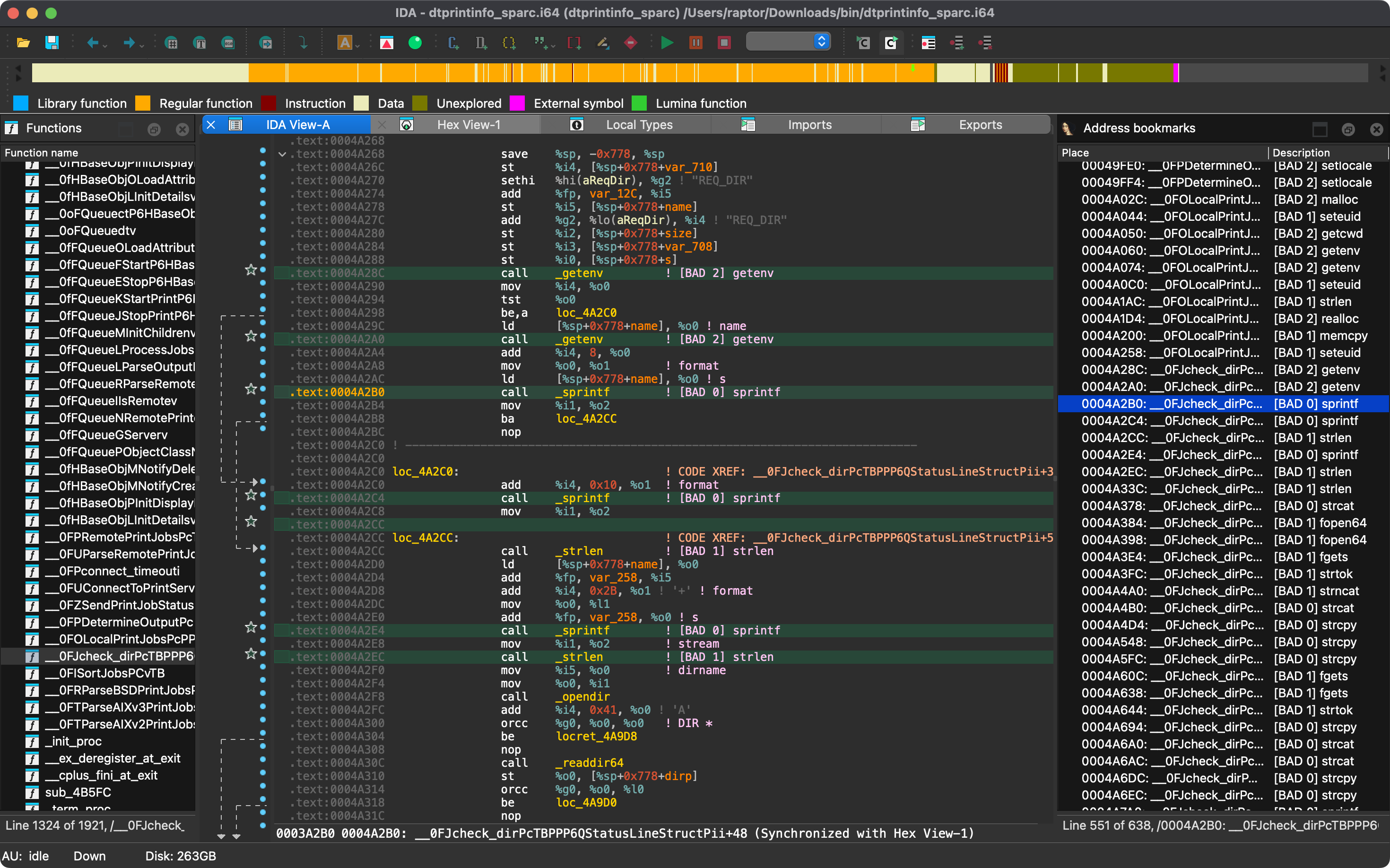
Rhabdomancer is a blazing-fast IDA headless plugin that locates calls to potentially insecure API functions in a binary file. Auditors can backtrace from these candidate points to find pathways allowing access to untrusted input.
(lib)..plt entries of ELF binaries or the import stubs of PE and Mach-O binaries,
listed as thunks) are traced back to their callers..plt stub
(marked as thunk) and once as its import. Each call location is marked only once in the IDB.conf/rhabdomancer.toml._strcpy), the prefixes
of library aliases (e.g., __o_malloc in the Universal CRT, __libc_system and __GI___snprintf in glibc), and,
for stubs and such aliases only, the numeric suffix that IDA appends to names already in use (e.g., memset_0).[!NOTE] Fortified functions (e.g.,
__strcpy_chk, used instead ofstrcpywhen building with_FORTIFY_SOURCE) are deliberately not matched, since they are the checked variants of the listed functions. To also mark their calls, add them explicitly to a custom configuration (e.g.,"__strcpy_chk"with the same priority asstrcpy).
The easiest way to get the latest release is via crates.io:
export IDADIR=/path/to/ida # if not set, the build script will check common locations
cargo install rhabdomancer --locked
$env:LIBCLANG_PATH="\path\to\clang+llvm\bin"
$env:PATH="\path\to\ida;$env:PATH"
$env:IDADIR="\path\to\ida" # if not set, the build script will check common locations
cargo install rhabdomancer --locked
Alternatively, you can build from source:
git clone --depth 1 https://github.com/0xdea/rhabdomancer
cd rhabdomancer
export IDADIR=/path/to/ida # if not set, the build script will check common locations
cargo build --release --locked
git clone --depth 1 https://github.com/0xdea/rhabdomancer
cd rhabdomancer
$env:LIBCLANG_PATH="\path\to\clang+llvm\bin"
$env:PATH="\path\to\ida;$env:PATH"
$env:IDADIR="\path\to\ida" # if not set, the build script will check common locations
cargo build --release --locked
conf/rhabdomancer.toml (pick the tag
that matches your installed version for its exact built-in list), edit the copy, and set the RHABDOMANCER_CONFIG
environment variable to its path. The file must define the high, medium, and low arrays, and no other keys.
Otherwise, the built-in list is used, which is embedded in the binary at build time from conf/rhabdomancer.toml
(editing that file requires a rebuild).IDADIR environment variable is set if your IDA installation is in a non-standard location.rhabdomancer <binary_file>
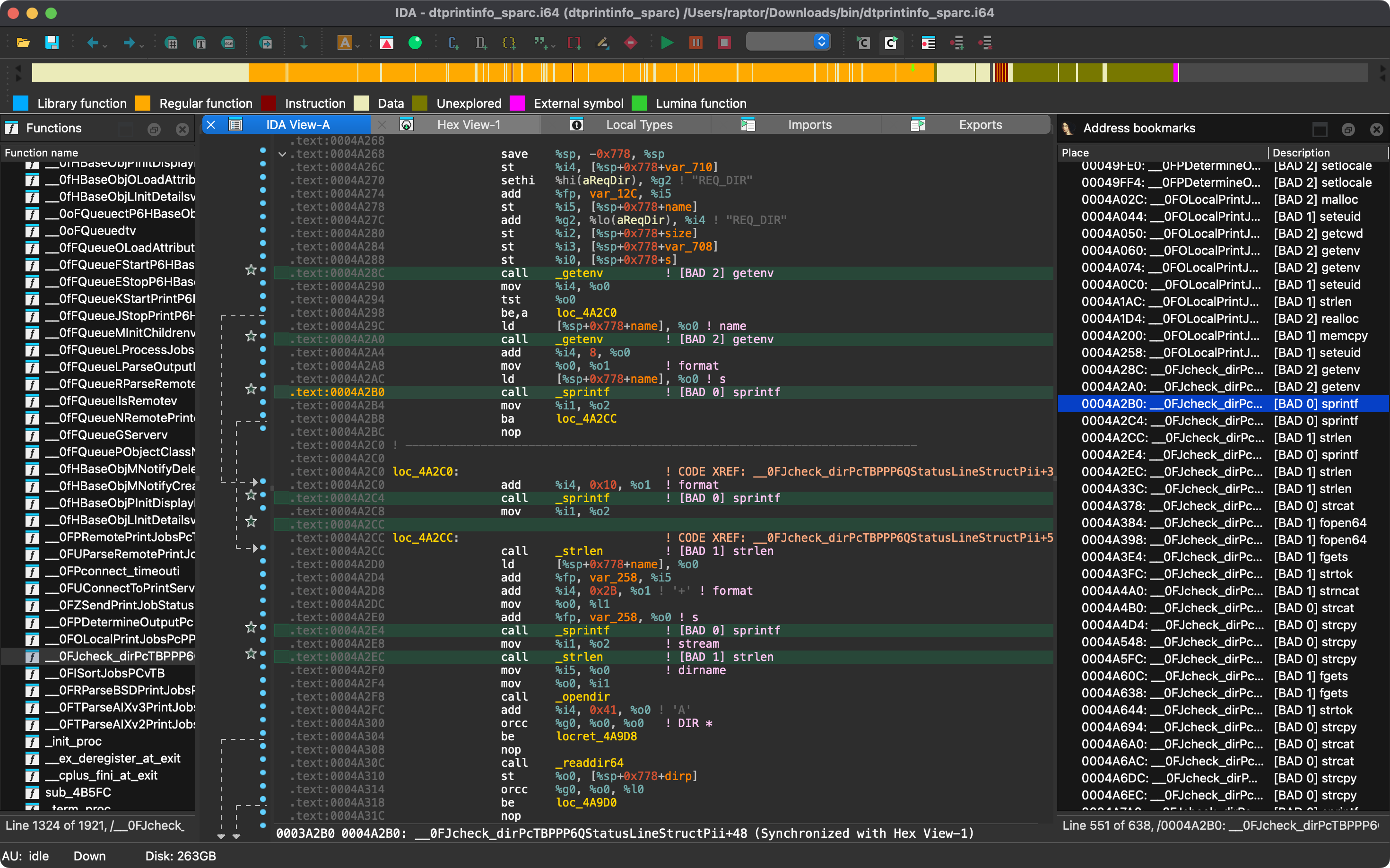
.i64 IDB file will be updated; otherwise, a new IDB file will be created..i64 IDB file with IDA.View > Open subviews > Bookmarks[!NOTE] Rhabdomancer also adds comments at marked call locations. Both bookmarks and comments are tagged as
[BAD n] <function_name>, wherenis the priority tier (0 = high, 1 = medium, 2 = low), so that scripts can search IDBs for them. This format is stable across releases.
Only the latest IDA release is officially supported, but older versions may work as well. The following table summarizes the latest compatible release for each IDA version:
| IDA version | Latest compatible release |
|---|---|
| v9.0.240925 | v0.2.4 |
| v9.0.241217 | v0.3.5 |
| v9.1.250226 | v0.6.2 |
| v9.2.250908 | v0.7.6 |
| v9.3.260213 | v0.8.1 |
| v9.3.260327 | v0.9.0 |
| v9.3.260421 | v0.9.3 |
| v9.4.260714 | current release |
| v9.4.260915 | current release |
[!NOTE] Check the idalib-rs documentation for additional information.
This project's development has been supported by the following organizations:
