 0x09al/raven
raven is a Linkedin information gathering tool that can be used by pentesters to gather information about an organization employees using Linkedin.

Raven is a Linkedin information gathering tool that can be used by pentesters to gather information about an organization employees using Linkedin.
Please do not use this program to do stupid things.

The author does not keep any responsibility of any damage done by this program.

USE IT AT YOUR OWN RISK.
You can use the precompiled binary, but also you can compile from source.
You need to install chromedriver even if you use a precompiled binary or compiling from source.
Edit the credentials in the config.conf
[creds]
username=USERNAME
password=PASSWORD
[extra]
searchengine=google
export GOPATH=/YOUR/GOPATH/HERE
cd $GOPATH/src/
git clone https://github.com/0x09AL/raven
go get github.com/chzyer/readline
go get github.com/gorilla/mux
go get github.com/mattn/go-sqlite3
go get github.com/olekukonko/tablewriter
go get gopkg.in/gcfg.v1
go get github.com/sclevine/agouti
go build raven
wget https://chromedriver.storage.googleapis.com/2.41/chromedriver_linux64.zip
unzip chromedriver_linux64.zip
sudo mv -f chromedriver /usr/bin/chromedriver
sudo chown root:root /usr/bin/chromedriver
sudo chmod 0755 /usr/bin/chromedriver
https://github.com/0x09AL/raven/releases
The main idea is that given a company name, searches all possible matches of Linkedin Employees in Google and then extracts their data. Based on that, it can build e-mail addresses in different formats, export them and also check them in haveibeenpwned.com.
The previous version of raven allowed you to extract data only after finishing a scan and only in a specified format. In case you wanted to extract the same info but with a different e-mail format , you needed to re-run the scan which wasn't very practical.
In this version it is possible that given a scan, you can export the data as many times as you want, in different formats and also check them in haveibeenpwned.com with only one command.
A Scan is the process of extracting the public information from Google and Linkedin and storing it in the database.
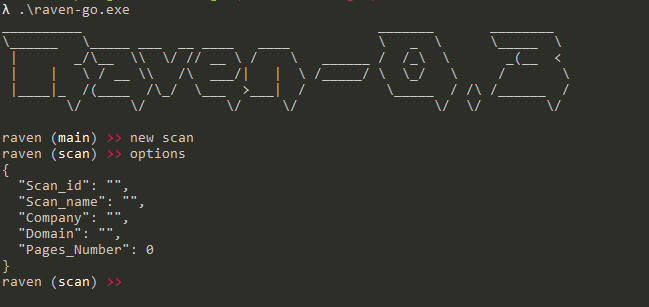
To create a scan you can run the command new scan this will bring you to the scan instance. There are some properties that should be configured before running a scan as can be seen below.
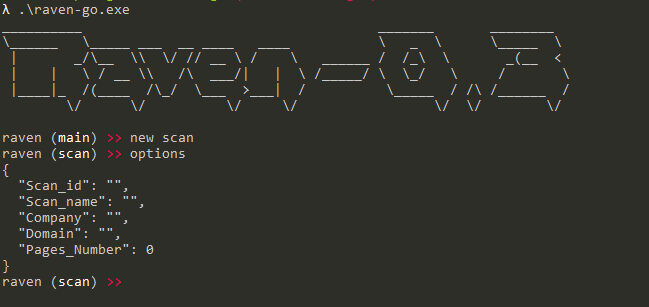
Scan_id - Can't be changed, is the scan id which is used as a PK in the database.Scan_name - The name of the scan, used later when you want to export data.Company - The name of the company that you want to extract employees.Domain - This is the subdomain of the main LinkedIn website. If you want to target a specific country you can specify the subdomain. For example , Albania has the subdomain al. In case you don't know the subdomain use www.Pages_number - The number of Google pages to extract information from.Running the command options you can see the properties and values that are assigned.
Below is an example scan:
After setting the properties you can use start to start the scan.
The scan will insert the data in the database so that you can use it later.
After finishing the scan, you can use the data by running use (scan_name).
To use this command you need to be on the main instance. For example if you finished a scan, you need to type back to return to the main instance.
This will bring you to export instance. The export instance allows you to export the data in different formats and check them in haveibeenpwned.com .
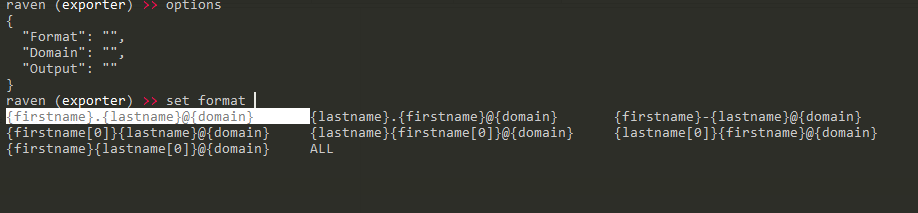
The export instance has 3 properties.
Format - The format of the e-mails.Domain - The domain to append to the "usernames".Output - Filename to write the output.Below are the avaible formats. You can use also the ALL in case you want to generate all the avaiable formats, and then use a custom tool to verify the e-mail addresses.
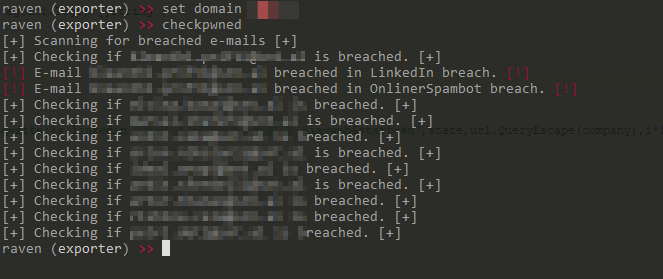
After specifying a format and a domain, you can export them using the export command or check if they have been breached by using the checkpwned command as can be seen below.