
 hahwul/xspear
🔱 Leistungsstarkes XSS-Scanning- und Parameteranalyse-Tool&gem

XSpear ist ein XSS-Scanner auf Ruby Gems





[!IMPORTANT] XSpear Repository archiviert
Dieses Repository wurde archiviert und ist nun schreibgeschützt.
XSpear wird nicht mehr aktiv weiterentwickelt.Probiere stattdessen Dalfox aus 🌙🦊
Ein schnellerer, leistungsstärkerer XSS-Scanner mit erweiterten Funktionen.
alert confirm prompt Ereignissen im Headless-Browser (mit Selenium)Event-Handler HTML-Tag Sonderzeichen Nützlicher CodeCSP HSTS X-frame-options, XSS-protection etc.)tabellenbasierter CLI-Ausgabe und gefilterten Regeln, getesteter Raw-Query (URL)cli json html
Installiere es selbst wie folgt:
$ gem install XSpear
Oder installiere es selbst (lokale Datei / Download der neuesten Version):
$ gem install XSpear-{version}.gem
Füge diese Zeile zu deiner Gemfile hinzu:```ruby gem 'XSpear'
Und dann ausführen:

    $ bundle

### Abhängigkeits-Gems
`colorize` `selenium-webdriver` `terminal-table` `progress_bar`<br>
Wenn Sie es so konfiguriert haben, dass es automatisch in der Gem-Bibliothek installiert wird, es sich aber ungewöhnlich verhält, installieren Sie es mit dem folgenden Befehl.```
$ gem install colorize
$ gem install selenium-webdriver
$ gem install terminal-table
$ gem install progress_bar
Usage: xspear -u [target] -[options] [value] [ e.g ] $ xspear -u 'https://www.hahwul.com/?q=123' --cookie='role=admin' -v 1 -a $ xspear -u 'http://testphp.vulnweb.com/listproducts.php?cat=123' -v 2 $ xspear -u 'http://testphp.vulnweb.com/listproducts.php?cat=123' -v 0 -o json
[ Options ] -u, --url=target_URL [required] Target Url -d, --data=POST Body [optional] POST Method Body data -a, --test-all-params [optional] test to all params(include not reflected) --no-xss [optional] no testing xss, only parameters analysis --headers=HEADERS [optional] Add HTTP Headers --cookie=COOKIE [optional] Add Cookie --custom-payload=FILENAME [optional] Load custom payload json file --raw=FILENAME [optional] Load raw file(e.g raw_sample.txt) -p, --param=PARAM [optional] Test paramters -b, --BLIND=URL [optional] Add vector of Blind XSS + with XSS Hunter, ezXSS, HBXSS, etc... + e.g : -b https://hahwul.xss.ht -t, --threads=NUMBER [optional] thread , default: 10 -o, --output=FORMAT [optional] Output format (cli , json) -c, --config=FILENAME [optional] Using config.json -v, --verbose=0~3 [optional] Show log depth + v=0 : quite mode(only result) + v=1 : show scanning status(default) + v=2 : show scanning logs + v=3 : show detail log(req/res) -h, --help Prints this help --version Show XSpear version --update Show how to update
### Ergebnistypen
- (I)NFO: Informationen abrufen (z. B. SQL-Fehler, gefilterte Regel, reflektierte Parameter, usw.)
- (V)UNL: Verwundbares XSS, geprüftes Alert/Prompt/Confirm mit Selenium
- (L)OW: Niedrigstufiges Problem
- (M)EDIUM: Mittelstufiges Problem
- (H)IGH: Hochstufiges Problem

### Ausführlicher Modus
**[0] stiller Modus (nur Ergebnis anzeigen)**```
$ xspear -u "http://testphp.vulnweb.com/listproducts.php?cat=123" -v 0
you see report
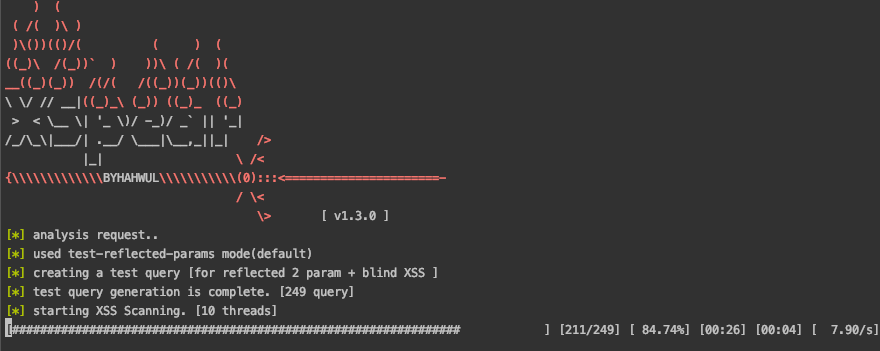
[1] Fortschrittsbalken anzeigen (Standard)``` $ xspear -u "http://testphp.vulnweb.com/listproducts.php?cat=123" -v 1 [] analysis request.. [] used test-reflected-params mode(default) [] creating a test query [for reflected 2 param + blind XSS ] [] test query generation is complete. [249 query] [*] starting XSS Scanning. [10 threads]

