
从安全的离线数据库中存储和检索你的密码。检查你的密码是否曾经泄露,以防止针对性的密码重用攻击。
Pmanager 在 ubuntu 上依赖 "pkg-config" 和 "libssl-dev" 包。只需使用以下命令安装它们
sudo apt install pkg-config libssl-dev -y
根据你当前的操作系统,从 releases 下载二进制文件,并将二进制文件所在位置添加到 PATH 环境变量中,即可开始使用。
sudo apt update -y && sudo apt install curl
curl --proto '=https' --tlsv1.2 -sSf https://sh.rustup.rs | sh
sudo apt install build-essential -y
sudo apt install pkg-config libssl-dev libxcb-render0-dev libxcb-shape0-dev libxcb-xfixes0-dev git -y
git clone https://github.com/yukselberkay/pmanager
cd pmanager
make install
git clone https://github.com/yukselberkay/pmanager
cd pmanager
cargo build --release
git clone https://github.com/yukselberkay/pmanager
cd pmanager
cargo build --release
由 pmanager 0.9.7 及更早版本创建的数据库使用固定的 salt 和固定的加密 nonce,这会严重削弱其保护强度。0.10.0 版本引入了新的数据库格式,并会拒绝打开旧数据库,直到它们被迁移:
pmanager migrate
你的条目会被转换为新格式,同时你可以选择设置一个新的主密码。旧文件会保留在数据库旁边,命名为 db.pmanager.v1.bak。由于它仍受旧方案保护,请在确认一切正常后将其删除。迁移过程还会清除旧版本可能在临时目录中遗留的临时文件。
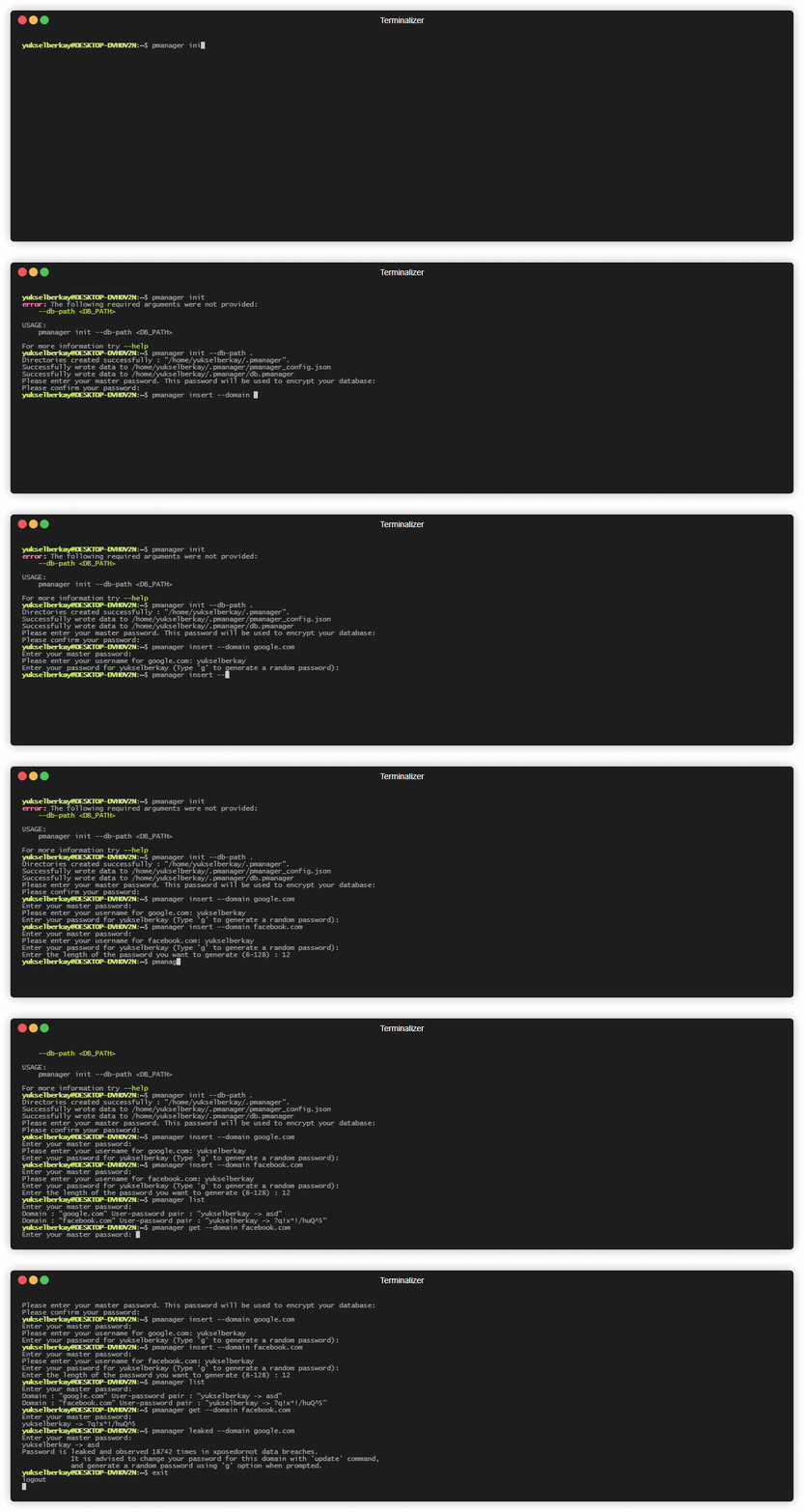
首先需要使用 "init" 命令初始化数据库。
# Initializes the database in the home directory.
pmanager init --db-path ~
# Insert a new user and password pair to the database. The password is copied to the clipboard afterwards.
pmanager insert --domain github.com
# Get a specific record by domain. This command will first copy username and then password to clipboard.
pmanager get --domain github.com
# Copy only the password of a record to clipboard.
pmanager clip --domain github.com
# List every record in the database.
pmanager list
# Update a record by domain. Press enter to keep the current username or password.
pmanager update --domain github.com
# Deletes a record associated with domain from the database.
pmanager delete --domain github.com
# Check if a password in your database is leaked before.
pmanager leaked --domain github.com
# Upgrade a database created by pmanager 0.9.7 or older to the current format.
pmanager migrate
pmanager 0.10.0

USAGE:
    pmanager <SUBCOMMAND>

OPTIONS:
    -h, --help       Print help information
    -V, --version    Print version information

SUBCOMMANDS:
    clip      Copy password to clipboard by domain
    delete    Delete a key value pair from database
    get       Copy username and then password to clipboard by domain
    help      Print this message or the help of the given subcommand(s)
    init      Initialize pmanager
    insert    Insert a user password pair associated with a domain to database
    leaked    Check if a password associated with your domain is leaked
    list      Lists every record in the database
    migrate   Upgrade a database created by pmanager 0.9.7 or older to the current, more secure format
    update    Update a record from database










