Shellcode 坏字节驱逐器



概述 • 快速开始 • 交互式 TUI • 针对性的坏字节消除 • 坏字节配置文件 • 功能特性 • 架构 • 系统要求 • 依赖项 • 构建 • 安装 • 用法 • 混淆策略 • 去零化策略 • 机器学习训练 • 代理集合 • 开发 • 故障排除 • 许可
byvalver 是一个用 C 语言构建的命令行工具,用于自动消除(或称“驱逐”)x86/x64/ARM/ARM64 Shellcode 中的“坏字节”,同时保持完全的功能等价性。
v4.0 新特性:跨架构支持
| 架构 | 成熟度 | 策略数 | 备注 |
|---|---|---|---|
| x86(32 位 Intel/AMD) | 稳定版 v4.2 | 150+ | 生产验证,全覆盖 |
| x64(64 位 Intel/AMD) | 稳定版 v4.2 | 150+ | 默认架构,生产验证 |
| ARM(32 位) | 实验版 v0.1 | 7 个核心 | 测试有限,仅核心指令 |
| ARM64(AArch64) | 实验版 v0.1 | 基础版 | 框架就绪,策略极少 |
--arch 标志自动选择 Capstone 模式v4.0.1 Bug 修复:
can_handle 逻辑中的透传策略问题v4.2 新特性:增强的 x64 支持
is_64bit_register()、is_extended_register()、build_rex_prefix()该工具使用 Capstone 反汇编框架分析指令,并应用超过 175 种排名的转换策略,将包含坏字节的代码替换为等价替代方案。
通用的坏字节驱逐框架提供两种使用模式:
--bad-bytes 选项允许指定要驱逐的任意字节(例如 --bad-bytes "00,0a,0d" 用于产生换行安全的 Shellcode)--profile 选项使用针对常见漏洞利用场景预配置的坏字节集合(例如 --profile http-newline、--profile sql-injection、--profile alphanumeric-only)支持 Windows、Linux 和 macOS。
核心技术:
C 实现,确保效率和底层控制Capstone 用于精确反汇编NASM 用于生成解码器存根[!NOTE] 空字节消除(
--bad-bytes "00"或默认):经过充分测试 / 通用坏字节消除(--bad-bytes "00,0a,0d"等):新实现
在几分钟内开始使用 byvalver:
选项 1:从 GitHub 安装(推荐)```bash curl -sSL https://raw.githubusercontent.com/umpolungfish/byvalver/main/install.sh | bash
**选项2:从源代码构建**```bash
git clone https://github.com/umpolungfish/byvalver.git
cd byvalver
make
sudo make install
sudo make install-man  # Install man page
banish NULL BYTES (DEFAULT):```bash byvalver input.bin output.bin
**使用坏字节配置文件:**```bash
# HTTP contexts (removes null, newline, carriage return)
byvalver --profile http-newline input.bin output.bin

# SQL injection contexts
byvalver --profile sql-injection input.bin output.bin

# Alphanumeric-only shellcode (most restrictive)
byvalver --profile alphanumeric-only input.bin output.bin
手动坏字节规范:```bash
byvalver --bad-bytes "00,0a,0d" input.bin output.bin
**高级功能:**```bash
# Add obfuscation layer before denullification
byvalver --biphasic input.bin output.bin

# Enable ML-powered strategy selection
byvalver --ml input.bin output.bin

# Generate XOR-encoded shellcode with decoder stub
byvalver --xor-encode DEADBEEF input.bin output.bin

# Output in different formats
byvalver --format c input.bin output.c      # C array
byvalver --format python input.bin output.py # Python bytes
byvalver --format hexstring input.bin output.hex # Hex string
始终验证您的 shellcode:```bash
python3 verify_denulled.py --bad-bytes "00,0a,0d" output.bin
python3 verify_functionality.py input.bin output.bin
### 跨架构支持

`byvalver` 通过 `--arch` 标志支持多种架构:

**x86 (32位 Intel/AMD)** - 完全支持,包含 150 多种策略```bash
byvalver --arch x86 --bad-bytes "00" x86_shellcode.bin output.bin
x64 (64-bit Intel/AMD) - 完全支持(默认)```bash byvalver --arch x64 --bad-bytes "00,0a,0d" x64_shellcode.bin output.bin
**ARM(32位)** - 实验性支持,提供基本策略```bash
byvalver --arch arm --bad-bytes "00" arm_shellcode.bin output.bin
ARM64 (AArch64) - 具有基本策略的实验性支持```bash byvalver --arch arm64 --bad-bytes "00,0a" arm64_shellcode.bin output.bin
**Notes:**
- ARM/ARM64支持主要集中在核心指令(MOV、算术运算、加载/存储)
- 建议为ARM使用更简单的坏字节配置文件(例如,仅空字节)
- 选择ARM/ARM64时会显示实验性警告
- 基本的架构不匹配检测会警告如果shellcode似乎是错误的架构
- 未来版本计划添加自动架构检测

### 批量处理

处理整个目录:```bash
# Process all .bin files recursively
byvalver -r --pattern "*.bin" input_dir/ output_dir/

# Apply HTTP profile to all shellcode in directory
byvalver -r --profile http-newline input_dir/ output_dir/
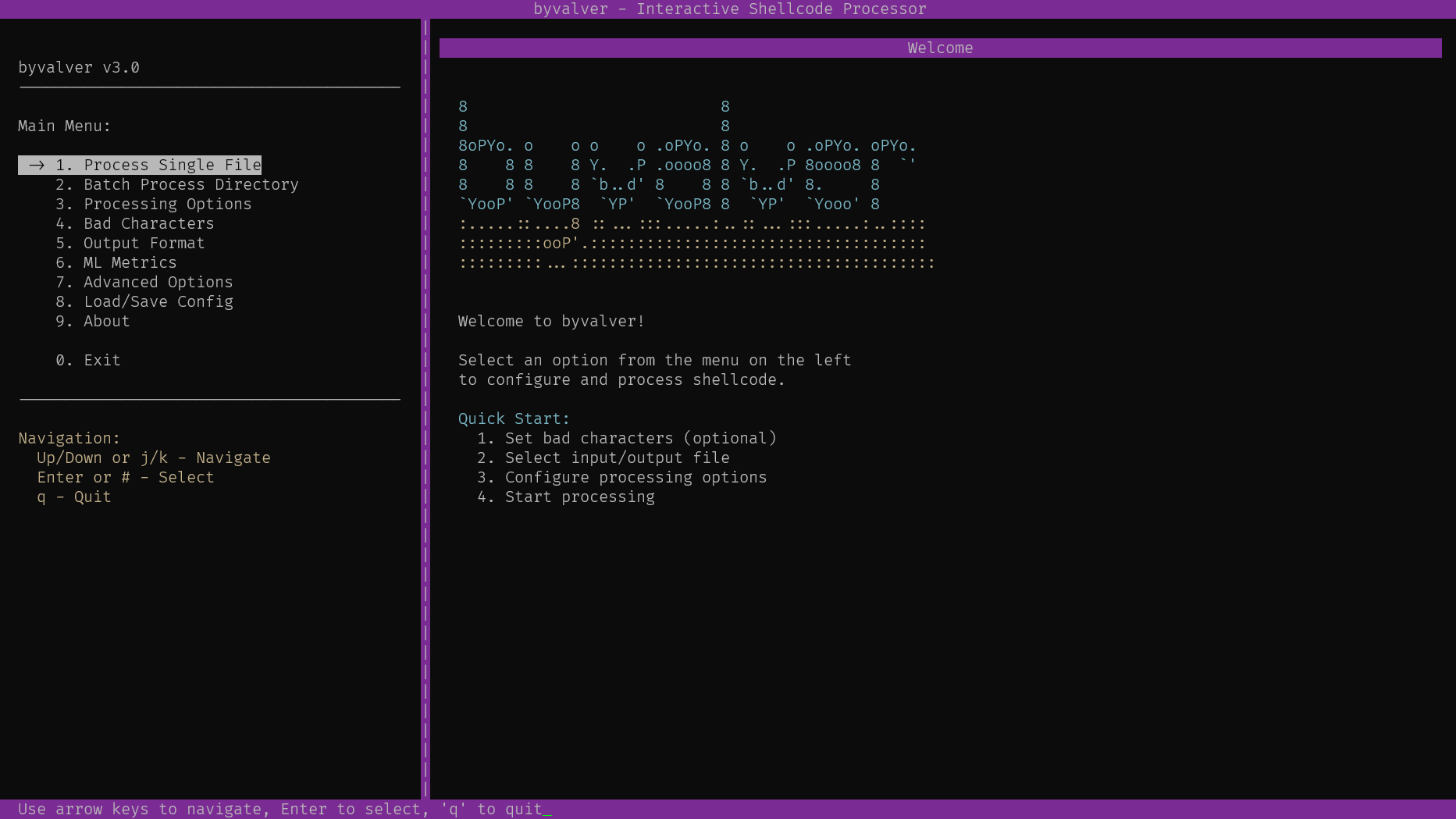
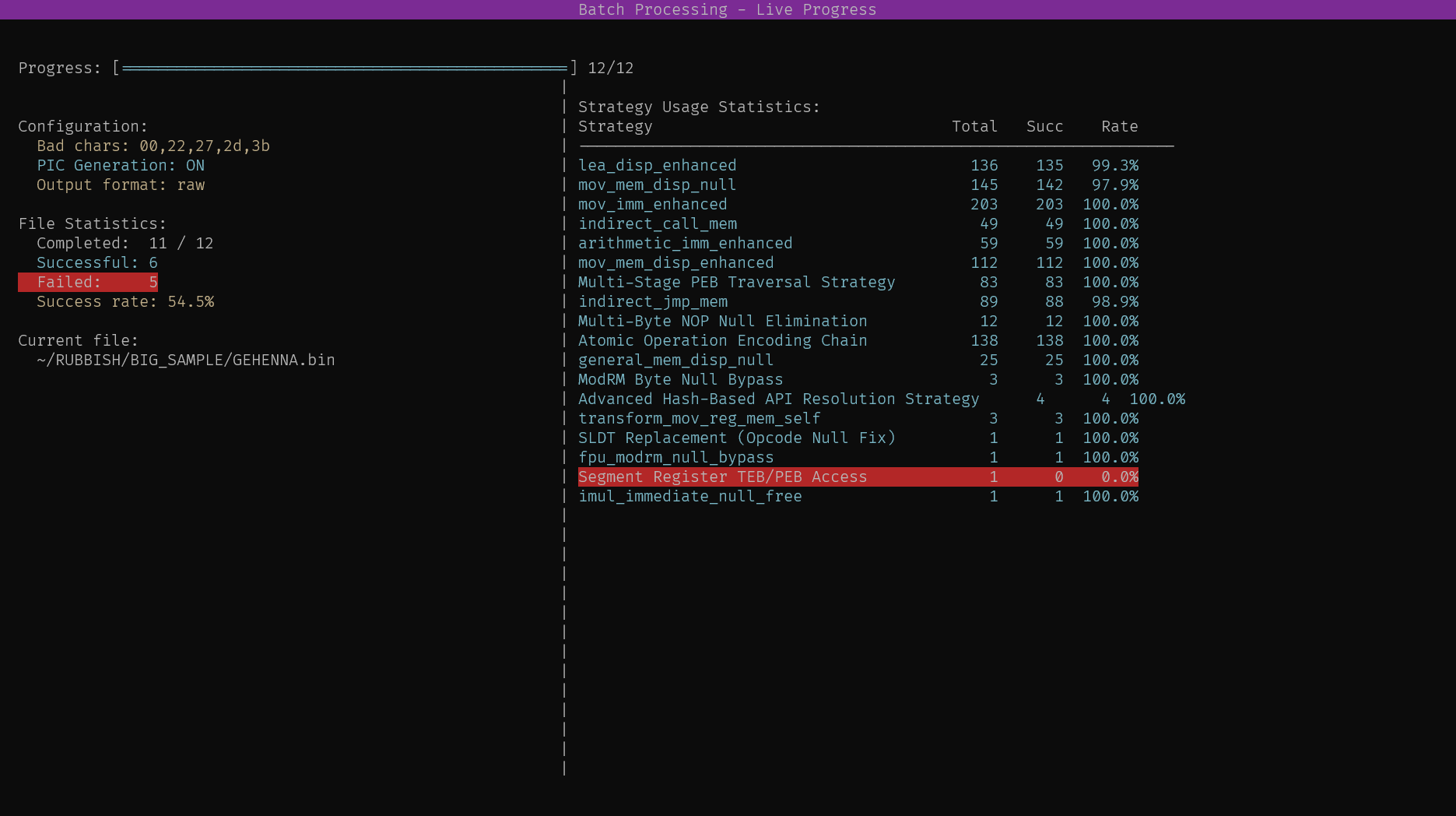
byvalver 包含一个交互式 TUI(文本用户界面),具有与 CLI 1:1 的功能对等性。
该 TUI 为所有 bad-byte 驱除操作提供了直观的视觉界面,包括:
使用 --menu 标志启动 TUI:```bash
byvalver --menu
### 主要功能:

TUI 提供 9 个主菜单选项,覆盖所有 CLI 功能: