thyrlian/charles-proxy-mobile-guide
使用 Charles Proxy 拦截 Android 和 iOS HTTP/HTTPS 流量的分步指南,涵盖 SSL 代理、CA 证书安装和信任设置。

移动端黑客的 Charles Proxy 指南 👍
Charles 是一个 HTTP 代理 / HTTP 监视器 / 反向代理,使开发者能够查看其机器与互联网之间的所有 HTTP 和 SSL / HTTPS 流量。这包括请求、响应以及 HTTP 头(其中包含 cookie 和缓存信息)。
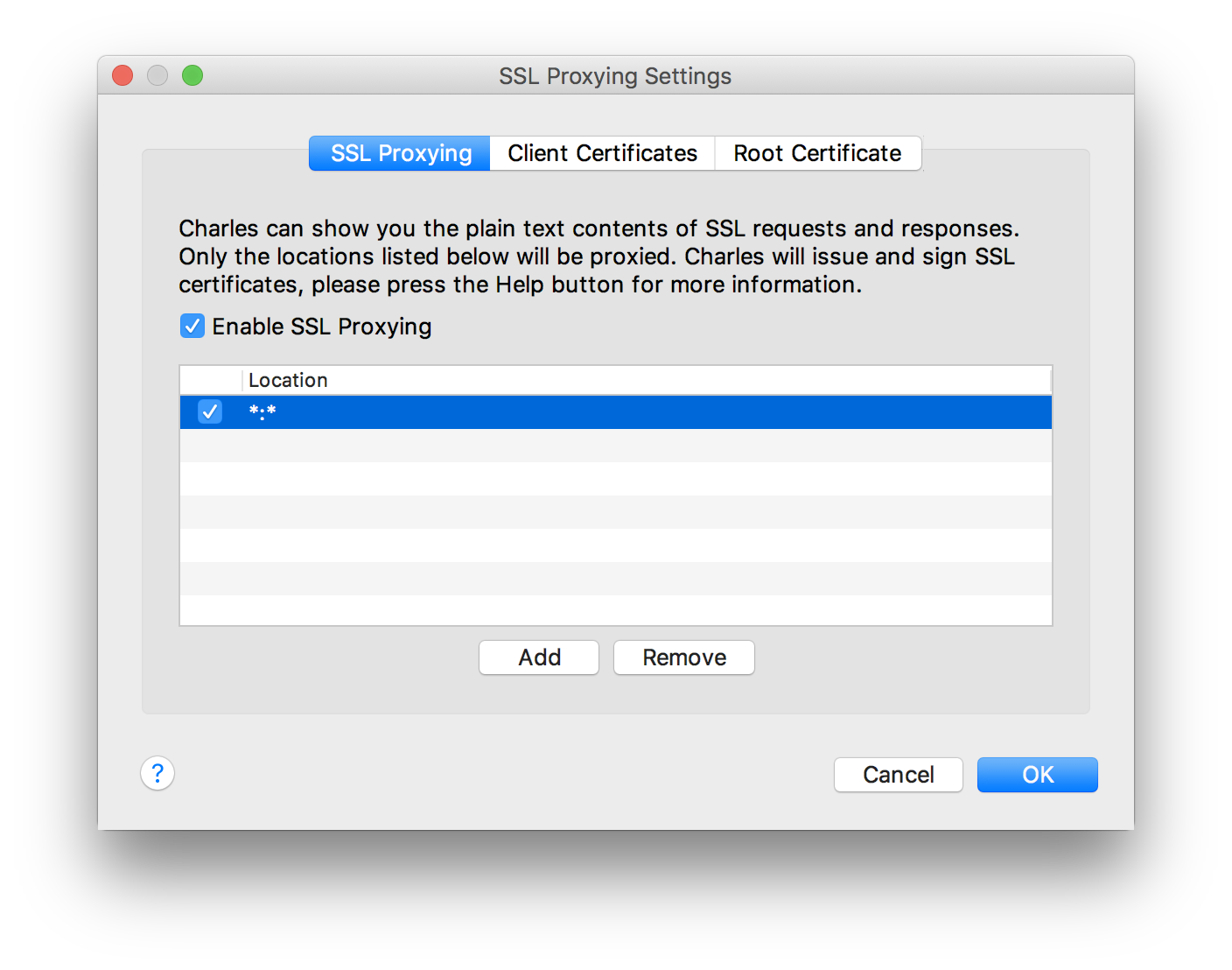
Charles -> Proxy -> SSL Proxying Settings... -> SSL Proxying
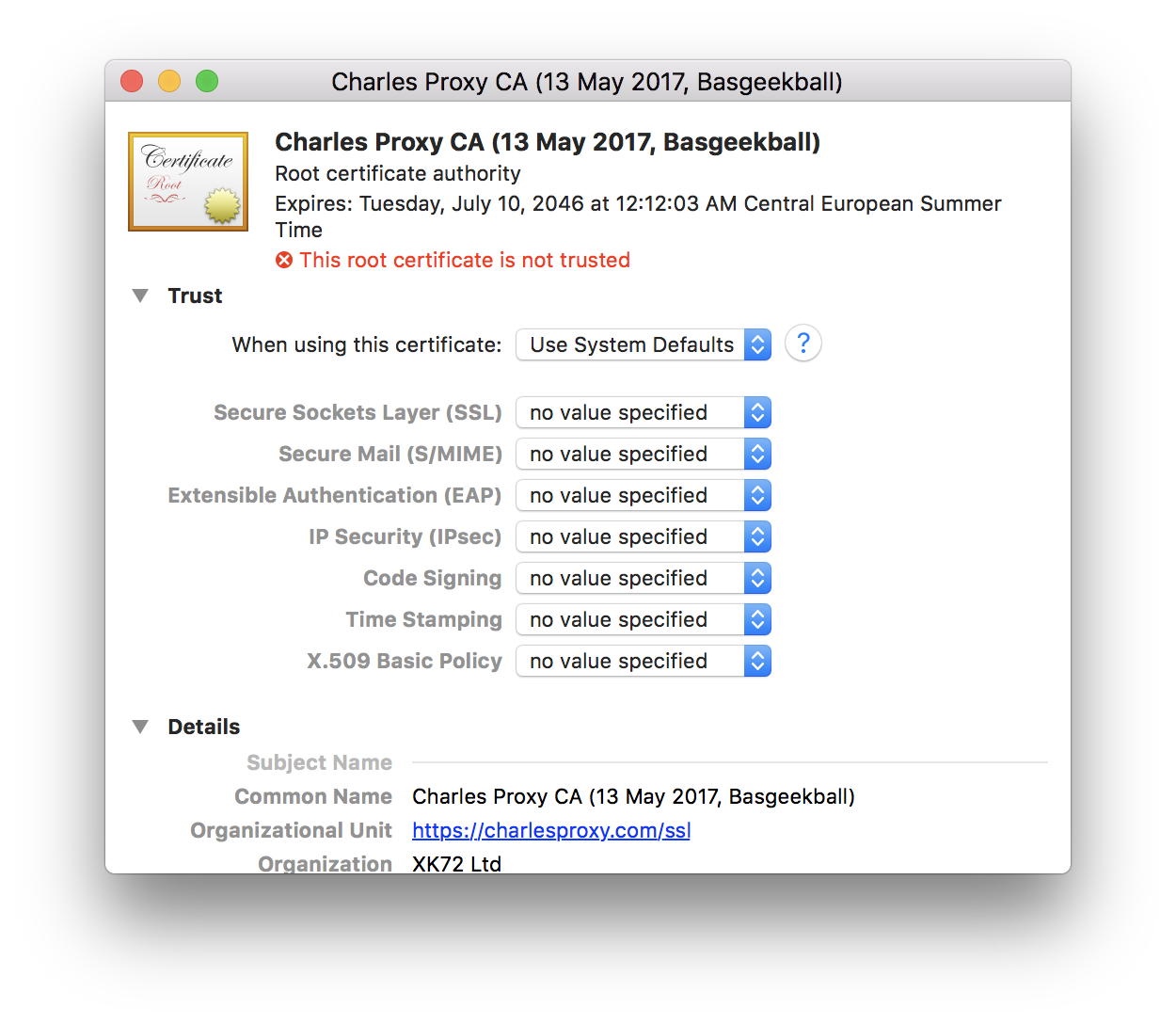
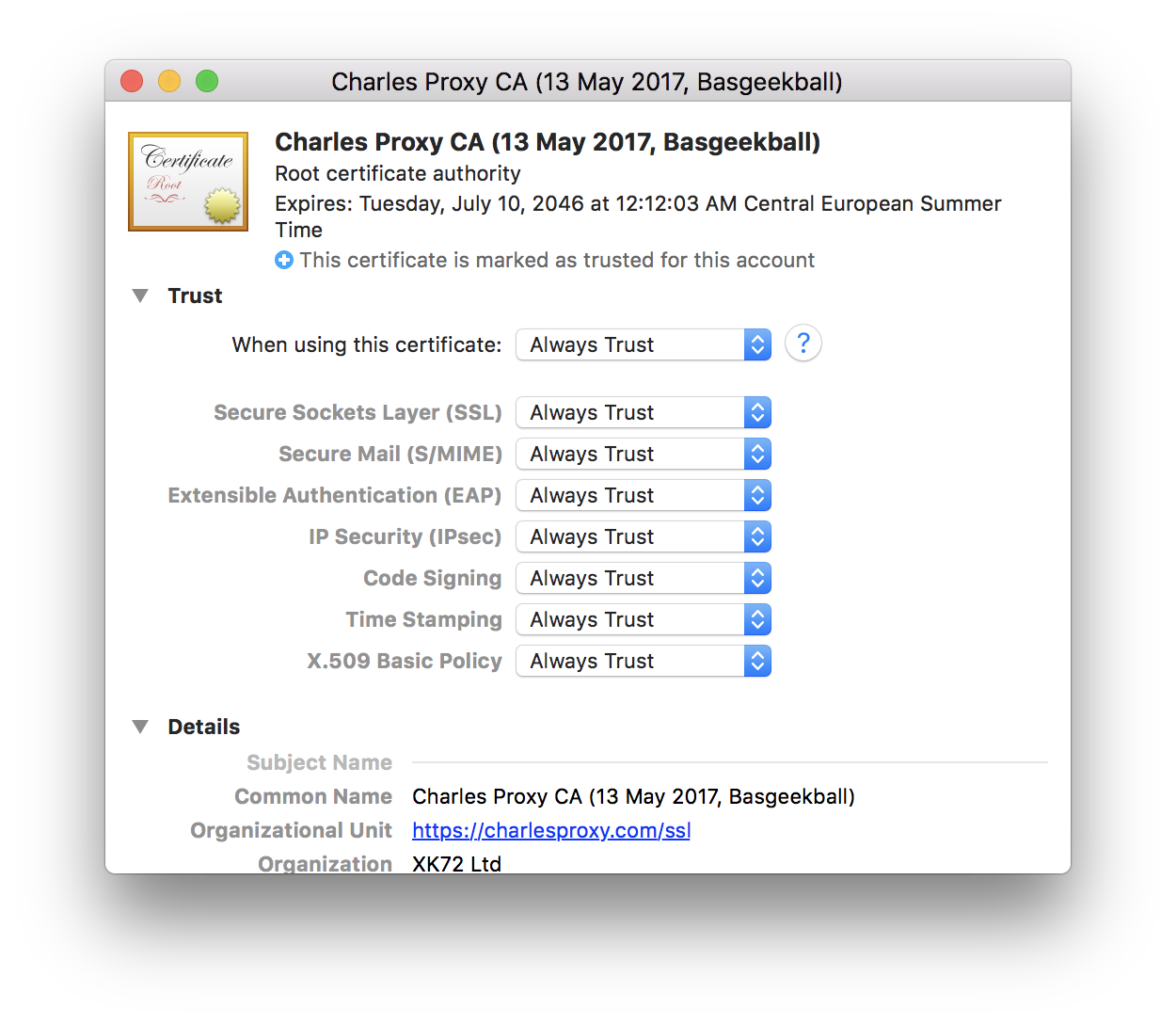
Charles -> Help -> SSL Proxying -> Install Charles Root Certificate
获取 Charles 正在监听的 IP 地址
ifconfig | tr "\n" "→" | tr "\r" "→" | grep -Eo "→en0.*?→en[[:digit:]]" | grep -Eo "inet[[:blank:]+]([0-9]{1,3}\.){3}[0-9]{1,3}" | cut -d' ' -f2 | tr -d "\n" | pbcopy && pbpaste
ifconfig | tr "\n" "→" | tr "\r" "→" | grep -Eo "→en[[:digit:]].*?active→" | grep -v "en0" | grep -Eo "inet[[:blank:]+]([0-9]{1,3}\.){3}[0-9]{1,3}" | cut -d' ' -f2 | tr -d "\n" | pbcopy && pbpaste
启动 Charles 并保持其运行
获取 IP 地址
确保 Android 设备与 Charles 使用同一网络
在 Android 设备上
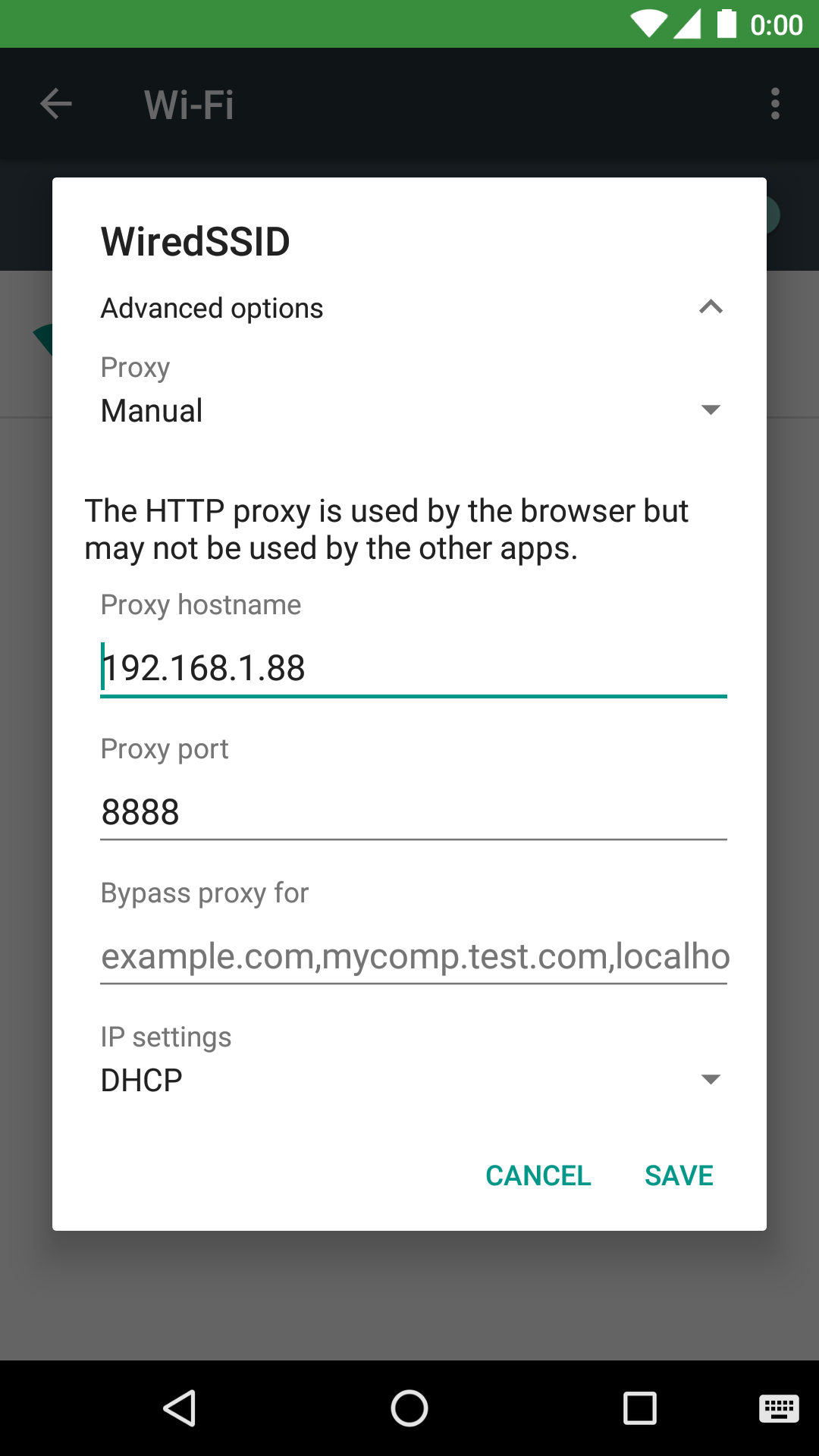
前往 Settings -> Wi-Fi -> 长按正在使用的 网络 -> Modify network -> Advanced options -> Proxy -> Manual
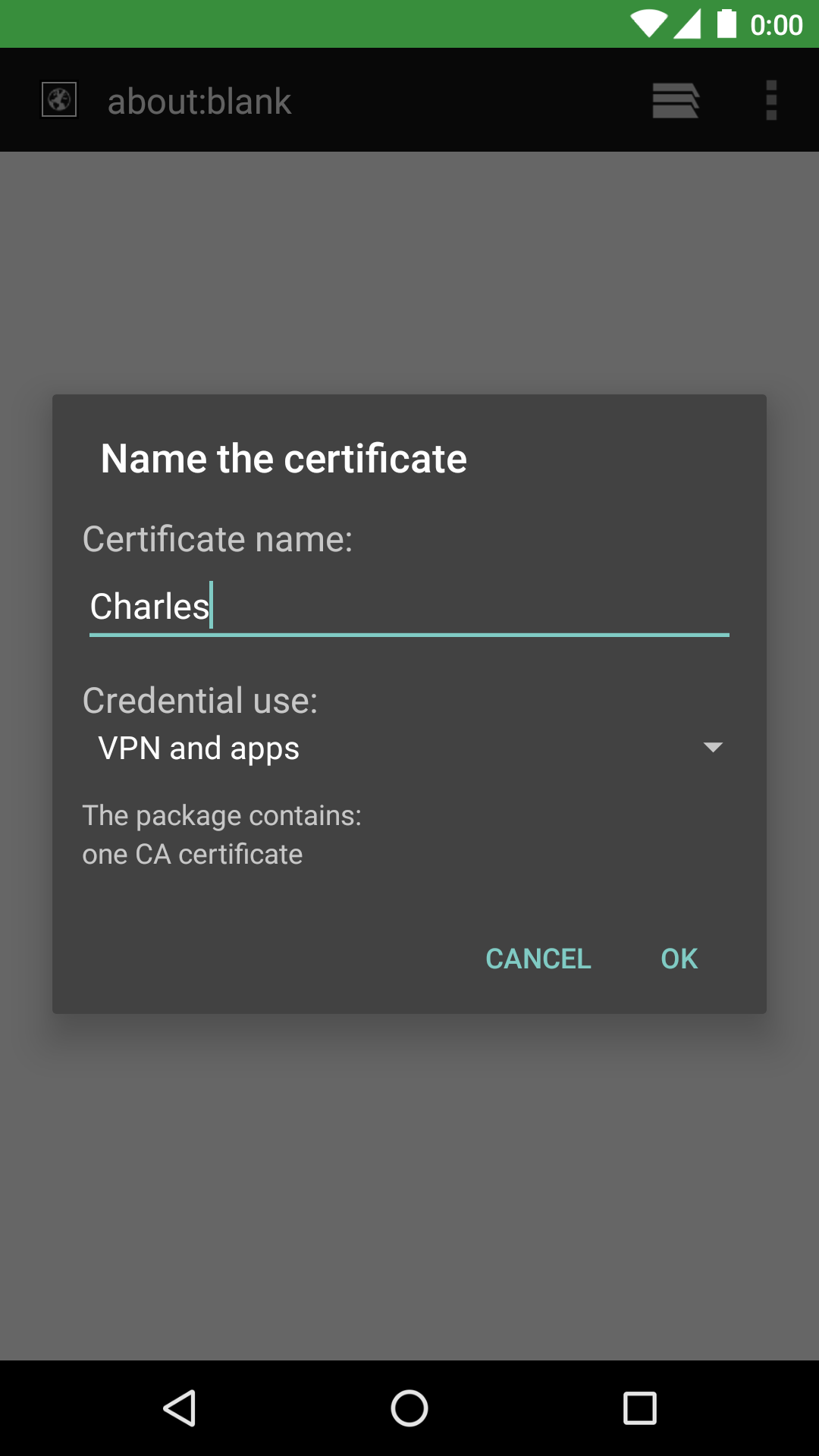
启动 浏览器,访问 https://chls.pro/ssl,保存证书
计算机上会弹出一个对话框,询问 "A connection attempt to Charles has been made from the host ...",只需点击 Allow 按钮
<?xml version="1.0" encoding="utf-8"?>
<network-security-config xmlns:android="http://schemas.android.com/apk/res/android">
    <debug-overrides>
        <trust-anchors>
            <!-- Trust user added CAs while debuggable only -->
            <certificates src="user" />
        </trust-anchors>
    </debug-overrides>
</network-security-config>
application 下添加 networkSecurityConfig 属性即可。
<?xml version="1.0" encoding="utf-8"?>

<manifest xmlns:android="http://schemas.android.com/apk/res/android"
    xmlns:tools="http://schemas.android.com/tools">

    <application
        android:networkSecurityConfig="@xml/network_security_config">
    </application>

</manifest>
现在,SSL 代理应该可以用于你应用的 debug 构建变体,但不适用于 release 构建变体。
启动 Charles 并保持运行
获取 IP 地址
确保 iOS 设备与 Charles 使用同一网络
在 iOS 设备上
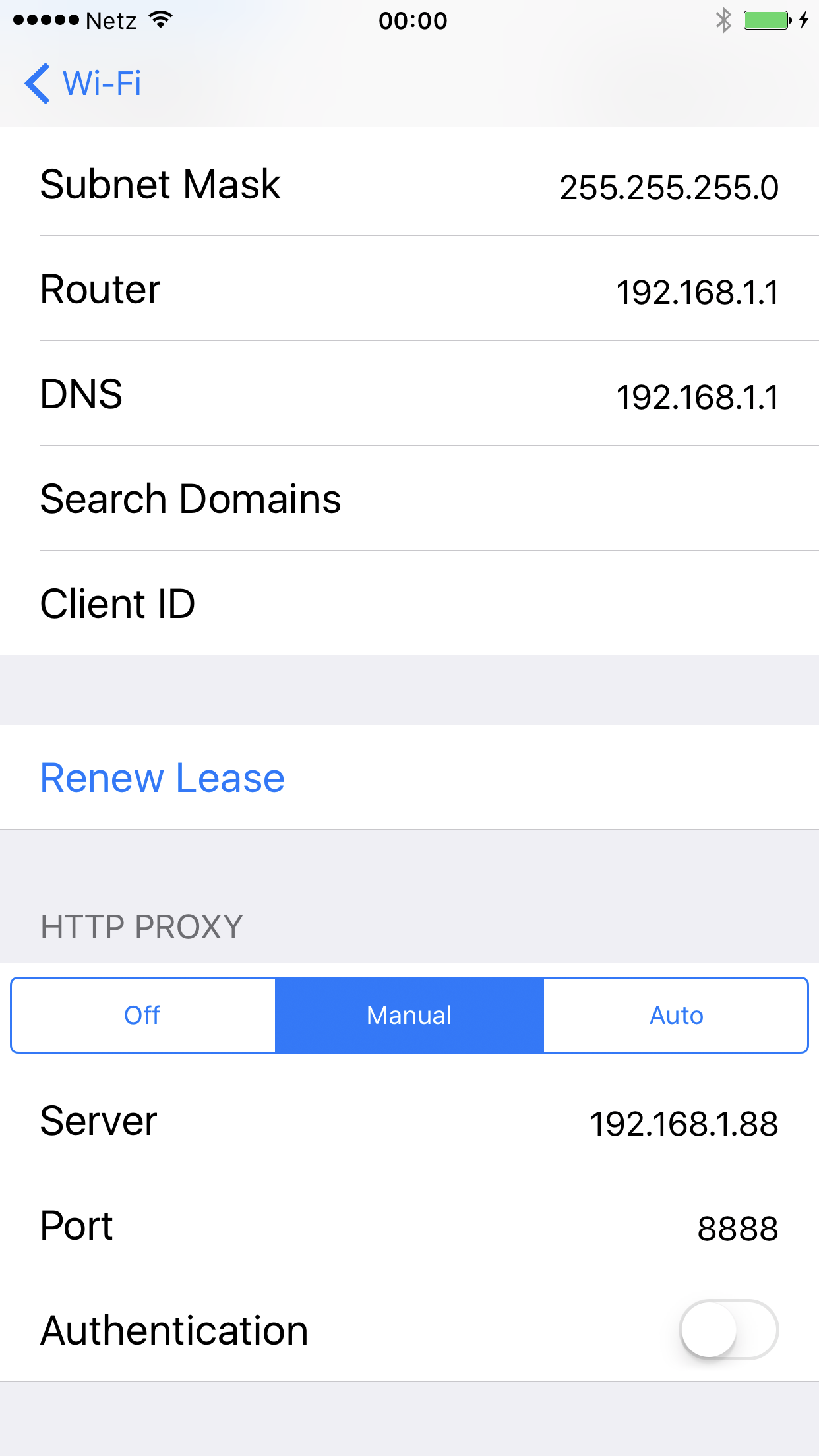
转到 Settings -> Wi-Fi -> 点击正在使用的网络 -> 将 HTTP PROXY 设置为 Manual
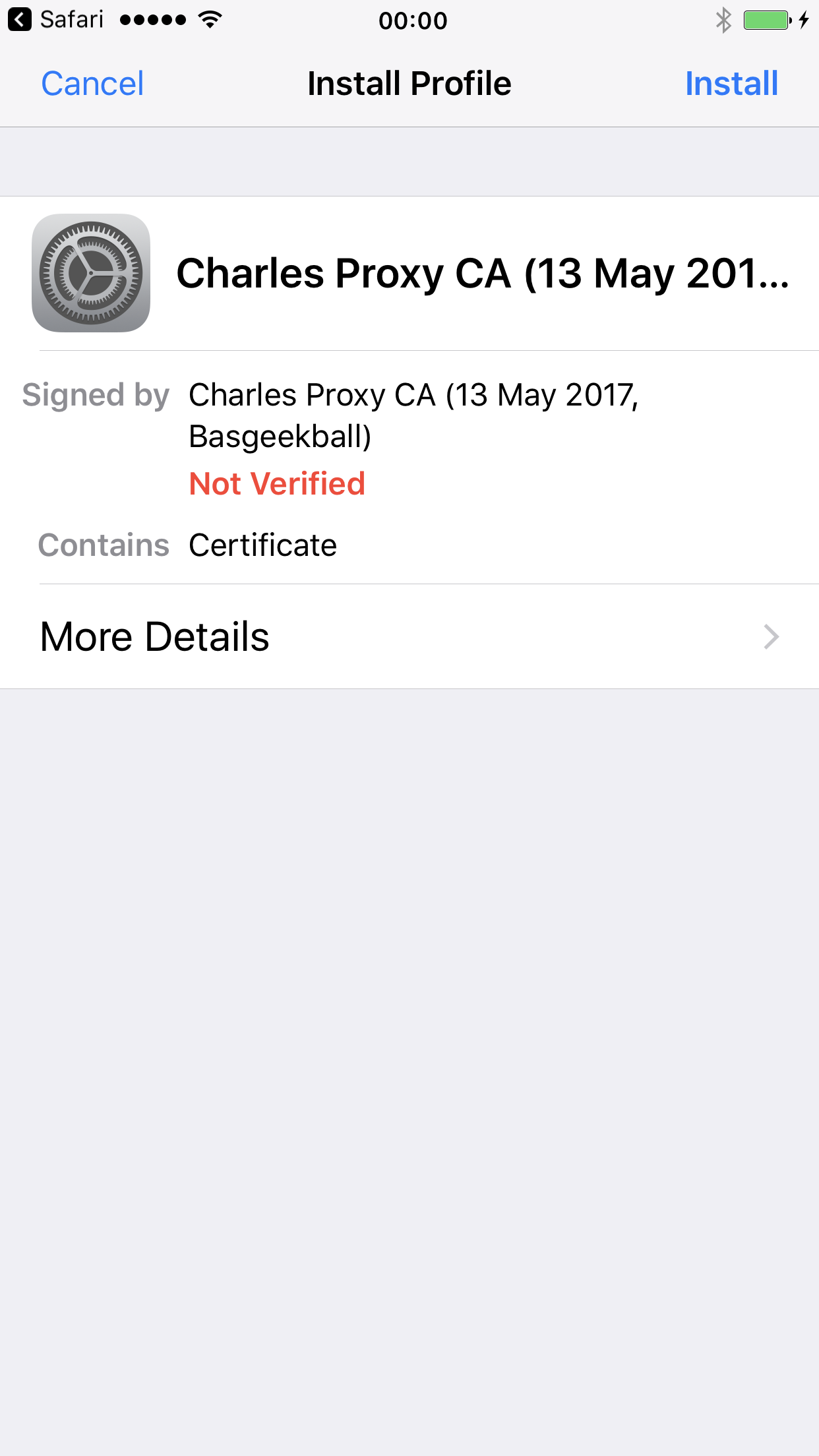
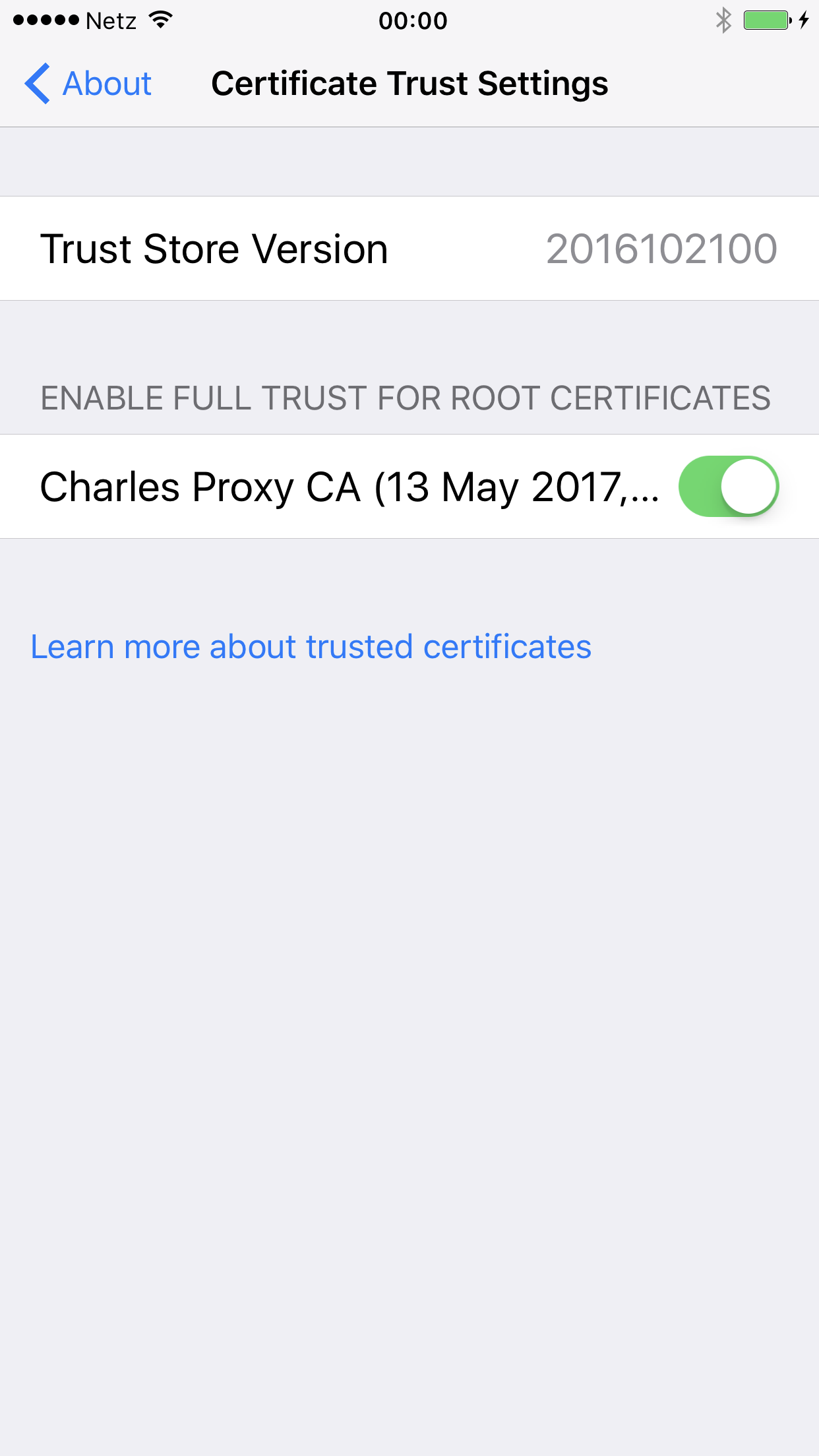
启动 Safari,访问 https://chls.pro/ssl(如果无法访问,请尝试 http://www.charlesproxy.com/getssl),安装证书
电脑上会弹出一个对话框,提示“A connection attempt to Charles has been made from the host ...”,只需点击 Allow 按钮
如果你需要在终端中通过 curl 进行调试:
将 Charles 设置为代理
export http_proxy=http://127.0.0.1:8888 && export https_proxy=$http_proxy
移除代理
unset http_proxy https_proxy