在一个地方管理你所有的渗透测试工具,并通过一个命令保持它们的最新状态 😎
sometools 的目标是能够管理所有不在 Kali 中或无法通过 sudo apt install 安装的工具。如果工具是作为仓库存在的,sometools 效果更好,但也可以调整以在没有仓库的情况下工作。
我一直在寻找一种方式来管理和更新一些 Kali-Linux 中没有包含的工具。例如,我在寻找一个简单的方法来管理权限提升脚本。有一天,我看到了 eugenekolo 的 sec-tools(你可以在页面底部看到),这给了我立即开始开发自己工具的动力。我的主要动力是 check-update-all 命令,它可以让你平滑地更新所有已安装的工具。
但请记住,这是不同的。我是为使用 Kali 的人构建的。应该可以在其他发行版上工作,但我没有包含像 Burp Suite 或 SQLmap 这样的工具,因为它们默认随 Kali 一起提供。
$ git clone https://github.com/som3canadian/Some-Tools $ cd Some-Tools $ ./sometools.sh setup
$ ./sometools.sh list
## 基本用法
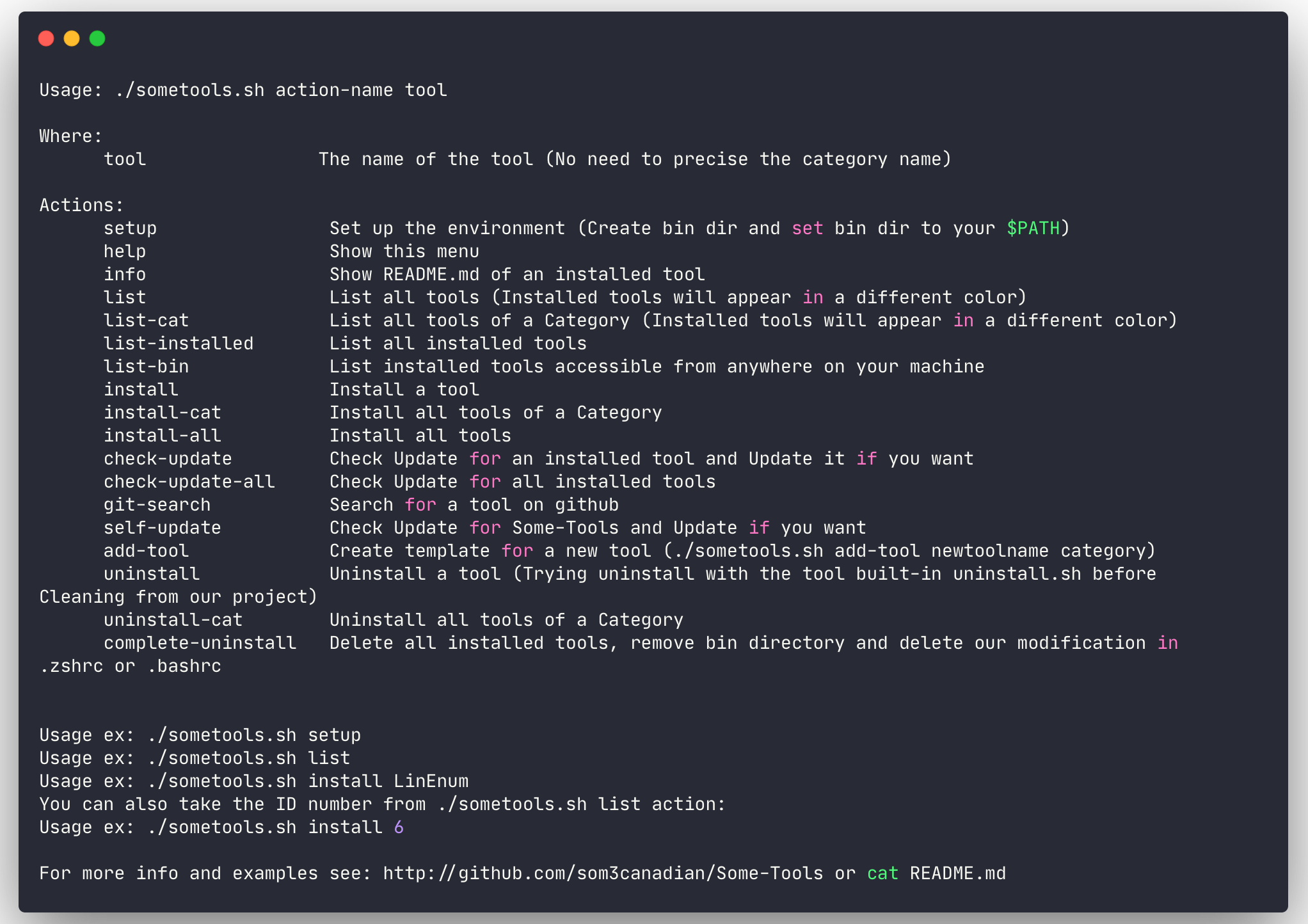
**注意**:使用工具时无需指定类别名称。只需使用工具名称或ID。你可以通过执行 `./sometools.sh list` 来查看工具ID。
最常用的操作有:
- list
- install
- check-update-all
- git-search
- self-update```bash
# Inital setup. Should be the first command
$ ./sometools.sh setup
# List all available tools
$ ./sometools.sh list
# List all available tools of a category
$ ./sometools.sh list-cat Utilities
# List install tool(s)
$ ./sometools.sh list-installed
# List installed tools accessible from anywhere on your machine
$ ./sometool.sh list-bin
# Install a tool
$ ./sometools.sh install unicorn
# Using ID instead of tool name
$ ./sometools.sh install 4
# Install all tools of a Category
$ ./sometools.sh install-cat PrivEsc-Win
# Install All tools
$ ./sometools.sh install all
# Check update for all installed tools
# check-update-all command is the main reason why I made this
$ ./sometools.sh check-update-all
# Check for update
$ ./sometools.sh check-update PEAS
# Using ID instead of tool name
$ ./sometools.sh check-update 9
# Search for a tool on github
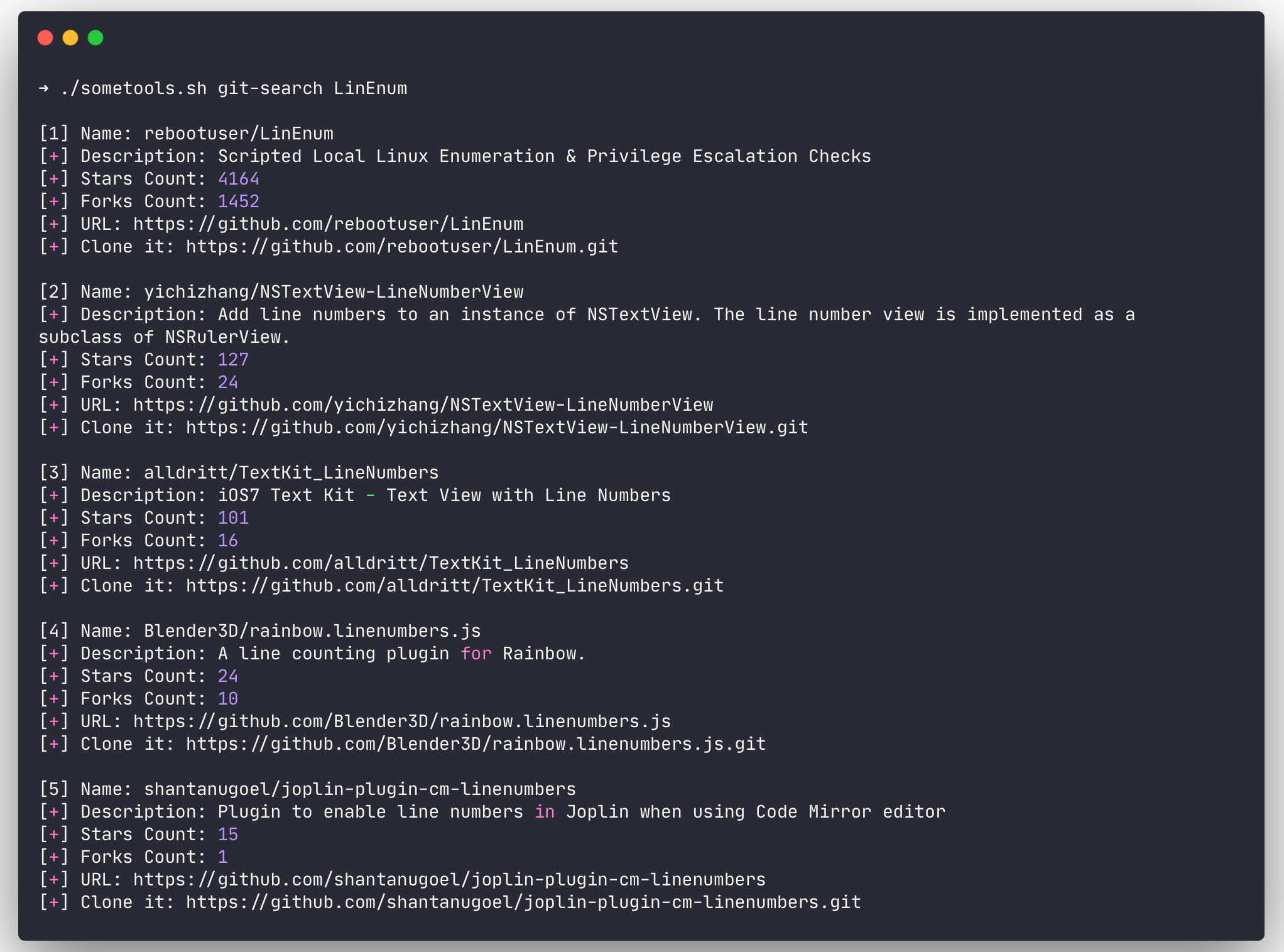
$ ./sometools.sh git-search LinEnum
# Search for a PoC in the PoC-in-GitHub tool
$ ./sometools.sh search-poc
# Show README.md of an installed tool
$ ./sometools.sh info unicorn
# Using ID instead of tool name
$ ./sometools.sh info 4
# Add a new tool
$ ./sometools.sh add-tool newtoolname PrivEsc-Lin
# Uninstall a tool
$ ./sometools.sh uninstall unicorn
# Using ID instead of tool name
$ ./sometools.sh uninstall 4
# Unistall all tools of a Category
$ ./sometools.sh uninstall-cat PrivEsc-Win
# Update some-tools
$ ./sometools.sh self-update
# Delete all installed tools, remove bin directory and delete our modification in .zshrc or .bashrc
$ ./sometools.sh complete-uninstall
在执行 setup 操作时会创建 bin 目录。这个目录路径将被添加到 shell 的 $PATH 环境变量中(your/install/dir/Some-Tools/bin)。在 bin 目录中,我们将放置那些希望在整个机器上都能可执行工具的副本(符号链接)。例如,像 unicorn.py 这样的工具,你可能希望在任何地方都能执行 unicorn 命令。
setup 操作还会在这个过程中创建 bin/PrivEsc-Lin 和 bin/PrivEsc-Win 目录。在这些目录中,我们将保存权限提升脚本。因此,当你需要使用工具时,可以启动一个 Python HTTP 服务器并快速上传所需的脚本。这些文件夹中的脚本将在你使用 check-update 操作更新工具时同时更新。