

功能特性 • 安装 • 使用方法 • 运行 tlsx • 加入 Discord
一个快速且可配置的 TLS 抓取工具,专注于基于 TLS 的数据收集与分析。
tlsx 需要 Go 1.27.3 才能成功安装。要安装,只需运行以下命令,或从发布页面下载预编译的二进制文件。
go install github.com/projectdiscovery/tlsx/cmd/tlsx@latest
tlsx -h
这将显示该工具的帮助信息。以下是它支持的所有开关。
TLSX is a tls data gathering and analysis toolkit.

Usage:
  tlsx [flags]

Flags:
INPUT:
   -u, -host string[]  target host to scan (-u INPUT1,INPUT2)
   -l, -list string    target list to scan (-l INPUT_FILE)
   -p, -port string[]  target port to connect (default 443)

SCAN-MODE:
   -sm, -scan-mode string     tls connection mode to use (ctls, ztls, openssl, auto) (default "auto")
   -ps, -pre-handshake        enable pre-handshake tls connection (early termination) using ztls
   -sa, -scan-all-ips         scan all ips for a host (default false)
   -iv, -ip-version string[]  ip version to use (4, 6) (default 4)

PROBES:
   -san                     display subject alternative names
   -cn                      display subject common names
   -so                      display subject organization name
   -tv, -tls-version        display used tls version
   -cipher                  display used cipher
   -hash string             display certificate fingerprint hashes (md5,sha1,sha256)
   -jarm                    display jarm fingerprint hash
   -ja3                     display ja3 fingerprint hash (using ztls)
   -wc, -wildcard-cert      display host with wildcard ssl certificate
   -tps, -probe-status      display tls probe status
   -ve, -version-enum       enumerate and display supported tls versions
   -ce, -cipher-enum        enumerate and display supported cipher
   -ct, -cipher-type value  ciphers types to enumerate. possible values: all/secure/insecure/weak (comma-separated) (default all)
   -ch, -client-hello       include client hello in json output (ztls mode only)
   -sh, -server-hello       include server hello in json output (ztls mode only)
   -se, -serial             display certificate serial number

MISCONFIGURATIONS:
   -ex, -expired      display host with host expired certificate
   -ss, -self-signed  display host with self-signed certificate
   -mm, -mismatched   display host with mismatched certificate
   -re, -revoked      display host with revoked certificate
   -un, -untrusted    display host with untrusted certificate

CONFIGURATIONS:
   -config string               path to the tlsx configuration file
   -r, -resolvers string[]      list of resolvers to use
   -cc, -cacert string          client certificate authority file
   -ci, -cipher-input string[]  ciphers to use with tls connection
   -sni string[]                tls sni hostname to use
   -rs, -random-sni             use random sni when empty
   -rps, -rev-ptr-sni           perform reverse PTR to retrieve SNI from IP
   -min-version string          minimum tls version to accept (ssl30,tls10,tls11,tls12,tls13)
   -max-version string          maximum tls version to accept (ssl30,tls10,tls11,tls12,tls13)
   -cert, -certificate          include certificates in json output (PEM format)
   -tc, -tls-chain              include certificates chain in json output
   -vc, -verify-cert            enable verification of server certificate
   -ob, -openssl-binary string  OpenSSL Binary Path
   -hf, -hardfail               strategy to use if encountered errors while checking revocation status
   -proxy string                socks5 proxy to use for tlsx

OPTIMIZATIONS:
   -c, -concurrency int  number of concurrent threads to process (default 300)
   -cec, -cipher-concurrency int  cipher enum concurrency for each target (default 10)
   -timeout int          tls connection timeout in seconds (default 5)
   -retry int            number of retries to perform for failures (default 3)
   -delay string         duration to wait between each connection per thread (eg: 200ms, 1s)

UPDATE:
   -up, -update                 update tlsx to latest version
   -duc, -disable-update-check  disable automatic tlsx update check

OUTPUT:
   -o, -output string  file to write output to
   -j, -json           display output in jsonline format
   -dns                display unique hostname from SSL certificate response
   -ro, -resp-only     display tls response only
   -silent             display silent output
   -nc, -no-color      disable colors in cli output
   -v, -verbose        display verbose output
   -version            display project version

PDCP:
   -pd, -dashboard              upload or view output in the PDCP UI dashboard
   -pdu, -dashboard-upload string  upload tlsx output file (JSONL format) to the PDCP UI dashboard
   -auth string                  PDCP API key for authentication
   -tid, -team-id string         upload asset results to a specified team ID
   -aid, -asset-id string        upload new assets to an existing asset ID
   -aname, -asset-name string    asset group name

DEBUG:
   -health-check, -hc  run diagnostic check up
将 tlsx 作为库使用的示例已在 examples 文件夹中提供。
tlsx 需要 ip 来建立 TLS 连接,并接受如下列出的多种格式:
AS1449 # ASN input
173.0.84.0/24 # CIDR input
93.184.216.34 # IP input
example.com # DNS input
example.com:443 # DNS input with port
https://example.com:443 # URL input port
输入主机可以使用 -host / -u 标志提供,多个值可以通过逗号分隔的输入提供,同样支持使用 -list / -l 标志进行 文件 输入。
逗号分隔主机输入示例:
$ tlsx -u 93.184.216.34,example.com,example.com:443,https://example.com:443 -silent
基于文件的主机输入示例:
$ tlsx -list host_list.txt
端口输入:
tlsx 默认连接端口 443,可通过 -port / -p 标志进行自定义,可使用逗号分隔的输入或包含待连接端口列表的换行分隔文件来指定单个或多个端口。
逗号分隔端口输入示例:
$ tlsx -u hackerone.com -p 443,8443
基于文件的端口输入示例:
$ tlsx -u hackerone.com -p port_list.txt
注意:
当输入主机中包含端口时,例如
8.8.8.8:443或hackerone.com:8443,将使用主机指定的端口建立 TLS 连接,而不是默认端口或通过-port / -p标志提供的端口。
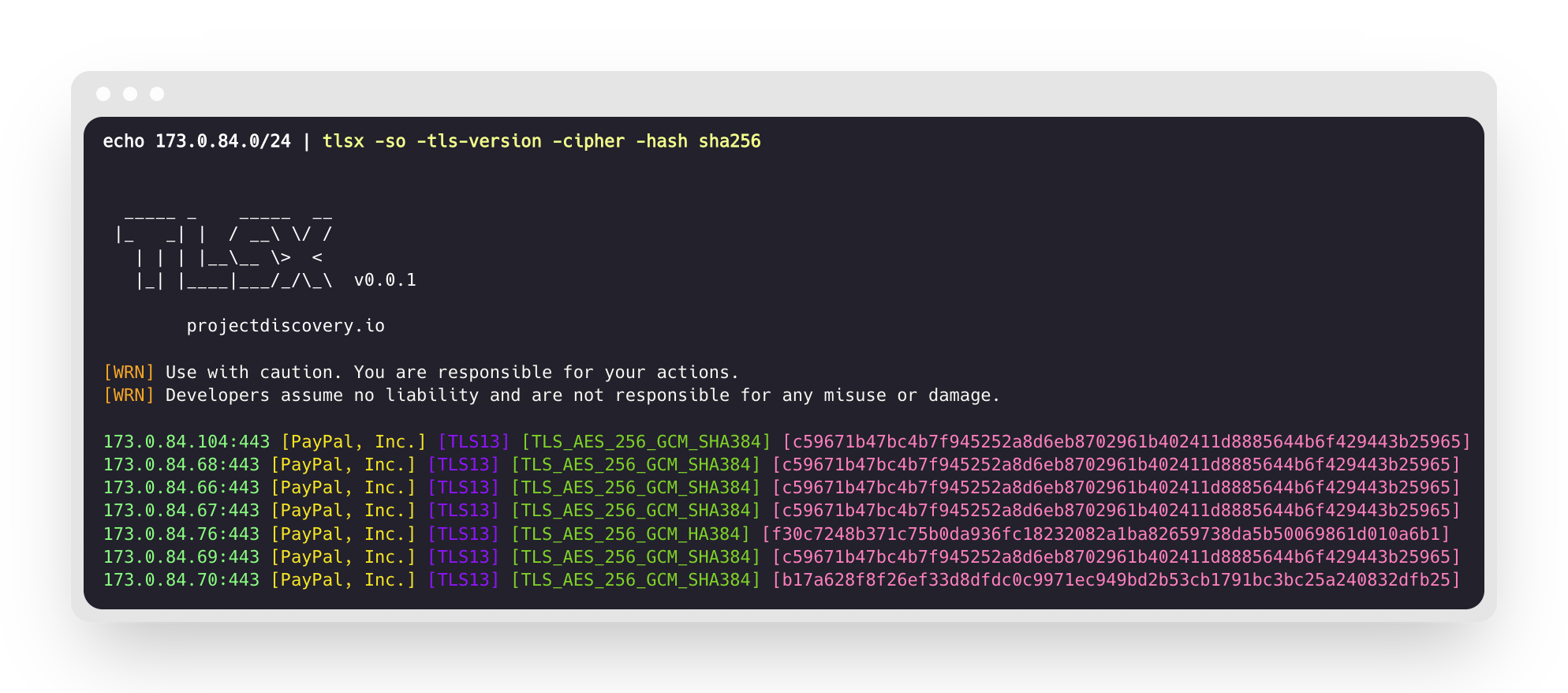
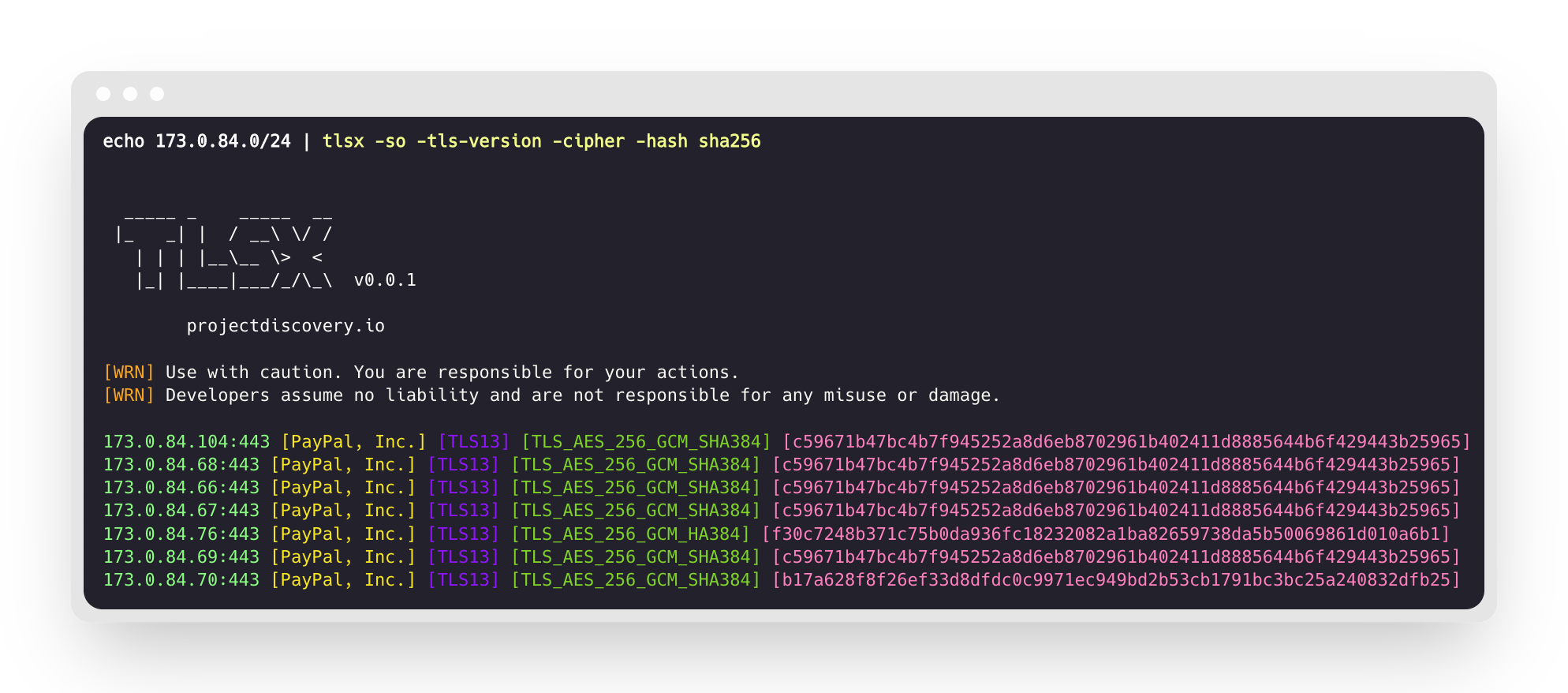
这将对给定的 CIDR 范围运行该工具,并返回在 443 端口上接受 TLS 连接的主机。
$ echo 173.0.84.0/24 | tlsx


  _____ _    _____  __
 |_   _| |  / __\ \/ /
   | | | |__\__ \>  <
   |_| |____|___/_/\_\  v0.0.1

    projectdiscovery.io

[WRN] Use with caution. You are responsible for your actions.
[WRN] Developers assume no liability and are not responsible for any misuse or damage.