mrexodia/ida-pro-mcp
AI驱动的逆向工程助手,通过MCP将IDA Pro与语言模型连接起来。
[!IMPORTANT] 我建议改用 官方 Hex-Rays IDA MCP 服务器!
更多信息请参阅公告博客文章。
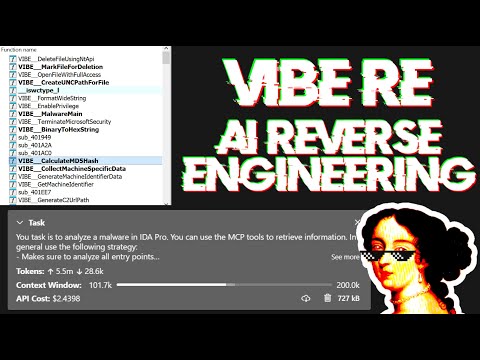
简单的 MCP 服务器,用于在 IDA Pro 中进行 vibe reversing。
https://github.com/user-attachments/assets/6ebeaa92-a9db-43fa-b756-eececce2aca0
视频中使用的二进制文件和提示词可在 mcp-reversing-dataset 仓库中获取。
idapyswitch 切换到最新的 Python 版本ida-pro-mcp --config 获取适用于你客户端的 JSON 配置。注意:这需要全局激活 idalib 并安装 uv:```bash
uv run "C:\Program Files\IDA Professional 9.3\idalib\python\py-activate-idalib.py"
uv run "/Applications/IDA Professional 9.3.app/Contents/MacOS/idalib/python/py-activate-idalib.py"
uv run "/path/to/idapro-9.3/idalib/python/py-activate-idalib.py"
## 安装(Claude Code)

要在 Claude Code 中安装最新的 IDA Pro MCP:```bash
claude plugin marketplace add mrexodia/claude-marketplace
claude plugin uninstall ida-pro-mcp@mrexodia
claude plugin install ida-pro-mcp@mrexodia
要在 Codex 中安装最新的 IDA Pro MCP:```bash codex plugin marketplace add mrexodia/codex-marketplace codex plugin remove ida-pro-mcp@mrexodia codex plugin add ida-pro-mcp@mrexodia
## 安装(Kimi Code)

要在 Kimi Code 中安装最新的 IDA Pro MCP,请在聊天中运行以下斜杠命令:```
/plugins install https://github.com/mrexodia/ida-pro-mcp/tree/main
/reload
这会安装 idalib MCP 服务器和 idapython 技能。插件会被复制到
$KIMI_CODE_HOME/plugins/managed/,因此 uv 必须在你的 PATH 中。安装后的第一个会话
会比较慢,因为 uv 会在服务器响应之前解析依赖项。
注意:不再推荐使用 MCP 插件,它最终将被弃用。请改用 idalib-mcp。
如果你想从 IDA GUI 手动配置 MCP 服务器:```sh pip uninstall ida-pro-mcp pip install https://github.com/mrexodia/ida-pro-mcp/archive/refs/heads/main.zip
配置 MCP 服务器并安装 IDA 插件:```
ida-pro-mcp --install
重要:请确保完全重启 IDA 和你的 MCP 客户端,以使安装生效。某些客户端(如 Claude)在后台运行,需要从托盘图标退出。
LLM 容易产生幻觉,你需要在提示中具体明确。对于逆向工程而言,整数与字节之间的转换尤其容易出问题。以下是一个最小示例提示,如果你使用不同的提示取得了良好效果,欢迎发起讨论或提交 issue:```md Your task is to analyze a crackme in IDA Pro. You can use the MCP tools to retrieve information. In general use the following strategy:
int_convert MCP tool if needed!这只是第一个实验性提示,如果你找到了改进输出的方法,请分享!
[@can1357](https://github.com/can1357) 的另一个提示:```md
Your task is to create a complete and comprehensive reverse engineering analysis. Reference AGENTS.md to understand the project goals and ensure the analysis serves our purposes.
Use the following systematic methodology:
1. **Decompilation Analysis**
- Thoroughly inspect the decompiler output
- Add detailed comments documenting your findings
- Focus on understanding the actual functionality and purpose of each component (do not rely on old, incorrect comments)
2. **Improve Readability in the Database**
- Rename variables to sensible, descriptive names
- Correct variable and argument types where necessary (especially pointers and array types)
- Update function names to be descriptive of their actual purpose
3. **Deep Dive When Needed**
- If more details are necessary, examine the disassembly and add comments with findings
- Document any low-level behaviors that aren't clear from the decompilation alone
- Use sub-agents to perform detailed analysis
4. **Important Constraints**
- NEVER convert number bases yourself - use the int_convert MCP tool if needed
- Use MCP tools to retrieve information as necessary
- Derive all conclusions from actual analysis, not assumptions
5. **Documentation**
- Produce comprehensive RE/*.md files with your findings
- Document the steps taken and methodology used
- When asked by the user, ensure accuracy over previous analysis file
- Organize findings in a way that serves the project goals outlined in AGENTS.md or CLAUDE.md
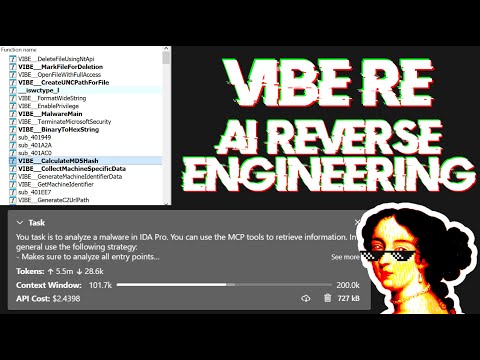
直播讨论提示词并展示一些真实世界的恶意软件分析:
大型语言模型(LLM)是强大的工具,但有时它们可能在复杂的数学计算上遇到困难,或者表现出“幻觉”(编造事实)。请务必告诉 LLM 使用 int_convert MCP 工具,对于某些操作,你可能还需要 math-mcp。
另一件需要记住的事情是,LLM 在混淆代码上表现不佳。在尝试使用 LLM 解决问题之前,先查看一下二进制文件,并花一些时间(自动地)移除以下内容:
你还应该使用像 Lumina 或 FLIRT 这样的工具,尝试解析所有开源库代码和 C++ STL,这将进一步提高准确性。
你可以像这样运行一个 SSE 服务器来连接到用户界面:```sh uv run ida-pro-mcp --transport http://127.0.0.1:8744/sse
安装 [`idalib`](https://docs.hex-rays.com/core/idalib/getting-started) 后,你还可以运行无头 MCP 服务器。你可以从一个初始二进制文件开始:```sh
uv run idalib-mcp --host 127.0.0.1 --port 8745 path/to/executable
或者不使用二进制文件启动,稍后通过 idb_open(...) 打开任意文件:```sh
uv run idalib-mcp --host 127.0.0.1 --port 8745
对于基于 stdio 的客户端,请使用:```sh
uv run idalib-mcp --stdio
数据库工作进程是持久化的:每个工作进程都作为独立进程运行,其生命周期长于创建它的 supervisor。当一个新的 supervisor(通过 stdio 或 HTTP)为一个已在本主机上某个工作进程中打开的二进制文件调用 idb_open 时,该 supervisor 会透明地接管该工作进程——无需启用单独的“共享”模式。当工作进程在空闲间隔内没有收到任何请求时,它会自行退出。
注意:idalib 功能由 Willi Ballenthin 贡献。
idalib-mcp 是一个 supervisor,它将每个已打开的数据库保存在各自的 idalib 工作进程中。工作进程会在主机本地的发现目录中注册自身,并且其生命周期长于创建它的 supervisor;任何后续想要同一路径的 supervisor 都会接管正在运行的工作进程。当工作进程在其空闲 TTL(默认 1 小时)内没有收到任何请求时,它会自行退出。调用 idb_close 可主动释放工作进程(释放一个名额以接近 --max-workers),被接管的 GUI/工作进程实例会被分离而不是被杀死。
idb_open 通过其 mode 参数选择后端:
prefer_headless(默认):启动一个 idalib 工作进程(或接管一个已经打开该文件的工作进程)。force_headless:同上,但即使有正在运行的 GUI 已打开该文件,也绝不接管它。prefer_gui:接管已打开该文件的正在运行的 GUI;否则启动一个 idalib 工作进程。force_gui:接管已打开该文件的正在运行的 GUI;否则启动一个新的 IDA GUI 进程。每次工具调用都必须携带显式的 database 参数。不存在隐式的“当前数据库”——调用方需指明其想要操作的会话。```sh
uv run idalib-mcp --stdio --max-workers 4
典型流程:```python
idb_open("/path/to/binary_a.exe", preferred_session_id="binary_a")
idb_open("/path/to/library.dll", preferred_session_id="library")

decompile("main", database="binary_a")
xrefs_to("ImportantExport", database="library")
database 必须是 idb_open 返回的会话 ID(或在 idb_list 中显示的会话 ID);不接受文件名和路径。